
Описание
## Wynncraft for Lunar Client
**Wynncraft for Lunar Client** is a tailor-made list of popular mods to enhance your gameplay experience while playing Wynncraft on Lunar Client. These mods are validated to work with Lunar Client.
_Note: To experience **Wynncraft** at its best, we highly recommend downloading [**Lunar Client**](https://lunarclient.com/download). While any modpack loader can be used, [**Lunar Client**](https://lunarclient.com/download) offers superior performance and features._
## Modpack Content
* **Cloth Config API**: Configuration library for Minecraft Mods.
* **Krypton**: Optimizes in the Minecraft network stack. Reduces CPU and memory usage.
* **Mod Menu**: Adds a mod menu to view an in-game list of all the mods you have installed.
* **More Culling**: Prevents the rendering of things you cannot see to improve performance.
* **Nvidium**: Optimizations for Minecraft users who have a NVIDIA GPU.
* **Reese's Sodium Options**: Replaces Sodium's option screen to improve user experience.
* **ShowMeMyDPS!**: A wynncraft mod that to display total damage within a specific period of time.
* **Sodium Extra**: Adds features found in Optifine to Sodium, like particle and animation settings.
* **Wynncraft Spell Caster**: Spell casting mod for Wynncraft.
* **Wynntils**: Seeks to enhance the gameplay experience of Wynncraft with a variety of features.
* **Fuy**: Utility mod for Wynncraft, fixes reveal nicknames, stack dupe messages, and more.
* **Bobby**: Allows for your render distance to be greater than the server's view-distance.
## FAQ
What is Wynncraft and how do I play it?
**Wynncraft** is an open world MMORPG, full of adventures, unique experiences, and places to explore. From diverse landscapes, cities, and villages to mysterioues forest and spooky dungeons. Engage in a trilling adventure as you explore around to challenge your skills and complete quest solo or with team up with friends.
Ready to explore? Join using Wynncraft's server IP: [wynncraft.com](https://wynncraft.com/)
How do I install the Wynncraft Modpack on Lunar Client?
Here are the five easy steps you need to take!
### Step 1: Download Lunar Client
[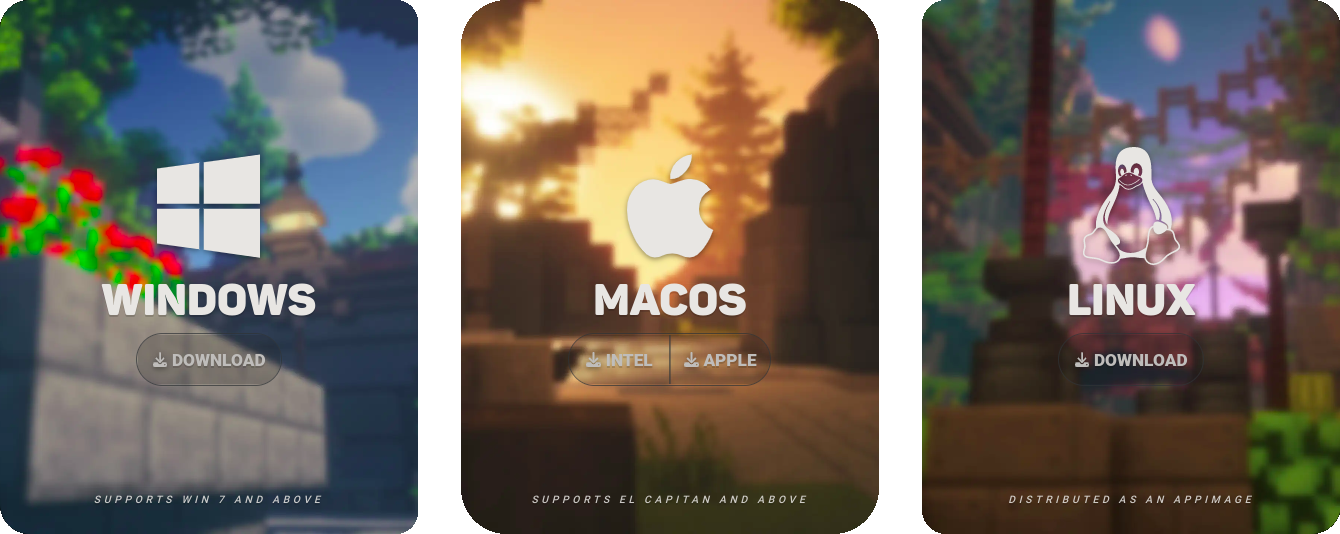](https://www.lunarclient.com/download)
### Step 2: Select "Versions" on the Lunar Client Launcher
[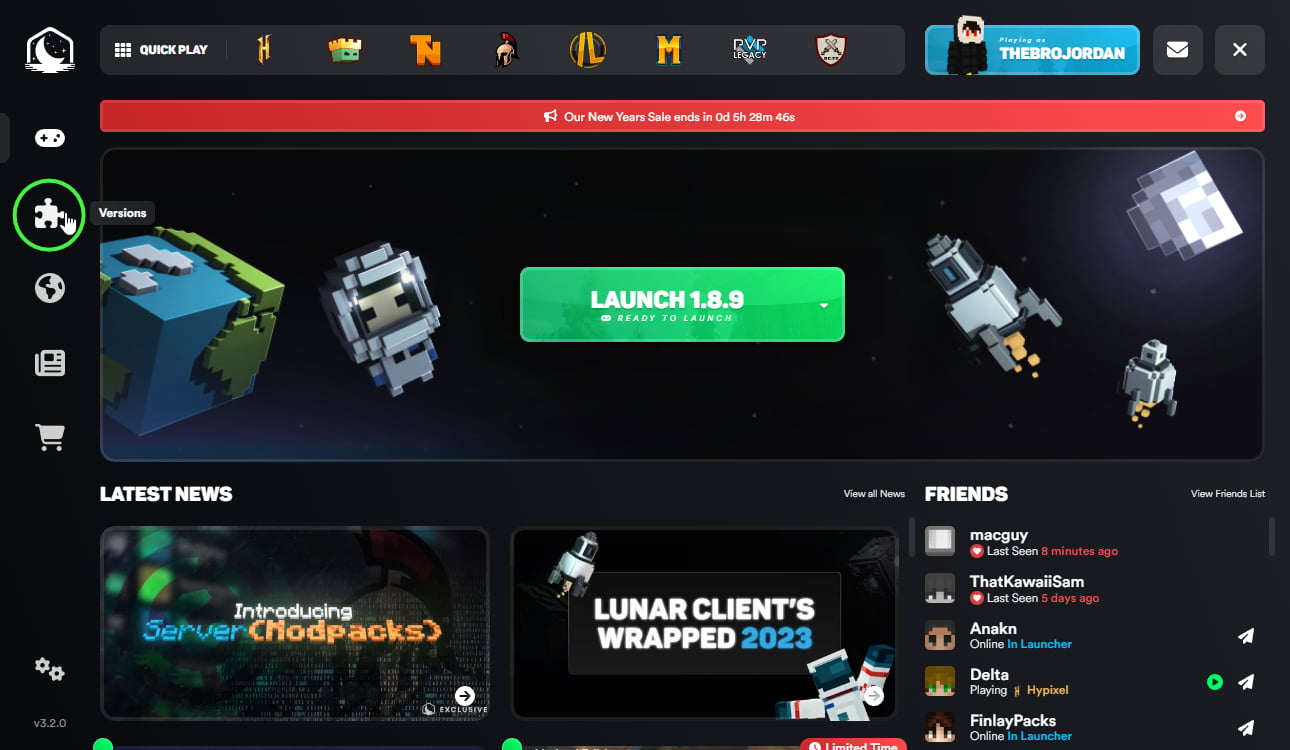](https://www.lunarclient.com/news/mod-loading-on-lunar-client)
### Step 3: Click "Modpacks" on the top of the page
[](https://www.lunarclient.com/news/mod-loading-on-lunar-client)
### Step 4: Install your modpack of choosing, in this case the **Wynncraft** Modpack for Lunar Client.
[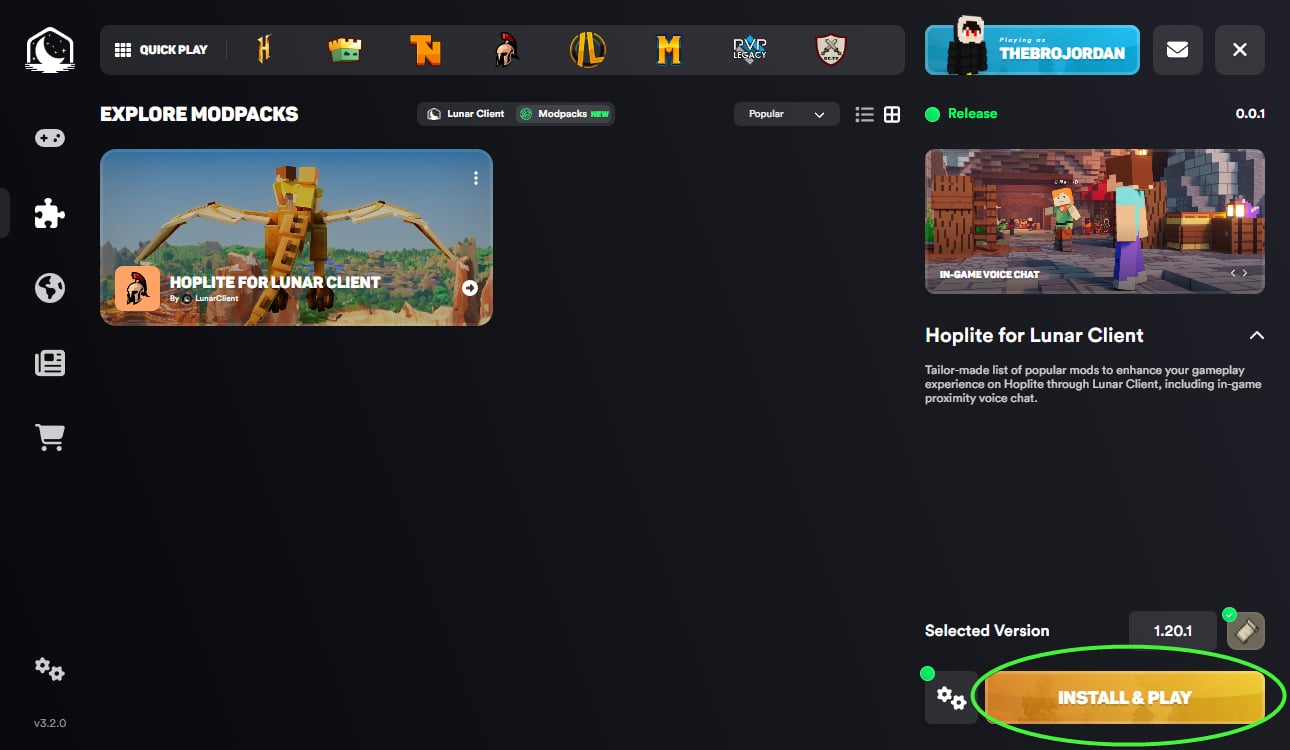](https://www.lunarclient.com/news/mod-loading-on-lunar-client)
### Step 5: Click "Launch Game" after the install is complete!
[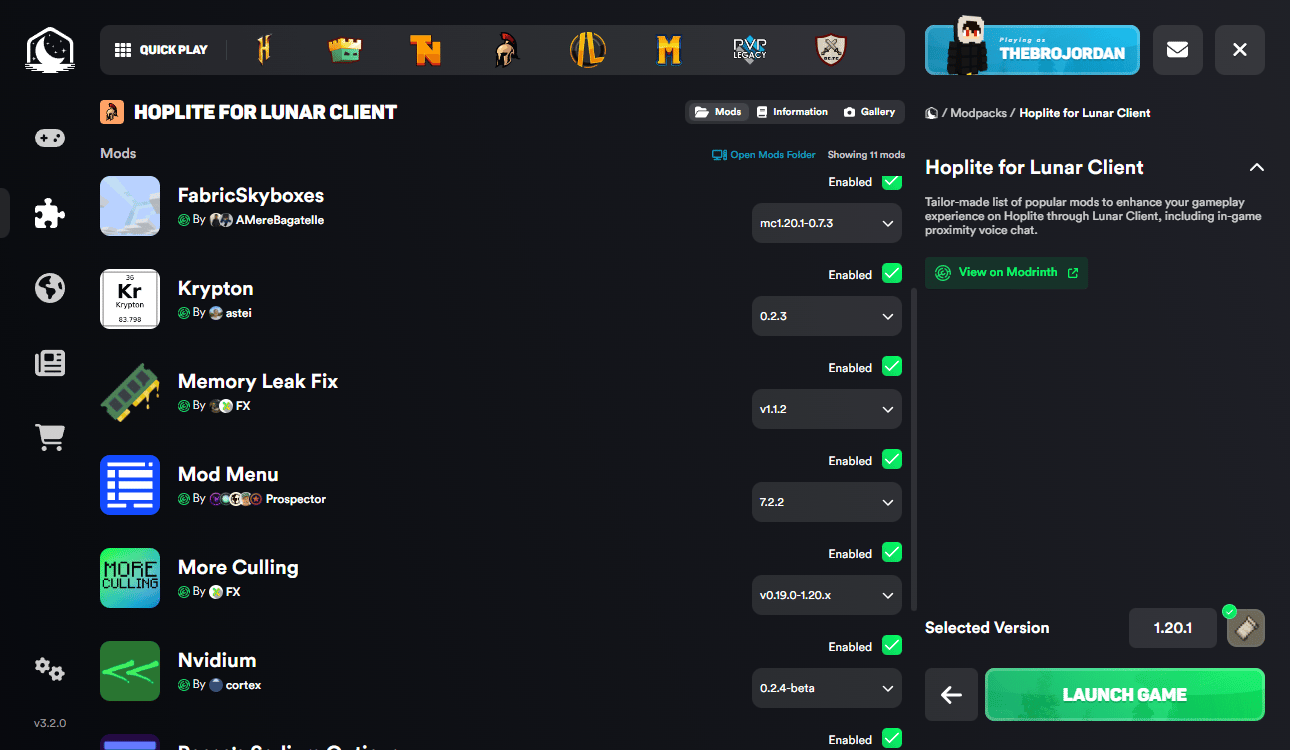](https://www.lunarclient.com/news/mod-loading-on-lunar-client)
Be a part of our growing community, join our [Discord](https://lunarclient.com/discord) for the latest news and updates!