Описание
# World Preview
*World Preview* is a mod for visualizing Minecraft world seeds before they are generated.
## Installation
Just download the latest *World Preview* JAR file for your ***exact*** Minecraft version.
Additionally, ***always*** ensure that you are using the correct version for your modloader (Fabric/Forge).
Then save the downloaded jar to the `mods` folder of your Minecraft instance.
Finally, if you are on Fabric you also need to download the
[Fabric API](https://modrinth.com/mod/fabric-api).
## Usage
*World Preview* adds a new `Preview` tab to the Singleplayer menu.
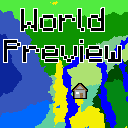
Upon opening that tab, a random seed is selected and a map of biomes is generated:
By default, the overworld dimension will be generated, structures will not be shown and no heightmap will be generated.
This can be changed in the Settings (top-left button in the `Preview` tab).
When structure sampling is enabled, the visibility of individual types of structures on the preview can be toggled:
When height sampling is enabled, the preview can be toggled between the biome map and a colorized heightmap:
When y-layer intersection sampling is enabled, the preview can also show the blocks on the current y-layer.
Additionally, the y-layer one step below is also shown in a lighter color:
Since version 1.1.0, there is also experimental support for opening the preview in-game for a single-player worlds:
##### Moving on the preview
Clicking and dragging on the map-part of the preview tab will move along the x and z axis.
This will cause the following load sequence:
- Any biomes that are not yet sampled on the current y-level
- Structures (if enabled)
- Height map (if enabled)
- Adjacent y-layers (if enabled)
Scrolling does **not** zoom into the map (there is a separate setting in the configuration menu for controlling the zoom level), but instead travels along the y-axis.
This allows cave biomes to be seen as well. Please note that non-cave biomes span the entire world height beyond that.
##### Other features
- Works with mods! Tested with:
- Terralith
- Biomes O' Plenty
- Persistent seed storage
- Highlighting specific biomes
- Highly configurable and extendable
## Supported version
This table shows the current support status for the Minecraft version.
| Minecraft Version | Status |
|-------------------|-----------|
| `1.20.x` | Supported |
## FAQ
**Q:** *Will Minecraft versions before 1.20 be supported?*
**A:** No.
---
**Q:** *Will Multiplayer be supported?*
**A:** No.
---
**Q:** *Scrolling does not zoom the preview!*
**A:** Scrolling moves the y-level up and down. To change the zoom level, go to `Settings (top left wrench) -> Resolution` and change the visual size of a chunk.
---
**Q:** *The preview is completely white / black for the y-intersections view.*
**A:** This is likely because the starting y-layer for the preview is the build limit. Try scrolling down to a lower y-layer and something should show up.
---
**Q:** *My CPU is at 100%!*
**A:** You can limit the number of used cores in `Settings (top left wrench) -> General`. By default, *World Preview* tries to compute the biome preview / structures / heightmap as quickly as possible. These calculations require a lot of CPU power.
## Mod incompatibilities
This mod should be compatible with most mods (including those adding new biomes and dimensions).
### TerraFirmaCraft (TFC)
World Preview **is** compatible with TFC, however, there is a known issue:
The Y intersections view will always be a white screen for all Y levels with TFC, because the `TFCChunkGenerator` has a dummy implementation for the [`getBaseColumn`](https://github.com/TerraFirmaCraft/TerraFirmaCraft/blob/v3.1.2-beta/src/main/java/net/dries007/tfc/world/TFCChunkGenerator.java#L643-L646) method.
To clarify: This doesn't mean that TFC is broken / does something wrong (it clearly works on its own and does its job).
It just means that TFC does not provide the specific information World Preview needs in this case.
## Adding support for new biomes and structures
New biomes, structures, and more can be registered via the Minecraft datapack mechanism. See [the World Preview dataformat docs](https://github.com/caeruleusDraconis/world-preview/blob/1.20/DataFormats.md) for more information.