
Описание
[](https://www.curseforge.com/minecraft/data-packs/woolcutter)
[](https://modrinth.com/datapack/woolcutter)
# Woolcutter
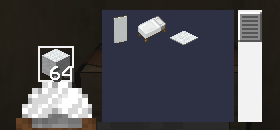
Ever dyed a whole sheep's worth of wool just to fix one wrong color? Woolcutter adds stonecutter recipes to instantly swap between wool colors, banner colors, bed colors, carpets, wool slabs and cushions — no dye, no crafting table juggling.
## Features
### Stonecutter
**Banners**
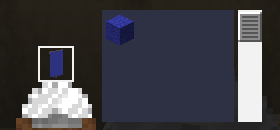
Swap a banner to another color using the matching colored wool, or trade directly between two colored banners.
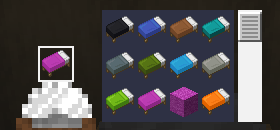
**Beds**
Swap a bed to another color using the matching colored wool, or trade directly between two colored beds.
**Carpet**
Turn colored wool into 3x matching colored carpet.
**Wool slabs**
Turn colored wool into 2x matching colored wool slabs, or turn any wool slab or cushion into a wool slab of any color.
**Cushions**
Swap a cushion to another color using the matching colored wool, or trade directly between two colored cushions.
### Crafting table
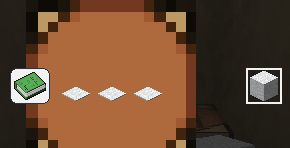
A few extra banner pattern shortcuts:
- Paper + Map -> Globe Banner Pattern
- Paper + Golden Apple -> Mojang Banner Pattern
- Paper + Gold Block -> Piglin Banner Pattern
- Paper + Skeleton Skull -> Skull Banner Pattern
- 3x Carpet -> 1 White Wool
- 2x Wool Slab -> 1 White Wool
Gallery
## 📦 Compatibility
| | |
|---|---|
| **Minecraft versions** | 1.19.x · 1.20.x · 1.21.x · 26.1 · 26.2 · 26.3 |
| **Type** | Data Pack (no mods required) |
| **License** | MIT |
## 📥 Installation
Like any data pack: drop the downloaded folder into `.minecraft/saves//datapacks/`, then run `/reload` or restart the world.