
Описание
# Voice Chat Visualizer
**See who's talking.** A lightweight, **client-side** overlay for
[Simple Voice Chat](https://modrinth.com/plugin/simple-voice-chat) that shows the players speaking
around you — their **face**, **name** and a live **voice waveform** that reacts to how loud they talk.
When several people are nearby and someone starts speaking, you instantly know **who** it is.

---
## ✨ Features
- **Live speaker overlay** — face + name + animated indicator for everyone you can currently hear.
- **Reacts to loudness** — the waveform pulses with the speaker's actual volume, not just on/off.
- **All voice modes** — proximity, locational and group (static) audio.
- **Fully draggable HUD** — put it anywhere on screen, align left/right, list grows up or down.
- **Professional in-game configurator** — tabs for **Position**, **Appearance**, **Colors** and
**Behavior**, with **HSV + hex color pickers** and a **live preview** that uses sample speakers, so
you can tune everything solo without a second player online.
- **Smart layout** — the settings panel automatically moves to the **opposite side** of the overlay,
so it never covers the element you're positioning.
- **Deeply customizable** — face size (down to **4 px**), name scale & max width, background & border,
corner radius, padding, distance display, max entries, fade in/out, hold time, slide-in animation,
loudness sensitivity, sort order, whisper marking, "show myself", and indicator style
(**wave / bars / dot**).
- **Sensible minimal defaults** — clean look out of the box (small face, no background).
- **Keybinds** — open the configurator (default **V**) and toggle the overlay.
- **Mod Menu** integration.
- **English & Polish** translations built in.
---
## 🎛️ How it works
Voice Chat Visualizer hooks into the Simple Voice Chat plugin API and listens (read-only) to the audio
you receive. For every voice packet you hear, it shows that player in the overlay and fades them out
shortly after they stop — so the list always reflects **who is actually talking near you**. Names and
skins come from the tab list, so they're correct even for players behind a wall.
## 📦 What you need
- **[Fabric API](https://modrinth.com/mod/fabric-api)** and
**[Simple Voice Chat](https://modrinth.com/plugin/simple-voice-chat)** — the server must run Simple
Voice Chat, as usual.
- **[Mod Menu](https://modrinth.com/mod/modmenu)** *(optional — adds a Configure button).*
> **Client-side only** — you don't need it on the server.
>
> 👉 For the exact **Minecraft version** and dependency versions, check the **Dependencies** panel and
> the **Versions** tab — every file lists what it supports. Pick the download that matches your game.
## 🔧 Installation
1. Install Fabric Loader.
2. Drop **Fabric API**, **Simple Voice Chat** and **Voice Chat Visualizer** into your `mods` folder.
3. Join a server that uses Simple Voice Chat.
4. Press **V** (default) — or open **Mod Menu → Voice Chat Visualizer → Configure** — to customize the
overlay.
## ⚙️ Configuration
Open the configurator with the keybind or via Mod Menu. **Drag** the overlay preview anywhere on
screen, pick colors, sizes and behavior, and watch it update live. Everything is saved to
`config/svc-visualizer.json`. Changed your mind? Hit **Reset tab** or **Reset all**.
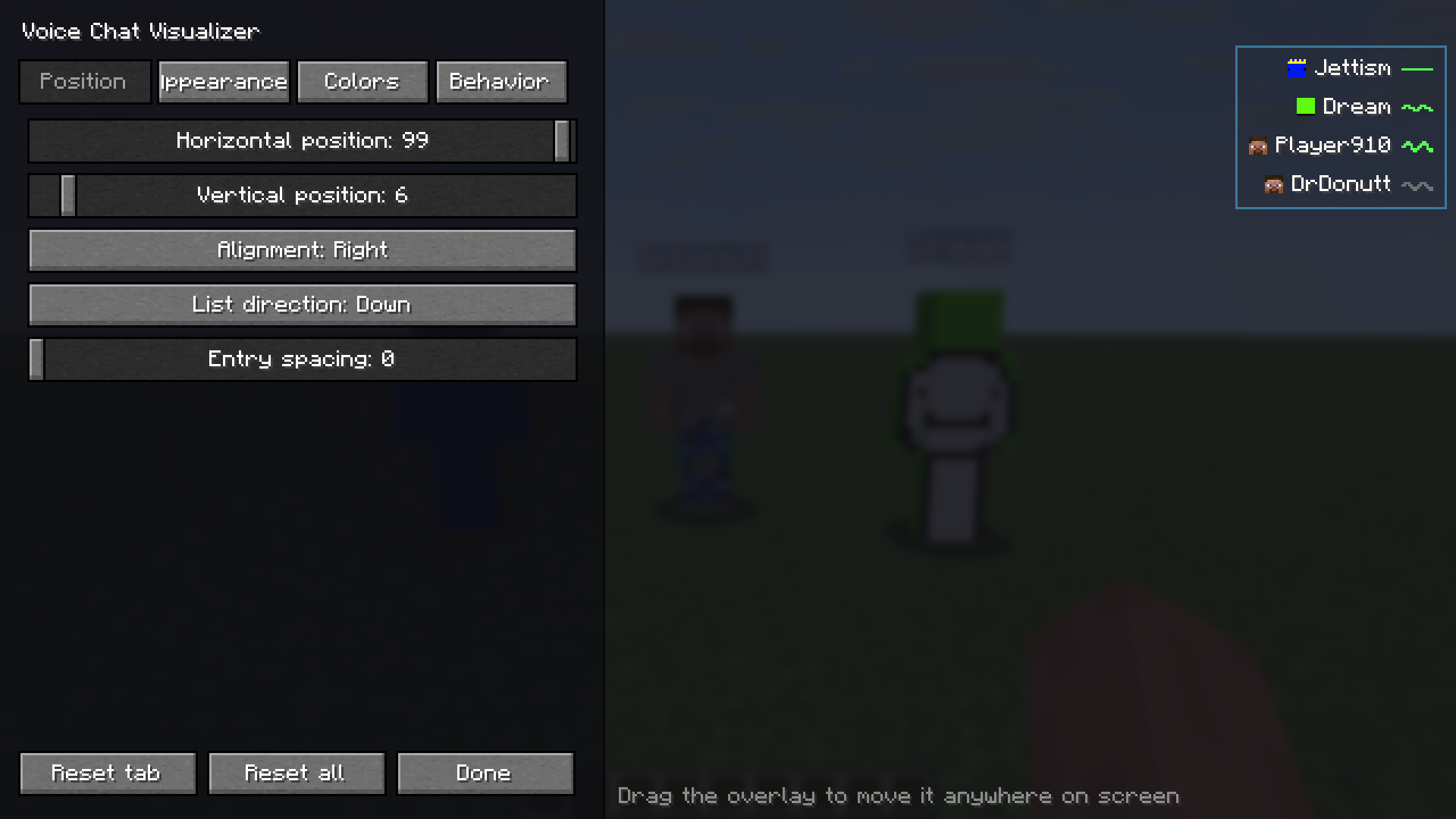
**Position** — drag the live preview anywhere on screen; the settings panel automatically moves to the
opposite side so it never covers what you are positioning.
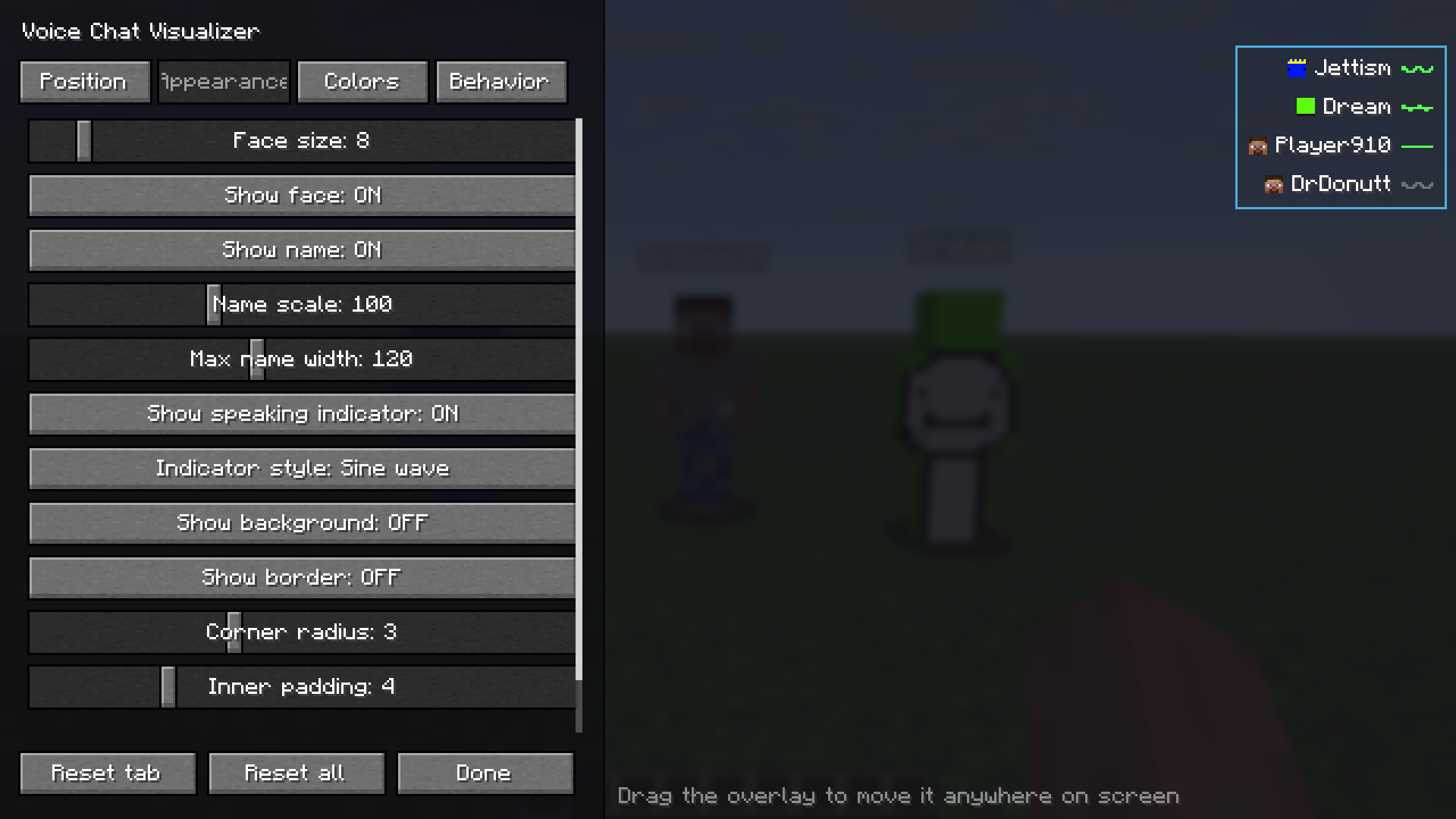
**Appearance** — face size, name scale and width, indicator style, background, border, padding.
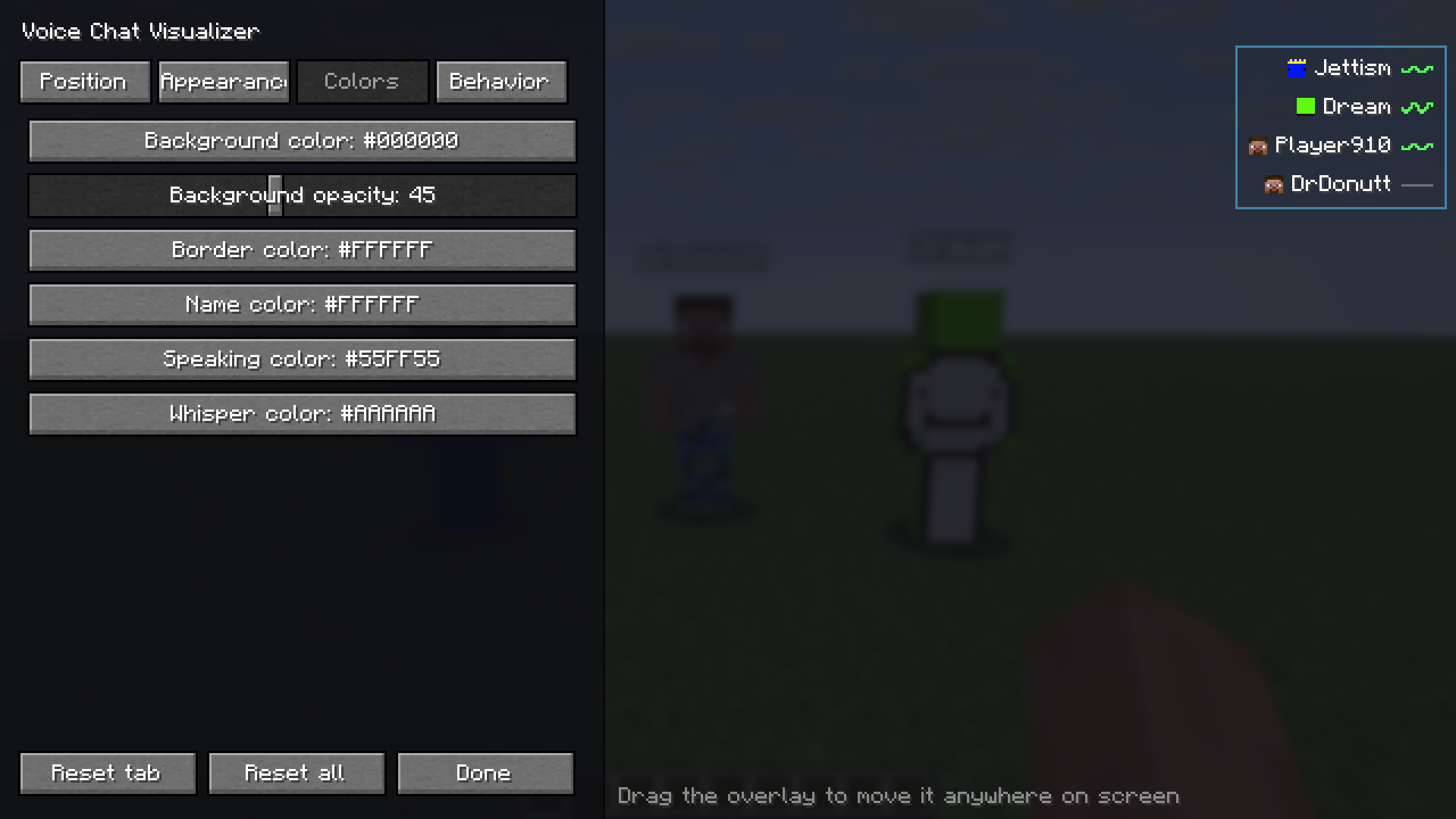
**Colors** — HSV and hex colour pickers for the background, border, name, speaking and whisper colours.
## 🧩 Compatibility
| | |
|---|---|
| **Loader** | Fabric |
| **Side** | Client only |
| **License** | MIT |
*Supported Minecraft versions are listed on each file in the **Versions** tab.*