
Описание
# Overview
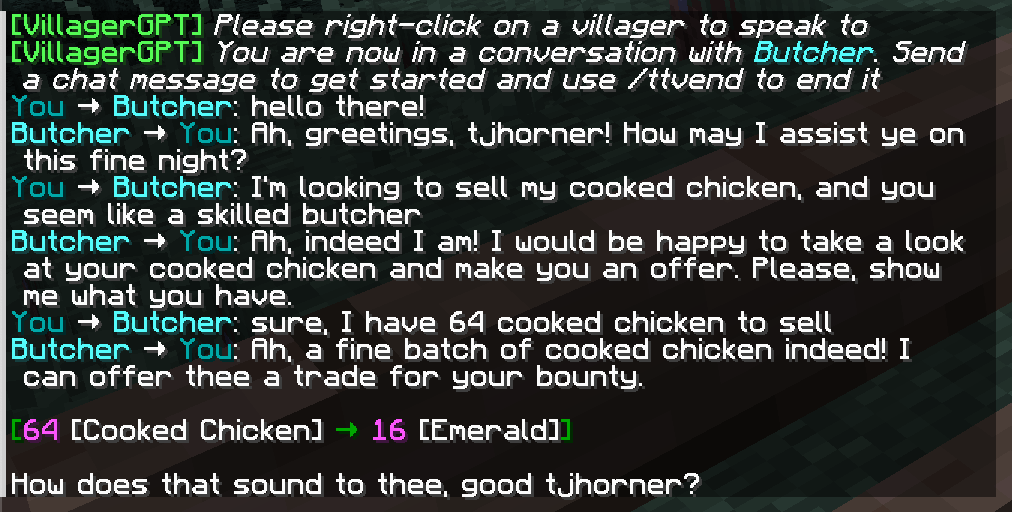
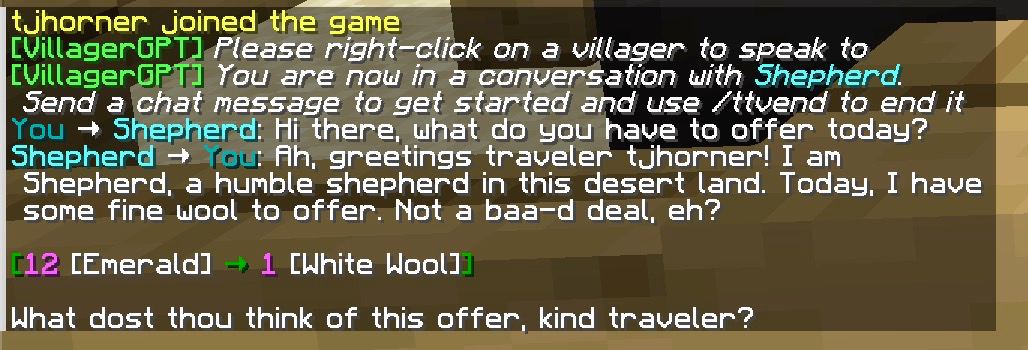
VillagerGPT breathes new life into your server's villagers, allowing players to talk and trade with them using the same technology that powers ChatGPT. Players can have a conversation with any villager and haggle for better deals, or come up with previously impossible trades.
AI villagers are aware of various aspects of the game world, their reputation with players, and they each have their own distinct personality based on their profession and a randomly-chosen personality archetype.
## Demo Video
## Example Conversations
## Usage
To start a conversation with a villager, use the command `/ttv` ("talk to villager") then right-click on the villager you'd like to speak to. Once the conversation has started, simply send chat messages to continue. You can end the conversation with `/ttvend`, or by walking away from the villager.
If an AI villager proposes a trade, you can act on it by opening the trading menu like normal (right-clicking on the villager).
## AI Villager Capabilities
AI villagers have access to the following information:
- World information
- Biome they are in
- Time of day
- Weather
- Player information
- Username
- [Reputation score](https://minecraft.fandom.com/wiki/Villager#Gossiping)
- Villager information
- Name (including custom names)
- Profession
They can perform the following actions in their responses:
- Propose one or more trades
- Shake head
- Play various sounds
- End the conversation
Each villager is randomly assigned one of the personalities configured in `personalities` in `config.yml` (see below) when a conversation with them starts, and keeps it from then on.
## Configuration
To configure this plugin you will need an OpenAI API key. You can obtain one [here](https://platform.openai.com/). Once you have obtained one, place it in the plugin's `config.yml` under `openai-key`.
Villagers propose trades and perform actions using tool/function calling, so `openai-model` must be set to a model that supports it (the default, `gpt-4o-mini`, does).
### Using a different API provider
`openai-base-url` in `config.yml` can be pointed at any API compatible with OpenAI's chat completions endpoint — Azure OpenAI, OpenRouter, or a self-hosted model server such as Ollama, LM Studio, or vLLM. Make sure whichever model you choose supports tool/function calling.
### Personalities
The `personalities` list in `config.yml` controls which personalities villagers can be assigned. Each entry has a `name` (just a label, shown in server logs) and a `description` (fed to the model as part of its instructions). Add, remove, or edit entries to change the mix.
## Commands
- `/ttv`: Initiate a conversation with a villager
- `/ttvclear`: Clear the current villager conversation
- `/ttvend`: End the current villager conversation
## Permissions
The following permissions are available:
- `villagergpt.ttv`: Allow use of the `/ttv` command
- `villagergpt.ttvclear`: Allow use of the `/ttvclear` command
- `villagergpt.ttvend`: Allow use of the `/ttvend` command