
Описание
[Report Issues](https://github.com/JamCoreModding/utility-belt) • [Chat on Discord](https://discord.jamalam.tech) • [CurseForge](https://curseforge.com/minecraft/mc-mods/utility-belt) • [Modrinth](https://modrinth.com/mod/utility-belt)
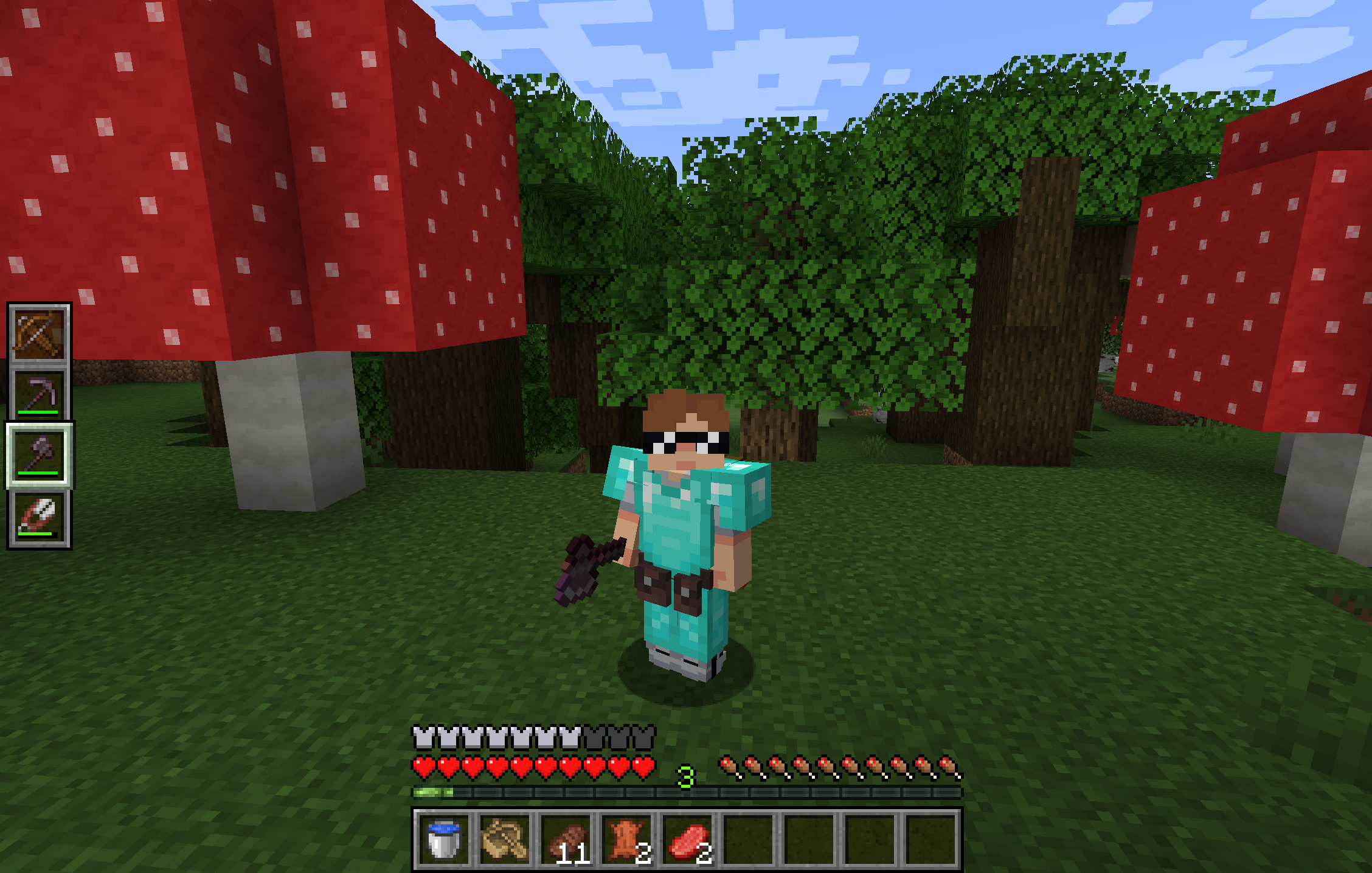
**Utility Belt** will solve your inventory clutter issues. 9 hotbar slots are not enough, especially when playing with mods. Wearing a Utility Belt gives you a second hotbar where only tools and weapons can be stored.
## 🛠️ Getting Started
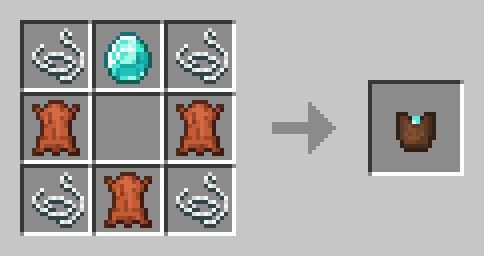
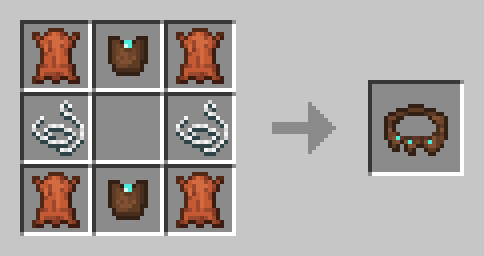
1. **Craft** two belt pouches using the recipe above.
2. **Craft** a Utility Belt using the recipe above.
3. **Equip** it in your belt slot.
4. **Fill** it with your tools and weapons.
## ⬆️ Upgrading the Belt
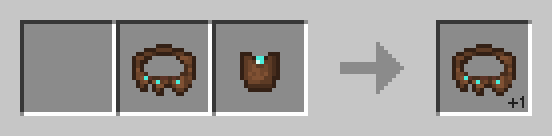
By default, the belt has **4** slots and can be upgraded to have up to **6** slots (_these values can be changed in the mod configuration_). You can add a slot to a belt in a **Smithing Table** using the recipe below.
## 🎮 Controls
| Action | Default Keybind | Description |
|----------------------|--------------------------|------------------------------------------------------------------|
| **Open Belt Screen** | `'` | Opens the belt GUI to store items in the belt |
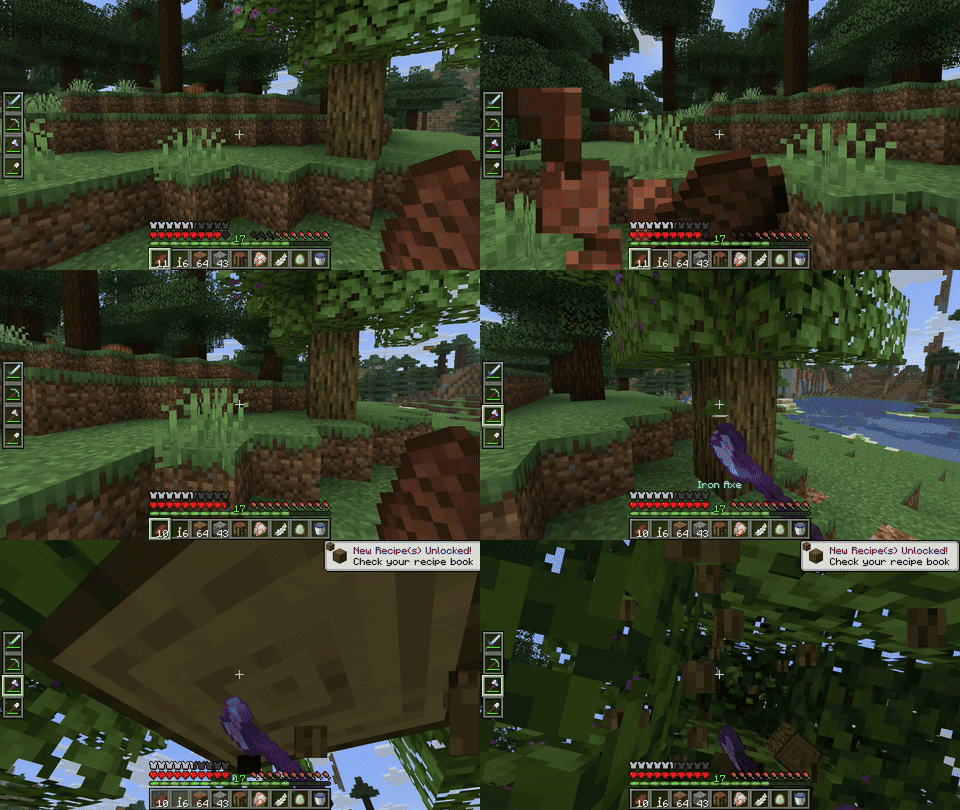
| **Swap Hotbar** | `B` (toggle), `N` (hold) | Switches between your main hotbar and the belt hotbar |
| **Quick Transfer** | `Sneak` + `Swap` | Swap the item in your hand between your main hotbar and the belt |
## ⚙️ Configuration
You can customize Utility Belt's options using the in-game configuration screen:
- **Fabric**: Accessible using **ModMenu**.
- **Forge/NeoForge**: Accessible using the **Mods** screen.
To change which items are accepted in the belt, you can [**make a datapack**](https://minecraft.wiki/w/Tutorial:Creating_a_data_pack) and add items to the [**allowed_in_utility_belt**](https://docs.jamalam.tech/utility-belt/configuration/) tag.
## 🔗 Compatibility
- **LambDynamicLights**: torches and lanterns in your belt will light up the world around you.
## 🐛 Bugs and Suggestions
You can report any issues and suggest changes on the [GitHub issue tracker](https://github.com/JamCoreModding/utility-belt). Try out the `/utilitybelt fixme` command to see if it resolves the issue while you wait for a fix.
Always keep backups of your world, especially when playing versions marked as beta.
[](https://bisecthosting.com/jamalam)