
Описание
Universal Ledger is an extension for [Ledger](https://modrinth.com/mod/ledger) to make logs available for all players.
Intended for smaller servers to take some work away from administrators.
## How to use
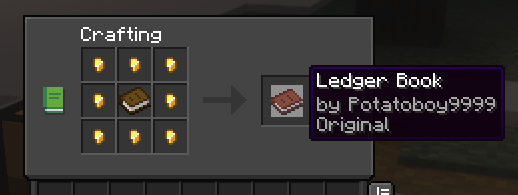
To start off, you need to craft the Ledger Book
### To check an inventory
(chest, furnace, shulkers etc.)
_right-click the inventory block using the book_
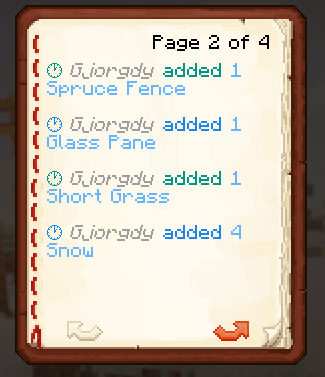
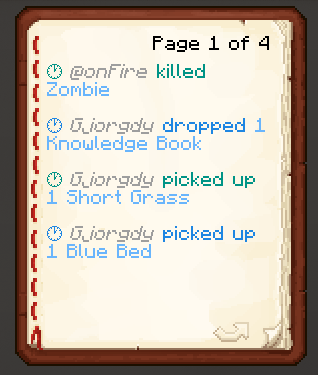
### To check entities
_right-click in the air or any non-inventory block using the book_
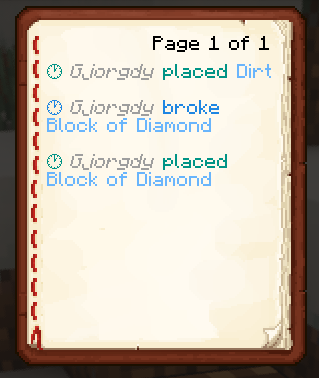
### To check blocks
_left-click the block using the book_
### Config
_you are able to configure which triggers show which actions in the book_
To change the default configuration, paste the following at the end of the ``/config/ledger.toml`` file:
```toml
[book]
# This section relates to the Universal Ledger extension
# Here you can specify what players are able to see when using a Ledger Book
# What actions should be shown when right-clicking anywhere but an inventory block
areaActions = ["item-pick-up", "item-drop", "entity-kill", "entity-change", "entity-mount", "entity-dismount"]
# What actions should be shown when right-clicking an inventory block
inventoryActions = ["item-insert", "item-remove"]
# What actions should be shown when left-clicking a block
blockActions = ["block-place", "block-break", "block-change"]
# If true, will send the logs to the player in the chat instead of opening a book
chatOnly = false
```