
Описание
# HunterBoard
Fabric client mod for Minecraft 1.21.1 that adds a HUD overlay for Tropimon's hunt board and [Cobblemon](https://cobblemon.com/).
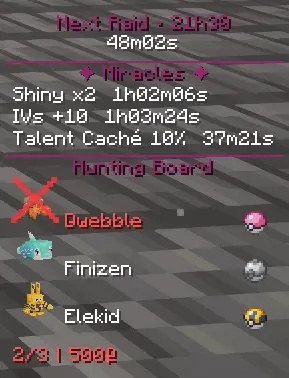
This mod automatically reads the hunts from the board (TropimodClient) and permanently displays the Pokémon to capture with the required ball, spawn info, and auto-validation when you complete a hunt on your screen.
## Fonctionnalites
## Features
### In-game HUD
- Permanent display of current hunts with the **3D model** of each Pokémon, its name, and the required ball
- multiple display modes
- Can be hidden with the **B** key
### Info screen (I key)
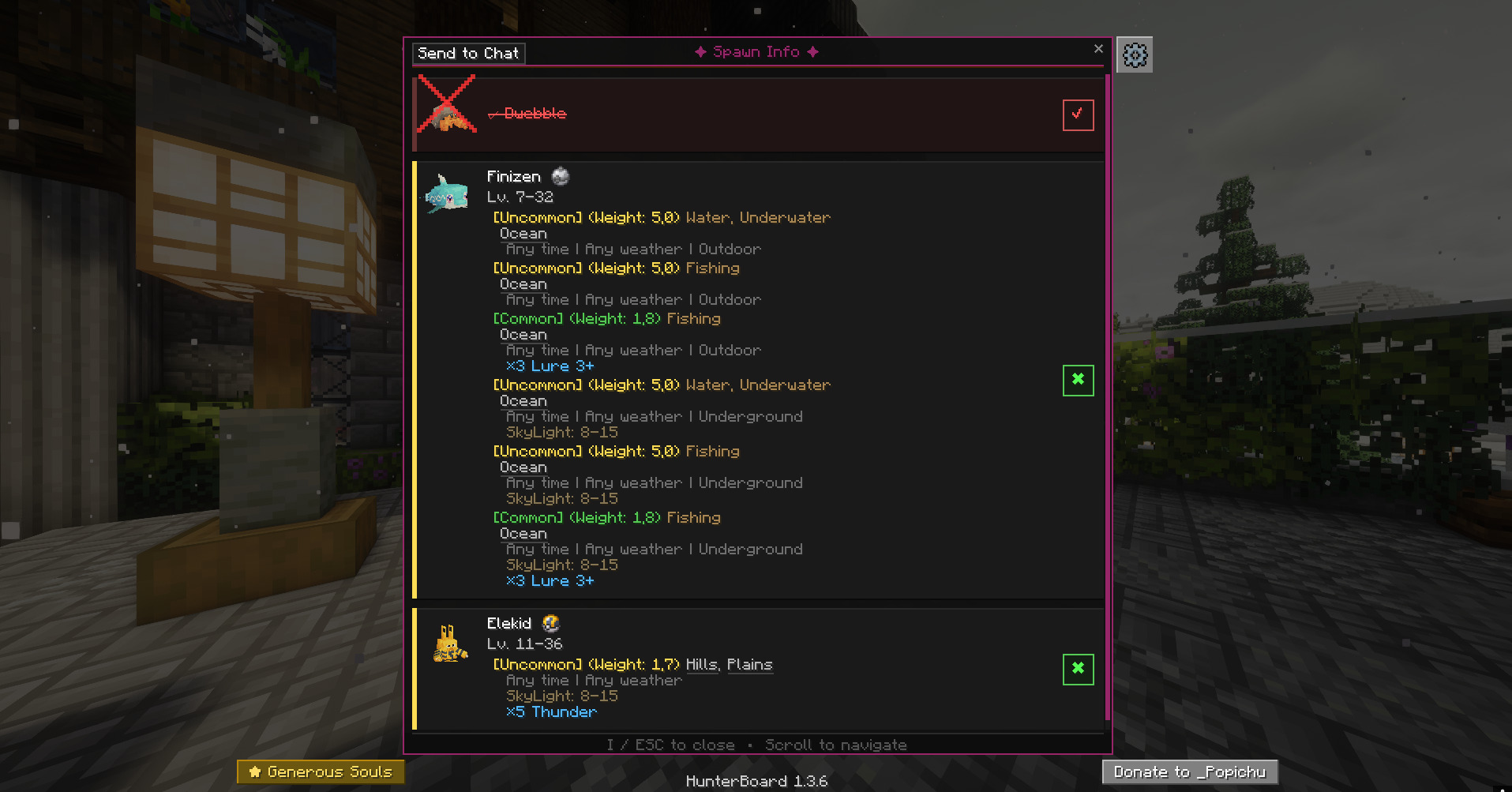
- Detailed card for each Pokemon in the hunt: tier, reward, ball required
- **Spawn data**: biomes, times, weather, levels, rarity and much more — loaded directly from Cobblemon files (also works on servers)
- 3D model of the Pokémon on each map
- Automatic catch detection on hunt completion
### Pokemon Search (O key)
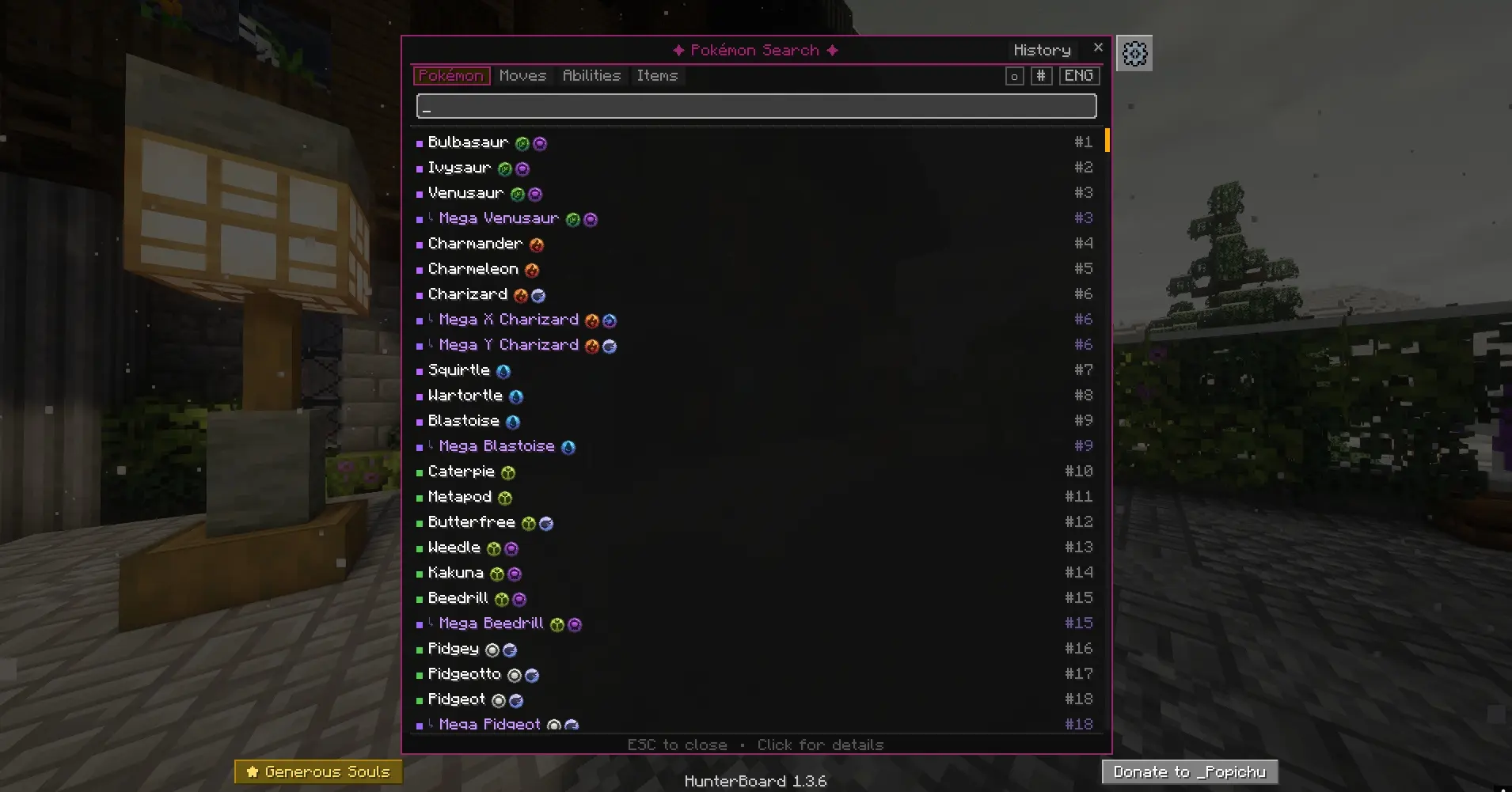
- Search among all Pokemon in Cobblemon by name
- Rarity indicator (common, uncommon, rare, ultra-rare)
- Click on a Pokemon to see its complete profile
### Pokemon Card
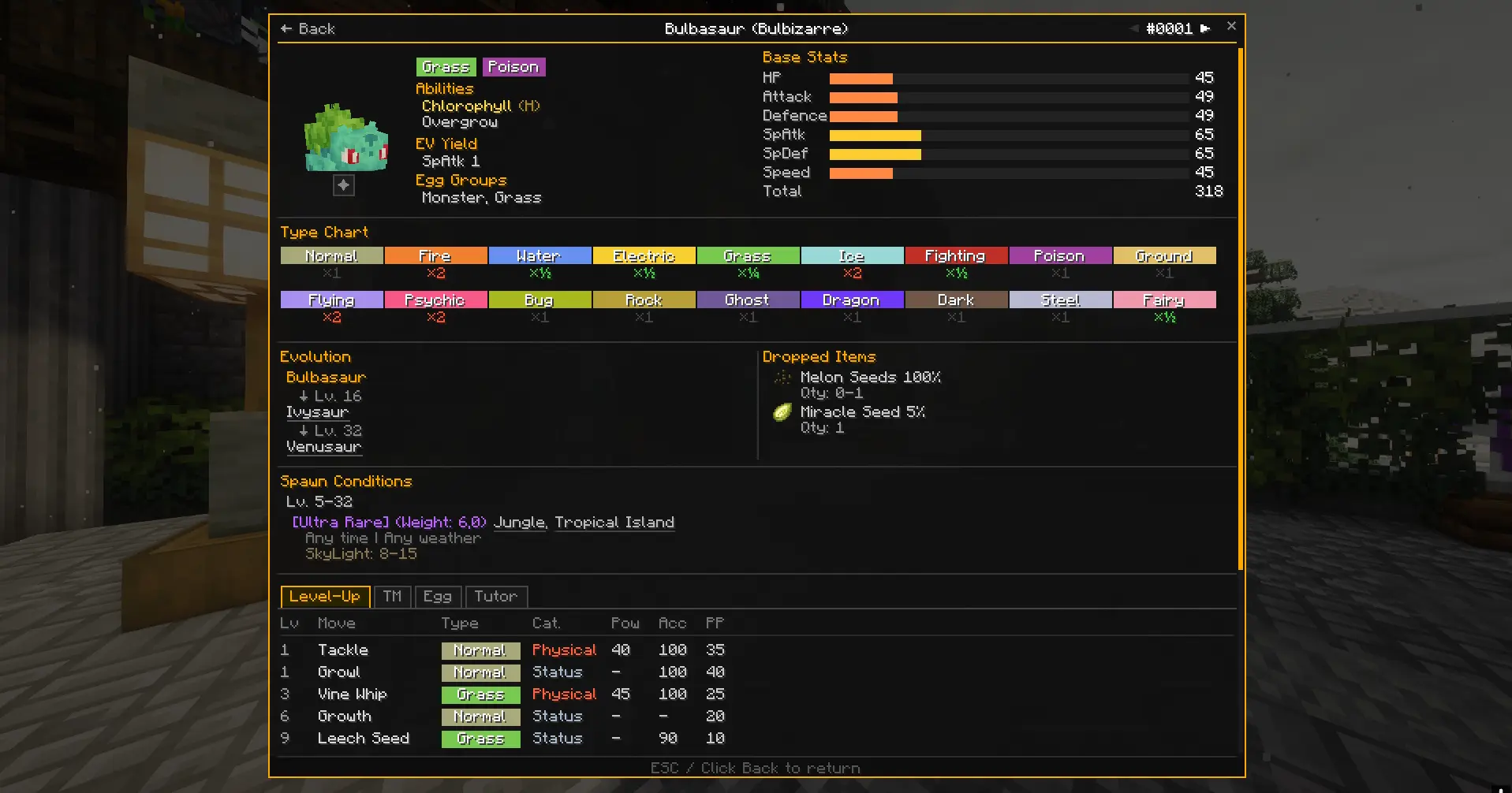
- Detailed view of a Pokemon accessible from the search
- All possible spawns with biomes, weather conditions, times, and levels
## Setup
1. Play with the Tropimon modpack (Modrinth or official launcher)
2. Put the HunterBoard `.jar` file in the `mods/` folder
## Keys
| Key | Action |
|--------|--------|
| **B** | Show/hide HUD |
| **I** | Open hunt info screen |
| **O** | Open Pokemon search |
| **$** | Quick switch between HUD modes |~~~~
The keys can be reconfigured in the Minecraft options (Controls > HunterBoard).