Описание
_**Some features are not supported by version 1.21 and later for the time being, please be patient and wait for subsequent updates!**_
## Introduction
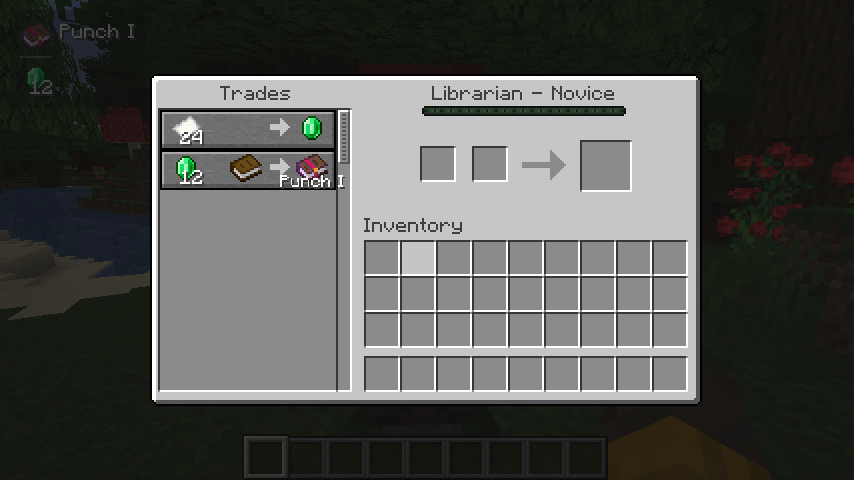
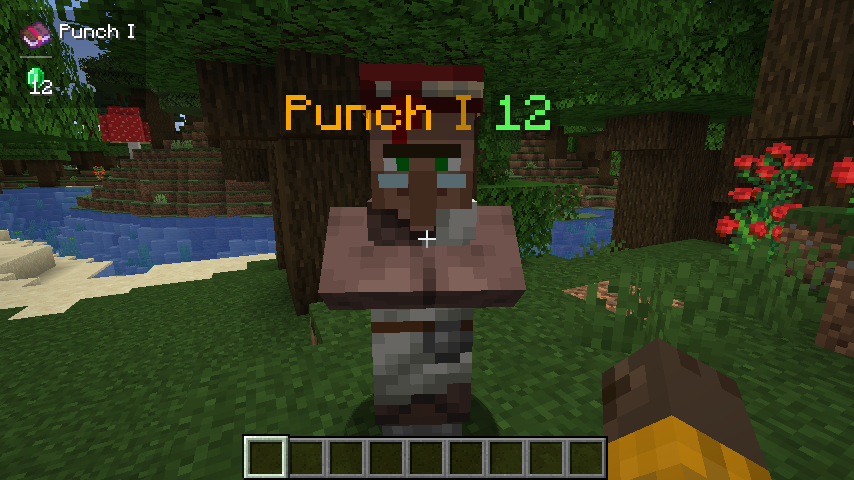
When trading with a villager, it will automatically display its enchantment above the enchantment book or enchanted item, cycling through them in sequence.
When the crosshair is aligned with a tradable villager and within the normal trading range, try to obtain the trade information and save it. (Or enable the setting **Always attempt to get nearby offers** to automatically get it)
If the trade information is successfully obtained, all enchanting trades will be displayed.
## Commands
### /trade-display [disable/reload/reset/save/settings]
- **disable**: Disable all features about display.
- **reload**: Load settings from the config file.
- **reset**: Clear cache.
- **save**: Save the settings to the config file.
- **settings**: Open the settings screen.
## Hotkeys
### Toggle Enable State (H)
- In the trading GUI, pressing the hotkey toggles the visibility of enchantments.
- In the main game screen (i.e., no other GUI open), pressing the hotkey toggles the visibility of enchantments.
Additionally, when sneaking (Shift), pressing the hotkey toggles the visibility of enchantments above merchants’
heads.