
Описание
# Totems Alive
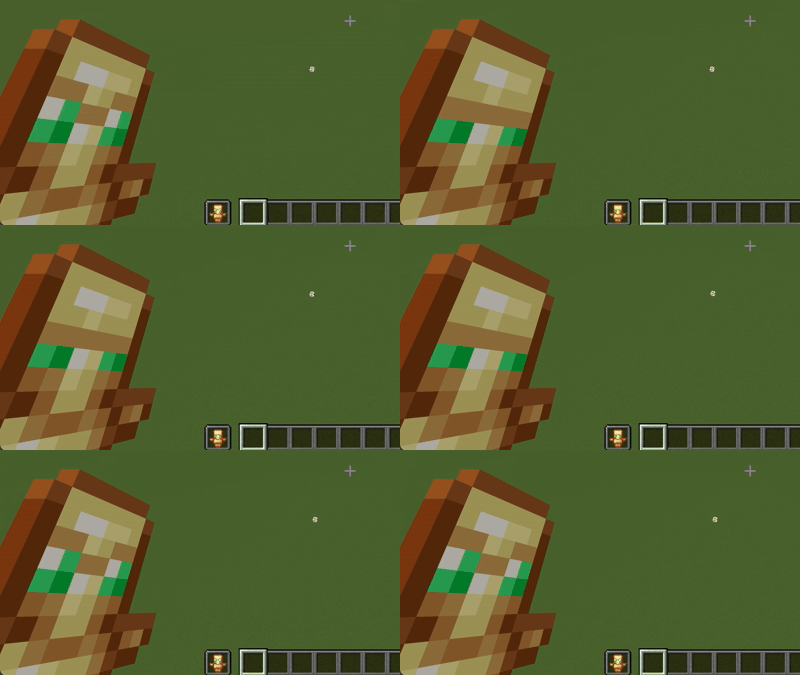
Totems Alive breathes subtle vitality into one of Minecraft's most iconic survival items. Instead of remaining a static golden relic in your off-hand, the Totem of Undying now blinks, looks around, and quietly observes your adventures. It gives the ancient artifact a soul of its own before it makes the ultimate sacrifice to save yours.
## Features
* **Expressive Animations:** Smooth, periodic blinking and subtle eye-darting frames that seamlessly fit the vanilla pixel art style.
* **Vanilla Friendly:** Retains standard item resolution and palettes so it integrates cleanly alongside other standard texture packs.
* **Pure Resource Pack:** Built entirely using vanilla item animation (.mcmeta) mechanics with no mods or external loaders required.
---
## Installation Guide
1. **Download the Pack:** Download the `Totems Alive.zip` file to your computer. Do not unzip the folder.
2. **Open the Resource Pack Folder:** Launch Minecraft, navigate to **Options** > **Resource Packs**, and click the **Open Pack Folder** button.
3. **Move the File:** Drag and drop the downloaded `Totems Alive.zip` file directly into the folder that opened.
4. **Activate the Pack:** Return to the Minecraft menu, locate **Totems Alive** under the "Available" column, click the arrow to move it to "Selected", and click **Done**.