
Описание
# TMWIN: TellMeWhatINeed

**A Handy Little Helper for Litematica Projections!**
## Overview
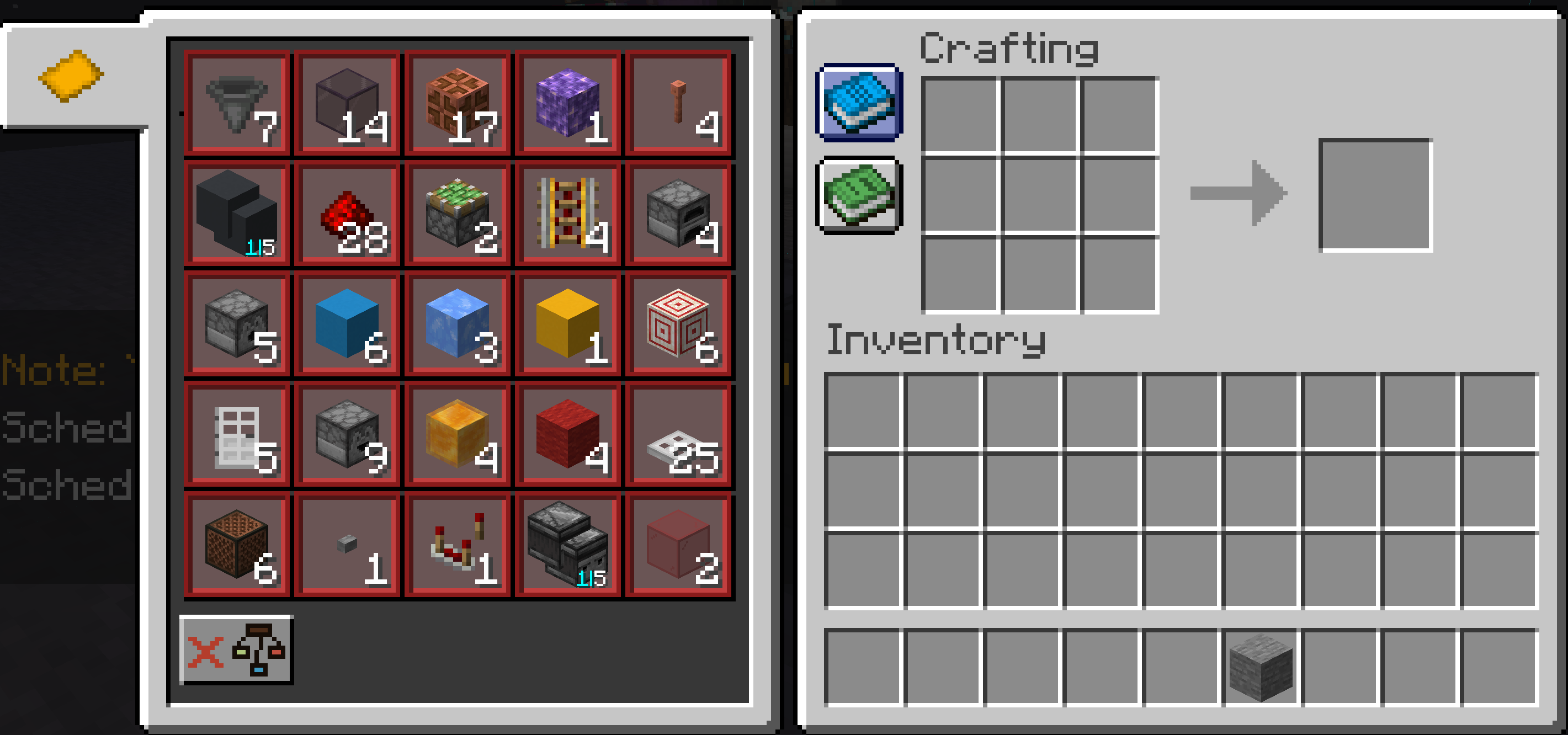
`TMWIN: TellMeWhatINeed` is a simple yet powerful Minecraft mod designed for players using [Litematica](https://www.curseforge.com/minecraft/mc-mods/litematica). It automatically reads Schematic placements within your render distance and displays their material list right in the crafting table, making it easier than ever to gather resources!~~~~
## Mod Showcase Video
## Key Features
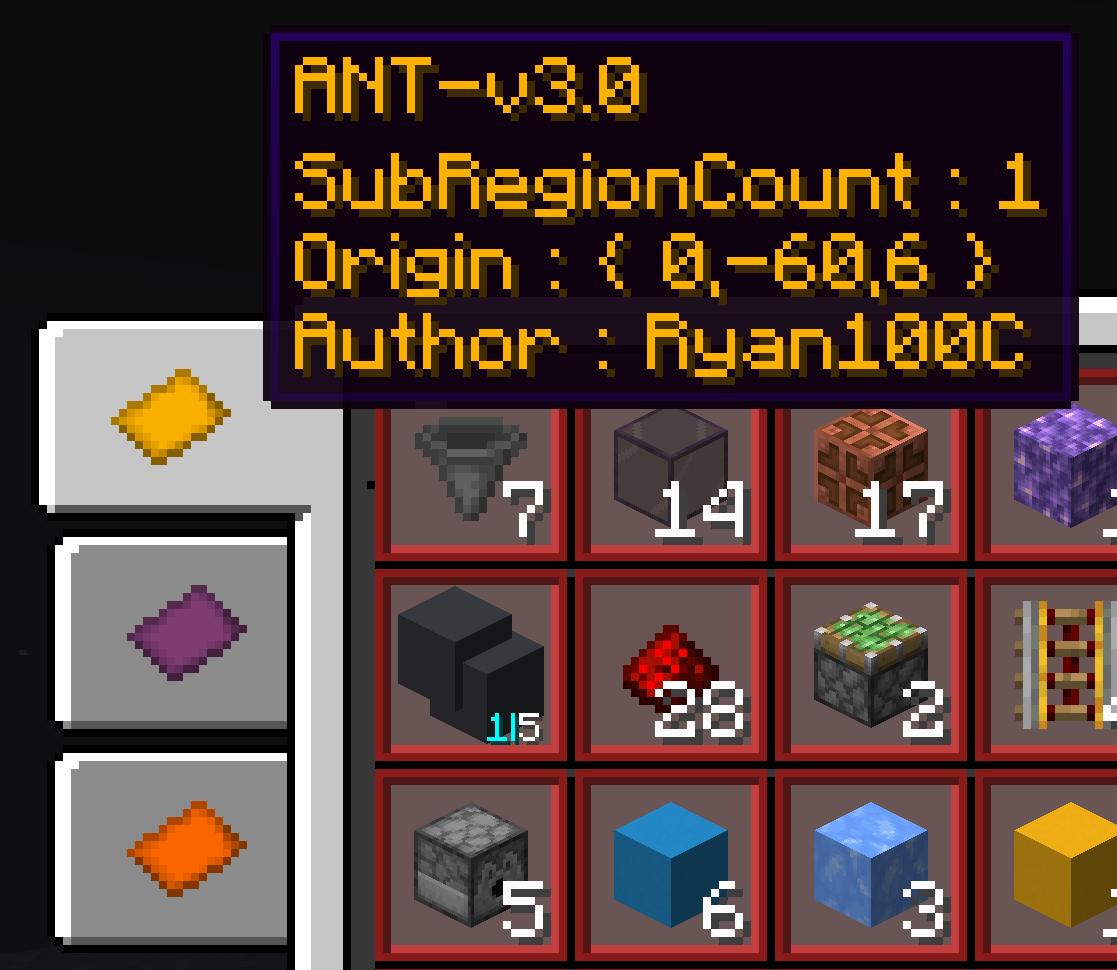
- **Auto-Scan**: Detects Litematica projections in your render distance in real-time.
- 
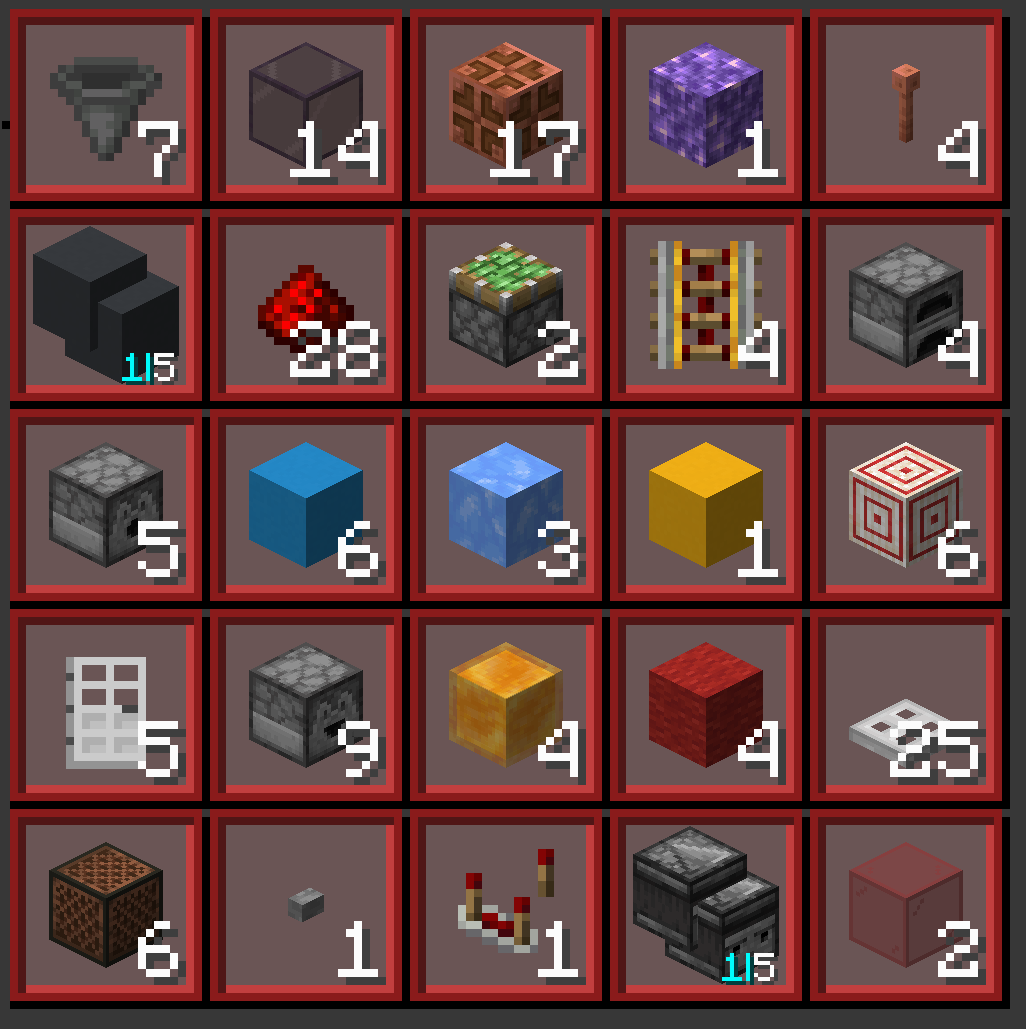
- **Material Display**: Shows a complete material list directly in the crafting table interface.
- 
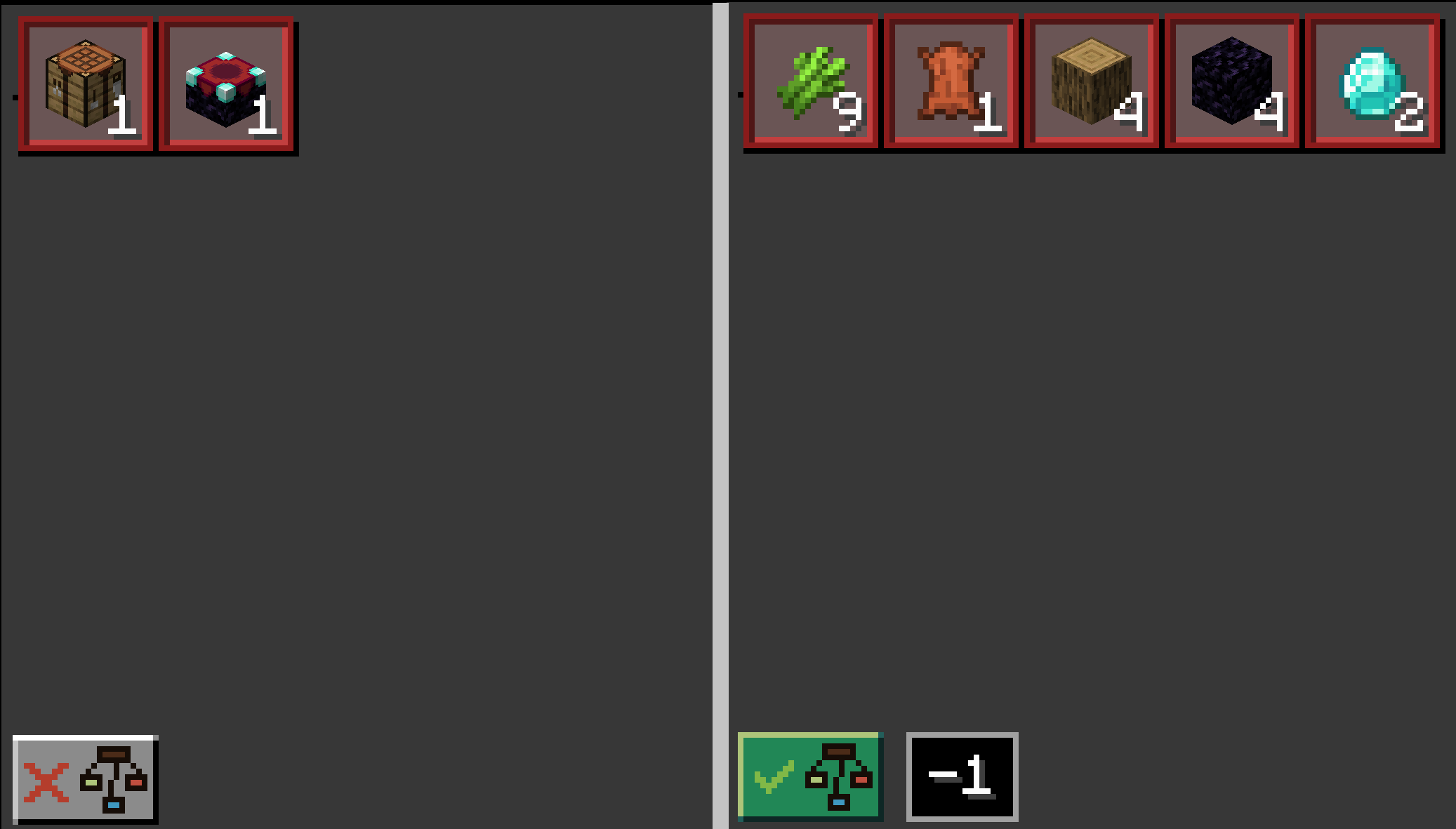
- **Material Breakdown**: Breakdown material into its base material.
- 
## How to Use
1. Load a Litematica projection in-game.
2. Open a crafting table.
3. Click the button with a blue book icon.
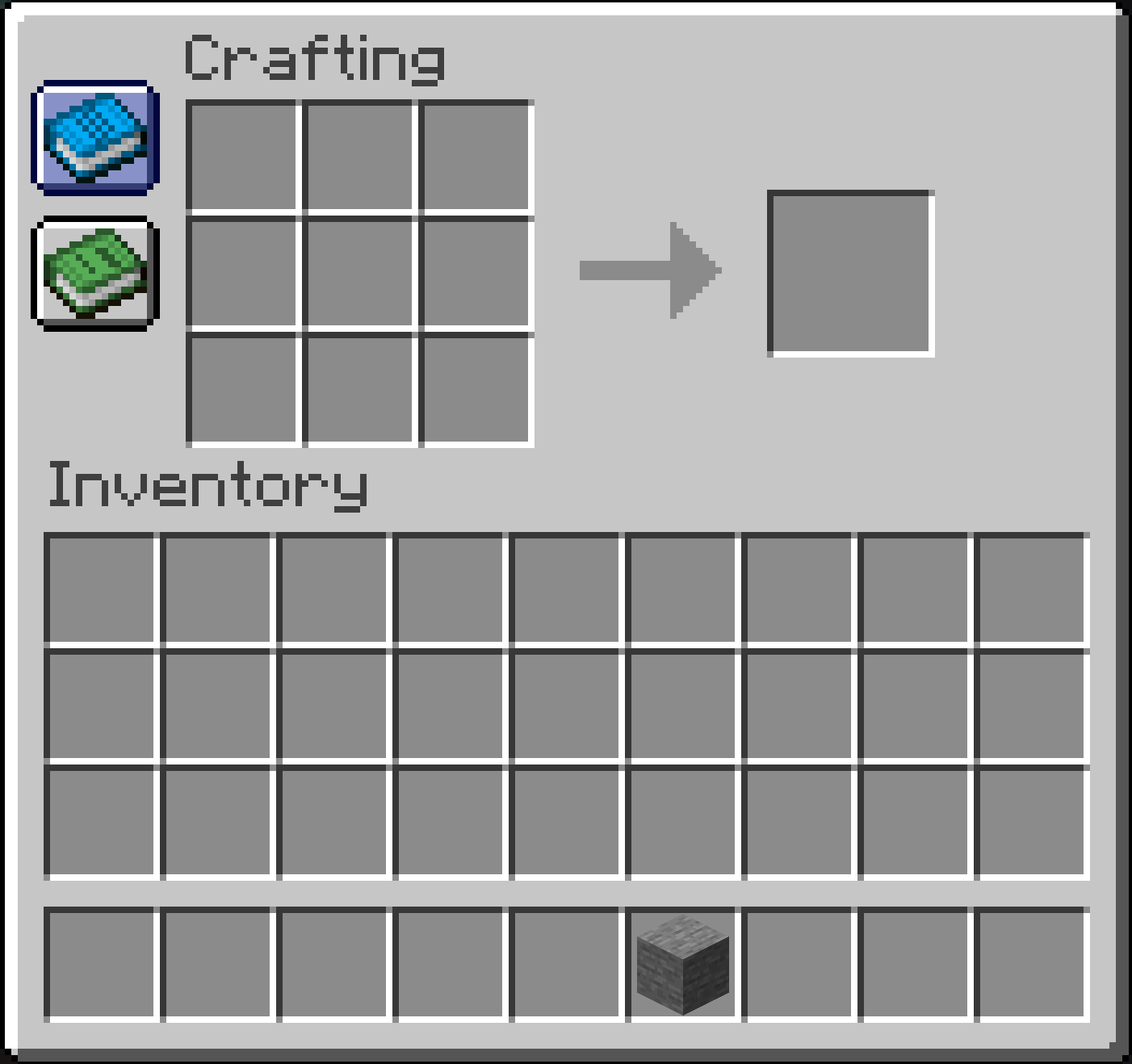
4. `TMWIN` will automatically display the materials needed for the projection.
## Compatibility
- **Minecraft Version**: 1.20.6 ~ 1.21.4 (More versions in development)
- **Required Mods**: Litematica, Fabric API
- **Loader**: Fabric