
Описание
**IMPORTANT NOTE: Your Cooldown bar will be not SHOWN, this is a bug. We'll take TIME to fix THIS.**
**Note: Your Minecraft May take Some TIME to Launch.**
# 🎯 TargetCrosshair
A lightweight Fabric mod that upgrades Minecraft's crosshair with **target detection**, **dynamic colors**, and a **fully customizable pixel editor**.
No server-side installation required. Works everywhere.
---
# ✨ Features
## 🔴 Target Detection
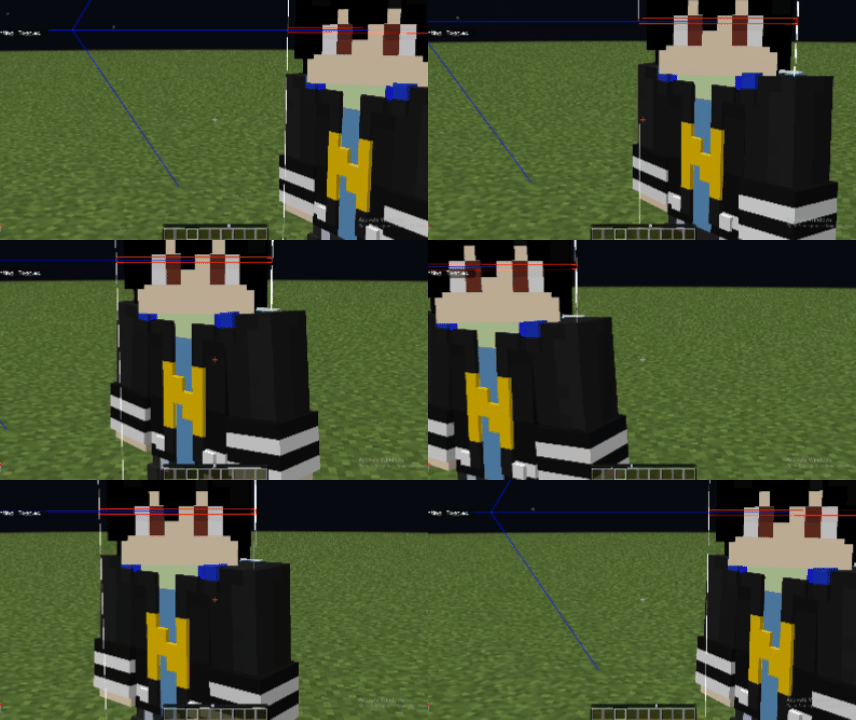
TargetCrosshair can automatically detect when you're aiming at an entity.
* Normal crosshair color when not targeting anything
* Instantly changes to your chosen target color when aiming at a player, mob, or entity
* Perfect for PvP and combat situations
* Fully client-side
### 📸 Preview
**GIF 1 - Crosshair turns red when aiming at a player**
---
## 🎨 Custom Crosshair Editor
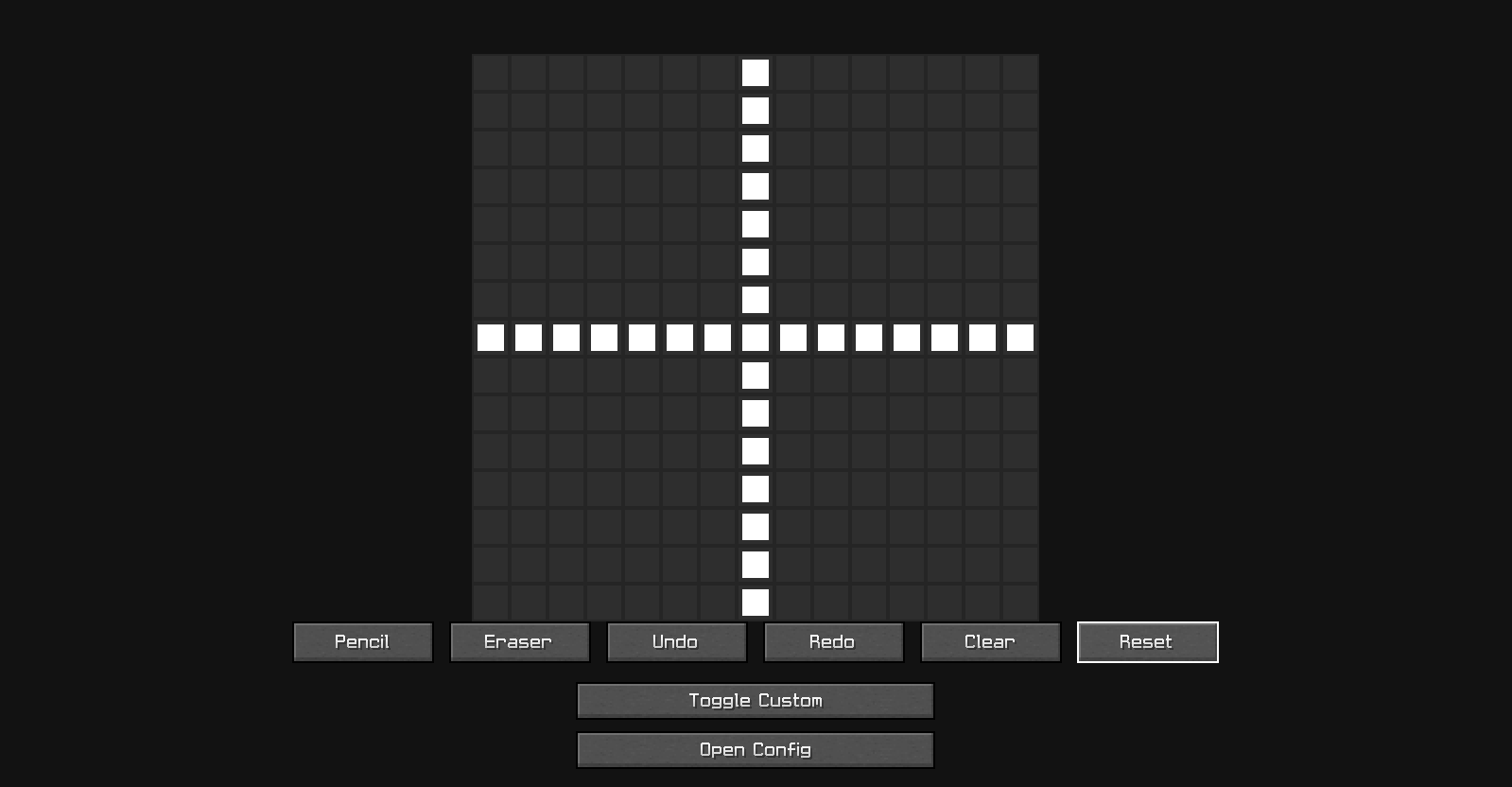
Create your own crosshair directly inside Minecraft.
Features:
* 15×15 pixel editor
* Pencil tool
* Eraser tool
* Undo
* Redo
* Clear
* Reset
* Live preview
* Saved automatically
Design anything you want:
* Dot crosshair
* Circle crosshair
* Plus crosshair
* Tactical crosshair
* Completely custom designs
### 📸 Preview
**Image 1 - Custom Crosshair Palette Editor**
---
## 🌈 Crosshair Color Customization
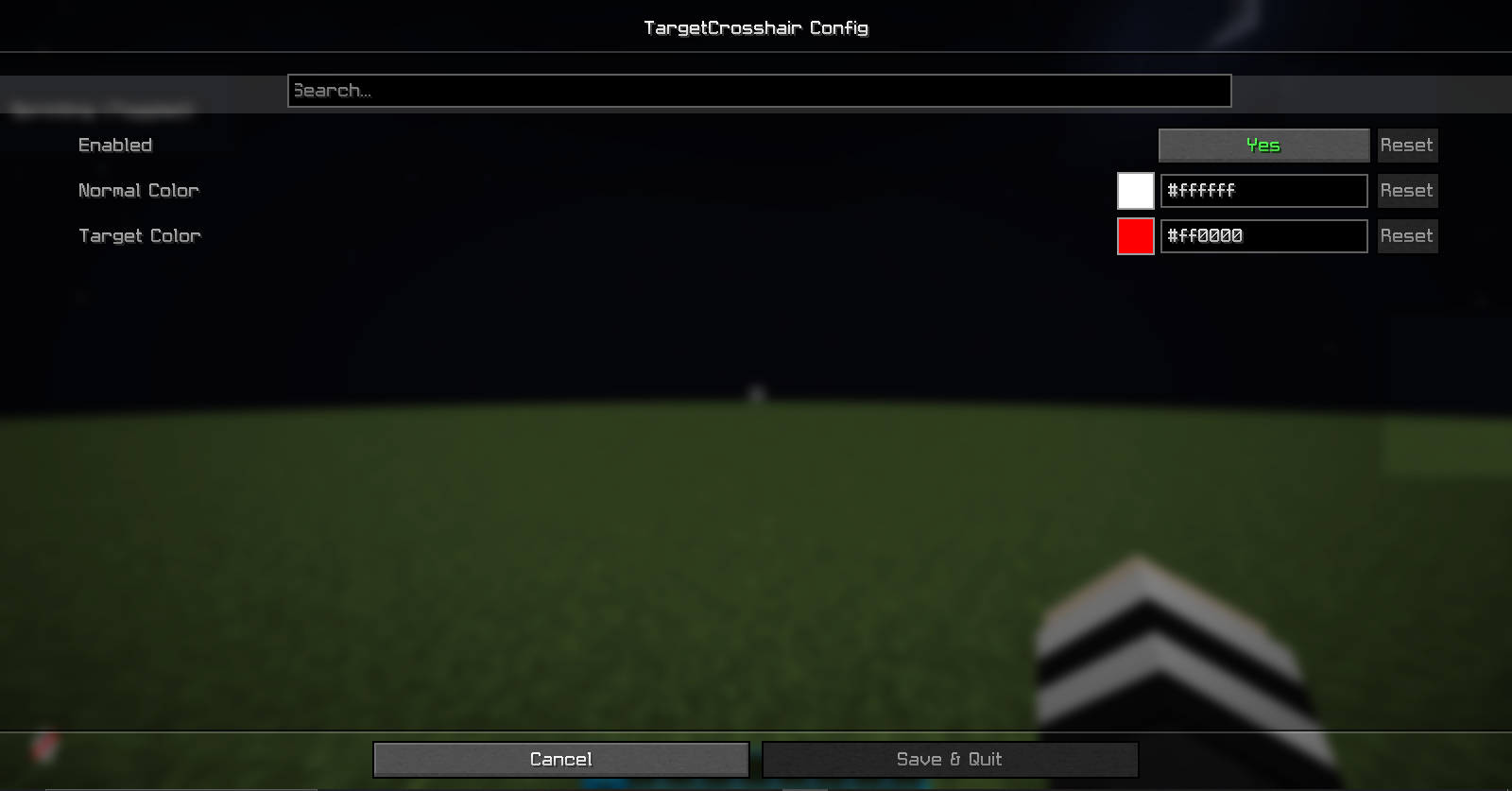
Fully customize your colors.
* Normal crosshair color
* Target crosshair color
* RGB color picker
* Instant visual updates
Make your crosshair:
* White
* Red
* Green
* Blue
* Purple
* Any color you want
### 📸 Preview
**Image 2 - Color Customizer**
---
## ⚙️ Easy Access
Configure the mod from:
* Mod Menu (if installed)
* In-game Settings button
* Built-in editor screen
No commands required.
---
## 📦 Requirements
* Fabric Loader
* Fabric API
* Cloth Config API
### Optional
* Mod Menu
---
## 🎮 Compatibility
✔ Minecraft 1.21.x
✔ Singleplayer
✔ Multiplayer
✔ Client-Side Only
✔ Vanilla Servers
✔ Modpacks
---
## 🚀 Installation
**NOTE: If You're using this mod version 1.0.1 so You Don't need to Install, ModMenu & Cloth Config API.**
1. Install Fabric Loader
2. Install Fabric API
3. Install Cloth Config API
4. Place TargetCrosshair inside your mods folder
5. Launch Minecraft
---
## 📞 Support
### YouTube
https://www.youtube.com/@RealNamanYT
### Discord
https://discord.gg/caHT3dU74u
### Instagram
https://instagram.com/realnamanyt
---
Made with ❤️ by RealNamanOP