
Описание
# String Highlighter
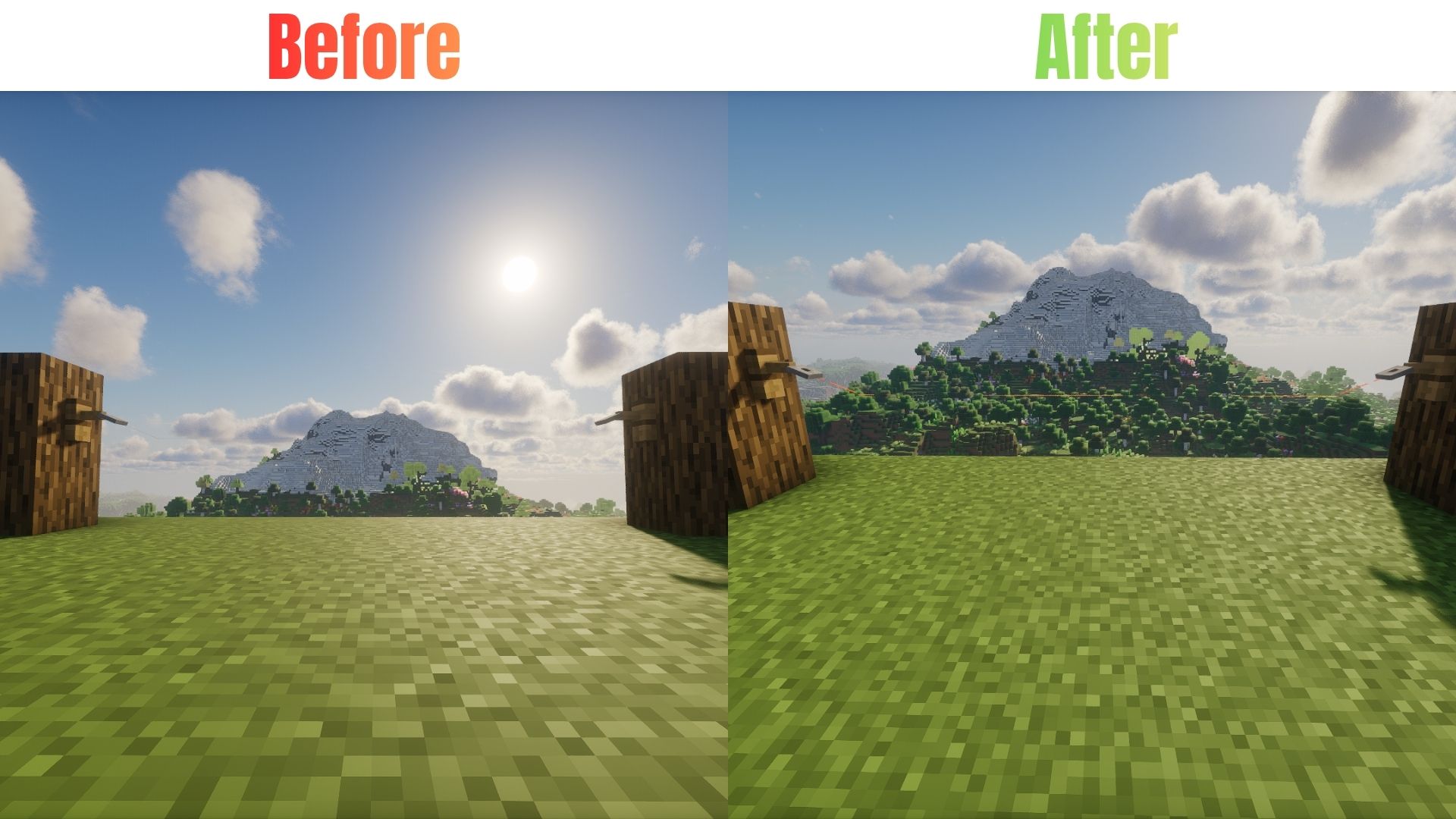
Tired of tripping over invisible tripwires? Can’t find where you placed your string? **String Highlighter** is a simple, lightweight resource pack that turns hard-to-see gray string into a bright, glowing **orange** color!
Now you can see every single piece of placed string instantly. It is perfect for technical players, redstone builders, and anyone who wants to avoid accidental traps.
---
## Features
* **High Visibility**: Changes dull gray placed string to bright neon orange.
* **Easy Redstone**: See your tripwire lines clearly from far away.
* **PvP Safe**: Never run into a hidden tripwire trap in faction or minigame servers again.
* **Pure Vanilla**: Requires zero mods! It works 100% as a standard resource pack.
* **Lag Free**: Uses basic textures so your game performance stays perfectly smooth.
---
## 🛠️ Installation
### For Java Edition:
1. Download the `.zip` file for your Minecraft version.
2. Open Minecraft and navigate to `Options` > `Resource Packs` > `Open Pack Folder`.
3. Drop the downloaded `.zip` file into the folder.
4. Activate the pack in-game and move it to the top of your active pack list.
### For Bedrock Edition:
1. Download the `.mcpack` file.
2. Double-click the file to automatically launch Minecraft and import the pack.
3. Go to `Settings` > `Global Resources` > `My Packs` and click **Activate**.
---
## Availability
* **Java Edition:** Download right here on Modrinth!
* **Bedrock Edition:** Available on our CurseForge page (Bedrock)