Описание

MUST HAVE:
- LuckPerms. [**[ FOUND HERE ]**](https://luckperms.net/download)
- BukkitOfUtils (__For Bukkit / Spigot / Paper ONLY__). [**[ FOUND HERE ]**](https://www.spigotmc.org/resources/118276/)

Please join the Streamline Hub Discord in order to get updates and for me to fully assist you with bugs, questions, or suggestions.
Discord: [**click here**](https://dsc.gg/streamline)
[**Download Modules for Streamline Here (Click)**](https://storage.drak.gg/share/75RJ__vUBVQrC_PRfuHeTg)
# Introduction to Streamline
### What is Streamline?
Streamline is a Minecraft plugin that adds limitless functionality to Minecraft servers through what is known as **Modules**. These Modules are downloadable content that you insert into the Streamline plugin's ``modules`` folder to enhance your server.
Streamline Modules can do many things and even allow server admins and developers to make their own with a very nice framework.
The currently made modules add functionality such as:
- Redirecting players from one server to another when that server goes down. (**StreamlineRedirect Module**)
- Network staff chat, whispering, and friends. (**StreamlineMessaging Module**)
- Discord to Minecraft and Minecraft to Discord. (**StreamlineDiscord Module**)
- Logging messages to your Discord server with only webhooks. (**SimpleLogger Module**)
- Aliases, buildable functions, online list (per server, per group, or network wide), cross-network tpa, cross-network homes, cross-network teleporting, and more. (**StreamlineUtilities Module**)
- Data-Driven event-based protection for proxy and backend servers. (**ProxProtect Module**)
- Send resourcepacks to players on join. (**ResourcePackUtils Module**)
- Cross-network quests system with limitless potential. (**StreamQuests Module**)
- TAB (the plugin) integration, adding support for Streamline placeholders in TAB configurations. (**TAB-SL Module**)
- Simple and easily configured MOTD system like that of MiniMOTD. (**StreamlineMOTD Module**)
- *More.*
**NOTE**: Not seeing a feature you want? Ask Drak to add it on his Discord! - [**click here**](https://dsc.gg/streamline)
### What makes Streamline special?
Streamline allows for **universal cross-platform capabilities** with its Modules.
This essentially means you can run the same modules on a BungeeCord proxy that you would on a Velocity proxy (or even your backend servers). This, with the addition of **Modularized features** means that server admins and owners can choose *exactly* what they want in their server without bloatware.
This also makes it very easy for server admins to use a specific module across different servers. Or even for Developers to develop modules for servers (or the community).
### What exactly is Streamline capable of?
Literally *anything*. Seriously.
#### Supported Proxies:
> - Velocity
> - BungeeCord
> - Waterfall
> - FlameCord
> - Travertine
> - XCord
> - Etc.
#### Supported Backend Servers:
> - Spigot.
> - Paper.
> - Folia.
> - Purpur.
> - Tuinity.
> - ImmanitySpigot.
> - FlamePaper.
> - Mohist / Banner / Youer.
> - Etc.
#### Natively-Supported Plugins:
> - Luckperms. (Required.)
> - BukkitOfUtils. (Required on Bukkit-like servers.)
> - Geyser / Floodgate. (Everything work the same for Bedrock players as would Java players!)
> - PlaceholderAPI.
> - CMI. (With Utils module.)
> - EssentialsX. (With Utils module.)

Follow the Discord setup guide [**[ FOUND HERE ]**](https://github.com/Streamline-Essentials/StreamlineWiki/wiki/Discord-Setup) to set up the discord module.
# What can I do with the `Discord Module`?
- Link **Discord to Minecraft** and **Minecraft to Discord** with `Routes`.
- Available link types:
- Natively (Without other Modules):
- **Proxy local chat** `` **Discord Text Channel**
- **Proxy global chat** `` **Discord Text Channel**
- **All online players with specific permission** `` **Discord Text Channel**
- **Discord Text Channel** `` **Discord Text Channel**
- Groups (With `StreamlineGroups` Module):
- **Guild chat** `` **Discord Text Channel**
- **Party chat** `` **Discord Text Channel**
- Messaging (With `StreamlineMessaging` Module):
- **Local Room chat** `` **Discord Text Channel**
- **Global Room chat** `` **Discord Text Channel**
- **Custom Room chat** `` **Discord Text Channel**
- Message formats are completely customizable.
- Avatar with player's skin will pop up when their message is sent to Discord.
- Link player's Discord profile with your server.
- Players can chat using their StreamlineUser profile from Discord.
- All Discord messages can be configured to be sent as completely customized Discord embedded messages

More information is found on our wiki: [**FOUND HERE**](https://wiki.plas.host/streamline)
### NOTICE ABOUT COMMANDS, PERMISSIONS, AND MESSAGES.
***All commands are completely customizable in their `.yml` file. Including permissions and message outputs!***

1. Install dependencies.
- ``BukkitOfUtils`` if on Bukkit / Spigot / Paper / Forks.
- ``LuckPerms`` for all platforms.
2. Download the plugin file.
3. Drop it into your server's plugins folder.
4. Start and stop your server.
5. Fill out the configs where necessary.
- Configurations for the streamline plugin can be found in your `plugins` folder, under `StreamlineCore`.
6. Add desired modules.
- Modules can be downloaded from here: [**click here**](https://wiki.plas.host/modules)
7. Start and stop your server again.
8. Fill out module configs where necessary.
- Module files can be found in your `plugins` folder, under `StreamlineCore`, under `module-resources`.
9. Start your server again.
More information can be found on our wiki: [**click here**](https://wiki.plas.host/streamline)

1. Look on the wiki: [**click here**](https://wiki.plas.host/streamline)
2. Get in touch on the Streamline Discord: [**click here**](https://dsc.gg/streamline)
3. Submit a bug on the issue tracker (this is rarely checked): [**click here**](https://github.com/Streamline-Essentials/StreamlineCore/
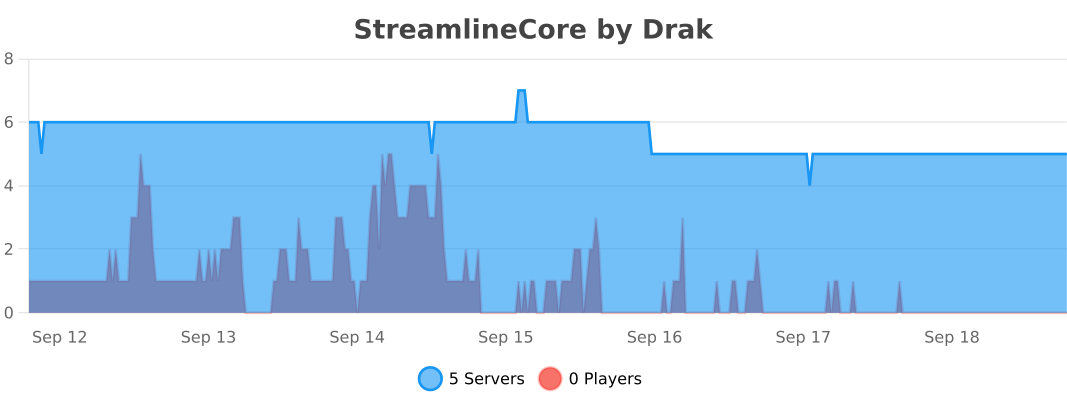
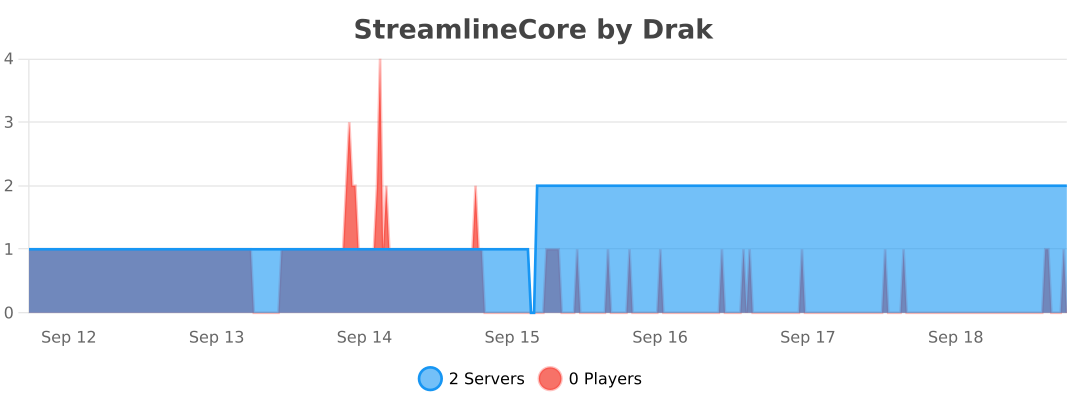
# BStats
**Bukkit**
**BungeeCord**
**Velocity**