
Описание
[](https://discord.gg/YyutMfPNp4)
[](https://www.curseforge.com/minecraft/mc-mods/sortcraft)
[](https://modrinth.com/mod/sortcraft)
[](https://fabricmc.net/)
[](https://neoforged.net/)
# SortCraft
**SortCraft** is a multi-chest item sorter without the redstone. Label chests with signs like `[ores]` or `[tools]`, right-click your input chest, and items instantly sort themselves. Categories live in simple YAML files you control.
Visually build and organize your categories using our companion webapp [CategoryCraft](https://categories.craftlabs.nexus/)! You can even load mod jar files to see your modded items!
View our [quickstart video](https://youtu.be/faIobziYPi4) or jump to the 5-Minute Quick Start section below for concise instructions.
---
## 📦 How It Works
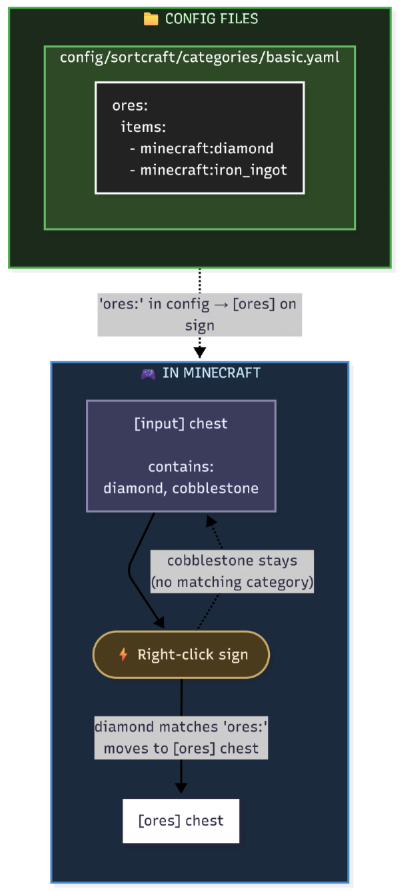
You define categories in YAML config files. Sign text must match your category names. That's it!
### What It Looks Like In-Game
| Input Chest | Destination Chest |
|:-----------:|:-----------------:|
| 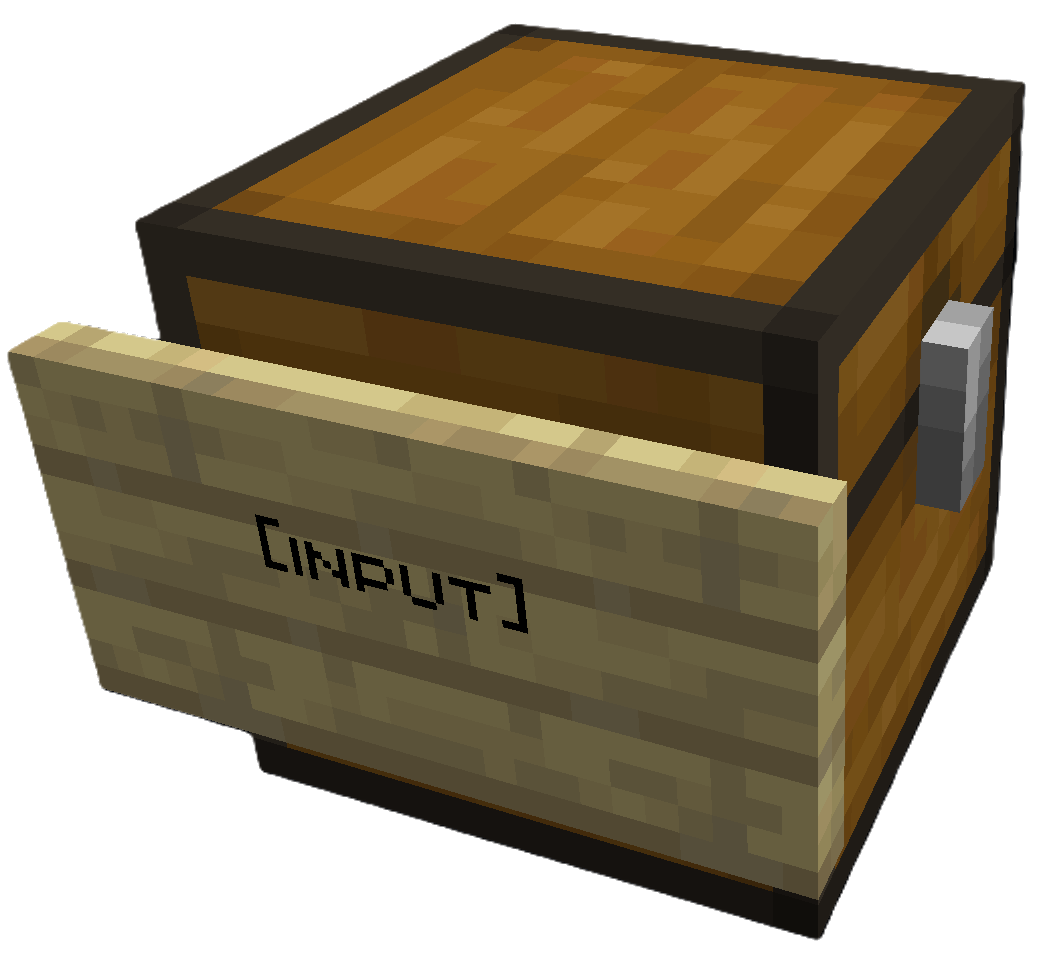 | 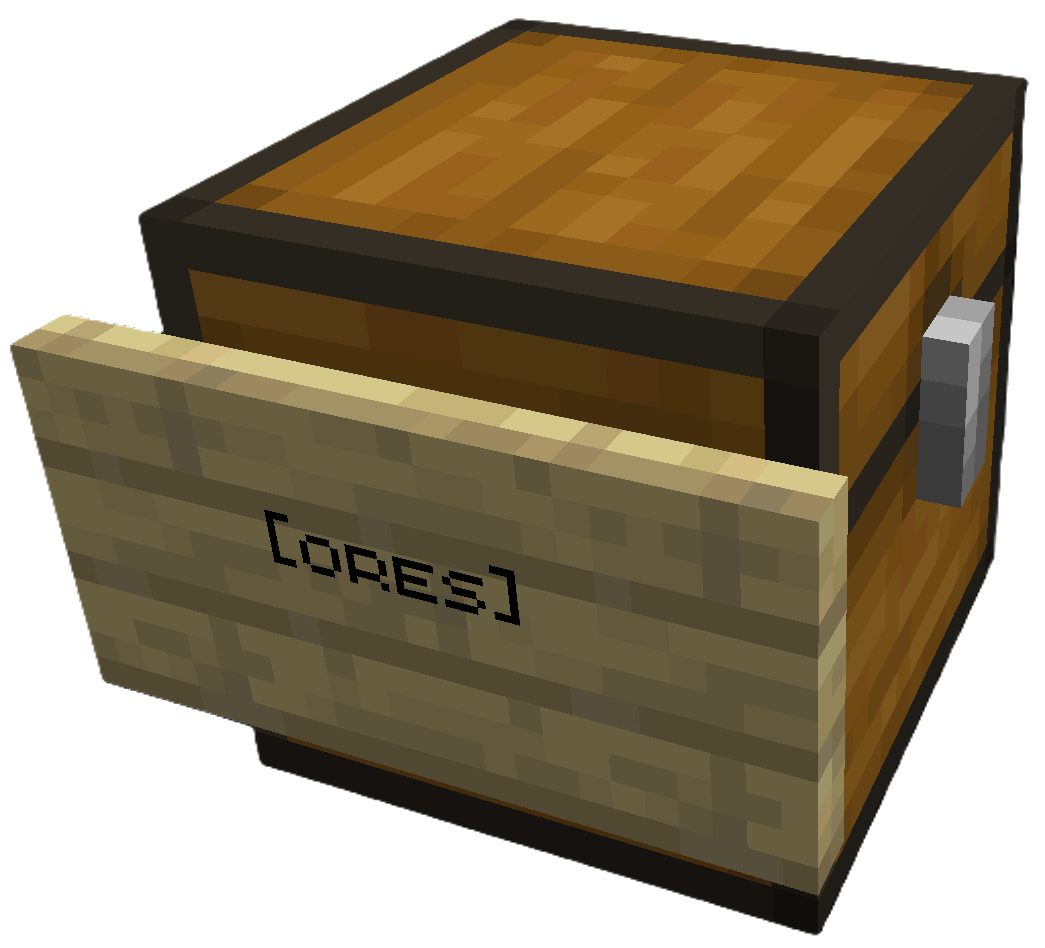 |
| Place `[input]` sign on your source chest | Place `[ores]` sign (or any category) on destination |
Right click the `[input]` sign to sort. All destination chests must be within a configurable search radius of the input chest (default 64 blocks).
> **Modded Storage:** SortCraft works with modded storage blocks like Storage Drawers and Sophisticated Storage. Any block that exposes a Fabric Transfer API `Storage` or NeoForge `IItemHandler` can be used as a source or destination.
> **Share Configs:** Write a [CategoryCraft](https://categories.craftlabs.nexus/) share ID on the input sign to use a shared category configuration instead of the global one. See [Share Configs](https://github.com/Nayruden/sortcraft/blob/master/docs/CONFIGURATION.md#share-configs) for how to get a share ID and set it up.
---
## 🚀 5-Minute Quick Start
### 1. Create a category file
Create `config/sortcraft/categories/basic.yaml`:
```yaml
ores:
items:
- minecraft:diamond
- minecraft:iron_ingot
- minecraft:gold_ingot
- minecraft:copper_ingot
```
OR use [CategoryCraft](https://categories.craftlabs.nexus/) to build your categories visually.
OR look at the following examples:
* [Concise Example / Quick Reference](https://github.com/Nayruden/sortcraft/blob/master/example_categories_consise.yaml)
* [Full Example / What I use on my server](https://github.com/Nayruden/sortcraft/blob/master/example_categories_full.yaml)
### 2. Build your storage
- Place a chest and attach a sign with `[input]` on any line
- Place another chest and attach a sign with `[ores]` on any line
### 3. Sort!
Put diamonds, iron, gold, or copper in the input chest, then **right-click the `[input]` sign**. Items matching your `ores:` category move to the `[ores]` chest.
---
## 📚 Documentation
| Guide | Description |
|-------|-------------|
| [Commands](https://github.com/Nayruden/sortcraft/blob/master/docs/COMMANDS.md) | All `/sort` commands |
| [Configuration](https://github.com/Nayruden/sortcraft/blob/master/docs/CONFIGURATION.md) | YAML syntax, priorities, includes, item tags |
| ↳ [Concise Example](https://github.com/Nayruden/sortcraft/blob/master/example_categories_consise.yaml) | Quick reference |
| ↳ [Full Example](https://github.com/Nayruden/sortcraft/blob/master/example_categories_full.yaml) | What I use on my server|
| [Filters](https://github.com/Nayruden/sortcraft/blob/master/docs/FILTERS.md) | Sort by enchantments, durability, custom names |
| [Regex Patterns](https://github.com/Nayruden/sortcraft/blob/master/docs/REGEX.md) | Match items with patterns like `/.*:.*_sword/` |
| [Core Concepts](https://github.com/Nayruden/sortcraft/blob/master/docs/CONCEPTS.md) | Priority system, category inheritance, stacking |
| [Troubleshooting](https://github.com/Nayruden/sortcraft/blob/master/docs/TROUBLESHOOTING.md) | Common issues and solutions |
| [Audit Logging](https://github.com/Nayruden/sortcraft/blob/master/docs/AUDIT_LOGGING.md) | Server admin logging features |