Описание
# ⚡Tired of that annoying sand texture in the hotbar?
I suddenly noticed that the default **Minecraft hotbar has a pixelated sand texture hidden in its semi-transparent background**, and I couldn't unsee it.
It drove me crazy, so I decided to jump into Paint.NET and fix it myself. This simple resource pack removes that annoying pixel noise, replacing it with a completely **smooth**, **flat**, and **clean** _**vanilla-style**_ gray background.
### 🔍 Side-by-Side Comparison
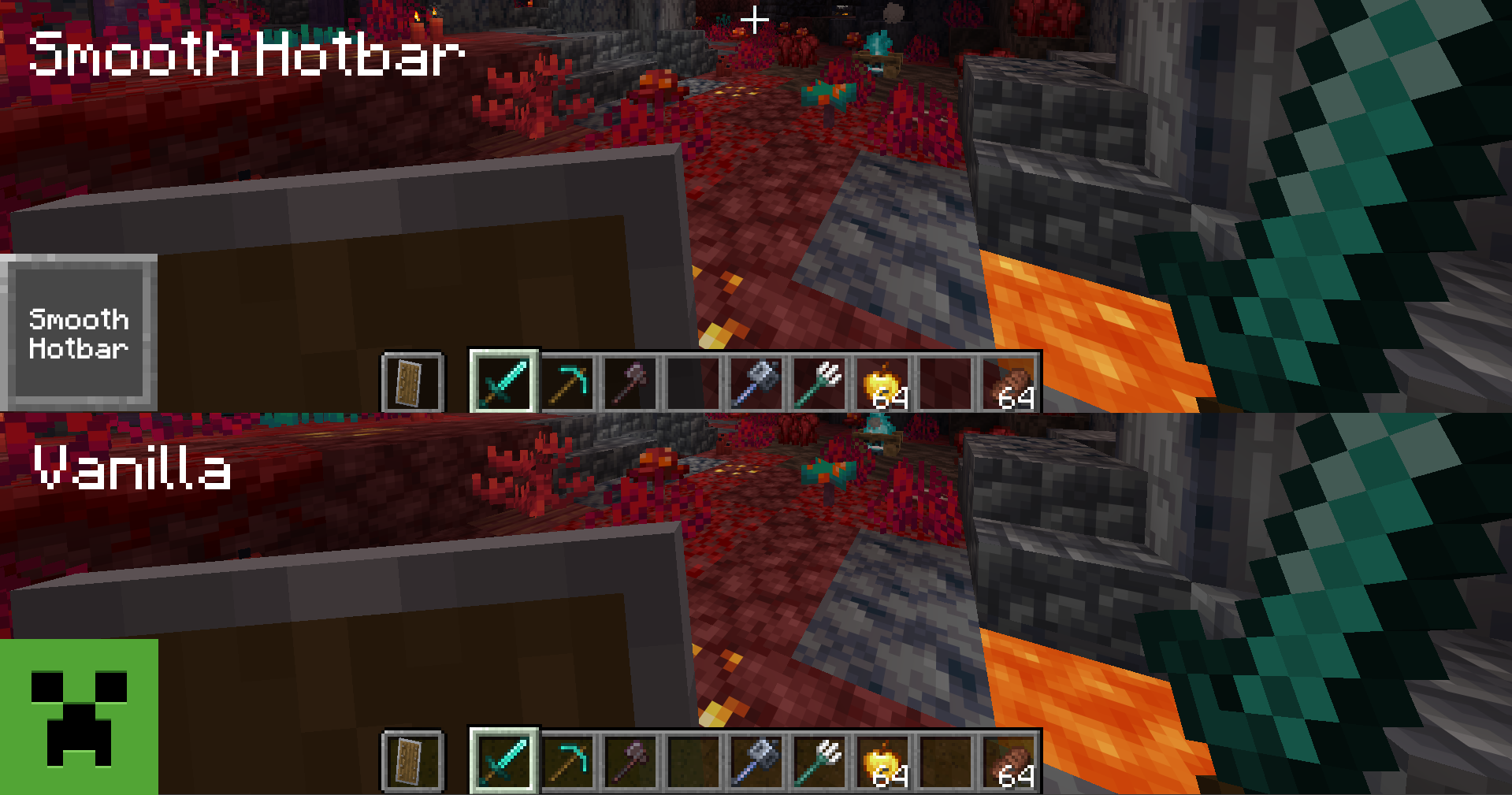
*(Look closely at the background of the hotbar slots against the dark blocks)*
* **Vanilla:** Annoying pixelated, grainy texture inherited from old sand sprites, puff who would enjoy that.
* **Smooth Hotbar:** Clean, matte, chad and uniform solid gray. Pure visual peace like a real sigma. (please help)
### 🎯 Features
* **100% Faithful Layout:** Keeps the exact same borders, icons, and native dimensions. No weird redesigns for PVP or something similar.
* **Noise Reduction:** Eradicates the old sand pattern from your HUD entirely.
* **Performance Friendly:** Extremely lightweight. It won't affect your FPS at all, because It's just two textures I mean- YES LIGHTWEIGHT.
### 🛠️ How to Install
1. Download the .zip file.
2. Open Minecraft and go to **Options > Resource Packs > Open Pack Folder**.
3. Drag and drop the downloaded file inside.
4. Activate it by moving it to the right column and press **Done**!