
Описание
# Slotted Armor HUD
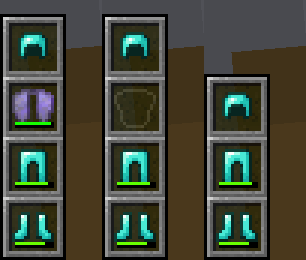
This mod adds an armor HUD that retains Minecraft's default appearance, without the extra text and numbers, and **adapts to resource packs** that change the hotbar's appearance. The armor HUD can be easily configured when paired with the [Cloth Config](https://modrinth.com/mod/cloth-config) and [Mod Menu](https://modrinth.com/mod/modmenu) mods.
If the mod hasn't been updated for the latest Minecraft version but you've found that it still works without issue, let me know with this [GitHub template](https://github.com/poqbox/slotted-armor-hud/issues/new?assignees=&labels=&projects=&template=version_check.yml&title=%5BVersion+check%5D%3A+). _(No guarantees though, since I have shifted my focus to other work.)_

_An aesthetic that blends right in to Minecraft's HUD_
## Features
- **A customizable interface**
- Orient it vertically or horizontally.
- Place it to the left or right, and to the top or bottom.
- Choose when and how the armor HUD shows itself.
- Move it anywhere by offsetting it!
- **Adaptive elements**
- The armor HUD will shift away from the hotbar to allow room for the offhand slot.
- The chat box, boss bars, status effect icons, and subtitles will make room for the armor HUD when needed.
- **Extra customization**
- If resource packs do not work, try experimenting with these settings. :D
> 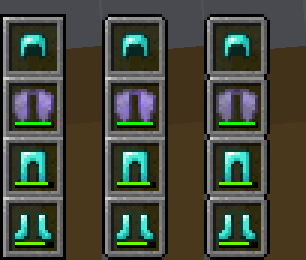\
> 
*Forked from [BerdinskiyBear's Armor HUD](https://github.com/BerdinskiyBear/armor-hud) mod, updated and with new features.*
---
### Configuration
This mod can be configured with the [Cloth Config](https://modrinth.com/mod/cloth-config) and [Mod Menu](https://modrinth.com/mod/modmenu) mods.\
With these mods installed, a "Mods" button will appear on the title and pause screens, and clicking on it should show a list of installed mods. This mod should appear on that list, and hovering over it should show a button that leads to the config screen.
It can also be configured via the **armor_hud.json** config file with a text editor. This can be found in Minecraft's directory folder, then in the **config** folder.