
Описание
## Features
- Flexible layout control with adjustable radius, item size, and rotation angles
- Visibility options for slots, numbers, and sprites
- Multiple interaction modes (toggle menu or click-to-select item)
- Configurable inner and outer deadzones
- Hotbar scrolling toggle
- Custom texture pack support
## Screenshots
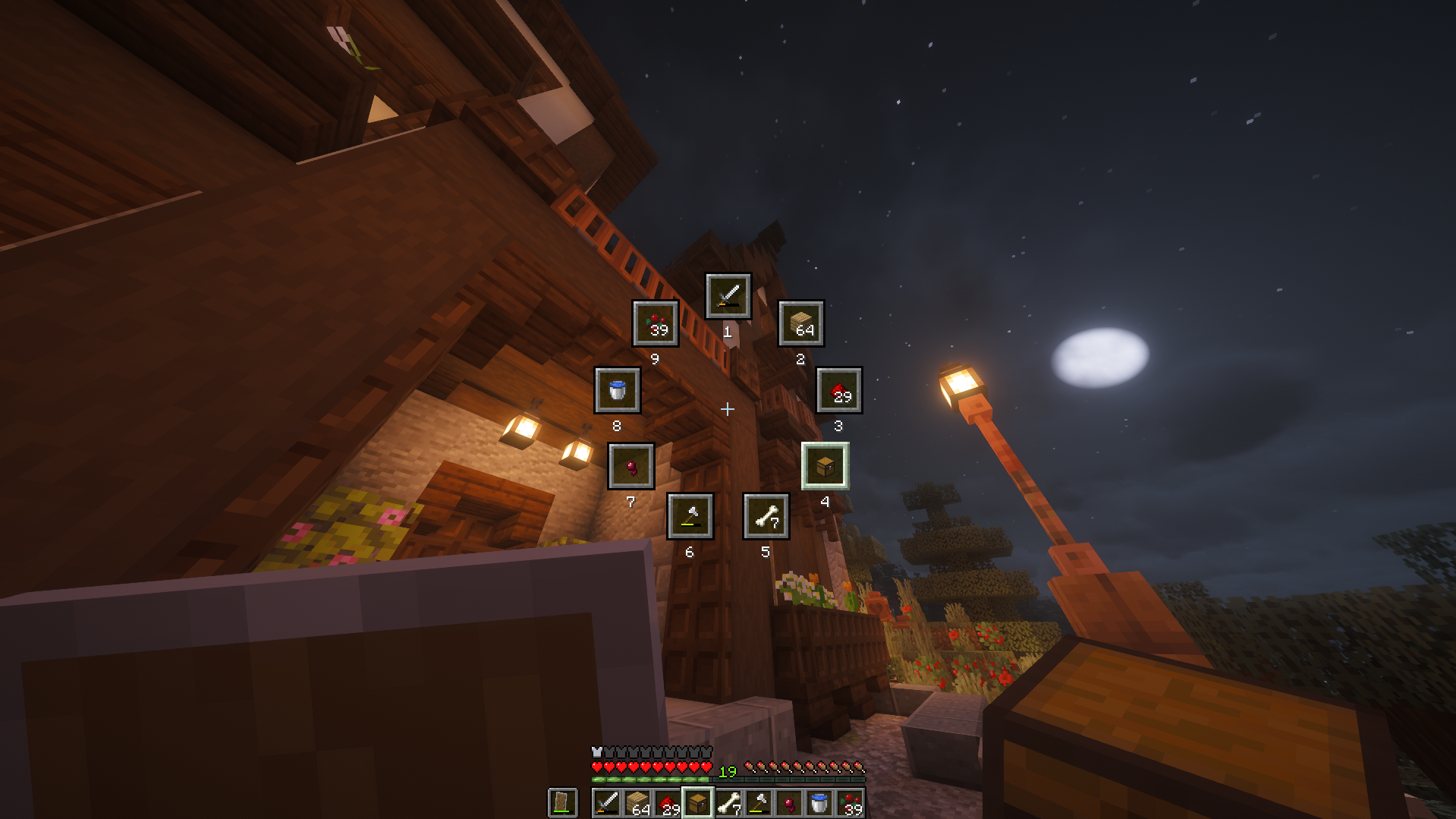
[Click to watch the trailer/demo](https://www.youtube.com/watch?v=kq3pwFCv4ZM)
## Supported Versions
> ✅ - Supported, ❌ - Unsupported, 🔍 - Planned / In development
Version
Loaders
Minimum required version
Latest Slice version
26.1.2 ✅
26.1.2.0-beta, 64.0.0, 0.18.4
1.0.2
26.1.1 ✅
26.1.1.0-beta, 63.0.1, 0.18.4
1.0.2
26.1 ✅
26.1.0.1-beta, 0.18.4
1.0.1
1.21.11 ✅
21.11.0, 61.0.0, 0.18.0, 0.30.0-beta
1.0.0
1.21.10 ✅
21.10.0, 60.0.0, 0.18.0, 0.30.0-beta
1.0.0
1.21.9 ✅
21.9.0, 59.0.0, 0.17.0, 0.30.0-beta
1.0.0
1.21.8 ❌
1.21.7 ❌
1.21.6 ❌
1.21.5 ❌
1.21.4 ❌
1.21.3 ❌
1.21.2 ❌
1.21.1 ✅
21.1.1, 52.1.0, 0.17.0, 0.27.0
1.0.0
1.21 ❌
1.20.2 ❌
1.20.1 ❌
1.20 ❌
1.19.4 ❌
1.19.3 ❌
1.19.2 ❌
1.19.1 ❌
1.19 ❌
1.18.2 ❌
1.18.1 ❌
1.18 ❌
1.17.1 ❌
1.17 ❌
1.16.5 ❌
1.16.4 ❌
1.16.3 ❌
1.16.2 ❌
1.16.1 ❌
1.16 ❌
1.15.2 ❌
1.15.1 ❌
1.15 ❌
1.14.4 ❌
1.14.3 ❌
1.14.2 ❌
1.14.1 ❌
1.14 ❌
1.13.2 ❌
1.13.1 ❌
1.13 ❌
1.12.2 ❌
1.12 ❌
1.11.2 ❌
1.11 ❌
1.10.2 ❌
1.10 ❌
1.9.4 ❌
1.9 ❌
1.8.9
✅
11.15.1.2318
0.2.0
1.8 ❌
1.7.10 ❌
### Dependencies
NeoForge
None
Forge
None
Fabric
Minecraft version
Minimum FabricAPI version
26.1.20.145.4+26.1.2
26.1.10.144.0+26.1
26.10.144.0+26.1
1.21.110.139.4+1.21.11
1.21.100.134.1+1.21.10
1.21.90.133.14+1.21.9
1.21.10.102.0+1.21.1
Quilt
Minecraft version
Minimum FabricAPI version
1.21.110.139.4+1.21.11
1.21.100.134.1+1.21.10
1.21.90.133.14+1.21.9
1.21.10.102.0+1.21.1
## How to customize/configure
### Neoforge
NeoForge offers an in-game config menu.
```
Main Menu > Mods > *Select Slice* > Config
```
### Forge
I cannot be bothered to implement a config screen for Forge. Please just edit the config file yourself.
#### Modrinth
```
Profile > (⋮) button > Open folder > (Explorer) config > (Explorer) slice-common.toml
```
#### Stock launcher
```
(File Explorer) %appdata% > .minecraft > config > slice-common.toml
```
Save the file and use `/slice reloadClient` to reload the config file.
### Fabric
Download [Mod Menu](https://modrinth.com/mod/modmenu) and use their config menu instead.
```
Main Menu > Mods > *Select Slice* > -Config button next to the name-
```
### Quilt
Download [Mod Menu](https://modrinth.com/mod/modmenu) and use their config menu instead.
```
Main Menu > Mods > *Select Slice* > -Config button next to the name-
```
## Feedback
Feel free to send feedback on the [issues page](https://github.com/ansi-sudo/Slice/issues). Feature requests and bug reports are always welcome! Stars too :)
Credits
Polyfrost Staff (Listing my mod inside their client)
Fancy badges (Readme badges)
Devin's badges (Readme badges)
jaredlll08 (Multiloader template)
JannisX11 (Blockbench)
Ewan Howell (Minecraft title generator)
Aseprite