Описание
# SkinTotem
Client-side custom Totem textures generated from Minecraft skins!

## A Personal Note
Back in 2018, I launched [Minecraft Skin to Totem](https://spea.cc/totem), the first automated skin totem generator that helped popularize this idea.
This mod comes from that same project and the same obsession: I want skin totems to feel simple, instant, and fun to use with friends. Over time, clones appeared, including sites that I inspected and found direct copies of my code. So SkinTotem is my way of bringing that same idea directly into the game as a client-side mod.
If you used the website years ago, this is the same concept brought into Minecraft itself! You might have even come from there... hello!
## Overview
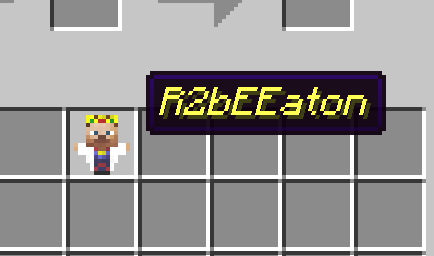
SkinTotem gives renamed Totems of Undying custom textures based on Minecraft: Java player skins.
It includes:
- Pending preview feedback while a totem is waiting to load
- Default skin fallback support
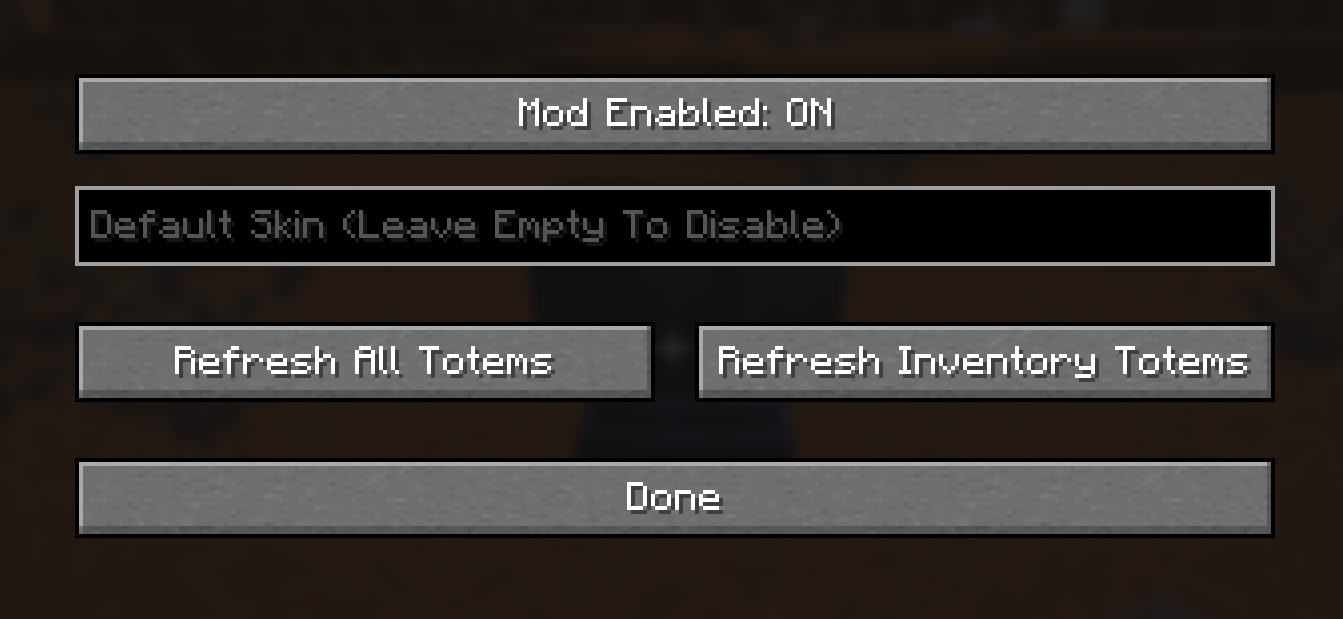
- Simple in-game config controls
- Refresh actions for all totems or only inventory totems
## How It Works
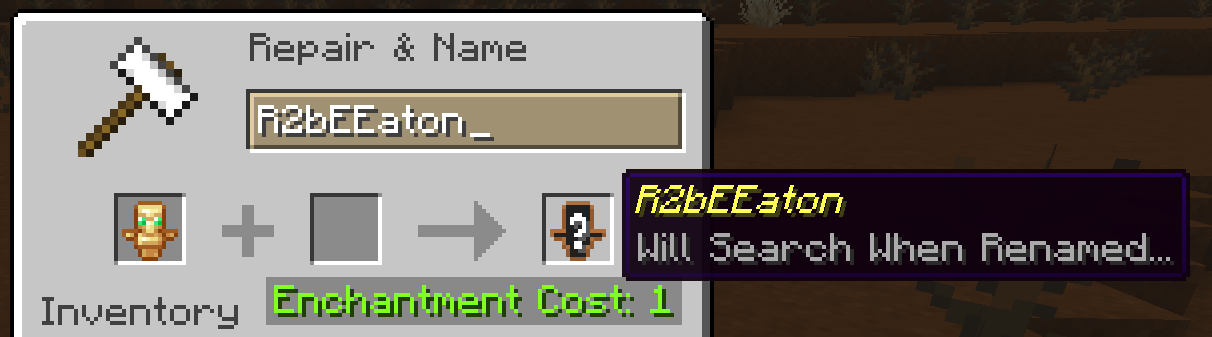
Rename a Totem of Undying using an Anvil to a Minecraft username. SkinTotem will look up that player skin and render the totem with a matching custom texture.
If the skin is still loading, the mod shows a pending preview so it does not look broken. If no skin is found, it just shows the default texture.
## Configuration
Available options:
- `Mod Enabled`
- `Default Skin`
- `Refresh All Totems`
- `Refresh Inventory Totems`
Leave `Default Skin` empty to disable the default override.