Описание
# Minecraft Info Display
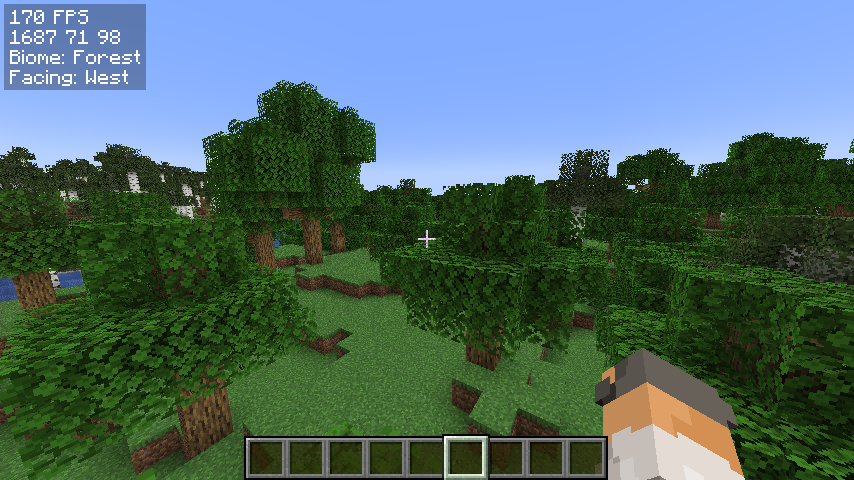
A simple, yet customizable, mod that can display some useful infos on the hud, similar to the one in Lunar Client.
I am very new to fabric modding, so if you have suggestions or find any bugs, DM me on Discord: @jamicah or open an issue on GitHub.
## Features
### Info Display:
- FPS
- Coordinates
- Biome
- Facing Direction
- Real Time
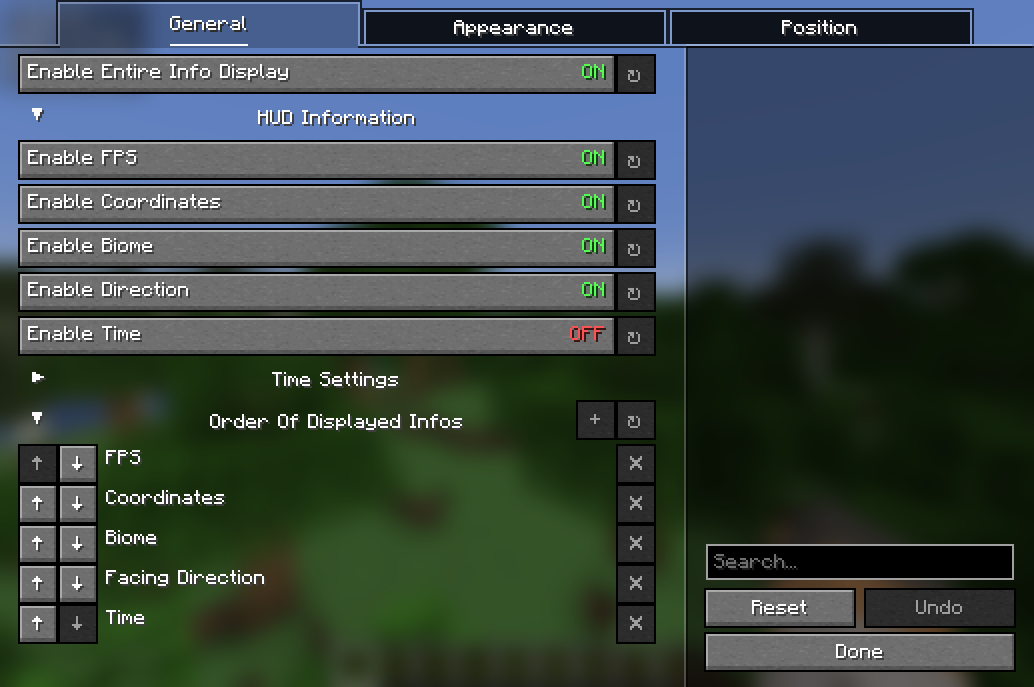
Toggle all of them on/off using a keybind or in the config menu.
### Customization:
- Change the display order
- Change the (absolute) position of the HUD
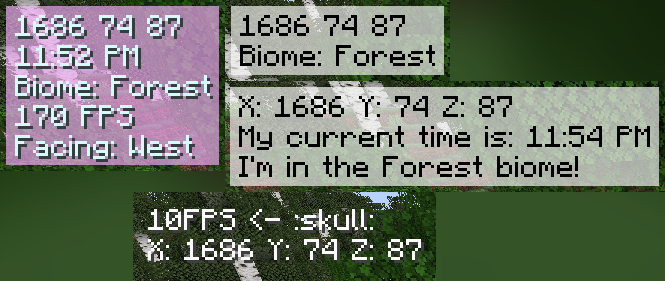
- Change the color of the text
- Change the background color
- Customize the HUD text
- and more!
### TODO:
- more customization options
- more info to display
- relative HUD position
## Requirements
- [Fabric API](https://modrinth.com/mod/fabric-api/versions)
- [YetAnotherConfigLib](https://modrinth.com/mod/yacl/versions)
- [Mod Menu](https://modrinth.com/mod/modmenu/versions) (optional)
## How to install
1. Download the latest release on [modrinth](https://modrinth.com/mod/simple-info-display/versions) or from the [releases](https://github.com/Lonelywalf/minecraft-info-display/releases) page
2. Put the downloaded jar file into your mods folder
3. Launch the game
## How to use
Open the configuration menu by either:
1. running the command `/infodisplay`
2. opening it using Mod Menu
3. setting a keybind for it in the controls menu
## Contribute
Feel free to open an issue or a pull request on GitHub!
How to add localization for a new language:
1. Create a new file in `src/main/resources/assets/coords_mod/lang/`
2. Name it `xx_XX.json`, where `xx_XX` is the language code (e.g. `en_us` for English (US), `de_de` for German (DE))
3. Copy the contents of `en_us.json` into the new file
4. Translate the values on the right side of the colons into the new language
5. Create a pull request