
Описание
# 
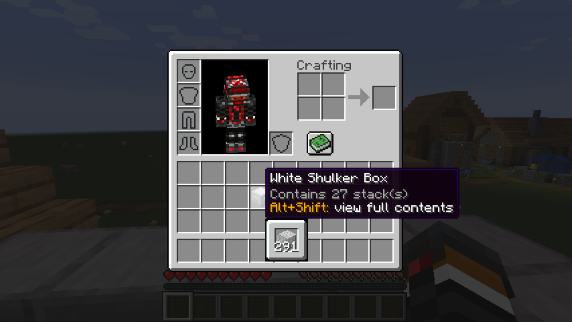
This mod allows you to see a preview window of a shulker box contents when hovering above it in an inventory by pressing `shift`.
## **Supports both Fabric and Forge**
### On Fabric:
[Fabric Loader](https://fabricmc.net/use/installer) and [Fabric API](https://modrinth.com/mod/fabric-api) are required
[Mod Menu](https://modrinth.com/mod/modmenu) is recommended (but not required) for in-game configuration
## **Features:**
### Compact Preview
Press `shift` (by default) while hovering an item.
### Full Preview
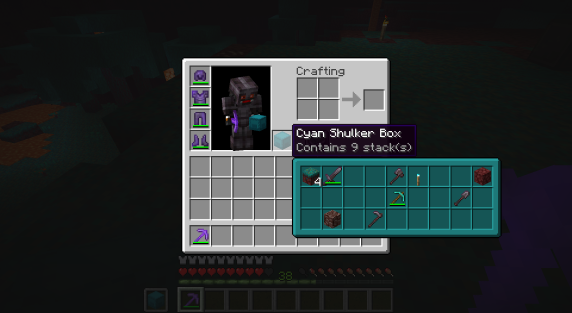
Press `alt+shift` (by default) while hovering an item to shows its full contents where each contained stack is displayed in the correct slot.
### Other Containers
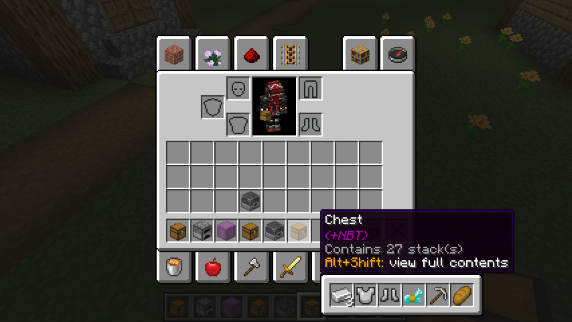
The preview also works with items obtained in creative mode using control + pick block such as chests, furnaces, barrels, etc...
Works with most modded containers as well.
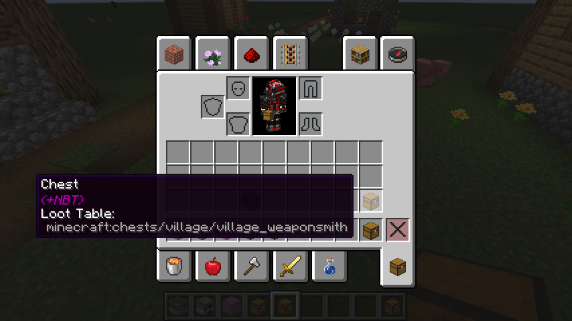
### Loot Tables
The name of the loot table is displayed in the tooltip if the hovered item as one.
This option is disabled by default.
### Configurability
Most aspects of the mod can be configured through the config menu. To access it, in the [mod menu](https://modrinth.com/mod/modmenu) select `ShulkerBoxTooltip` and then click on the gear icon.
See the in game documentation or the [wiki](https://github.com/MisterPeModder/ShulkerBoxTooltip/wiki/Configuration-Options) for info about each option. The config file can be found at `/config/shulkerboxtooltip.json5`
### Colors!
The color of the preview window changes depending on the color of the shulker box, you can disable it in config.
### Server support
The mod can also be installed server-side (optional) to provide extra features such as ender chest preview.