Описание
# 🌏 **ShadowCrates**
**ShadowCrates** is a fully customizable **Crate System** for Minecraft Fabric servers. It allows server administrators to create, configure, and manage crates that players can open using special crate keys. With customizable animations, sounds, and rewards!
## 📜 **Features:**
- ✅️ **Fully Configurable Crates** - Define crates in JSON format, including rewards, animations, sounds, particle effects, and key items.
- ✅️ **Custom Enchantment & NBT Support** - Rewards retain all item properties, including enchantments, custom model data, and atributes.
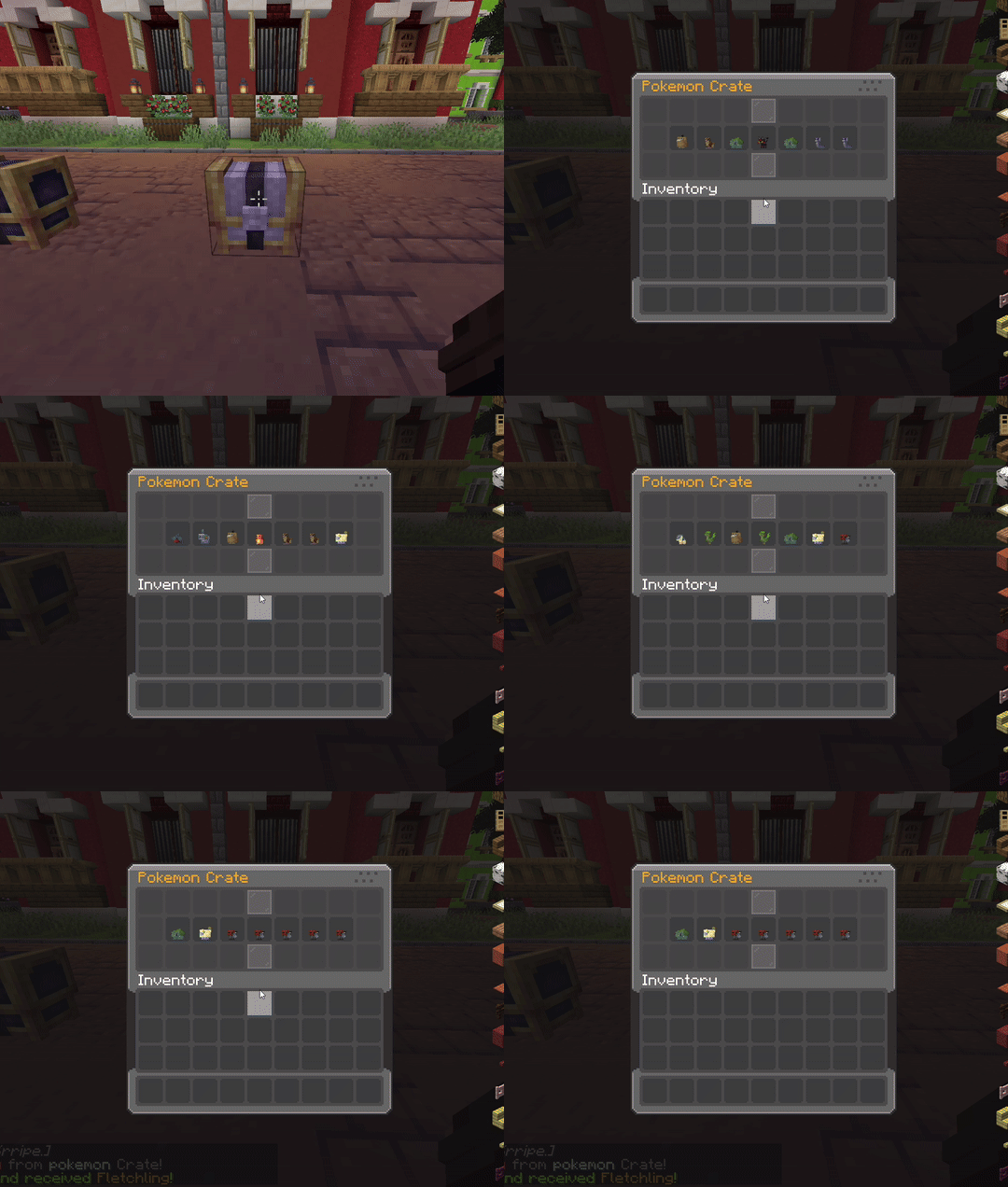
- ✅️ **Configurable Animations** - Set the number of animation steps and intervals for crate opening effects.
- ✅️ **Particle Effects** - Choose different particle effects per crate for a visually appealing opening sequence.
- ✅️ **Permission-Based Access** - Restrict specific crates using LuckPerms or any permission plugin.
- ✅️ **Command Execution** - Run custom commands when a player wins a reward.
- ✅️ **Custom Sounds** - Play unique sounds when opening a crate or winning a reward.
- ✅️ **Language & Message Customization** - Edit all messages, GUI titles, and lore with full RGB color support.
- ✅️ **Crate Location System** - Assign crates to specific blocks in the world, allowing physical crate locations.
- ✅️ **Backup System** – Automatic & manual backup creation in `/config/shadowcrates/backups/`, with JSON restore support.
- ✅️ **Database Support** – Use SQLite or MySQL to store all crate data (keys, prizes, crate blocks). Auto migration + backup included.
- ✅️ **Powerful GUI System** – Preview crates, claim stored prizes, and view virtual keys with fully customizable menus.
- ✅️ **Virtual Key System** – Players can store keys virtually, preventing duplication exploits.
- ✅️ **Support for Cobblemon Items** – Render Pokémon items (e.g. pokemon:abra) as prize icons and display items in GUIs.
## ⚙️ **Commands:**
Spoiler
- `/crate create ` ➜ Create a new crate.
- `/crate delete ` ➜ Delete an existing crate.
- `/crate reload` ➜ Reload all config files.
- `/crate set ` ➜ Set crate on targeted block.
- `/crate unset ` ➜ Remove crate from block.
- `/crate key give ` ➜ Give virtual or physical keys.
- `/crate key storage` ➜ View your stored keys.
- `/crate storage` ➜ Claim prizes stored items.
- `/crate clearstorage ` ➜ Deleting items from storage.
- `/crate backup now` ➜ Manually create a backup.
- `/crate backup restore` ➜ Restore from the latest backup.
- `/crate key clear ` ➜ Clear keys for player.
- `/crate key count ` ➜ See stored key count.
- `/crate key giveall ` ➜ Give all keys to a player.
## 🔒 **Permissions:**
Spoiler
- `crate.create` ➜ for /crate create
- `crate.delete` ➜ for /crate delete
- `crate.reload` ➜ for /crate reload
- `crate.set` ➜ for /crate set
- `crate.unset` ➜ for /crate unset
- `crate.storage` ➜ for /crate storage
- `crate.clearstorage` ➜ for /crate clearstorage
- `crate.key.give` ➜ for /crate key give
- `crate.key.storage` ➜ for /crate key storage
- `crate.key.clear` ➜ for /crate key clear
- `crate.key.count` ➜ for /crate key count
- `crate.key.giveall` ➜ for /crate key giveall
- `crate.backup` ➜ for /crate backup now & /crate backup restore
## 🎞 **Animations:**
List of animation formats for opening crate:
Spoiler
- `default`
- `instant`
- `csgo`
- `slots`
- `vortex`
- `wheel`
- `pick`
- `meteor`
List of animation formaats for idle particles:
Spoiler
- `orbit`
- `dual_orbit`
- `ring`
- `pulse`
- `spiral`
- `spring`
- `flower`
- `star`
- `rays`
- `rain`
- `stack`
- `sparkle`
- `meteor_rain`
- `ring_vertical`
- `burst`
- `comet`
## 📂 **Configuration Files:**
- 📁`/config/shadowcrates/config.json`
– General settings, messages, and toggles.
- 📁`/config/shadowcrates/crates/*.json`
– Crate definitions including items, commands, probabilities, and keys.
- 📁`/config/shadowcrates/menu_preview.json`
– Preview GUI configuration.
- 📁`/config/shadowcrates/menu_storage.json`
– Crate reward storage GUI.
- 📁`/config/shadowcrates/menu_key_storage.json`
– Virtual key storage GUI.
- 📁`/config/shadowcrates/data/`
– Stores crate block locations.
- 📁`/config/shadowcrates/backups/`
– Auto/manual backup folders