
Описание
# Server Rules Mod for Minecraft Fabric
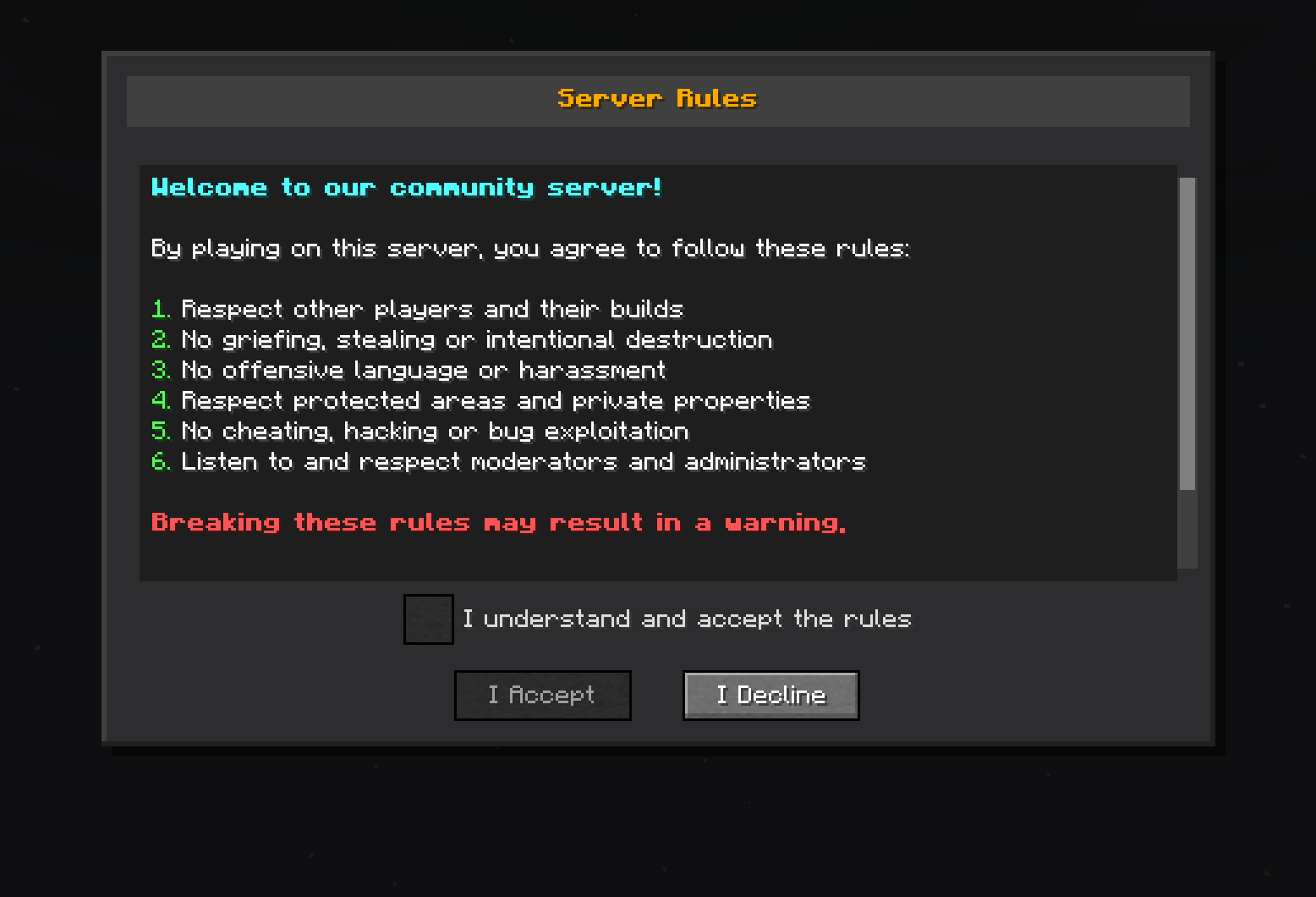
**Server Rules** is a Minecraft Fabric mod designed to enforce server rules by displaying a mandatory rules screen to new players. Players must read and accept the rules before they can join the game, ensuring a friendly and respectful community environment.
## Features
### Rules System
- **Custom rules screen**: Automatically displays server rules to new players
- **Mandatory validation**: Players must accept the rules to play
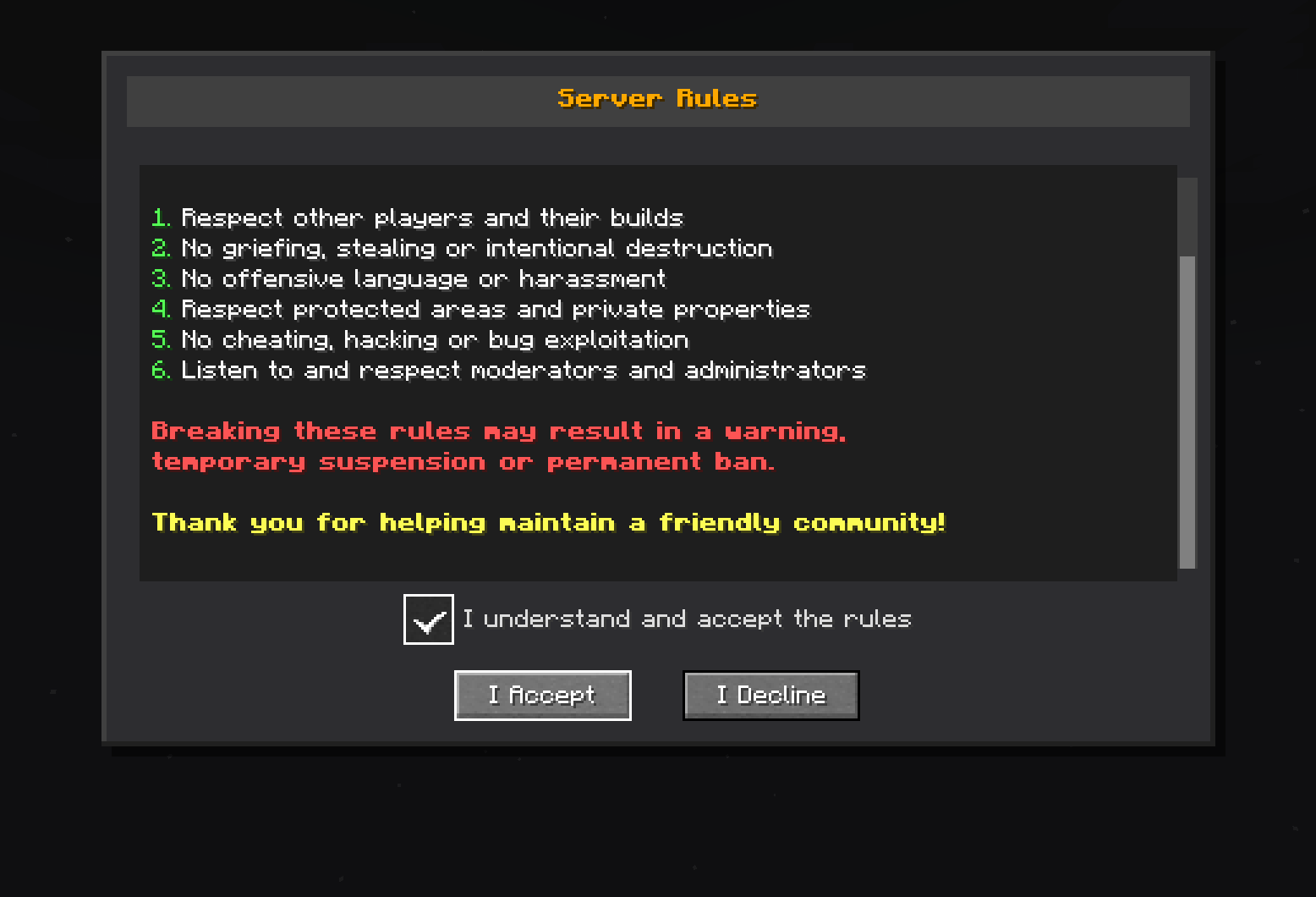
- **Graphical interface**: Screen with scrolling, checkbox, and customizable buttons
## Requirements
- **Minecraft**: Version 1.20.1 + Fabric
## Installation
1. **Install the mod**:
- Place the `serverrules-1.0-SNAPSHOT.jar` file in the `mods/` folder
2. **Start the server**:
- The mod will configure itself automatically on first startup
- Configuration file will be created at `config/serverrules/config.yml`
## Configuration
The `config/serverrules/config.yml` file allows you to customize configuration
```yaml
rules:
enabled: true
title: §6§lServer Rules
content: |
§b§lWelcome to our community server!
§fBy playing on this server, you agree to follow these rules:
§a1. §fRespect other players and their builds
§a2. §fNo griefing, stealing or intentional destruction
§a3. §fNo offensive language or harassment
§a4. §fRespect protected areas and private properties
§a5. §fNo cheating, hacking or bug exploitation
§a6. §fListen to and respect moderators and administrators
§c§lBreaking these rules may result in a warning,
§c§ltemporary suspension or permanent ban.
§e§lThank you for helping maintain a friendly community!
accept_button: I Accept
decline_button: I Decline
checkbox_text: I understand and accept the rules
declined_message: You must accept the rules to play on this server.
accepted_message: You have accepted the server rules. Welcome!
sending_error_message: 'Error sending rules: %error%'
```
## Usage
When a new player connects to the server:
1. **Automatic display**: The rules screen appears automatically
2. **Mandatory reading**: The player must scroll to the bottom
3. **Validation**: A checkbox becomes available after complete reading
4. **Acceptance**: The player must check the box and click "I Accept"
5. **Memory**: Acceptance is saved, no need to re-validate
## License
This project is licensed under the AGPL-3.0 License - see the [LICENSE](LICENSE.txt) file for details.
## Author
**DrEmixam** - Main developer
## Support
To report bugs or request features, please create an issue on the project repository.
---