
Описание
## TCRtpZone - Dynamic Zone-based Random Teleport Plugin
TCRtpZone is a flexible and configurable Bukkit/Spigot/Paper plugin that allows you to designate specific areas and automatically teleport players within those zones to a predefined, random location in your world. It's ideal for combat arenas, event zones, or any area from which you want players to be automatically moved.
## Key Features:
* **Zone-based Teleportation:** Create multiple RTP (Random Teleport) zones within your world.
* **Timed RTP:** Configurable timer for each zone to determine how often teleportation occurs.
* **Safe Teleportation:**
* The plugin automatically searches for safe locations within the target area, avoiding teleporting players into water, lava, solid blocks, or dangerous blocks (e.g., magma blocks, cacti).
* A "top-down" search mechanism ensures more reliable and safer spawn points.
* **Asynchronous Chunk Loading and Location Search:** Minimizes server load when searching for new, safe teleport locations.
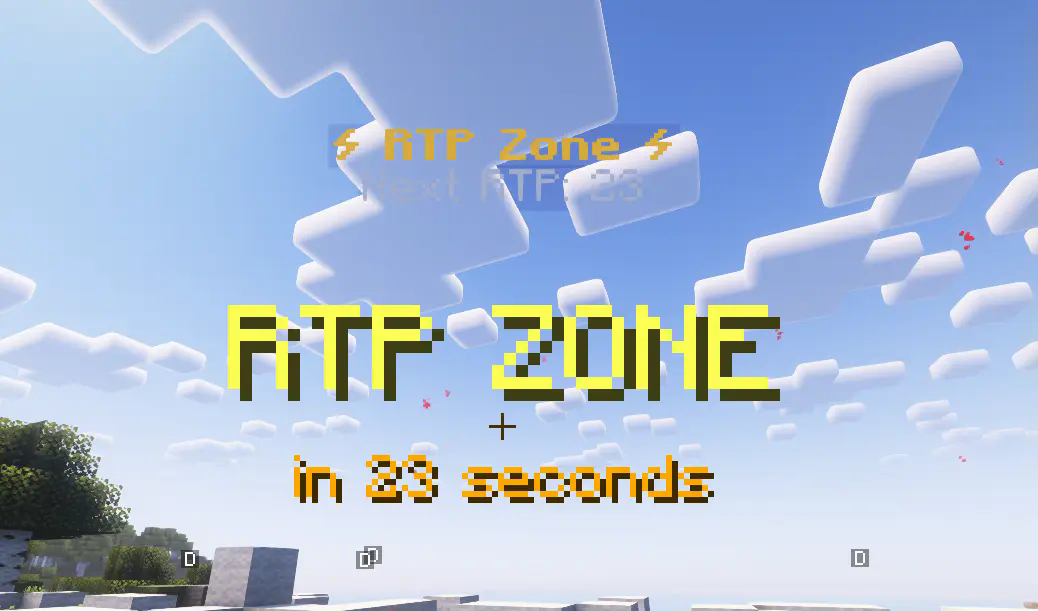
* **Hologram Displays:** Clearly visible holograms indicate the zone's center and the time remaining until the next teleport. Holograms automatically disappear if a zone is deleted or no longer exists in the configuration file.
* **Configurable Boundaries:** Set the X and Z axis limits for the RTP target area where players can be teleported.
* **Customizable Zone Border Particle Effects:**
* Players receive visual feedback (e.g., redstone particles) at the zone border when entering or exiting an RTP zone.
* Particle color, size, density, and display duration are fully configurable in the `config.yml` file.
* **Multi-language Support:** Easily customize plugin messages and holograms using the language files in the `lang/` folder. (Default languages: Hungarian, English).
* **Update Checker:** Get notified if a new version of the plugin is available on Modrinth (toggleable in config).
* **Simple Commands:** Intuitive commands for setting up and managing your zones.
##
## Commands:
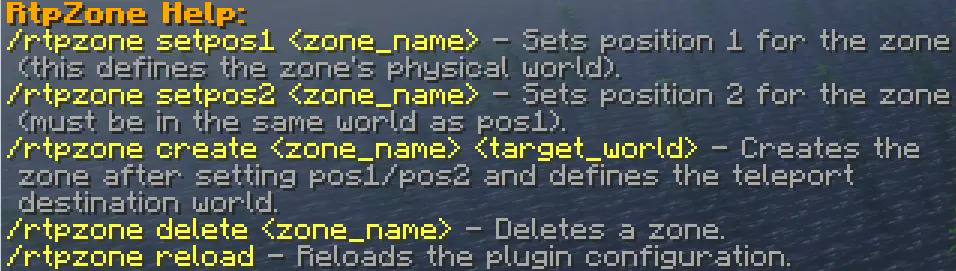
* `/rtpzone wand`: Gives you a selection wand
* `/rtpzone create `: Creates the specified zone and sets its teleport target world.
* `/rtpzone delete `: Deletes the specified zone and its hologram.
* `/rtpzone reload`: Reloads the plugin configuration and language files.
##
## Installation:
1. Place the `TCRtpZone.jar` file into your server's `plugins` folder.
2. Start or reload your server.
3. Configure the generated `config.yml` and `lang/` files to your needs.
4. Use the commands above to set up your zones.