
Описание
# Roleplay Chat
> [!WARNING]
> Most features described below (RP identity system, nametag visibility, introduction system) require **version 2.0 or later** and **Minecraft 1.21.6**. Earlier versions only include the proximity chat system.
A Minecraft Fabric mod (1.21.6) for roleplay servers. It replaces the vanilla chat with a proximity-based system, assigns each player an anonymous hex code identity, and gives them an RP name visible only to players they've been introduced to.
---
## Proximity Chat
Every chat message is delivered only to players within a configured range. The range depends on the type of message, triggered by a prefix character or a slash command.
| Type | Color | Range | Prefix | Command |
|------|-------|-------|--------|---------|
| Whisper | 🟪 Violet `#CC33CC` | 4 blocks | `«` or `"` | `/whisper ` |
| Action | 🟩 Green `#33CC33` | 25 blocks | `*` | `/action ` |
| Roll | 🟩 Green `#33CC33` | 25 blocks | — | `/roll [notation]` |
| Speak | ⬜ White `#FFFFFF` | 30 blocks | _(default)_ | `/speak ` |
| OOC | 🩶 Gray `#AEC1D5` | 60 blocks | `(` | `/ooc ` |
| Shout | 🟥 Red `#CC3300` | 80 blocks | `!` | `/shout ` |
| Global OOC | 🩶 Gray `#AEC1D5` | Unlimited | `[` | `/globalOoc ` |
| Support | 🩷 Pink `#FF99CC` | Unlimited | `?` | `/support ` |
> **Support** messages are only visible to server operators (permission level ≥ 2) and the sender.
Colors, ranges, and prefix characters are all configurable — see [Configuration](#configuration-server-admins).
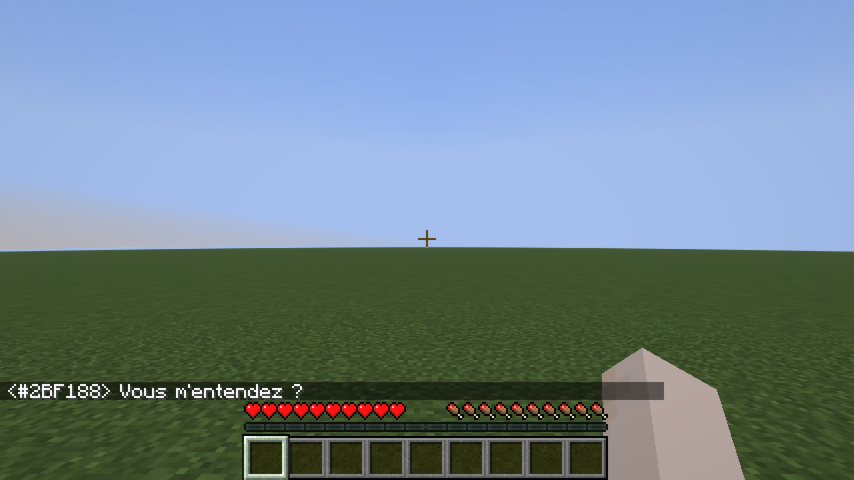
### Color fade with distance
Messages fade toward black as the receiver moves away from the sender, reaching full black at maximum range. Players outside range receive nothing.
### Chat message examples
Speak
Whisper
Shout
Action
OOC
Global OOC
### Dice Roll
`/roll` broadcasts a dice result to nearby players (same range as Action, 25 blocks by default).
**Syntax:** `/roll [NdF[±bonus]]`
| Example | Meaning |
|---------|---------|
| `/roll` | Rolls 1d20 (default) |
| `/roll d6` | Rolls 1d6 |
| `/roll 1d20+3` | Rolls 1d20, adds 3 |
| `/roll d8-1` | Rolls 1d8, subtracts 1 |
```
* Alice [1d20+3] → 17 (14+3)
* Bob [1d6] → 4 (Critical Failure)
```
Rolling the maximum value shows **(Critical Success)** in bold; rolling 1 shows **(Critical Failure)** in bold.
---
## RP Identity System
### Anonymous hex code
Every player is assigned a unique 6-digit hex code at their first connection (e.g. `#15AACF`). This code:
- Appears on their nametag (gray italic, below their RP name).
- Replaces their Minecraft username in chat until they have an RP name.
- Shows as a hover tooltip on their name in chat once they have an RP name.
- Works as a target in **all vanilla commands** (`/kick`, `/ban`, `/op`, `/tp`, `/give`, `/kill`, `/damage`, …) — type `#` and autocomplete will suggest codes.
### RP name
On first connection, players are shown a screen to choose their RP name:
Name input
Validation error
The screen cannot be bypassed with Escape — pressing Escape opens the pause menu, and the screen reappears when the player returns to the game.
Rules:
- Must be non-empty.
- Must be 32 characters or fewer.
- Must be unique (case-insensitive).
Once set, the RP name can be changed at any time with `/rpname `.
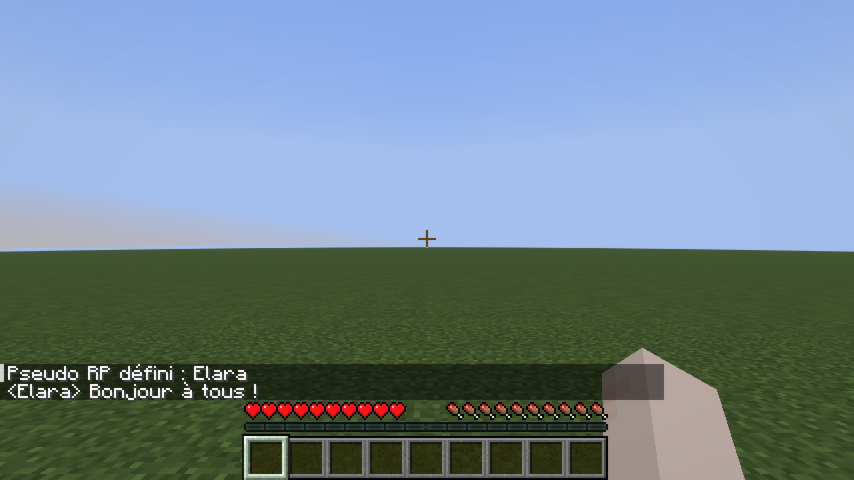
### RP name chat example
Once a player has an RP name, it appears in chat instead of their hex code:
---
## Nametag Visibility
### Introduction system
By default, other players' RP names are hidden — their nametag shows `?`. To reveal your identity to a specific player:
```
/rp present #15AACF
```
This sends a notification to that player and permanently records the introduction. After a reconnect, introductions are restored automatically.
### Nametag states
Known player
Not yet introduced
No RP name yet
### Line-of-sight occlusion
RP names are not visible through walls. If a solid block stands between your camera and another player, their entire nametag disappears — even if they have introduced themselves to you. Creative mode bypasses this check.
Clear line of sight
Wall between players
Creative mode — wall ignored
### Identity-concealing headgear
A player wearing an item tagged `roleplay-chat:conceals_identity` in the helmet slot appears as `?` to everyone — even players they've introduced themselves to. Their hex code remains visible so staff can still identify them.
Concealing helmet worn
Creative mode — concealment ignored
The mod ships with `minecraft:leather_helmet` in this tag by default. To add more items, create a datapack file:
**`data/roleplay-chat/tags/items/conceals_identity.json`**
```json
{
"replace": false,
"values": [
"minecraft:leather_helmet",
"yourmod:hood",
"yourmod:balaclava"
]
}
```
> `"replace": false` merges your list with the mod's defaults instead of replacing them.
---
## Configuration (server admins)
Settings live in **`config/roleplay-chat.json`** (next to your server or `.minecraft` folder). The file is created with defaults on first run. Edit it as **UTF-8** to preserve special prefix characters (e.g. `«`).
Each message type has three fields:
| Field | Meaning |
|-------|---------|
| `radius` | Range in blocks. `0` = unlimited (delivered to all online players). |
| `color` | RGB color as a decimal integer (`16777215`) or hex string (`"#FFFFFF"`). |
| `characters` | Prefix strings that trigger this type. `speak` uses `[]` (no prefix). |
**Reload without restart:** `/roleplaychat reload` (operator level 4) re-reads the file while the server is running. If the file is invalid, the current settings are kept and an error is logged.
**Supported keys:** `speak`, `whisper`, `shout`, `action`, `ooc`, `globalOoc`, `support`, `roll`.
**Example (excerpt):**
```json
{
"speak": {
"radius": 30,
"color": 16777215,
"characters": []
},
"whisper": {
"radius": 4,
"color": "#CC33CC",
"characters": ["«", "\""]
},
"shout": {
"radius": 80,
"color": 13369344,
"characters": ["!"]
}
}
```