
Описание
[](https://discord.gg/HTkn94BXmA) [](https://www.curseforge.com/minecraft/mc-mods/resizeablesubtitles)
A client-side mod that gives you full control over Minecraft's subtitles. Resize them, move them anywhere on screen, and adjust their opacity — with smart auto-alignment that keeps them neatly placed no matter the scale or your resolution.
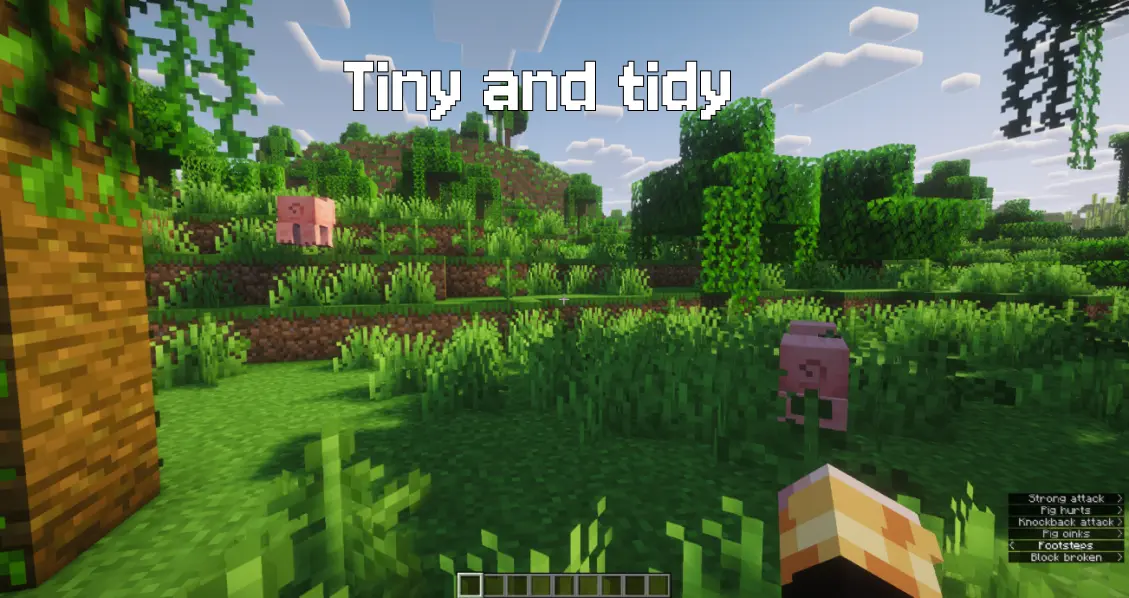
**Client-side only** (no server installation required). **Fully compatible with singleplayer and multiplayer**.
**Dependencies:** Fabric & NeoForge require **[Architectury API](https://modrinth.com/mod/architectury-api)** (and Mod Menu on Fabric for the mod-list settings button). Forge requires no additional dependencies.
**Free to use in any modpack** — public or private, no permission needed.
## **What it does**
- **Scale** — resize subtitles from `50%` to `300%`.
- **Opacity** — adjust from `20%` to `100%`.
- **Auto-Align** — pin them to the right, center, or left edge so enlarged subtitles never clip off the screen (or switch it off for fully manual placement).
- **Free Position** — place them anywhere with horizontal and vertical offsets.
- **Line Layout** — Separated (default) steps stacked lines by the scaled line box so they don't overlap at higher scales; Compact keeps vanilla's fixed 10px step.
- **Line Spacing** — 100%–200% of the scaled line box (Separated only; ignored in Compact).
- **Live Preview** — a three-line, scale-accurate preview shows exactly how your subtitles will look while you tweak them.
## **Configuration**
Open the settings from the mod-list config button, the `/resizeablesubtitles` command, or a bindable hotkey (registered on Fabric, Forge, and NeoForge). On Fabric the mod-list button needs Mod Menu; command and key bind still work without it.
Old 1.0.0 configs without the new fields migrate to Separated + 100% line spacing on load. An unreadable config is moved to `resizeablesubtitles.json.bak` instead of overwritten.
## **Details**
- Client-side only — safe on any vanilla or modded server (Forge uses `displayTest=IGNORE_SERVER_VERSION`).
- All settings are stored locally in `config/resizeablesubtitles.json`.
- Requires subtitles to be enabled in Minecraft's accessibility settings (Show Subtitles).
- Fully translated into 10 languages: English, Russian, Simplified Chinese, Spanish, French, German, Japanese, Brazilian Portuguese, Korean, and Italian.
- No builds for Minecraft 26.1 / 26.1.2 — stay on a previous release for those, or move to 26.2.
## **Feedback**
**Please report any bugs, errors, or feature suggestions on Discord:** https://discord.gg/HTkn94BXmA
## **More mods by Nikrecs:** [ElytraHUD](https://modrinth.com/project/DNiMEVIX) · [CropGrowthHUD](https://modrinth.com/project/2IcxbkAr)
My other mods that I recommend.