
Описание
# Reliable EMI
[](https://neoforged.net/)
[](https://files.minecraftforge.net/)
[](https://fabricmc.net/)
**Reliable EMI** (REMI) is an addon for [EMI](https://github.com/emilyploszaj/emi), adding a variety of useful features,
improvements,
and customization options to enhance your recipe viewing experience!
## Features
REMI provides a ton of enhancements, including:
* **Stack Grouping:** Cleans up the EMI item list by grouping related items together (e.g., keeping all colored wools in
one expandable entry).
* **Creative Tabs in EMI:** Displays vanilla and modded Creative Mode tabs directly in the EMI interface for easy
browsing.
* The appearance of the creative tabs change, dependent on the EMI theme (vanilla or modern).
* Works especially well with custom [Recreative](https://modrinth.com/mod/recreative) tabs!
* **Workstation Tab:** Displays all valid recipes for the workstation currently open (e.g. showing everything
smeltable in a furnace, stonecutter outputs in a stonecutter, etc.). Fully integrated with EMI's sidebar!
* **Custom Tag Pages:** Adds new EMI tag tabs for **Item Tags**, **Block Tags**, **Fluid Tags**, and **Entity
Tags**.
- Right-click spawn eggs to view entity tags, and search entity & fluid tags using `#tag_id`.
## Configuration
REMI offers extensive configuration options to tweak the interface to your needs. You can configure the mod via the
**in-game config screen** with [YACL](https://modrinth.com/mod/yacl) installed or by editing the configuration file
directly.
## Customizing Stack Groups
You can define new custom stack groups or modify existing ones using standard **JSON files**.
REMI loads stack groups from the `config/remi/stack_groups` directory. For example, to create a custom group, create a
JSON file in `config/remi/stack_groups/my_group.json`.
**JSON Structure:**
| Field | Type | Description |
|--------------|--------------------|-------------------------------------------------------------------------------------------------------------------|
| `id` | String | A unique identifier (e.g., `"mypack:currency"`). |
| `name` | String (Optional) | A translation key or string for the group's name (e.g., `"mypack.group.currency"` or `"Currency"`). |
| `type` | String | Determines how the group is built. Can be `"remi:group"`, `"remi:tag"`, or `"remi:regex"`. |
| `enabled` | Boolean (Optional) | Set to `false` to disable this group. |
| `priority` | Integer (Optional) | Controls match order when an item could belong to multiple groups. Higher values are checked first (default `0`). |
| `contents` | List | *(For `remi:group`)* A list of items or tags to include. |
| `exclusions` | List | *(For `remi:group`/`remi:regex`)* Items to remove from the group (useful when using broad tags or regexes). |
| `regex` | String | *(For `remi:group`/`remi:regex`)* A regular expression pattern used to match item IDs dynamically. |
| `regexes` | List (Optional) | *(For `remi:group`)* Like `regex`, but accepts a list of multiple patterns. |
**Example: Creating a shiny things group (standard list)**
```json
{
"id": "mypack:shiny_things",
"type": "remi:group",
"contents": [
"minecraft:diamond",
"minecraft:emerald",
"minecraft:gold_ingot",
"#c:glass_blocks"
],
"exclusions": [
"minecraft:purple_stained_glass"
]
}
```
**Example: Creating a group using Regex**
You can use the `"remi:regex"` type to dynamically group items based on their naming patterns. The example below groups
all items that end in _sword (from any namespace):
```json
{
"id": "mypack:swords",
"type": "remi:regex",
"regex": ".*:.*_sword",
"name": "Swords"
}
```
**Virtual Objects (Fluids, Modifiers, etc.):**
Reliable EMI also supports grouping non-item objects such as Fluids, JEED effects, etc. To do this,
prefix the entry with its EMI registry type using the format `::`.
*Example: Creating a special group*
```json
{
"id": "mypack:basic_fluids",
"name": "mypack.stack_group.basic_fluids",
"type": "remi:group",
"contents": [
"fluid:minecraft:water",
"fluid:minecraft:lava",
"jeed:effect:minecraft:speed"
]
}
```
## Disabling Default Groups
All stack groups are easily togglable using the in-game config screen, in the Stack Groups category.
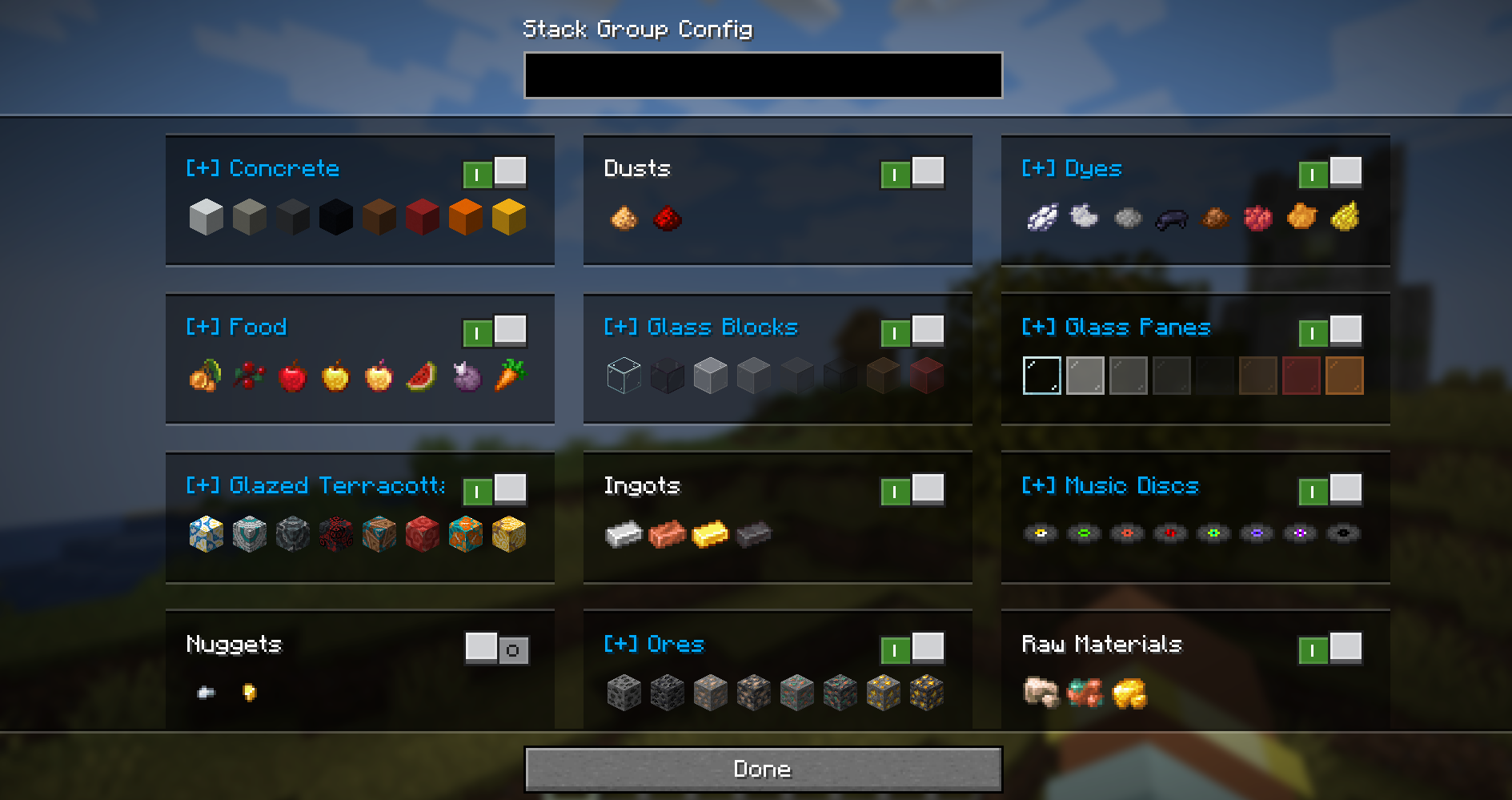
To disable a default stack group, you can also override its definition. Create a file with the same
path/ID as the default group and set `"enabled": false`.
*Example: Disabling the spawn eggs group*
File: `config/remi/stack_groups/spawn_eggs.json`
```json
{
"enabled": false
}
```
## License
[](https://github.com/evanbones/reliable-emi/blob/1.21.1/LICENSE)