Описание

Ever felt like Ice Boat Racing was a bit too silent? Well, no more!
This is a texture pack that contains 3 [BBBaotHud](https://modrinth.com/mod/bb_boat_hud) modules: an Engine Sound, an RMP HUD, and a Speed HUD.
To enable them, type `/bb_boat_hud`. In the web panel, you can add the 3 modules under the `realistic_engine` section.
None of the modules depend on the others. They can be used independently, with their separate configs.
# The Modules
- **Engine Sound:** features a sound that is the `Trackmania 11004RPM Throttle Engine` and 3 types of gear shift sounds, also taken from Trackmania 2020.
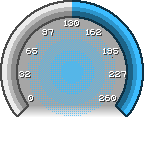
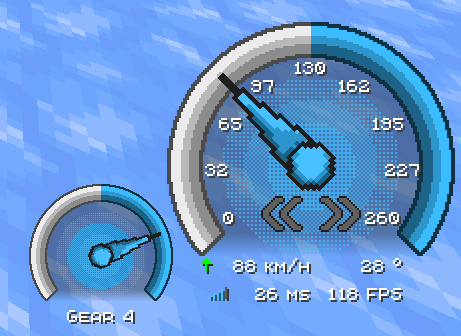
- **Speed HUD:** features an animated speedometer with the speed indicator (km/h) and other miscellaneous elements.
- **RMP HUD:** features an animated tachometer with the gear indicator.
# Customization
## Config Menu
Adding [More BBBoatHud](https://modrinth.com/mod/more-bbboathud) mod will also give you access to the config menu, where you can more easily change the config for the Modules.
**The resource pack will still work without the mod**.

## Change sounds
To change the gear or engine sound, you can make another resource pack with the name that you want, with this folder/file structure:
```
Resource Pack Name/
├── assets
│ └── realistic_engine
│ └── sounds
│ └── bb_boat_hud_modules
│ ├── engine_loop
│ ├── gear_shift_down
│ └── gear_shift_up
└── pack.mcmeta
```
> Note: You need to apply this texture above the `Realistic Engine Sound pack`, and the sounds need to have the same name as the original sound and have the `.ogg` extension.
## Settings
The settings used in the image and in the video are:
### Speed HUD
```
Anchor Position: Bottom Right
X Offset: - 75
Y Offset: - 85
```
### RMP HUD
```
Anchor Position: Bottom Right
X Offset: - 180
Y Offset: - 40
```