Описание
# Piglin Conservatory v3.0
**The DataPack** adds **Piglin Conservatory**, a structure to the Nether along with a new **Obsidian Apple**, **Dragon Fruit**, **Toxic Mushrooms**, **Hoglins' Fossils**, **Corrupted Emerald** and a **New Music Discs!** 🔥
> **LuisterCorp © - 2025**
## Notas📝 (Notes)
- **Piglin Conservatory** is **translated into both English - Spanish - Deutsch and more📇**
- **Piglin Conservatory** is **compatible** with versions **1.21 to 1.21.11**🏷️
- **Piglin Conservatory** adds new Nether and Overworld **(structures)** to world generation🌐
- **Piglin Conservatory** is compatible with any **generation Datapack in the World**
- **Use Headphone** for a **better experience** 🎧
## Descripción 🎼 (Description)
Have fun in a totally new experience in the vanilla Nether, **we added a new dragon fruit along with its golden version, along with different secrets inside it plus 3 structures** one in the Nether and one in the **Overworld**, thus bringing a **unique and entertaining feature to Minecraft**🌎
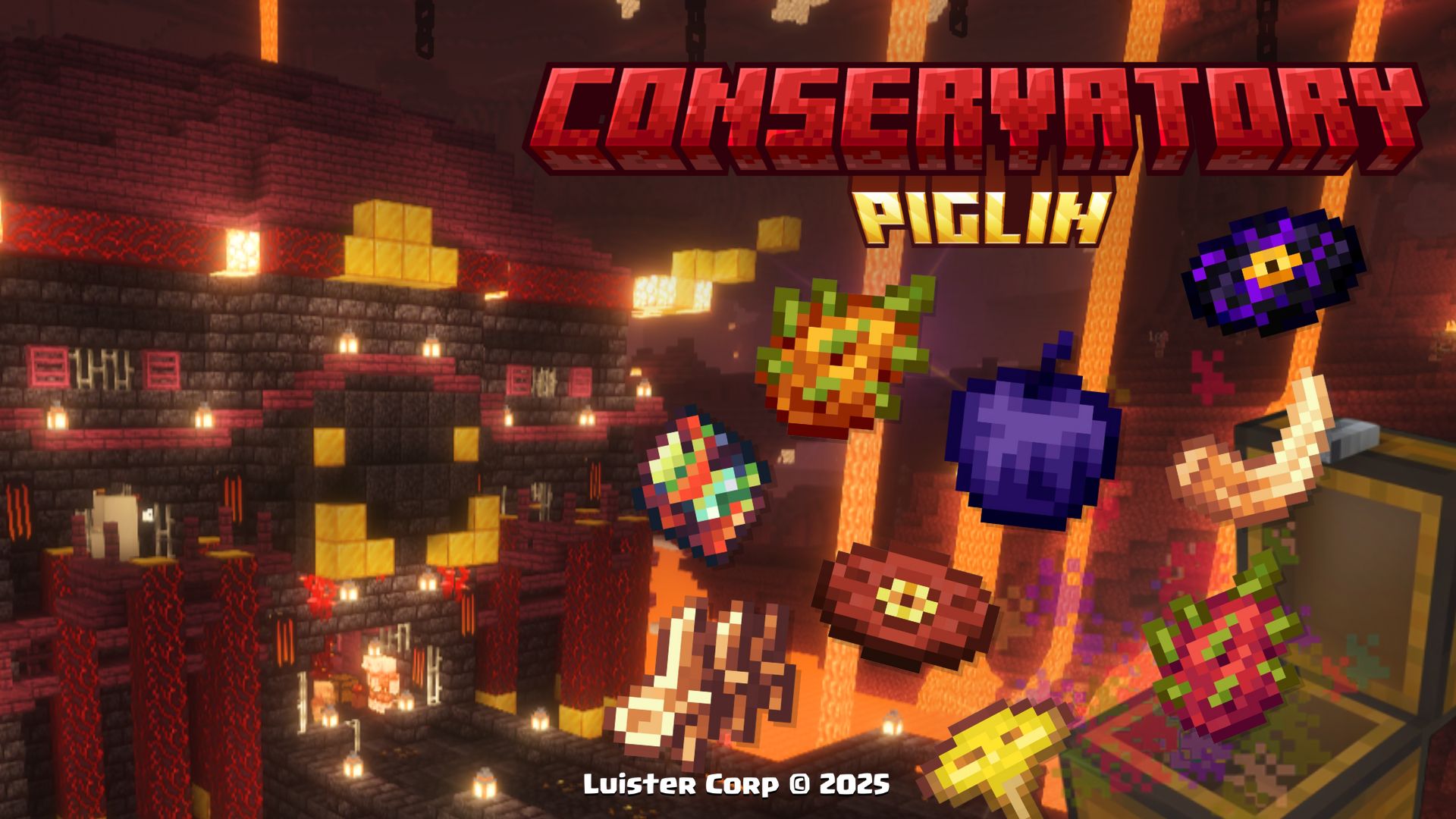
With this **Datapack**, exploration becomes more exciting, and below we will show **every detail**
## New's Structures 🗺️ (Nuevas Estructuras)
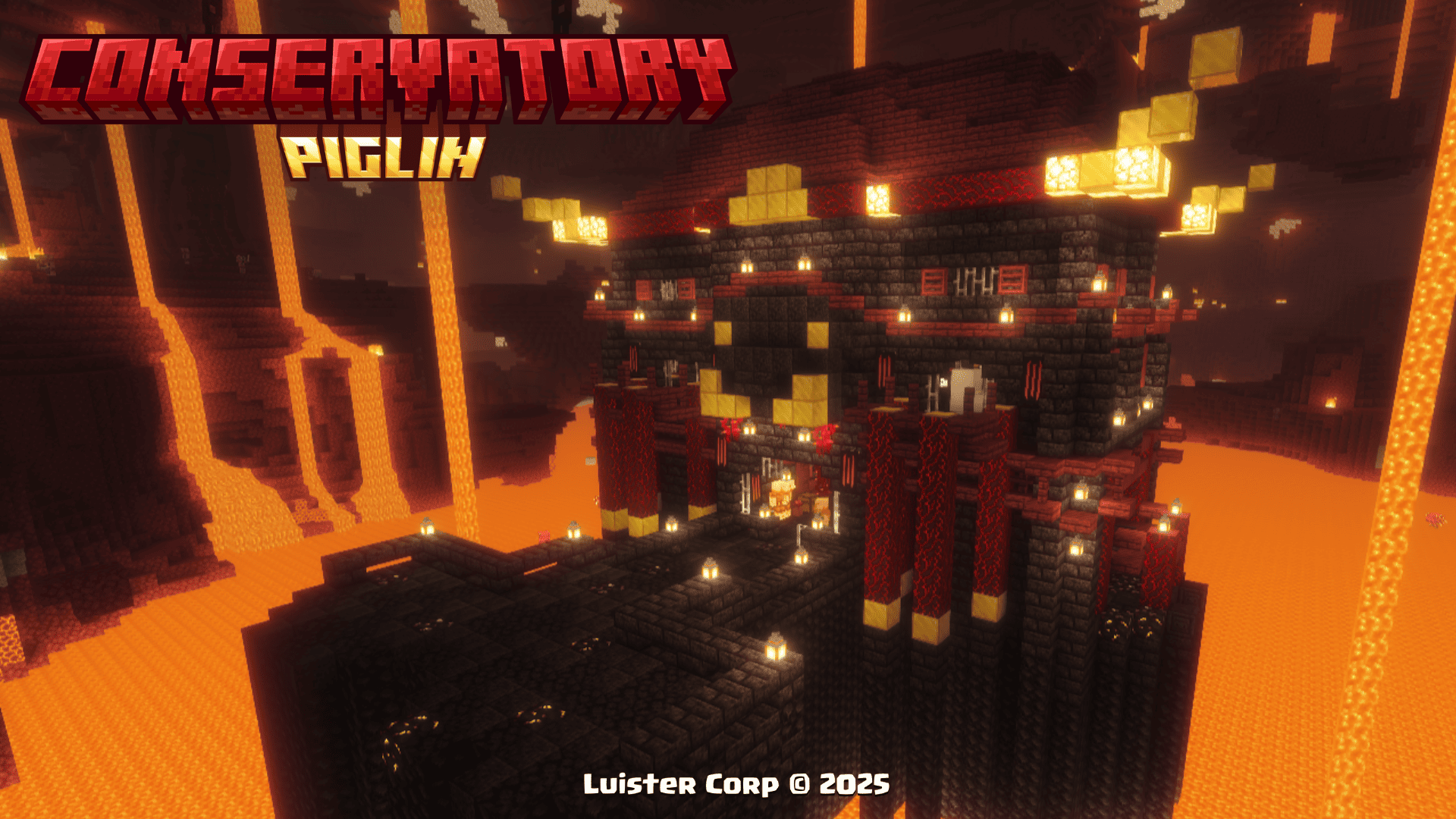
Piglin Conservatory
**Piglin Conservatory** can be generated at heights near the lava from +32 to +48 blocks high every 500 blocks from each other.
**The Piglin Conservatory**, is generated in all **Nether biomes (except Basalt Deltas)**, if you want to locate it by **commands use:**
``
/locate structure luistercorp:piglin_conservatory
``
 **Promotional Image:**
 **Biome Generation List:**
>
[
"minecraft:soul_sand_valley",
"minecraft:crimson_forest",
"minecraft:warped_forest",
"minecraft:nether_wastes"
],
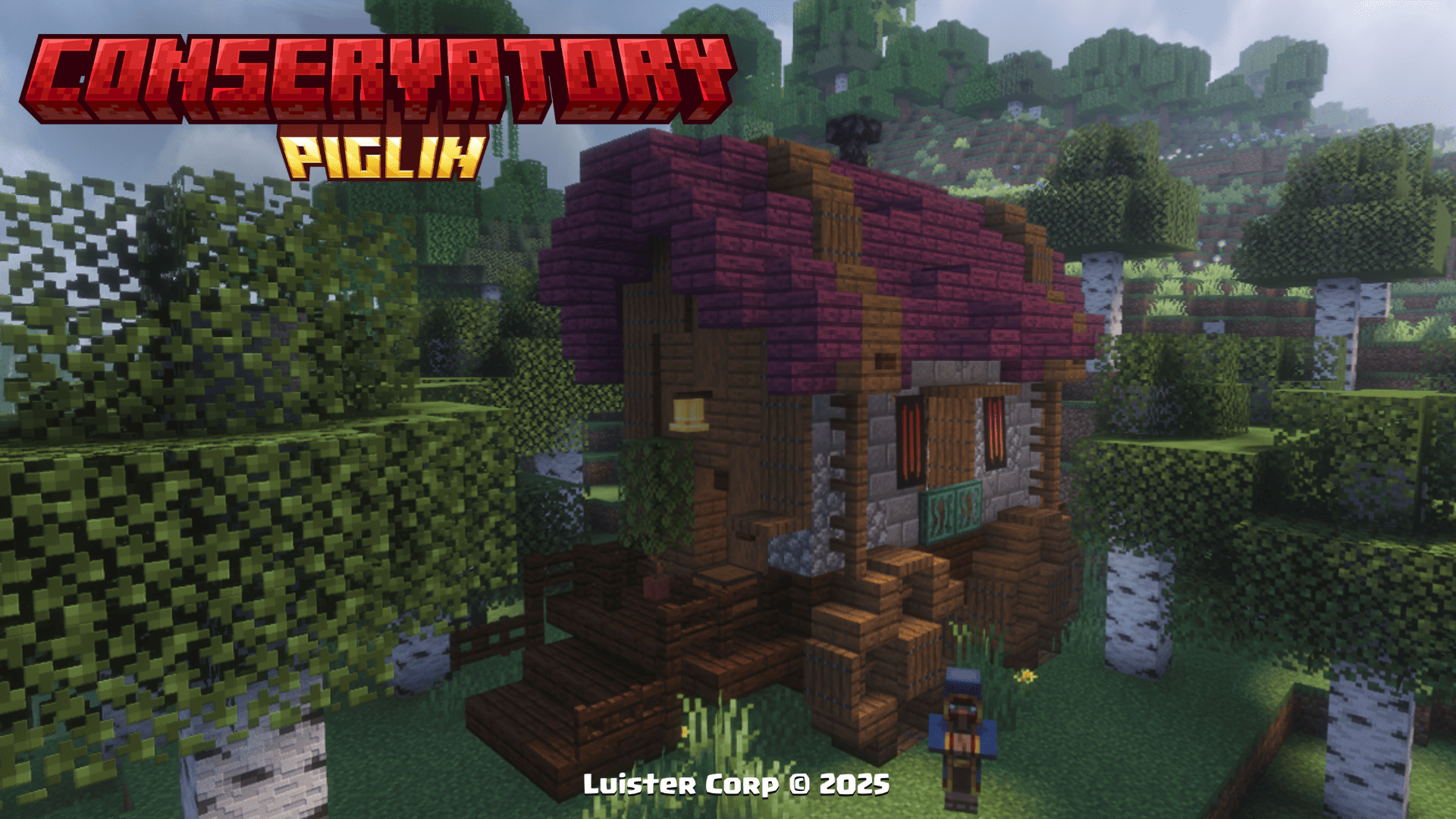
Traveling Wagon
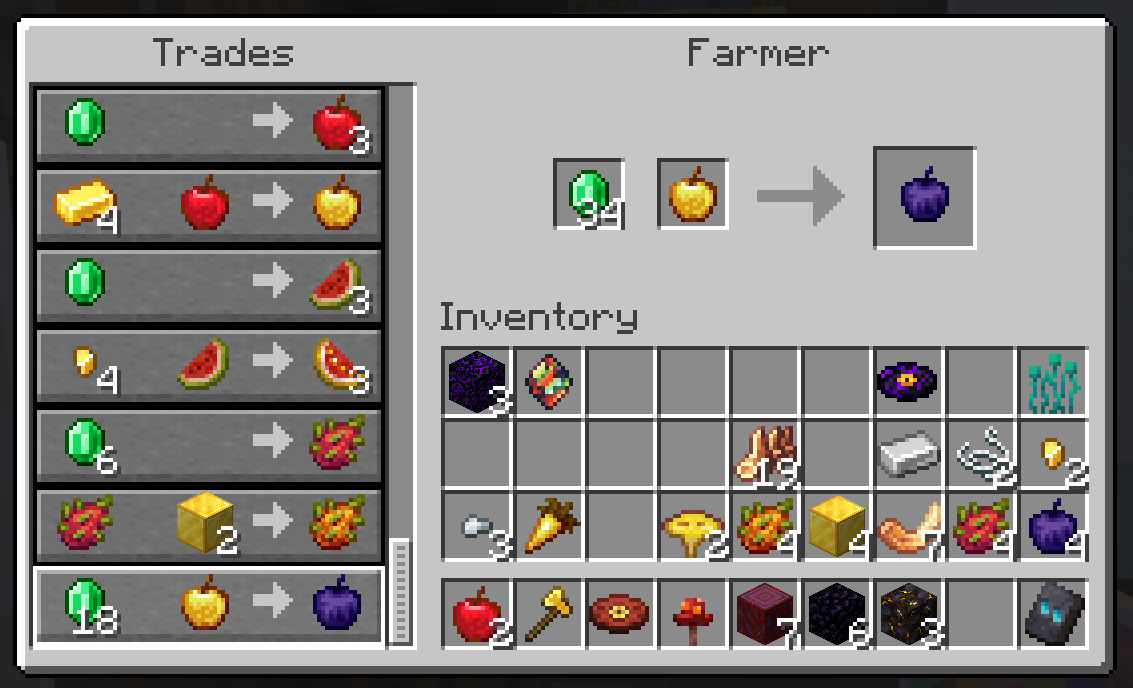
The **Traveling Wagon** can be spawned in the Overworld alongside a **Custom Fruit Vendor Villager** with unique sales you won't want to miss, the structure also features its own loot table and a variety of fruits and vegetables from all over Minecraft.
**The Traveling Wagon**, is generated in all **biomes with hardwood forests**, if you want to locate it by **commands use:**
``
/locate structure luistercorp:traveling_wagon
``
 **Promotional Image:**
 **Merchandise for Sale:**
 **Biome Generation List:**
>
[
"minecraft:snowy_taiga",
],
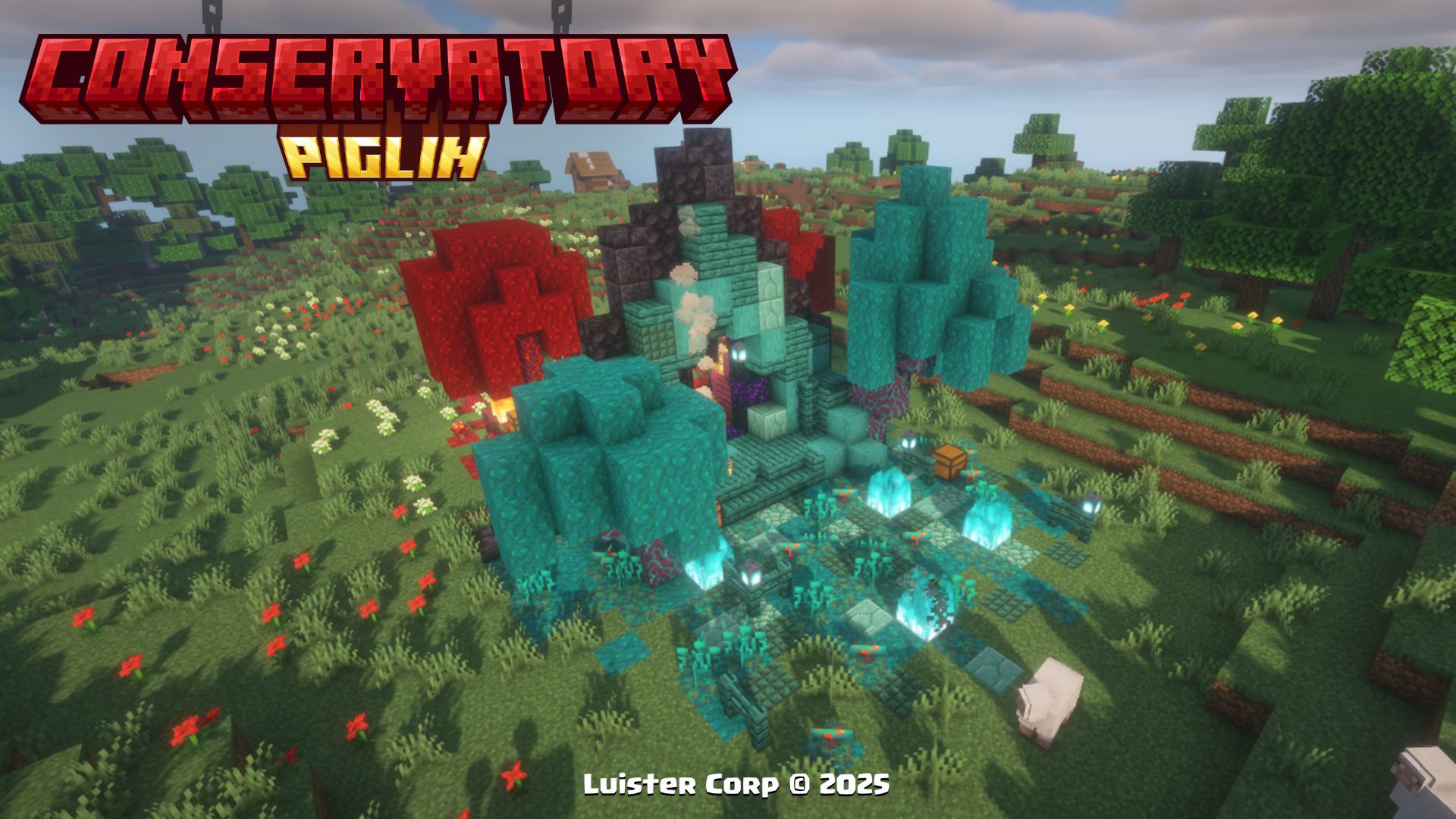
Nether Portal Ruins
The **Nether Portal Ruins** can be generated in the **Overworld** along with their own Loot Table and a variety of **New Items** added in this Datapack from **Hoglin Fossils, Obsidian Apples and a new Music Disc**
The **Nether Portal Ruins** are spawned in all plains biomes within 2'500 to 3'750 blocks of each other, if you want to locate them by **commands use:**
``
/locate structure luistercorp:portal_ruins
``
 **Promotional Image:**
 **Biome Generation List:**
>
[
"minecraft:plains",
"minecraft:forest",
],
Cherry Nether Portal
The **Cherry Nether Portal** can be generated in the **Cherry Grove** along with their own **Loot Table and a new Music Disc**
The **Nether Portal Ruins** are spawned in all plains biomes within 5'000 to 7'500 blocks of each other, if you want to locate them by **commands use:**
``
/locate structure luistercorp:cherry_nether_portal
``
 **Promotional Image:**

 **Biome Generation List:**
>
[
"minecraft:cherry_grove",
],
> More Soon...
## New's Items ✨ (Nuevos Items)
Corrupted Emerald
To get the **Corrupted Emerald**, you will have to climb to the top of the **Piglin Conservatory** in the Nether to get its unique effect.
 **Promotional Image:**
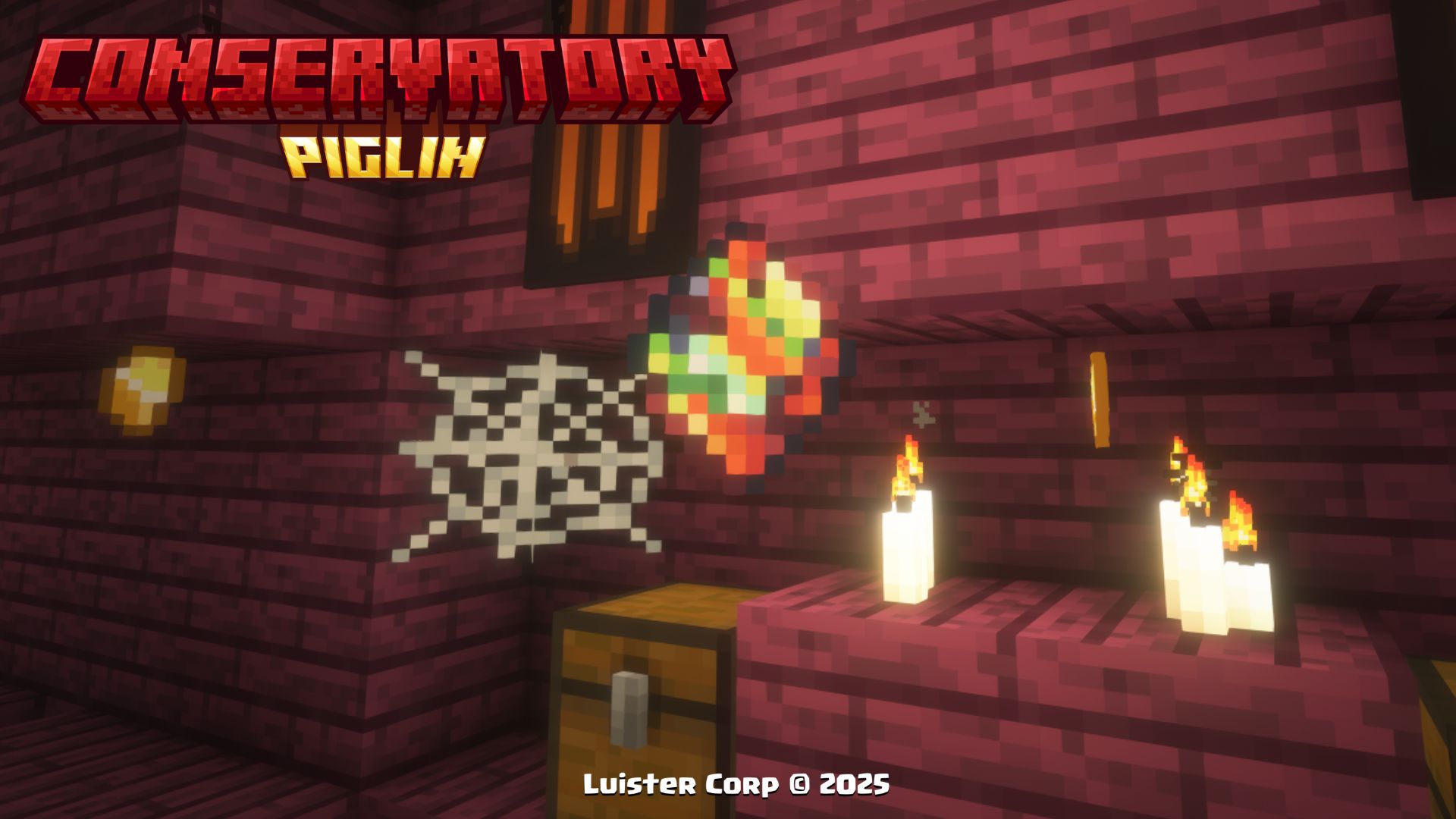
 **Effects to be Used:**
- **As long as you have the item in your hand (main or secondary), you will have the Hero of the Village effect**
- **When you change the item or release it, the effect is automatically removed**
Dragon Fruit
To get **Dragon Fruit**, you will have to **trade with the Piglins** in the Nether or **find it in Traveling Wagons** and/or the **Piglin Conservatory.**
 **Promotional Image:**
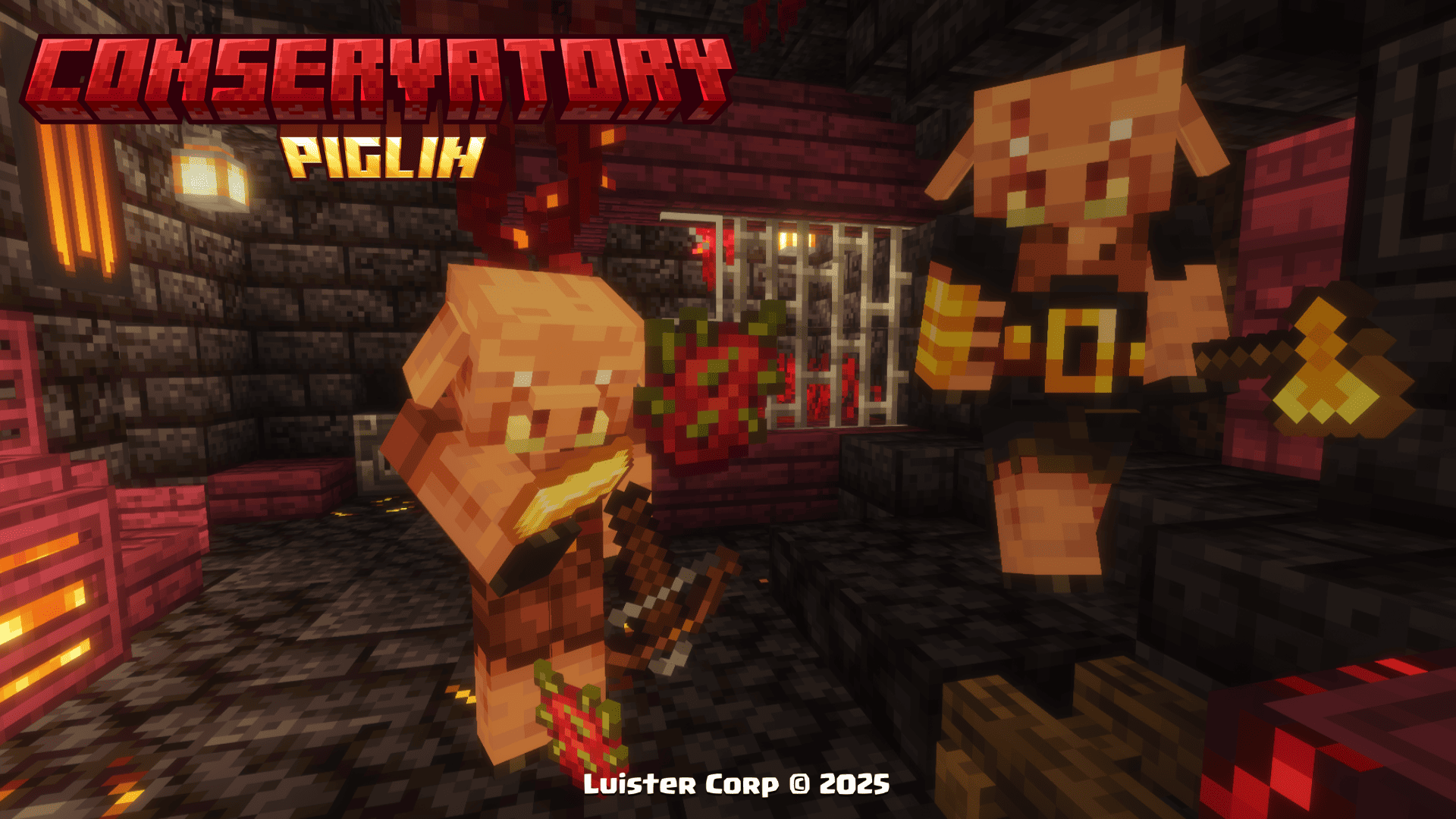
 **Effects to be consumed:**
>
minecraft:regeneration (00:03 duration)
minecraft:fire_resistance (01:10 duration)
Golden Dragon Fruit
To get **Golden Dragon Fruit**, you will have to find the treasure rooms inside the **Piglin Conservatory**
 **Promotional Image:**

 **Effects to be consumed:**
>
minecraft:regeneration (00:05 duration)
minecraft:absorption (02:00 duration)
minecraft:fire_resistance (02:30 duration)
Obsidian Apple
To get the **Obsidian Apple**, you can find them in the chests of the **Nether Portal Ruins** or by buying them from the fruit merchant villager in the **Traveling Wagon**.
 **Promotional Image:**
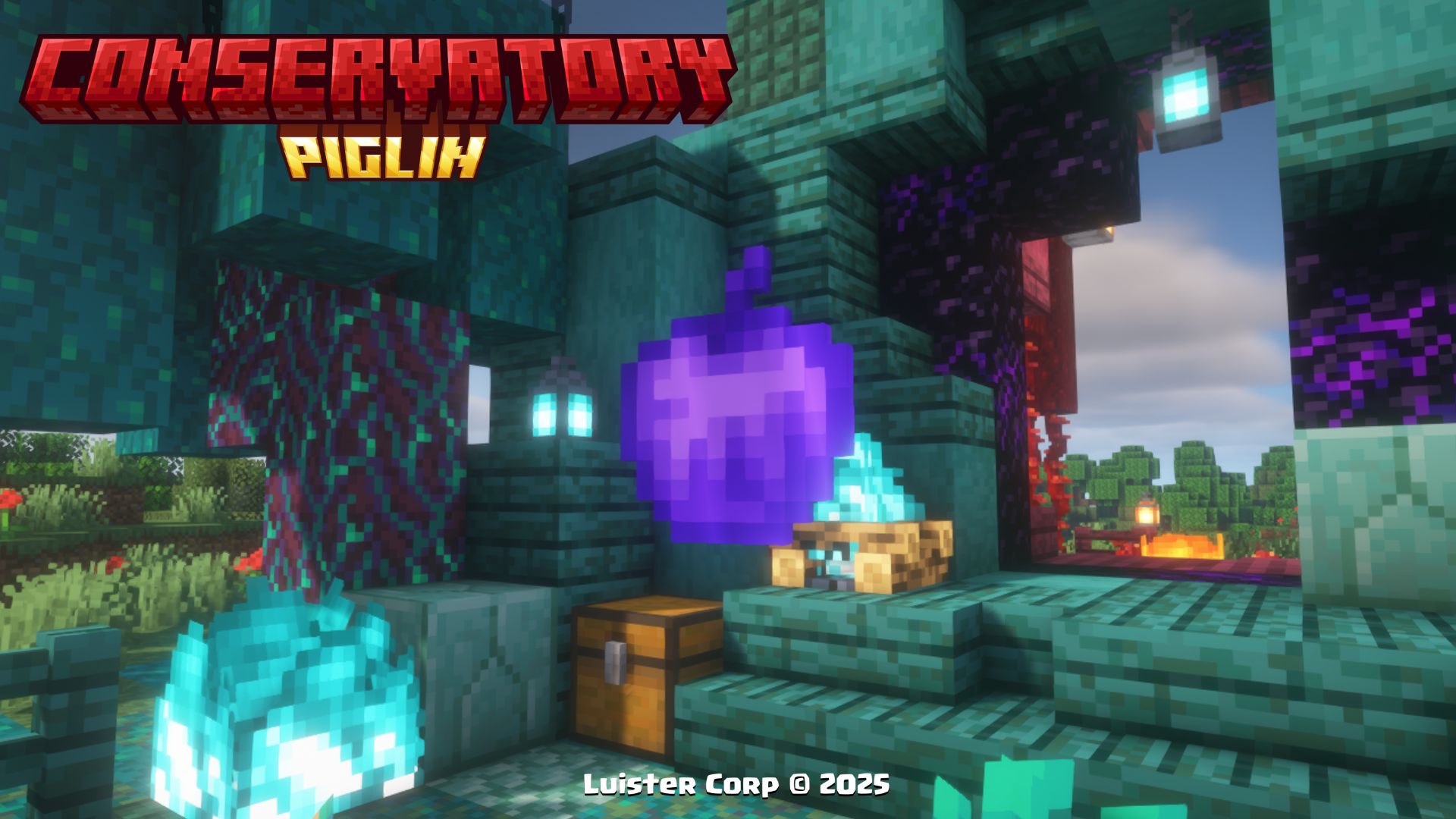
 **Effects to be consumed:**
>
minecraft:regeneration (00:10 duration)
minecraft:fire_resistance (01:40 duration)
minecraft:absorption (02:00 duration)
minecraft:resistance (01:40 duration)
clear @p wither effect
Toxic Mushroom
To get **Toxic Mushroom**, you will have to battle in the room of bones and harmful experiments inside the **Piglin Conservatory**.
 **Promotional Image:**
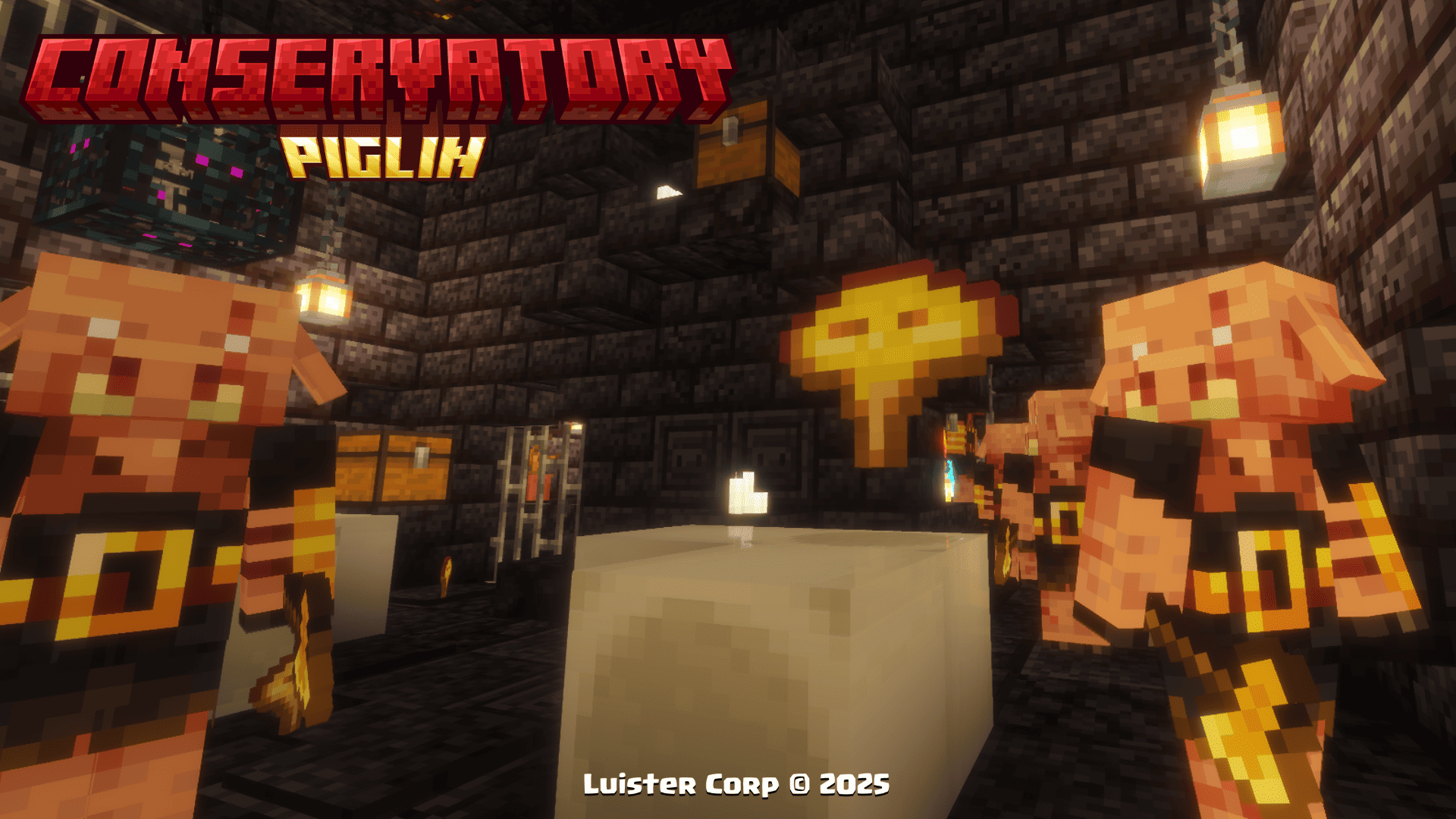
 **Effects to be consumed:**
>
minecraft:poison (00:10 duration)
Hoglin Tooth
To get **Hoglin's Tooth**, it is one of the most common resources in any room within **Piglin Conservatory**.
 **Promotional Image:**
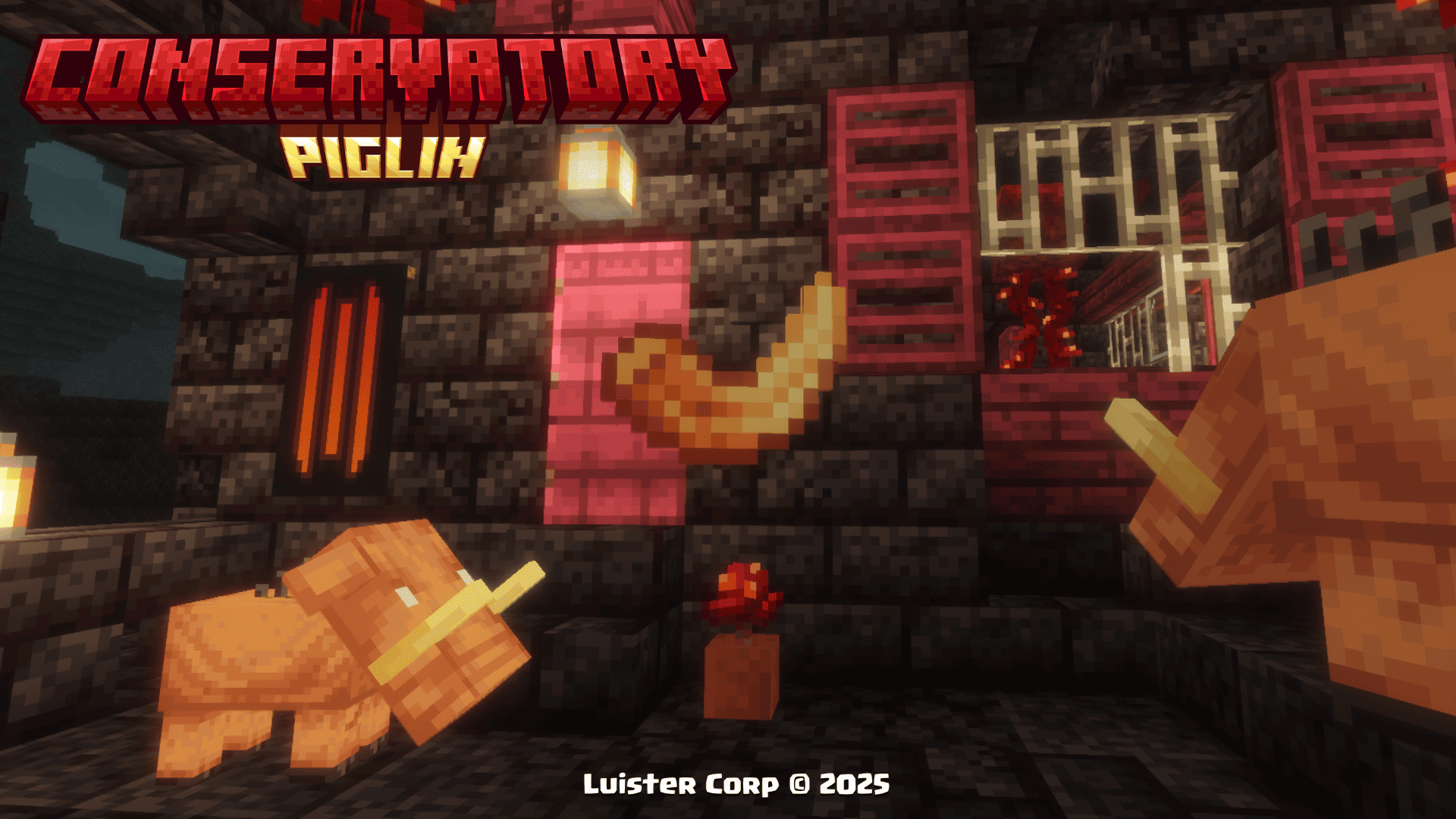

**Not consumable**
Hoglin Fossil
To get the **Hoglin Fossils**, it is one of the most common resources in the chests of the **Nether Portal Ruins**.
 **Promotional Image:**
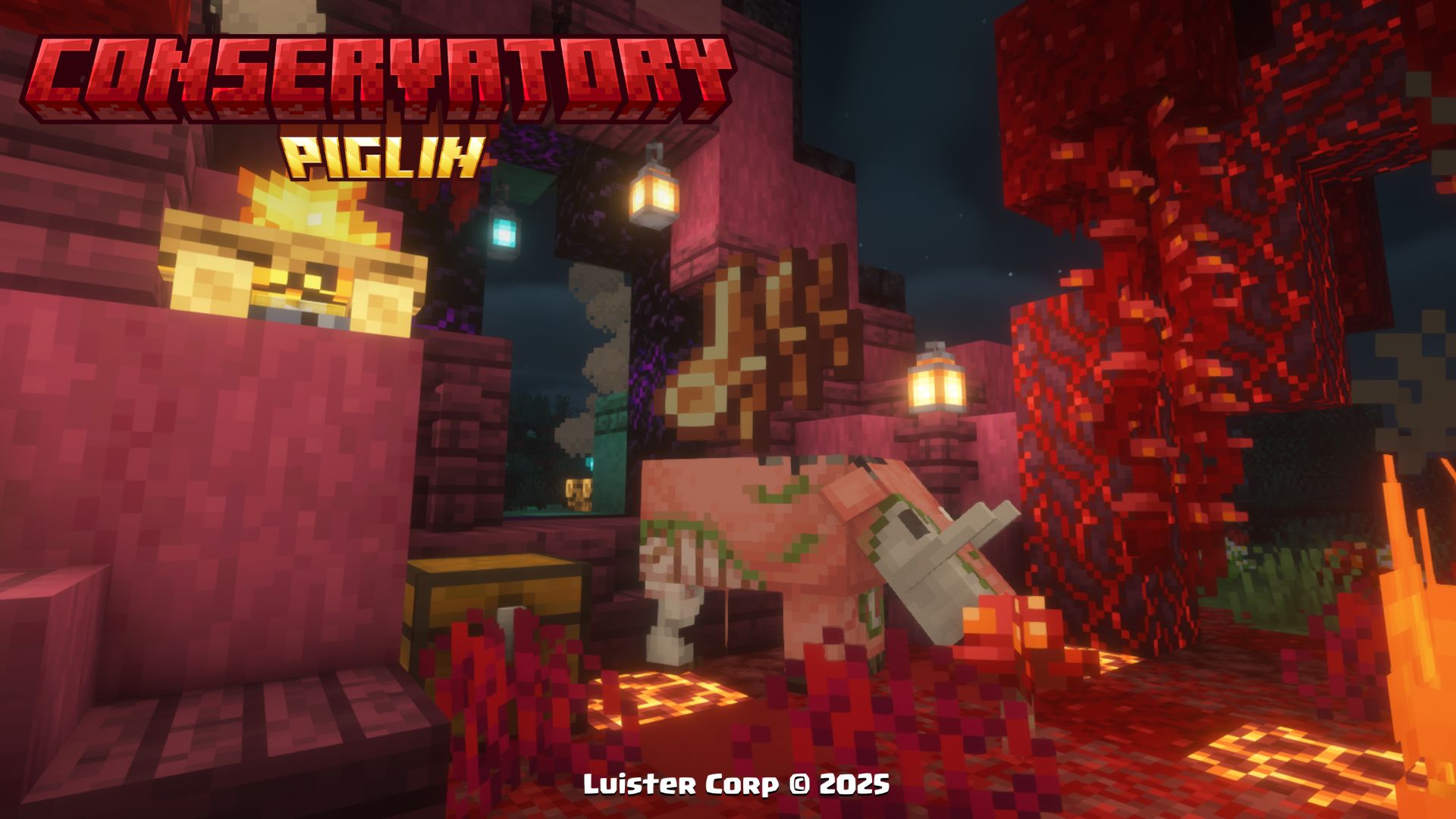

**Not consumable**
> More Soon...
## Music Discs 🥏 (Discos de Música)
Psylla - In Bonfires Green [NCS Release]
**🎨Diseño (Design):**
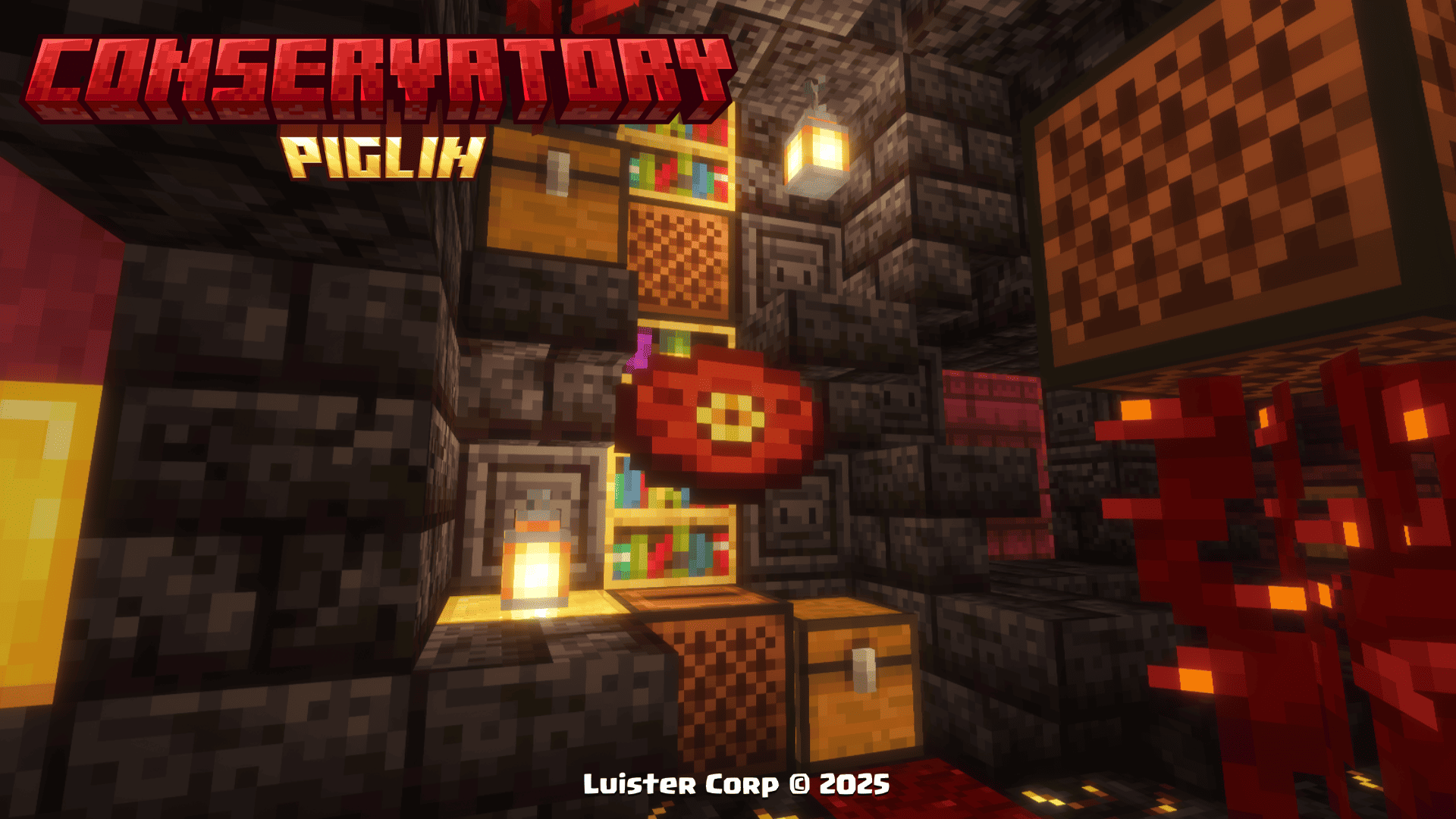
**◽Encontrable (Find It)**
**💠Música y Artista (Music and Artist):**
> [In Bonfires Green](https://ncs.io/IBG)
> By: [Psylla](https://www.instagram.com/psyllamusic/)
> More: [SoundCloud](https://soundcloud.com/psyllamusic) - [Spotify](https://open.spotify.com/intl-es/artist/0glz26CRdAXpDqL31326C8) - [Bandcamp](https://psylla.bandcamp.com/) - [Twitter](https://x.com/psyllamusic)
Clarx - Zig Zag [NCS Release]
**🎨Diseño (Design):**
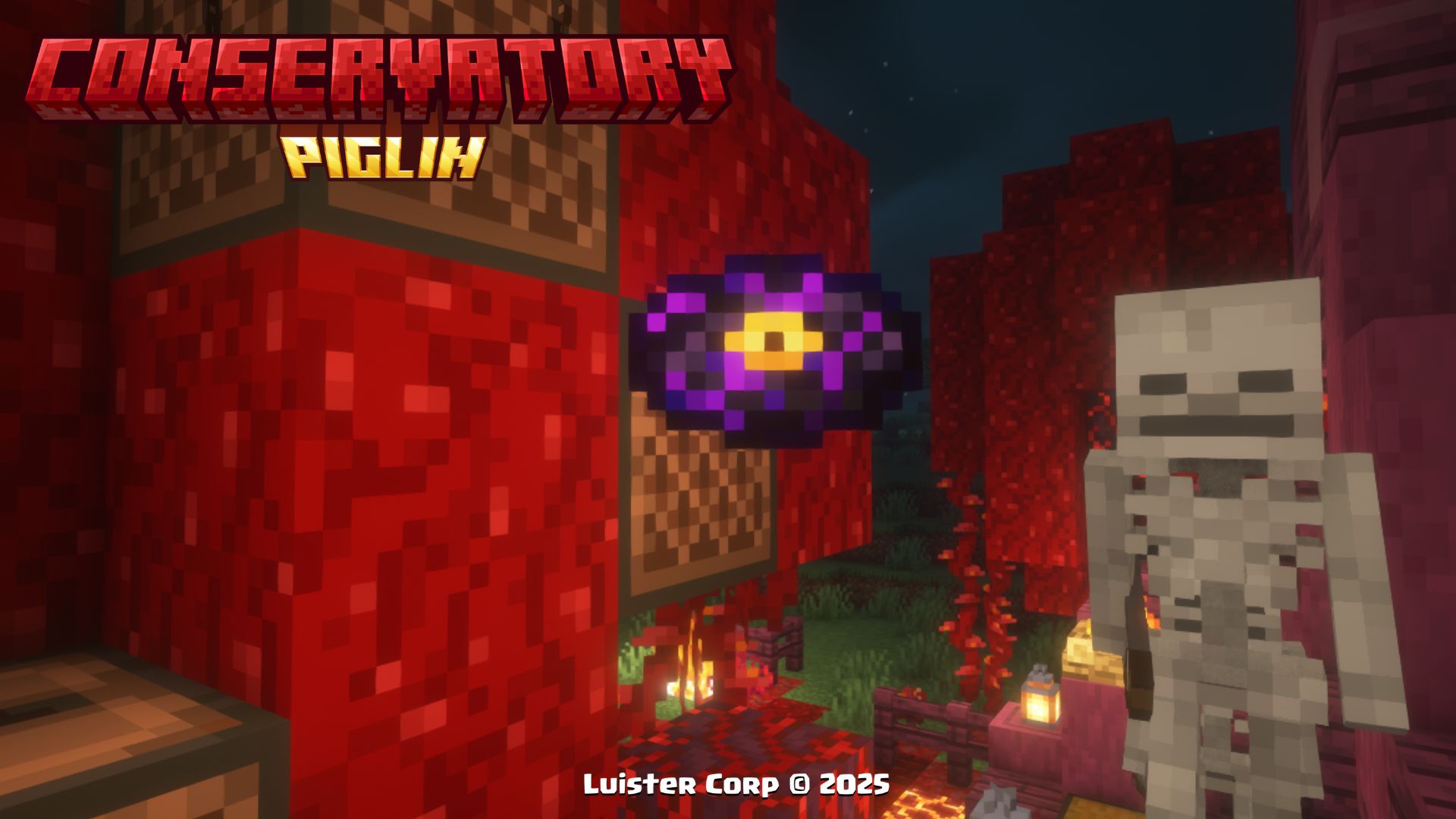
**◽Encontrable (Find It)**
**💠Música y Artista (Music and Artist):**
> [Zig Zag](https://ncs.io/ZigZag)
> By: [Clarx](https://www.instagram.com/clarxmusic/)
> More: [SoundCloud](https://soundcloud.com/clarxmusic) - [FaceBook](https://www.facebook.com/clarxmusic) - [YouTube](https://www.youtube.com/@clarxmusic) - [Twitter](https://x.com/clarxmusic)
Ramzoid - Electron [NCS Release]
**🎨Diseño (Design):**

**◽Encontrable (Find It)**
**💠Música y Artista (Music and Artist):**
> [Electron](https://ncs.io/electron)
> By: [Ramzoid](https://open.spotify.com/intl-es/artist/2Ci3Sflo2BfC77wTwn2hbH)
> More: [SoundCloud](https://soundcloud.com/ramzoid) - [Twitter](https://x.com/ramzoidmusic) - [YouTube](https://www.youtube.com/ramzoidmusic) - [Instagram](https://www.instagram.com/ramzoid) - [Tumblr](https://ramzoid.tumblr.com/)
> More Soon...
## New Advancements 🏆 (Nuevos Logros)
When you get any of the **new items and discs or find any of the new structures** of this Datapack, you will get a new section of **perzonalized advancements** with references to different movies🎬, series📺 and videogames 🕹...
**◾Image:**

These **12 Advancements**, are obtained by finding a **Dragon Fruit**, finding the **Traveling Wagon** and getting **Hoglin's Fossils, and the newly added discs 💿**.
## Procesos de Instalación 💾 (Installation Processes)
Below we invite you to review the correct installation process of our Data Package in the following categories 💥
Singleplayer - Un Jugador
### Pasos Para Instalar DataPack (Steps to Install DataPack):
1. **Abrir Minecraft (Open Minecraft)**
Inicia el juego (start the game).
2. **Crea un Nuevo Mundo (Create a New World)**
Vaya a "Más" y haga clic en **"Paquetes de Datos".** (go to “More” and click on **"Datapacks”**).
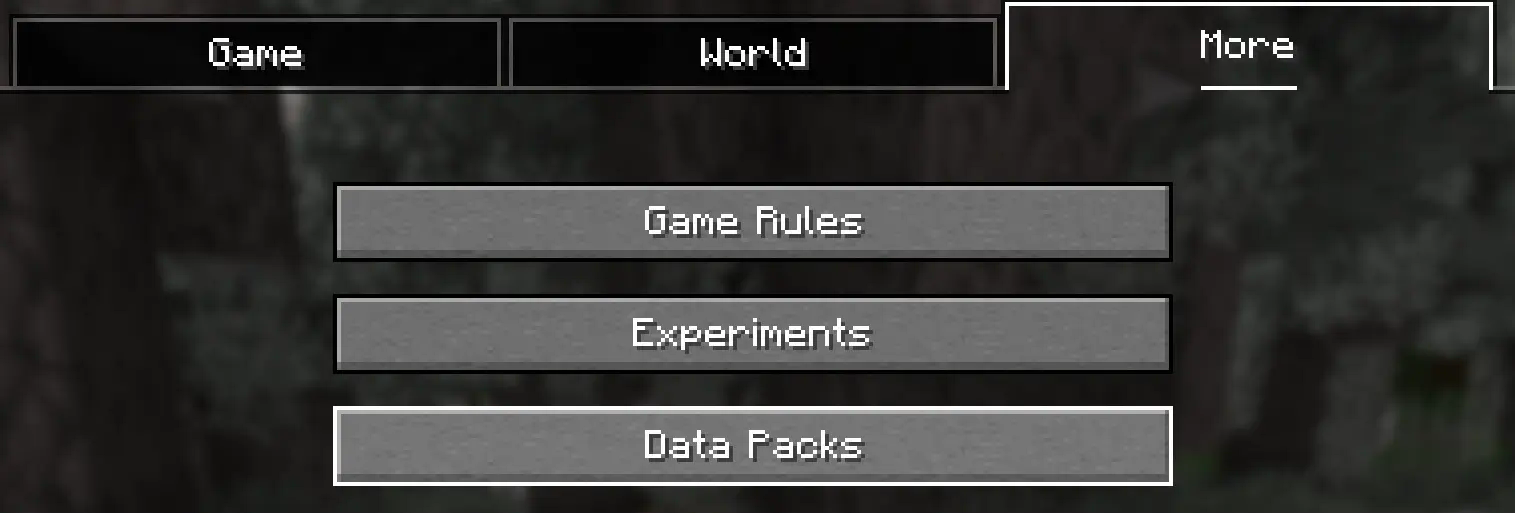
3. **Añadir el Datapack (Add Datapack)**
Arrastre el Paquete de Datos (un archivo ``
.zip
`` o directorio) a la ventana de Minecraft.
📟 (Drag the Data Package (a ``
.zip
`` or directory) to the Minecraft window).

Aparecerá una pantalla de confirmación. Haga clic en **"Confirmar".**
📟 (A confirmation screen will appear. Click on **"Confirm ”**).
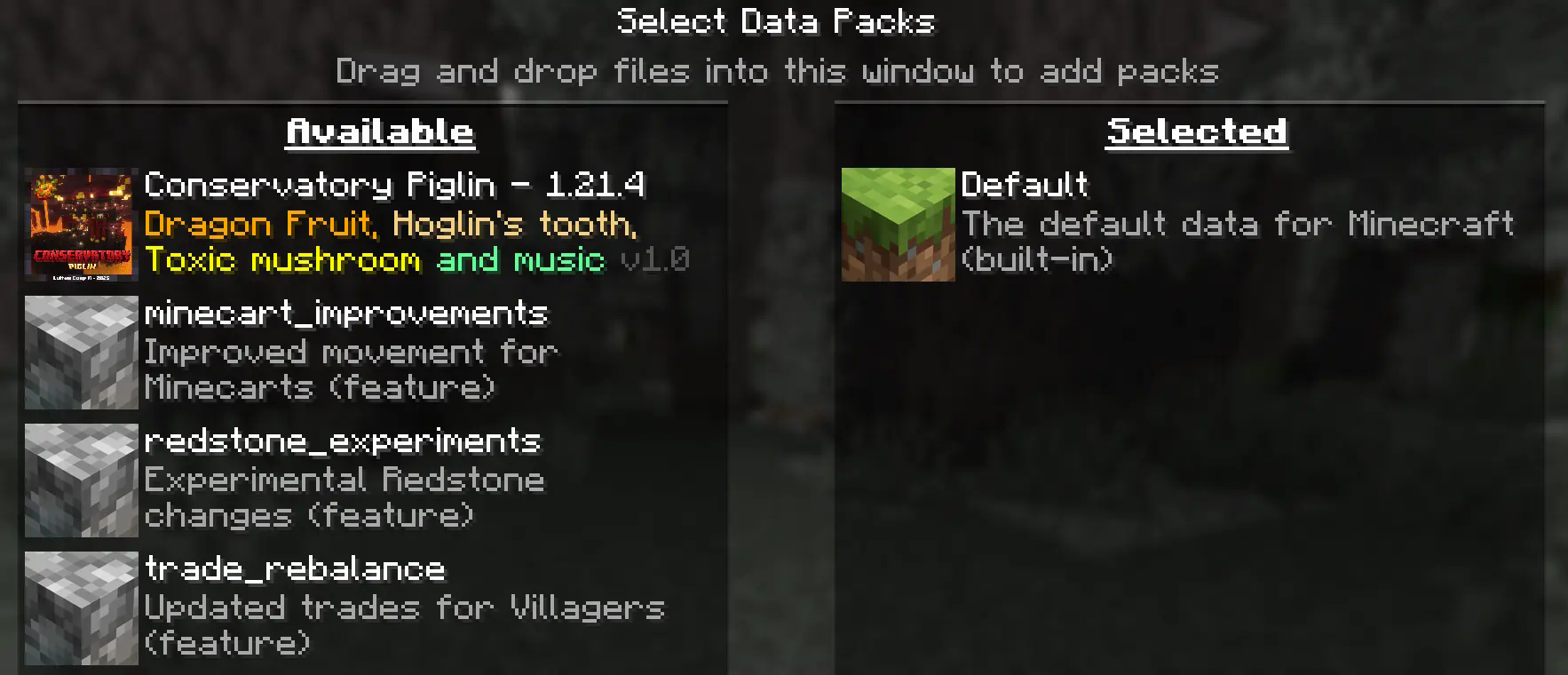
4. **Activar el DataPack (Activate the DataPack)**
Mueva el **Paquete de Datos** al lado derecho de la pantalla haciendo **clic** en el triángulo de su ícono (visible al pasar el cursor sobre él).
📟 Move the **Datapack** to the right side of the screen by **clicking** on its triangle icon (visible when hovering over it).
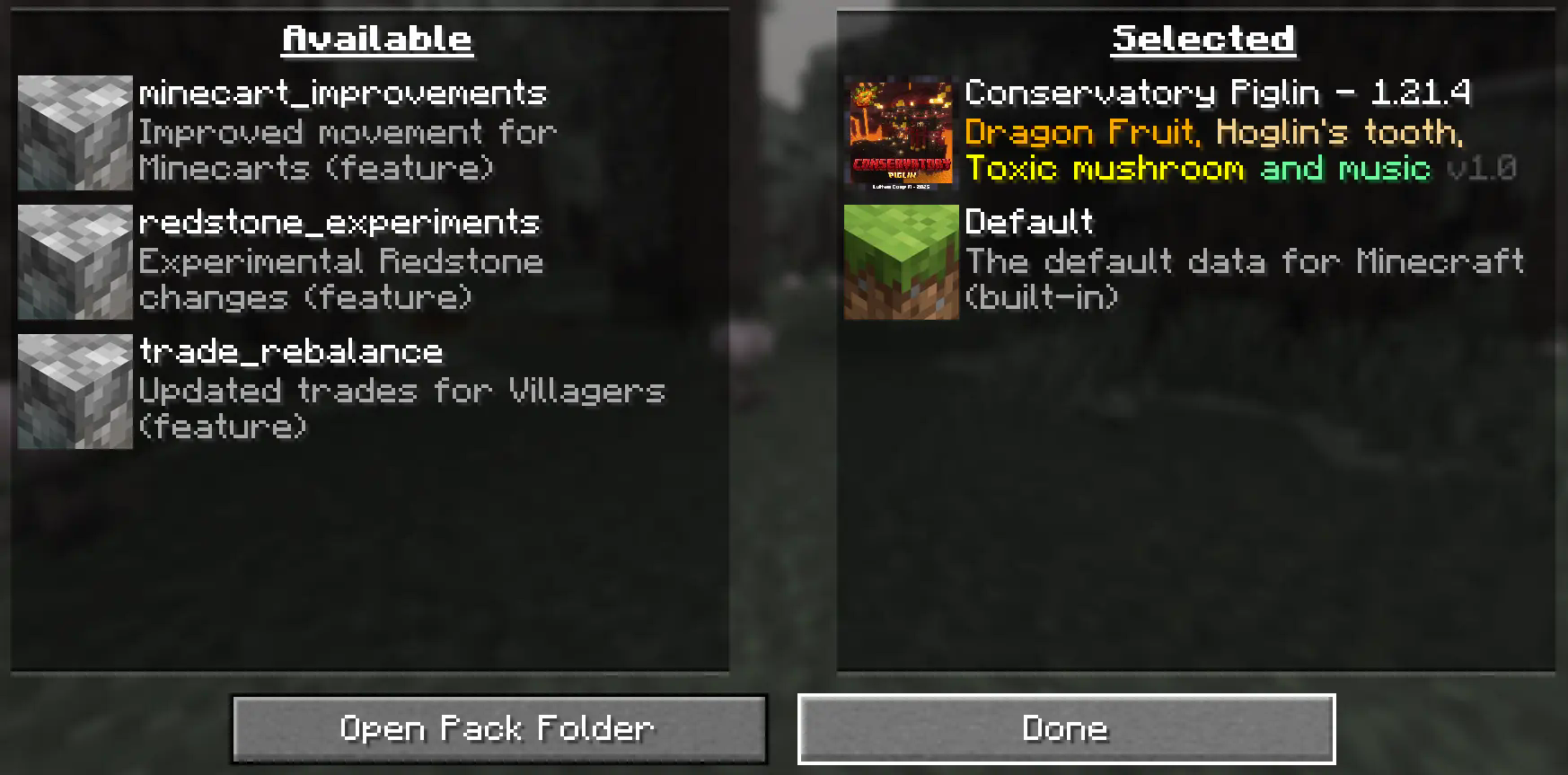
5. **Creación del Mundo Nuevo (Creation of the New World)**
Haz clic en **"Hecho"** en la parte inferior de la pantalla.
📟 (Click **"Done ”** at the bottom of the screen).

Continúa creando tu mundo y haz clic en **"Crear nuevo mundo".**
📟 (Continue creating your world and click on **"Create new world ”**).
### ⚠️ IMPORTANTE - IMPORTANT⚠️
Se generará un aviso al momento de crear un **mundo nuevo**, ya que son **características experimentales**, cualquier tipo de error puede ser comunicado a nuestro **[Discord Oficial](https://discord.gg/Zj43yM8eac)**
📟 A warning will be generated when creating a **new world**, since these are **experimental features**, any kind of error can be communicated to our **[Discord Oficial](https://discord.gg/Zj43yM8eac)**
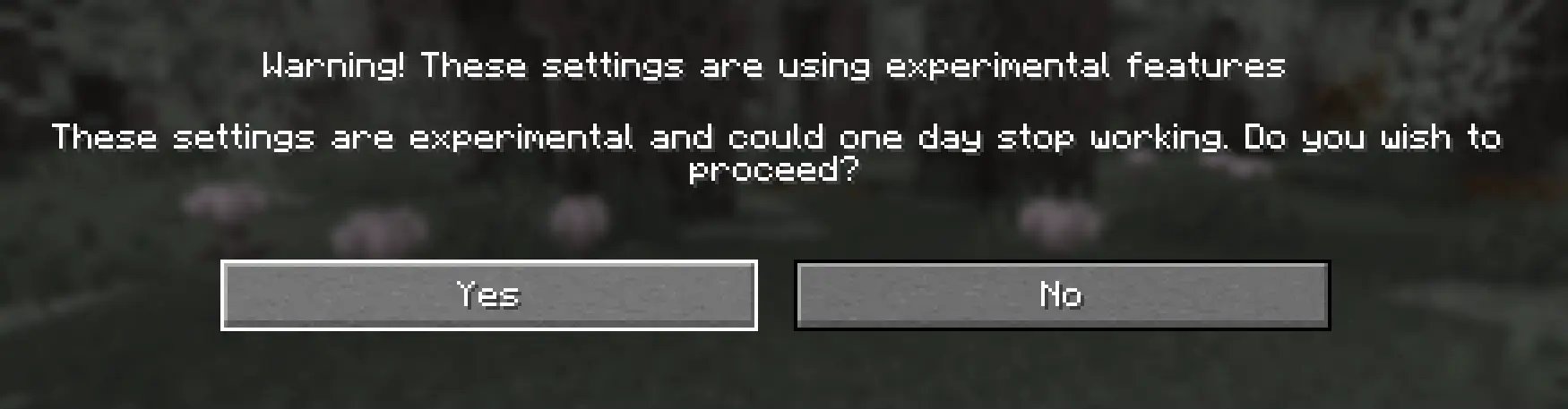
Continue dandole al boton **Sí** y disfrute de su Aventura :)
📟 Continue clicking the **Yes** button and enjoy your adventure :)
Multiplayer - Multijugador
### Pasos Para Instalar DataPack (Steps to Install DataPack):
1. **Abrir la carpeta de tu servidor (Open the folder on your server)**
Navega hasta la carpeta de tu servidor y luego abre la **carpeta del mundo** en el que deseas instalar el **Paquete de Datos** (predeterminado: ``
world
``).
Navigate to your server folder and then open the **world folder** in which you want to install the **Datapacks** (default: ``
world
``).
2. **Agrega el DataPack (Add the DataPack)**
El **Paquete de Datos** debe ser un archivo ``
.zip
``.file.
Coloca el **Paquete de Datos** en una carpeta llamada ``
datapacks
`` dentro de la carpeta **world.**
The **DataPack** must be a ``
.zip
`` file.
Place the **DataPack** in a folder named ``
datapacks
`` inside the **world** folder.
3. **Vuelve a cargar el servidor (reload the server)**
Escribe ``
/reload
`` desde la consola o como operador de nivel 3, si el servidor estaba ejecutándose durante la instalación.
Type ``
/reload
`` from the console or as a level 3 operator, if the server was running during installation.
### ⚠️ IMPORTANTE - IMPORTANT⚠️
Se generará un aviso al momento de crear un **mundo nuevo**, ya que son **características experimentales**, cualquier tipo de error puede ser comunicado a nuestro **[Discord Oficial](https://discord.gg/Zj43yM8eac)**
📟 A warning will be generated when creating a **new world**, since these are **experimental features**, any kind of error can be communicated to our **[Discord Oficial](https://discord.gg/Zj43yM8eac)**
## LuisterCorp Projects:
## Advancements Projects:
## Towerinator Projects:
## Sponsored by [Bisecthosting](https://www.bisecthosting.com/Luister) 💌
