
Описание
### **Warning**
#### **This datapack uses experimental features!**
#### **Please make a backup before adding this pack to an existing world!**
### **Resource Pack Required**
#### To find the relevant resource pack, go to the page for the specific datapack [version](https://modrinth.com/datapack/photocraft-dp/versions) you are trying to install!
# Photocraft Datapack
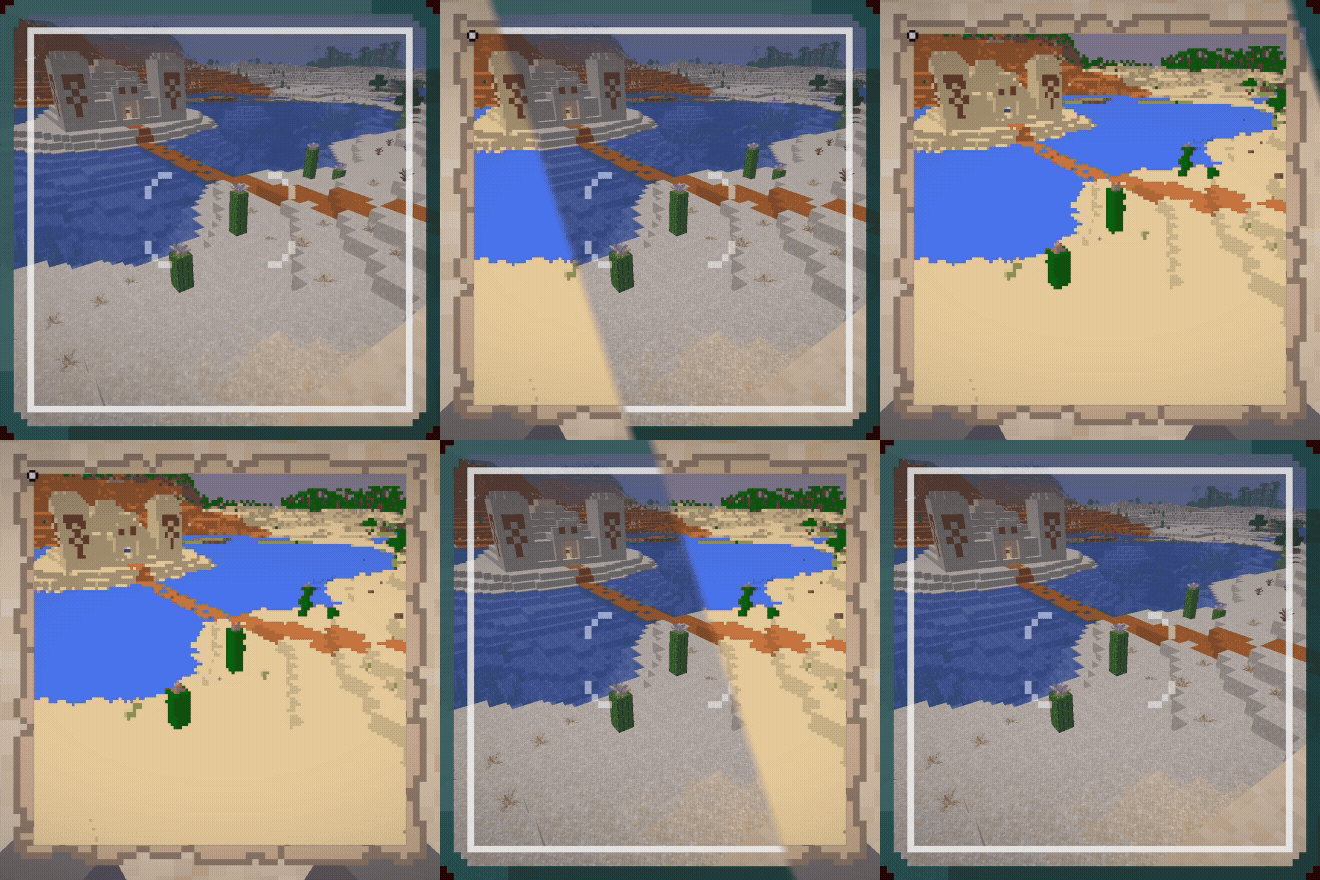
This datapack adds a camera that can be used to create map-art "photos" of the world.
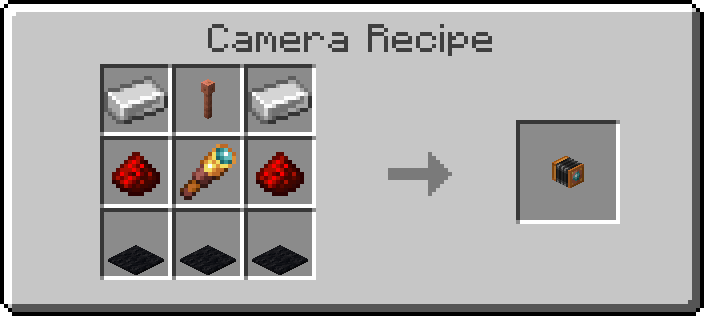
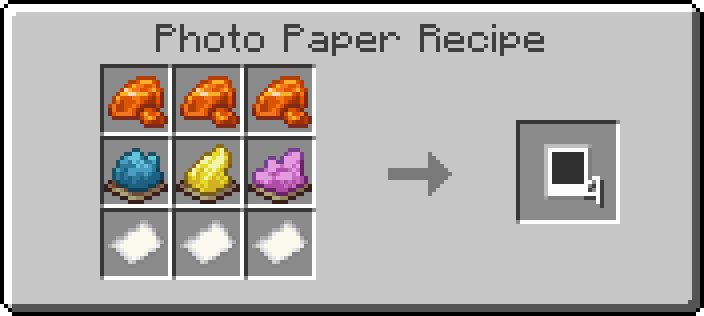
There are two items and recipes added to the game - the camera itself, and photo paper.
You can craft a Camera with 3 Black Carpet, 2 Iron Ingots, 2 Redstone, 1 Spyglass, and 1 Lightning Rod:
You can craft 4 pieces of Photo Paper with 3 Resin, 3 Paper, 1 Cyan Dye, 1 Yellow Dye, and 1 Magenta Dye:
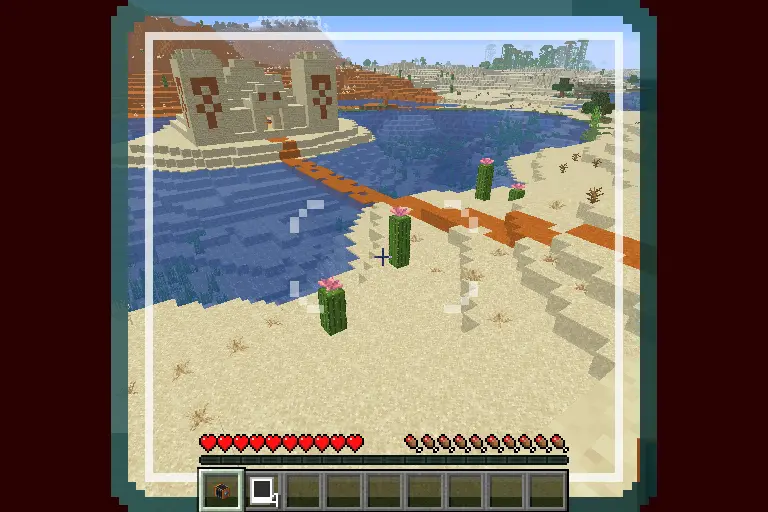
To use the camera, click and hold the use-item button. This will pull up a viewfinder that will provide a frame of what will be included in the photo. Releasing the use-item button will place the camera in the world.
To take a photo, click the use-item button on the camera while holding a piece of photo paper. The camera will start emitting smoke particles and the lights on the back of the camera will start turning on, showing photo progress.
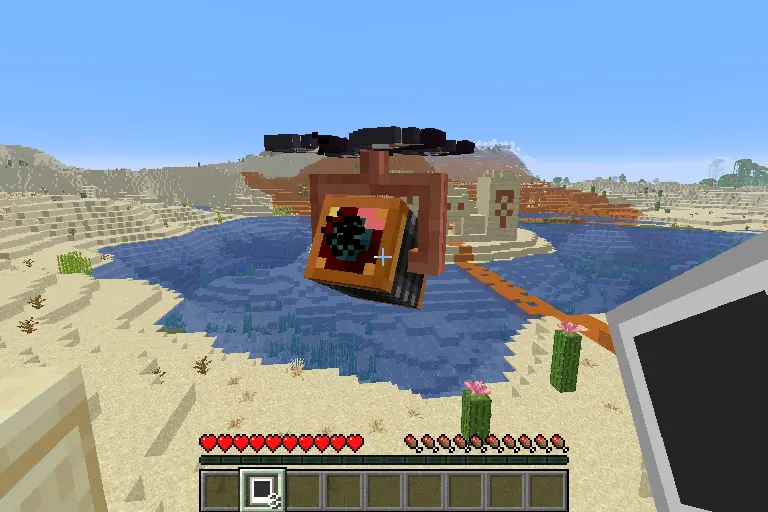
When the camera is done exposing the photo, the lights on the back will turn green and the camera will play a sound.
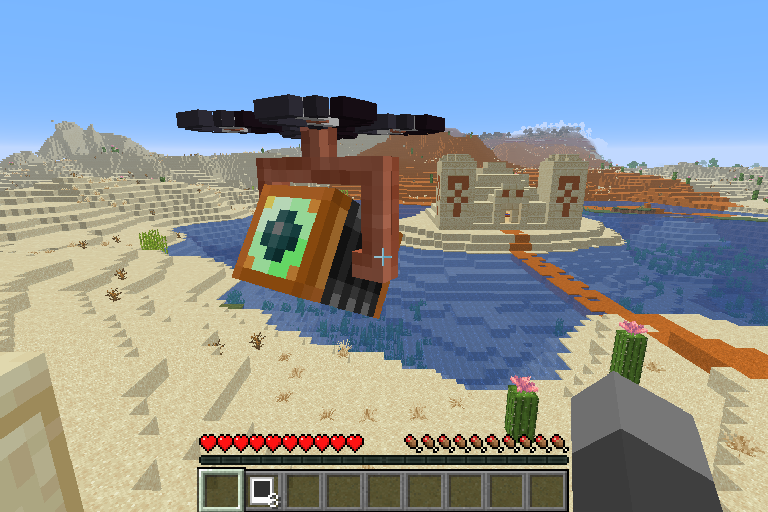
Right click the camera with an empty hand to retrieve the final photo.
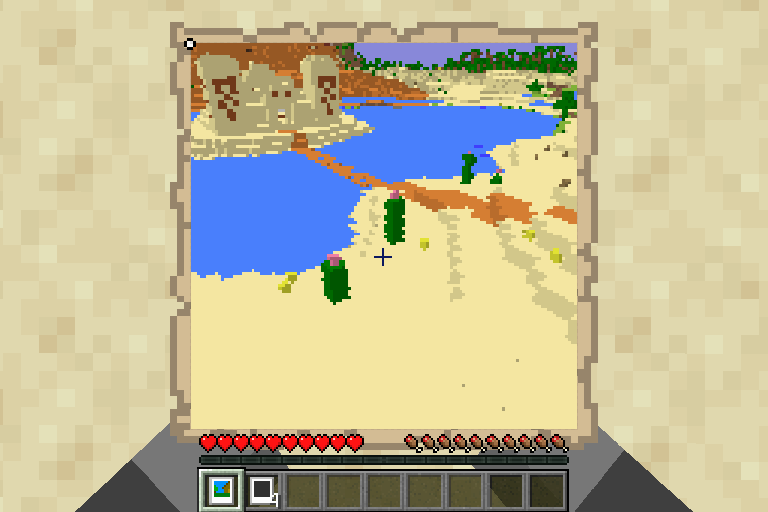
At any point, other than when retrieving a photo, left-clicking the camera will cause it to break, dropping a camera. Any photo that is stored in the camera **will be lost** if it is not retrieved first!