
Описание
### Passwords
**Secure your server with Passords!**
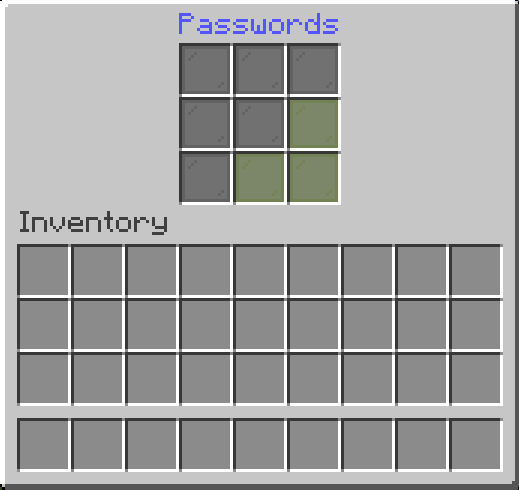
Passwords an easy to use and simple plugin to secure your minecraft server from strangers. If you dont want to use a whitlis you can simply give your friends the password and thats it.
---
### **Features**
- **Custom Passwords for Each Player**
Allow players to create unique passwords, ensuring personalized and secure access to their accounts.
- **Admin Password Options**
Admins can set a master password for full permissions and Op status.
- **Seamless Integration**
Works effortlessly with any Minecraft server without requiring complex setup.
---
### **Sample Config.yml**
Below is an example configuration file to get you started:
Click to view config.yml
```yaml
version: "2.6.3"
debug: false
# Password dose not supports PlaceholderAPI in messages.
# Supported placeholders are: &player& -> Player Name
# Placeholders are only supported in messages
settings:
# check-type: server : One password for the entire server.
# check-type: player : A unique password for each player. (Works only on the first join. To reset, delete player data or use the /setpassword command)
# check-type: none : No password check.
# check-type: pattern : The player must enter a pattern like "o x o"
# "x x x"
# "x x x"
check-type: server
# GUI Name
gui-name: Enter Passwords
# Set password name
set-password-name: Set Password
# Message that will be displayed as the kick reason.
fail-message: The password is incorrect!
# When the UI is closed without a password
close-ui-message: You need to enter a password!
# Enable welcome message.
welcome-message-enabled: true
# Welcome message after login.
welcome-message: Welcome to ExampleServer
# Welcome message second line (Only for title)
welcome-message-second: Passwords
# Display type for the welcome message: message; actionbar; title
welcome-message-display-type: message
# Enable login gamemode.
login-gamemode-enabled: true
# Gamemode every player will have upon login: survival, creative, adventure, spectator
login-gamemode: survival
# Player password length (for the check-type: player)
player-password-length: 4
# Blocked passwords ( only for the check-type: player & server )
blocked-passwords:
- 1111
# Saves the player inventory on logout and restores it on login. ( !!!!! Waring: When the data folder or the player data in the passwords folder is deleted, the player inventory will be lost !!!!! )
save-player-inventory: false
# Saves the player inventory automatically
enable-auto-save: true
# Saves the player inventory every 5 minutes (if save-player-inventory is true)
save-player-inventory-intervall: 10 # in minutes ( min 3 )
# Invulnerable on login (note: this will prevent fall damage when exploited)
invulnerable-on-login: true
server:
# Server password (the password can be any length | for the check-type: server)
password: 1234
# Staff password (the password can be any length | for the check-type: server)
staff-password: 8181
# Staff permissions (will be given to the player after login)
staff-permissions:
- passwords.*
# Remove staff permissions on logout
remove-staff-permissions-on-logout: true
# Password pattern (for the check-type: pattern)
pattern:
- oxo
- xxx
- xxx
# Currently Under development not working !!!!
# Not working on Folia
skript:
# Executest the event for Example
behavior: "Example"
```
---
### **Commands**
Click to view commands
- `/setpassword ` → Set your password.
- `/setplayerpassword ` → Ser a Player's password.
- `/logout ` → Logout player.
- `/preload` -> Reload Plugin Config
---
### **For Developers: Maven/Gradle Setup**
Click to view Maven/Gradle setup
**Maven**:
```xml
cho.info
passwords
(Plugin version)
local-repo
file:/path/to/my-local-repo
```
**Gradle**:
```gradle
implementation files("$projectDir/lib/passwords-(Plugin version).jar")
```