
Описание
OmniBuild Wand · 全能建造杖
为大规模建造而生的 Fabric 建筑手杖 · A Fabric building wand built for large-scale construction
Minecraft 26.1.2 · Fabric | 必需 / Required: Fabric API · Litematica · MaLiLib
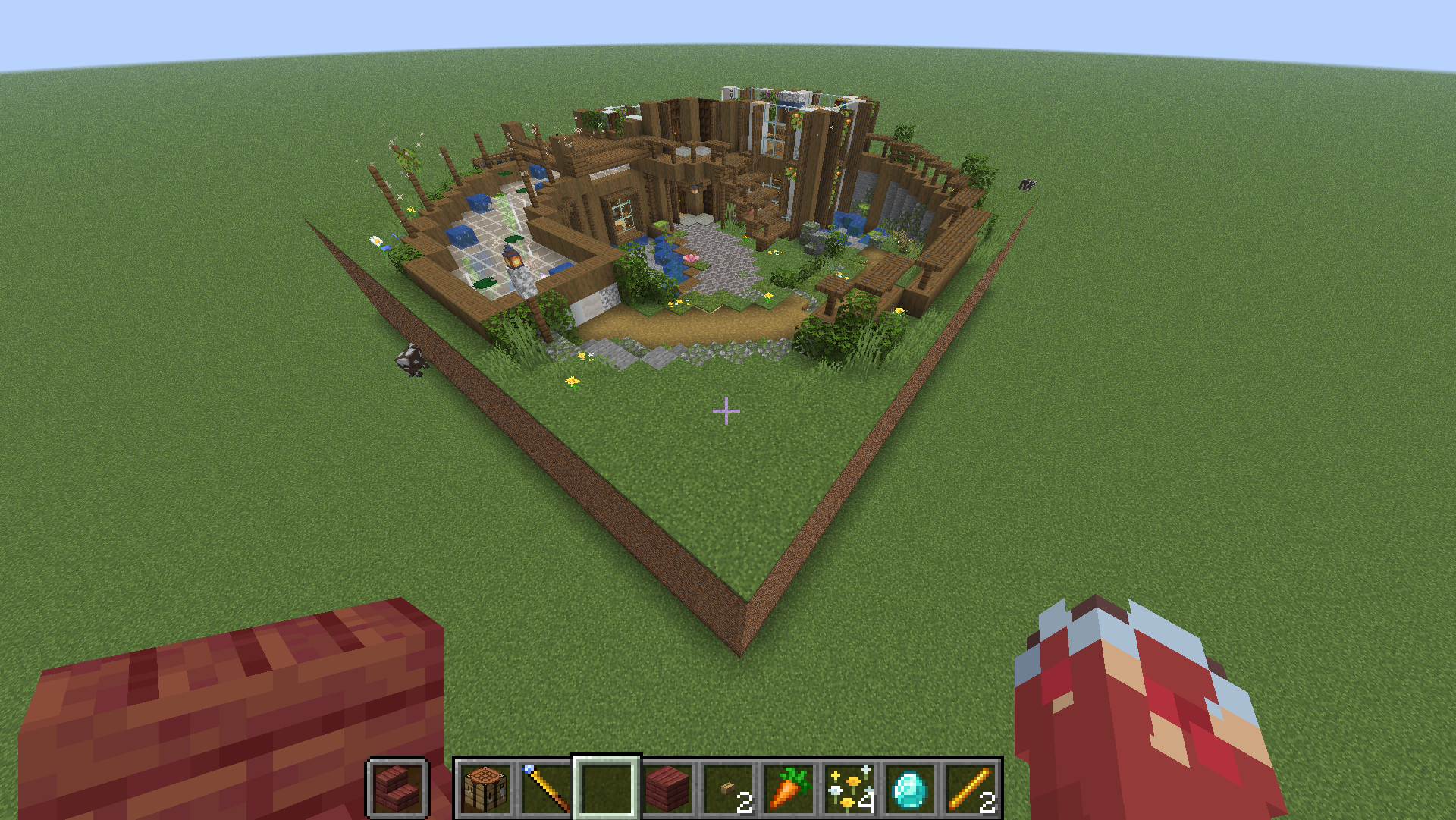
> 🌐 中文教程在上半部分,English guide is in the second half below. · [GitHub](https://github.com/binyxu/omnibuild-wand)
---
# 🇨🇳 中文教程
## 📦 安装
1. 安装 **Fabric Loader** 与 **Fabric API**。
2. 安装 **Litematica** + **MaLiLib**(蓝图与幽灵预览所需,**必需**)。
3. 把 `omnibuild-wand-x.x.x.jar` 放进 `.minecraft/mods/`。
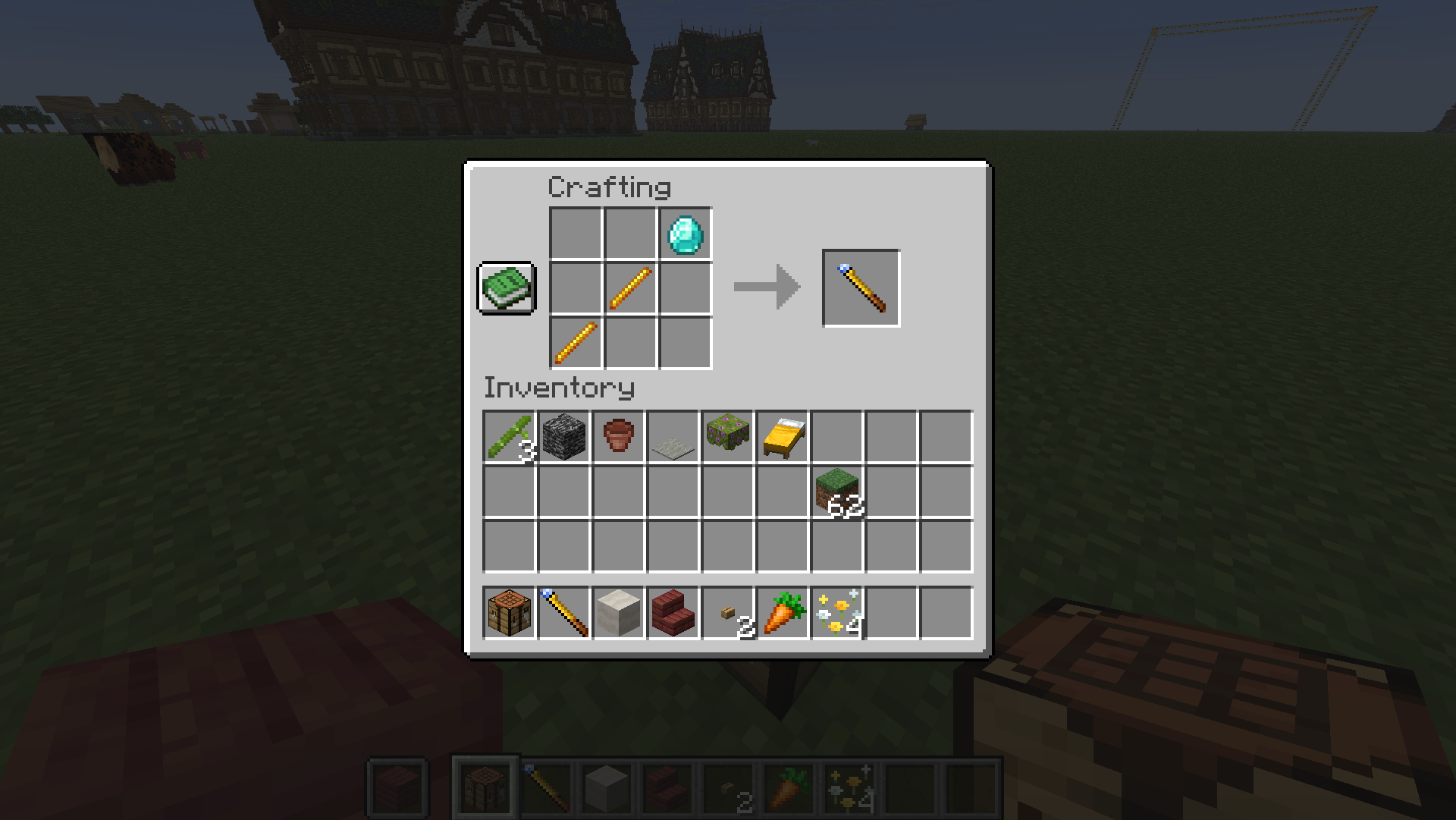
## 🛠️ 合成
钻石 ×1 + 烈焰棒 ×2,斜向排布(`D`=钻石,`B`=烈焰棒):
```
· · D
· B ·
B · ·
```
## 🎮 基础概念
- **手持手杖右键** = 选角 / 执行。多数操作是「右键选第一个角 → 再右键选对角 → 完成」。
- 按 **`N`** 在五种模式间循环:**填充 → 复制/粘贴 → 替换 → 移动 → 供料链接**。
- 按 **`V`** 在 **方形选区 ↔ 智能选区** 间切换。
- **`Shift` + 右键** = 重置当前选区。
- 生存模式会**真实扣除背包材料**(含**潜影盒**);材料不够时可改用「工地」慢慢囤料建造。
## 🟦 填充模式
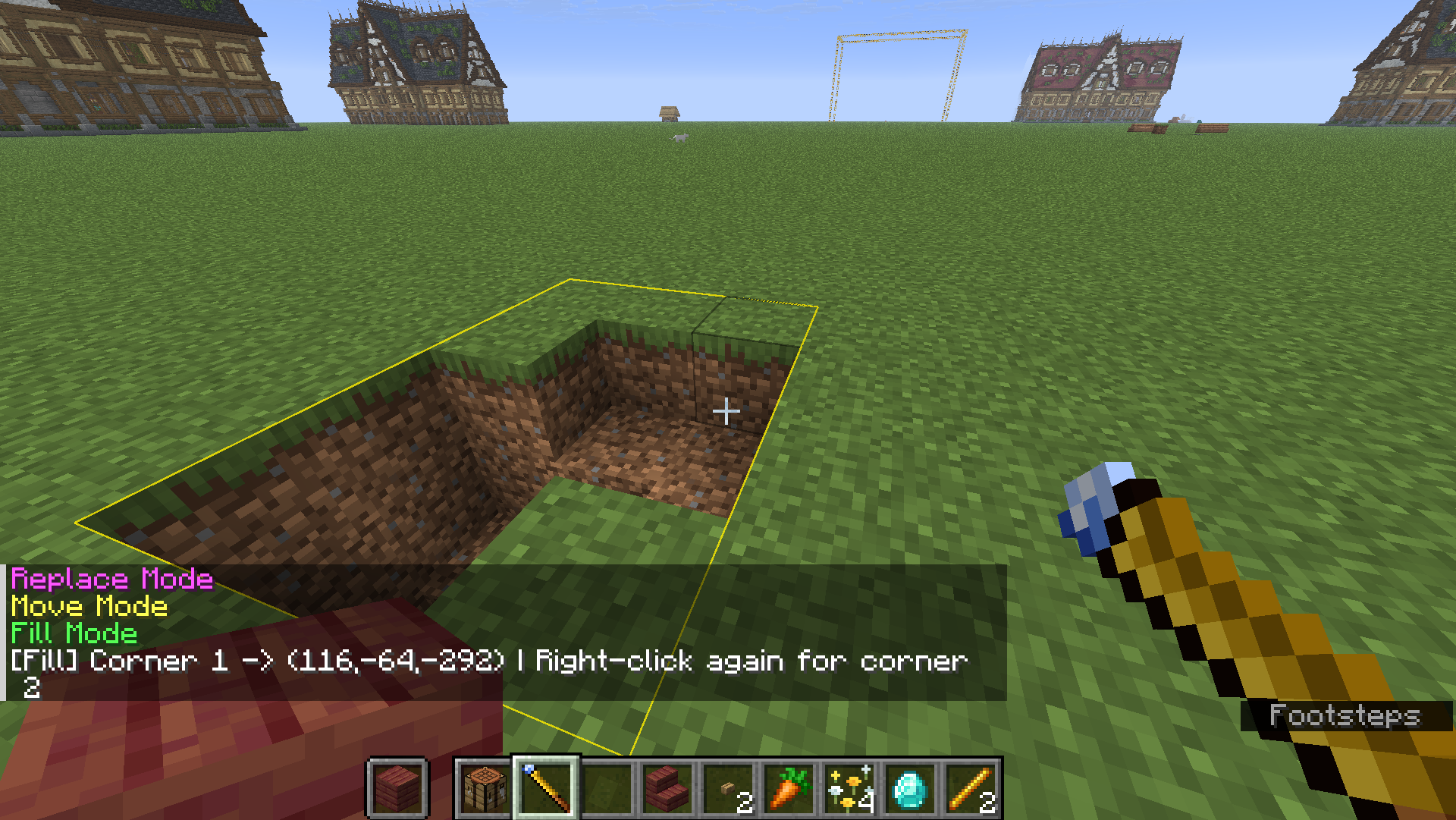
框选两角,把范围内的空气填成手里的方块。
## 📋 复制 / 粘贴模式
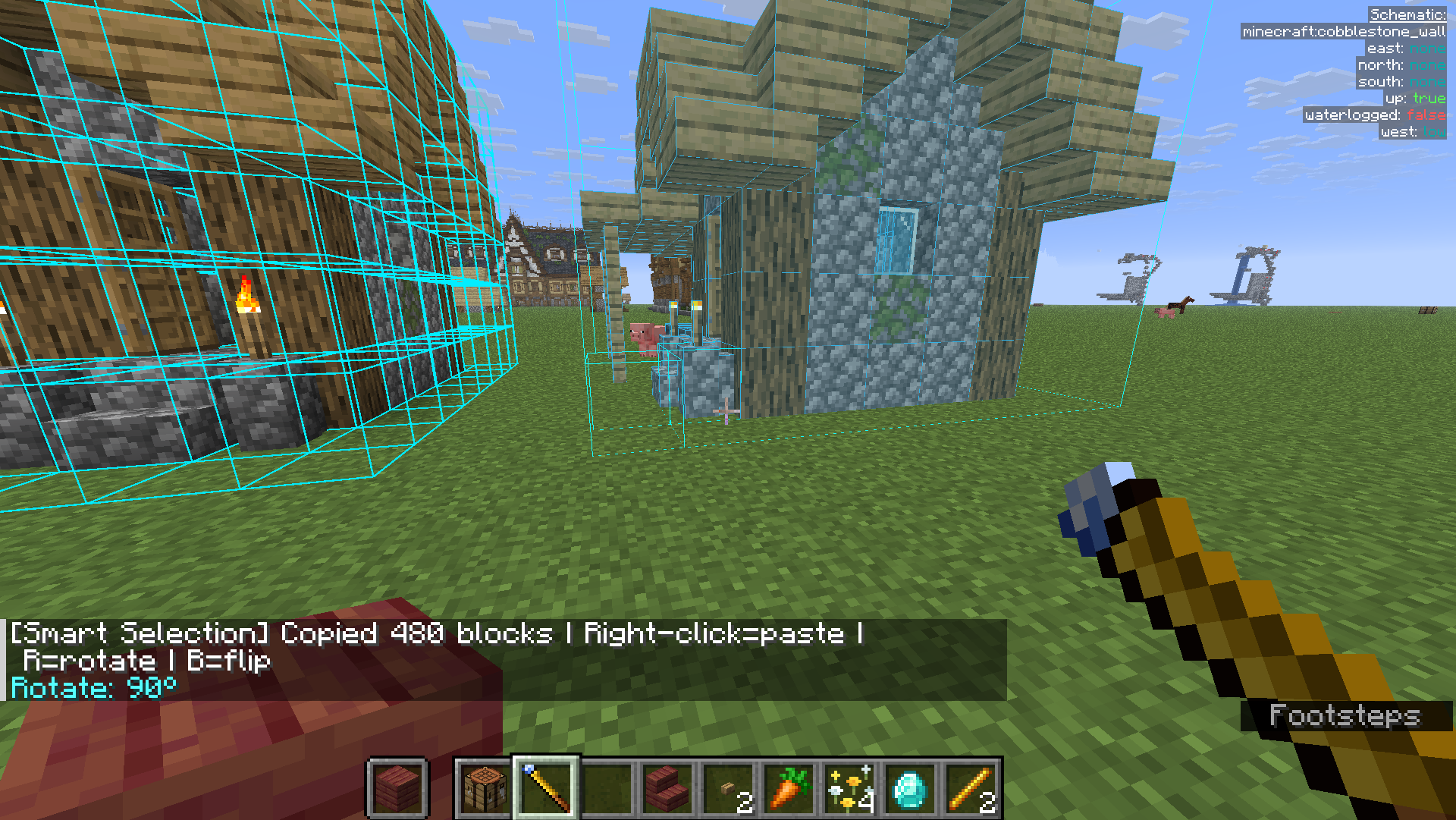
右键选两个角框住结构(记录到剪贴板),到别处右键**粘贴**;粘贴前可按 **`R` 旋转**、**`B` 镜像**。
## ♻️ 替换模式
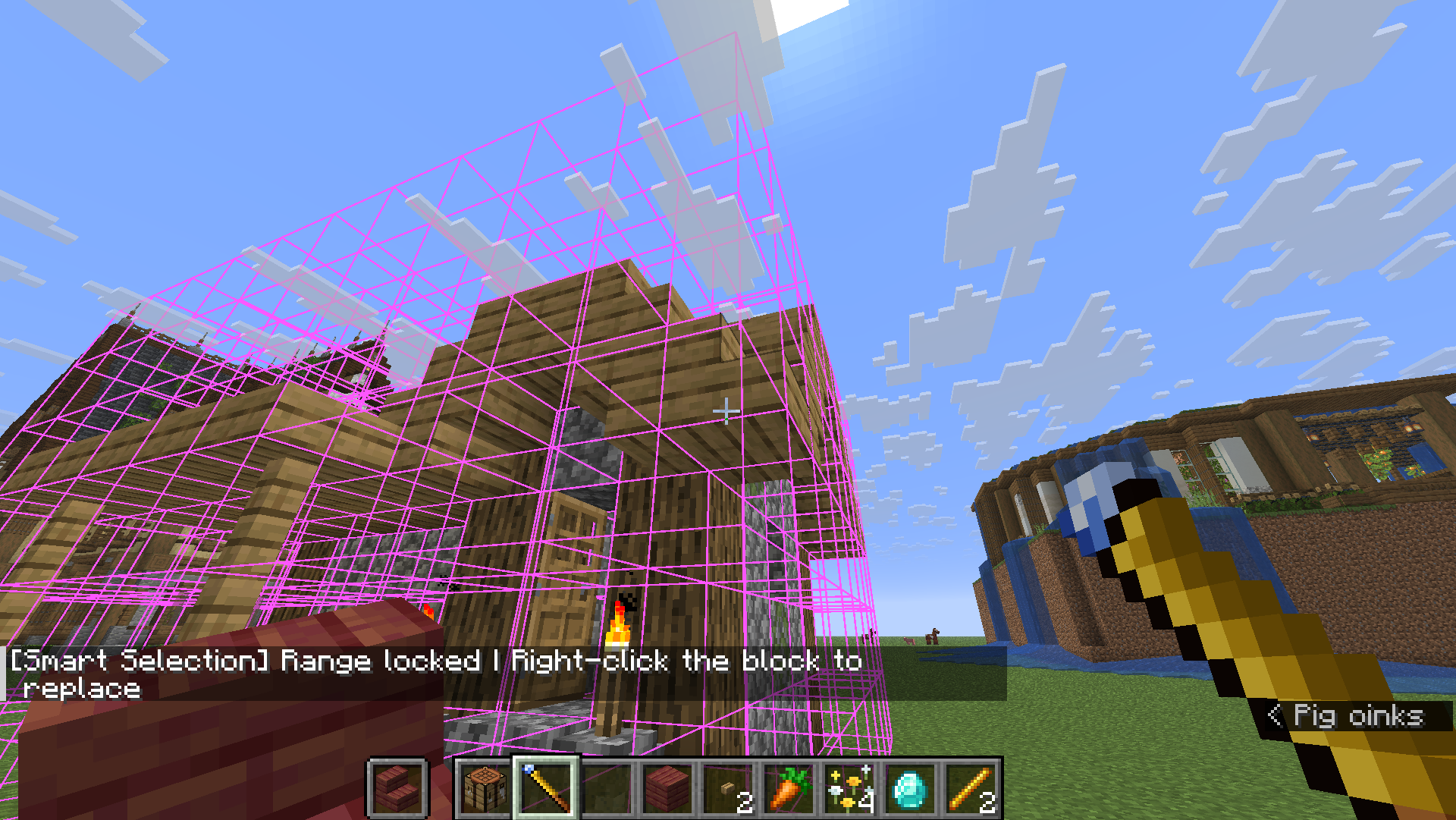
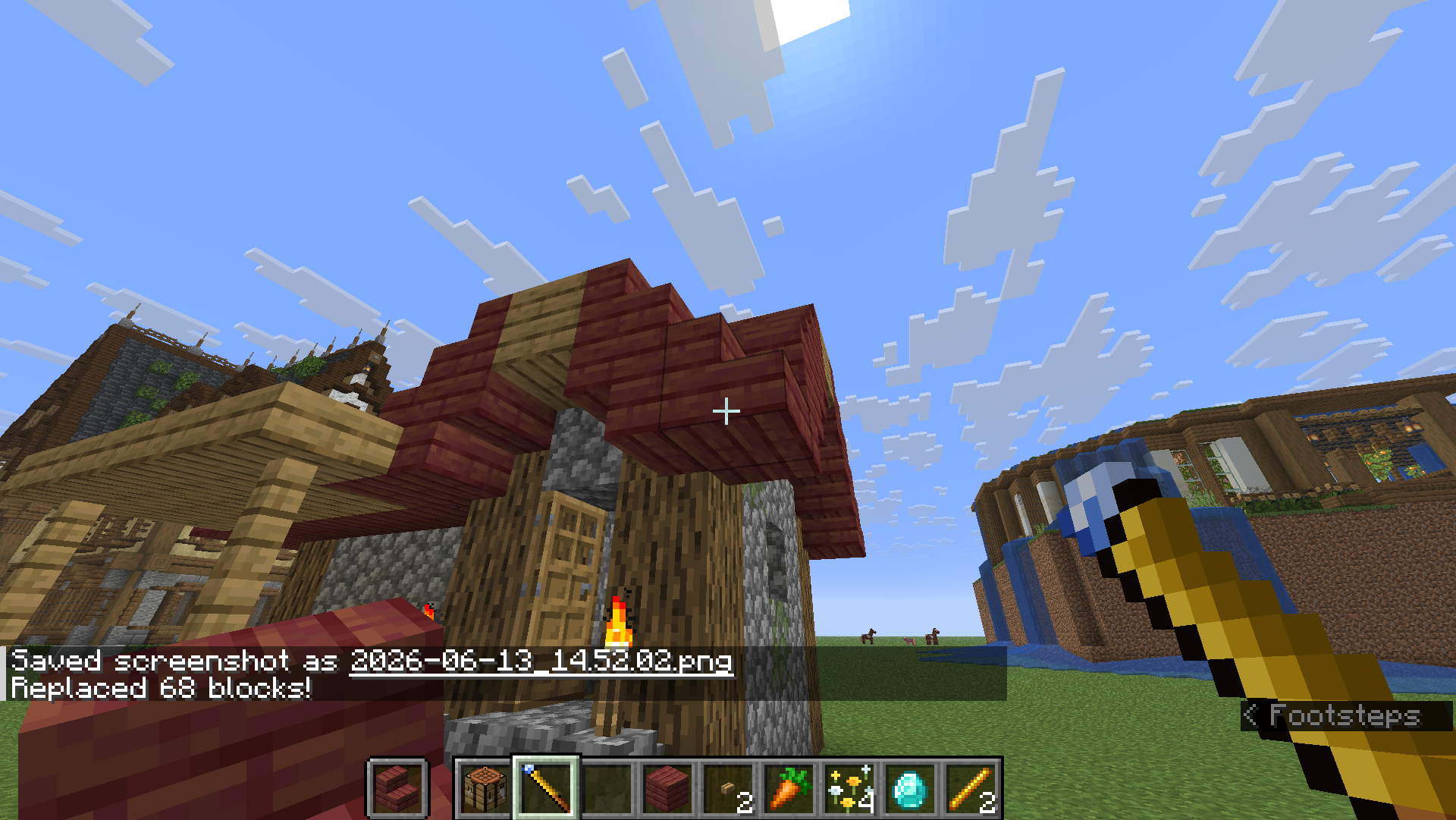
把**要替换成**的方块放手里 → 右键选两角 → 第三次右键**点要被替换掉的方块**,范围内同类全部替换。
## 🚚 移动模式
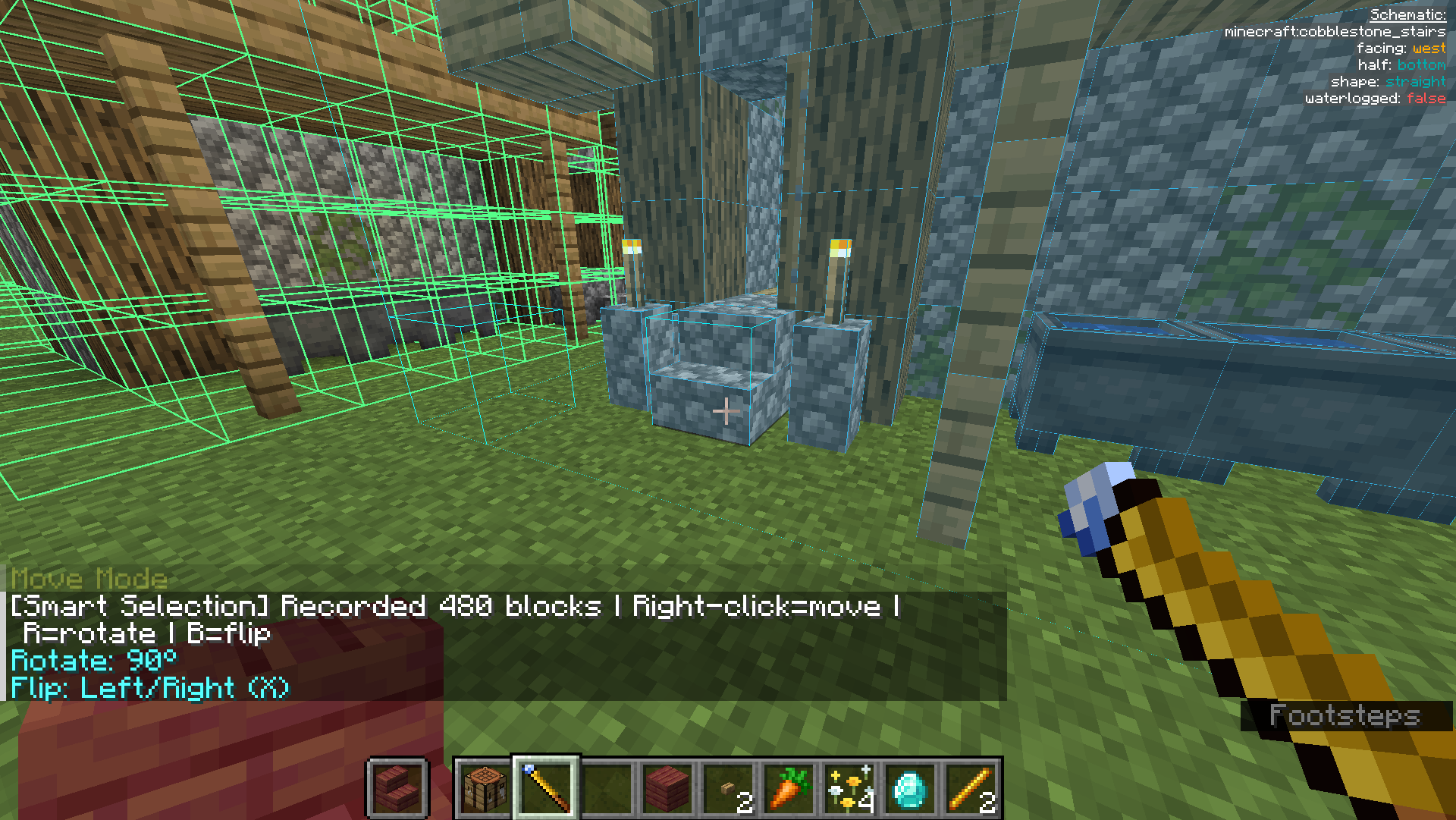
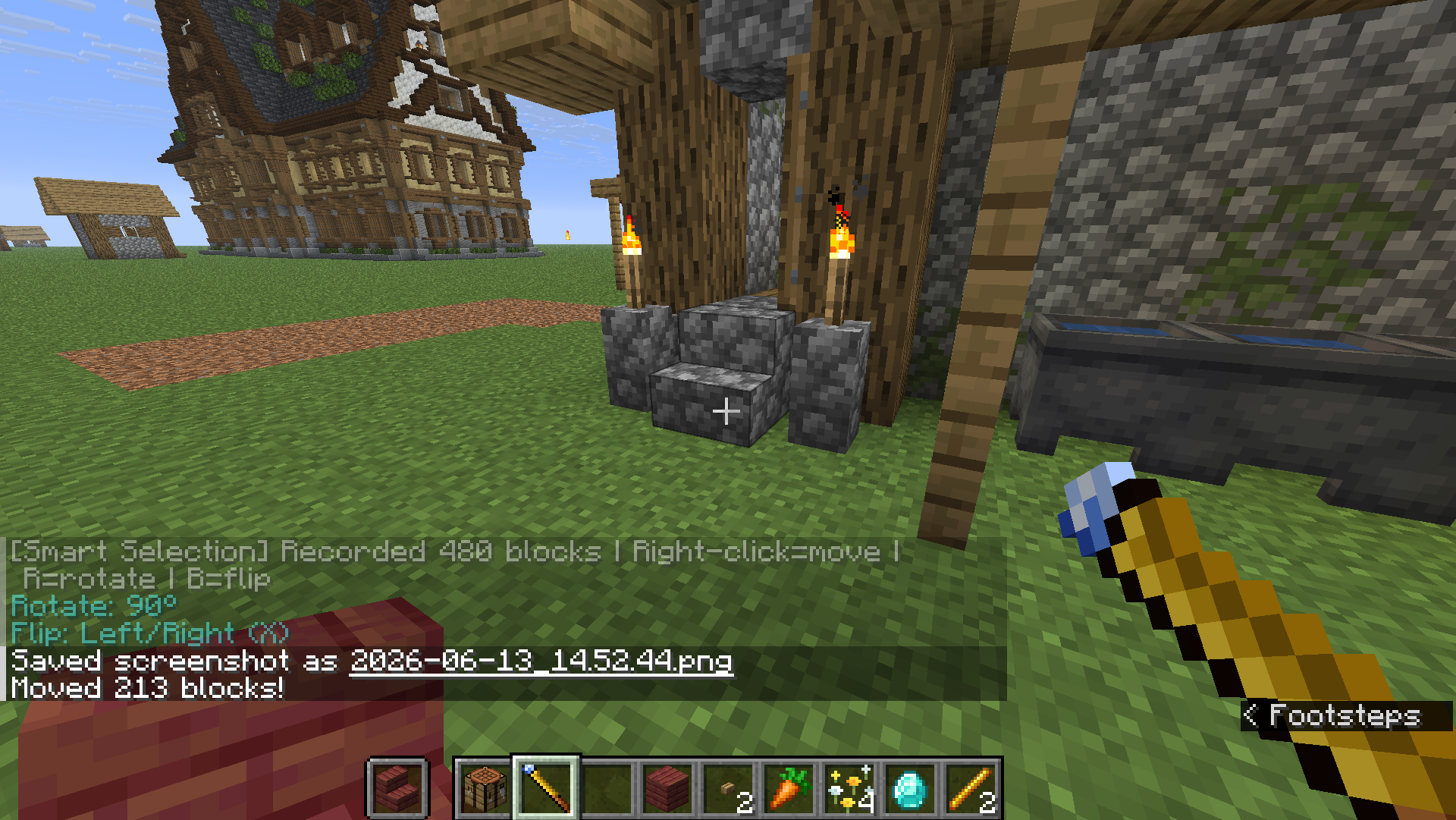
右键选两角框住建筑 → 右键目标位置**整体移动**(原地清空),支持 `R` / `B`。
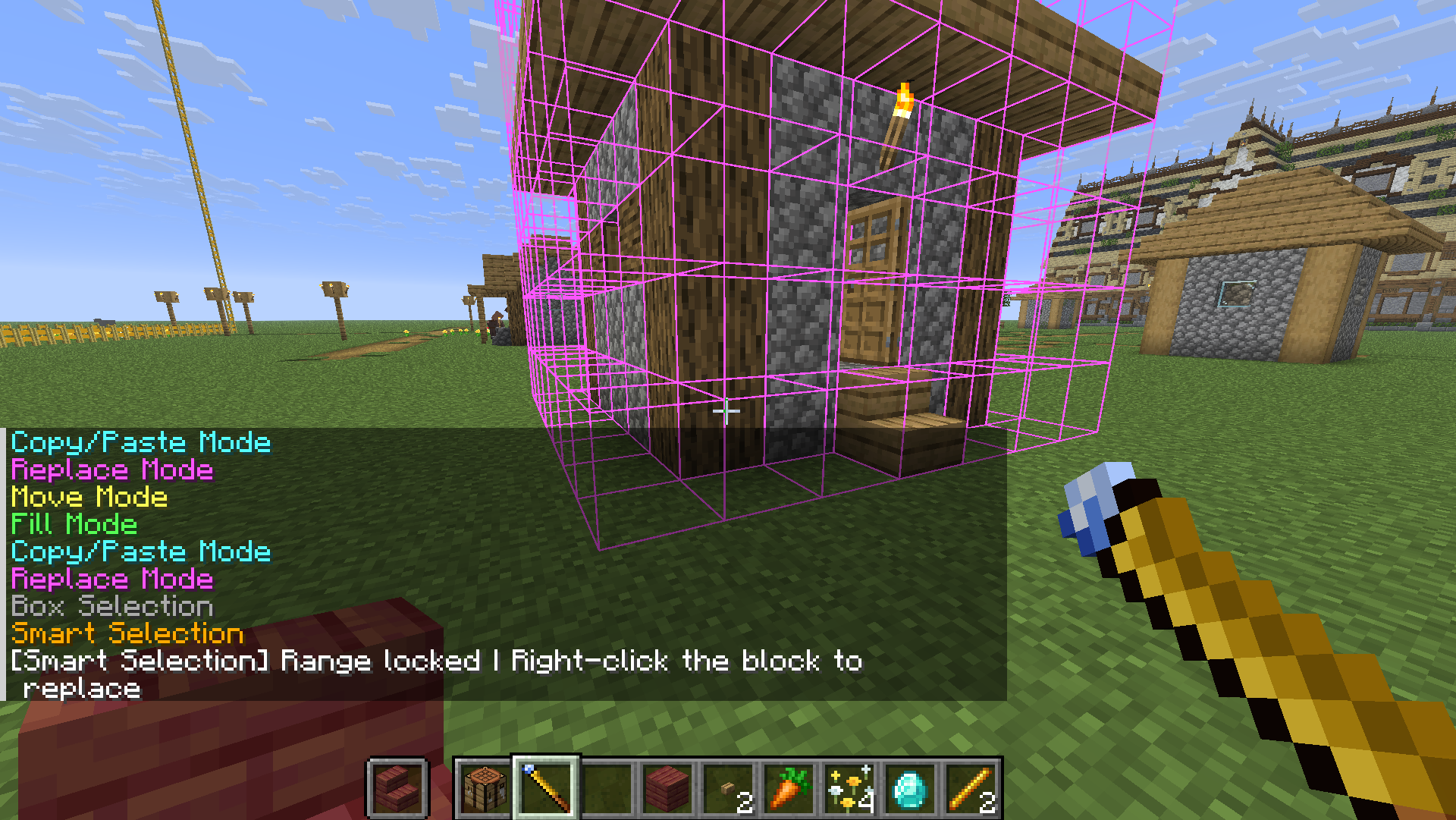
## 🧠 智能选区
按 **`V`** 切到智能选区,右键一个方块**自动识别整片连续建筑**并锁定,再次右键确认执行(复制 / 替换 / 移动 都能用)。上限可在 `/wand settings` 调。
## 🏗️ 工地系统(招牌功能)
大型工程不想一次掏空仓库?把它变成「工地」,慢慢囤料、自动施工。
1. 材料不足会**自动转为工地**,地面立起**工地牌**。
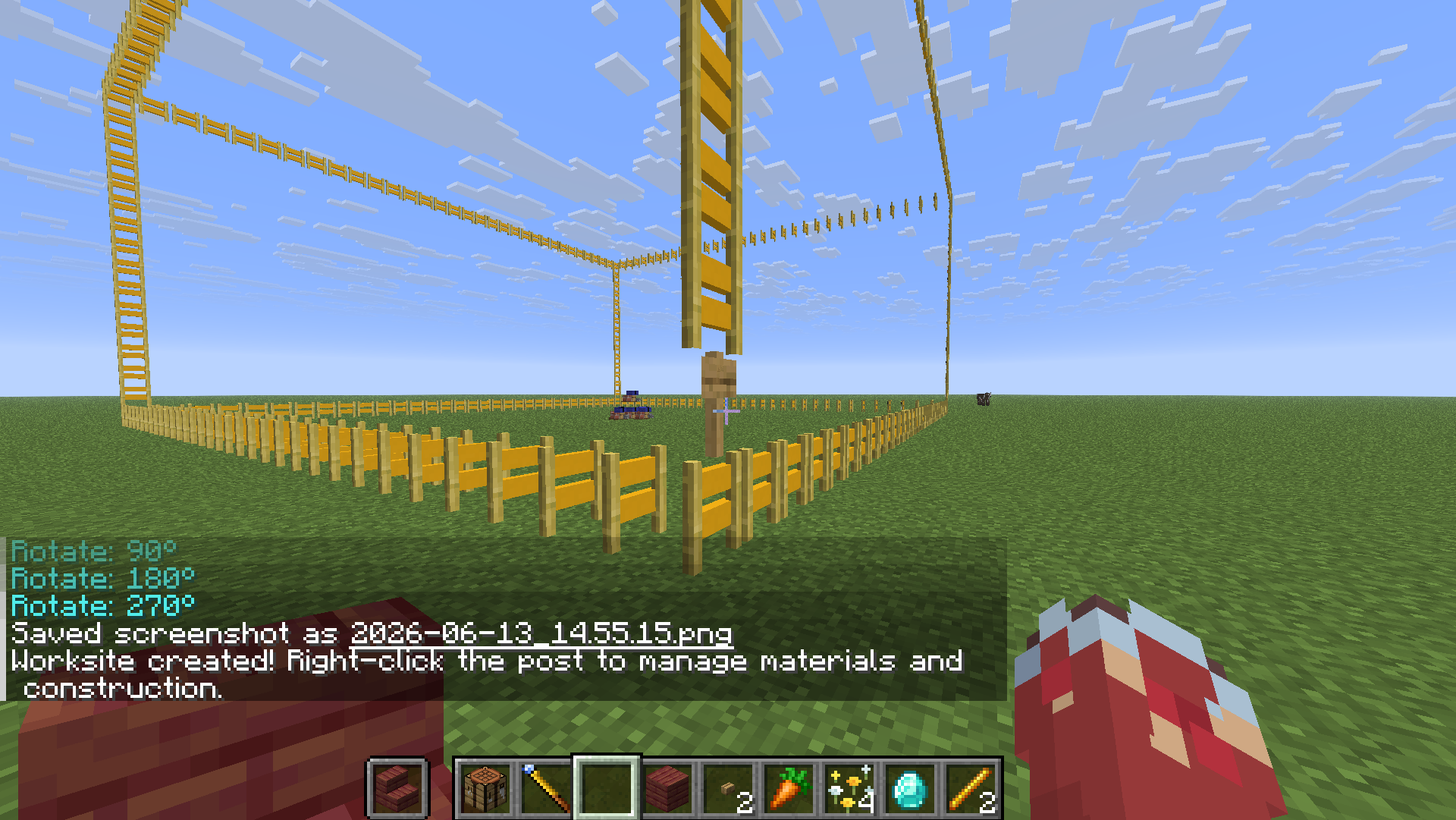
2. **右键工地牌**打开管理站,把材料丢进去「存入材料」。管理站还有「**取回材料**」(退回背包)与「**从箱子补料**」两个按钮。
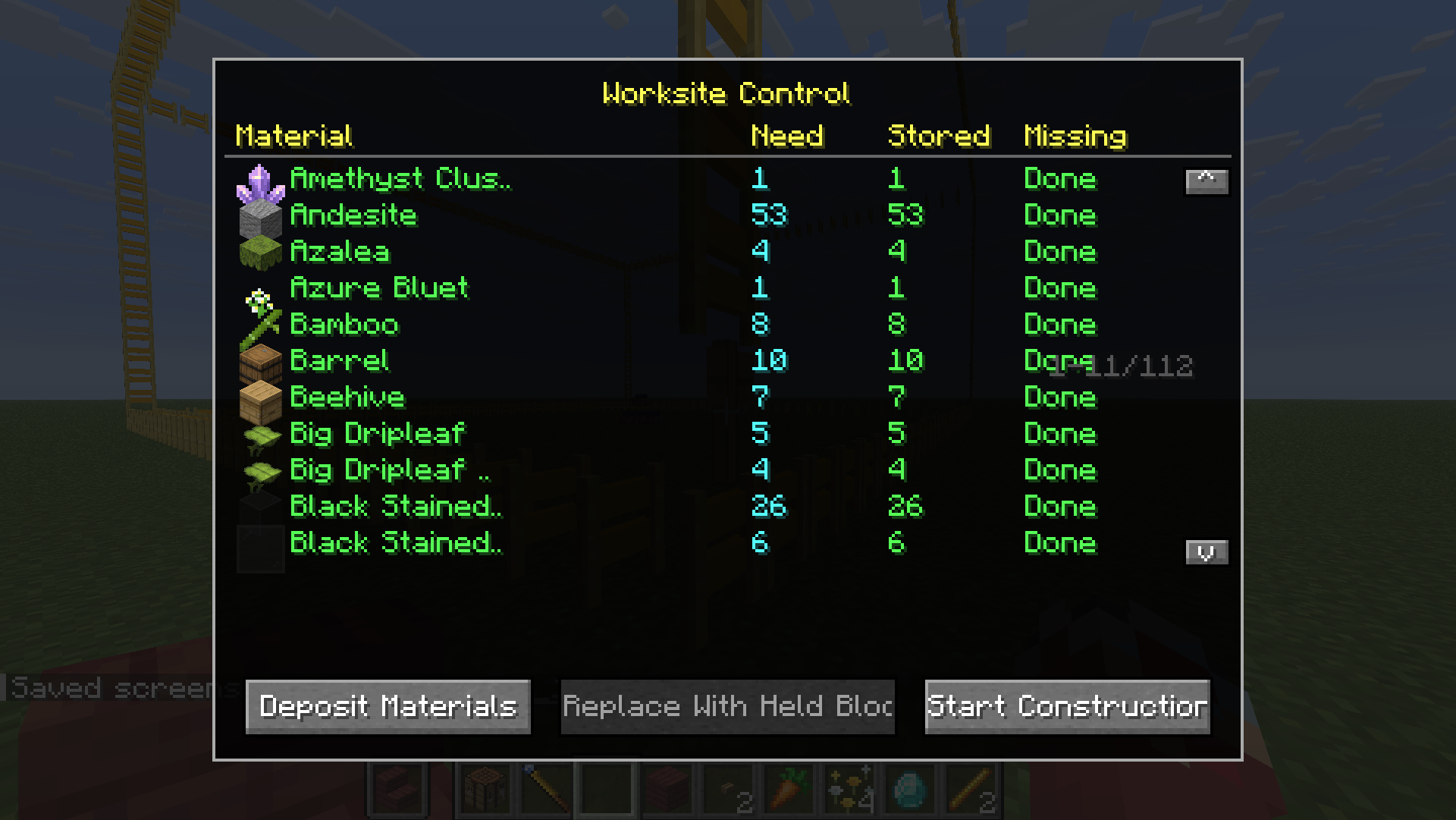
3. 点「**开始施工**」,工地**自动逐块建造**直到完工。

## 🔗 供料链接(接箱子自动供料)★ 1.1.0 新增
懒得手动搬料?把附近的箱子接上,工地施工时**自动取料**。
1. 按 `N` 切到 **供料链接** 模式。
2. 右键框选两个角,把装材料的**箱子 / 木桶 / 潜影盒**圈进去(**箱子里的潜影盒也算**)。
3. 再**右键工地牌**完成链接(提示「已链接 N 个容器」)。
4. 点「**从箱子补料**」或直接**开始施工**——施工时每秒自动从这些容器取料。
> 🛡️ 安全机制:每个容器、每种材料**至少保留 1 个**,绝不抽空箱子。
## 📐 Litematica 蓝图导入
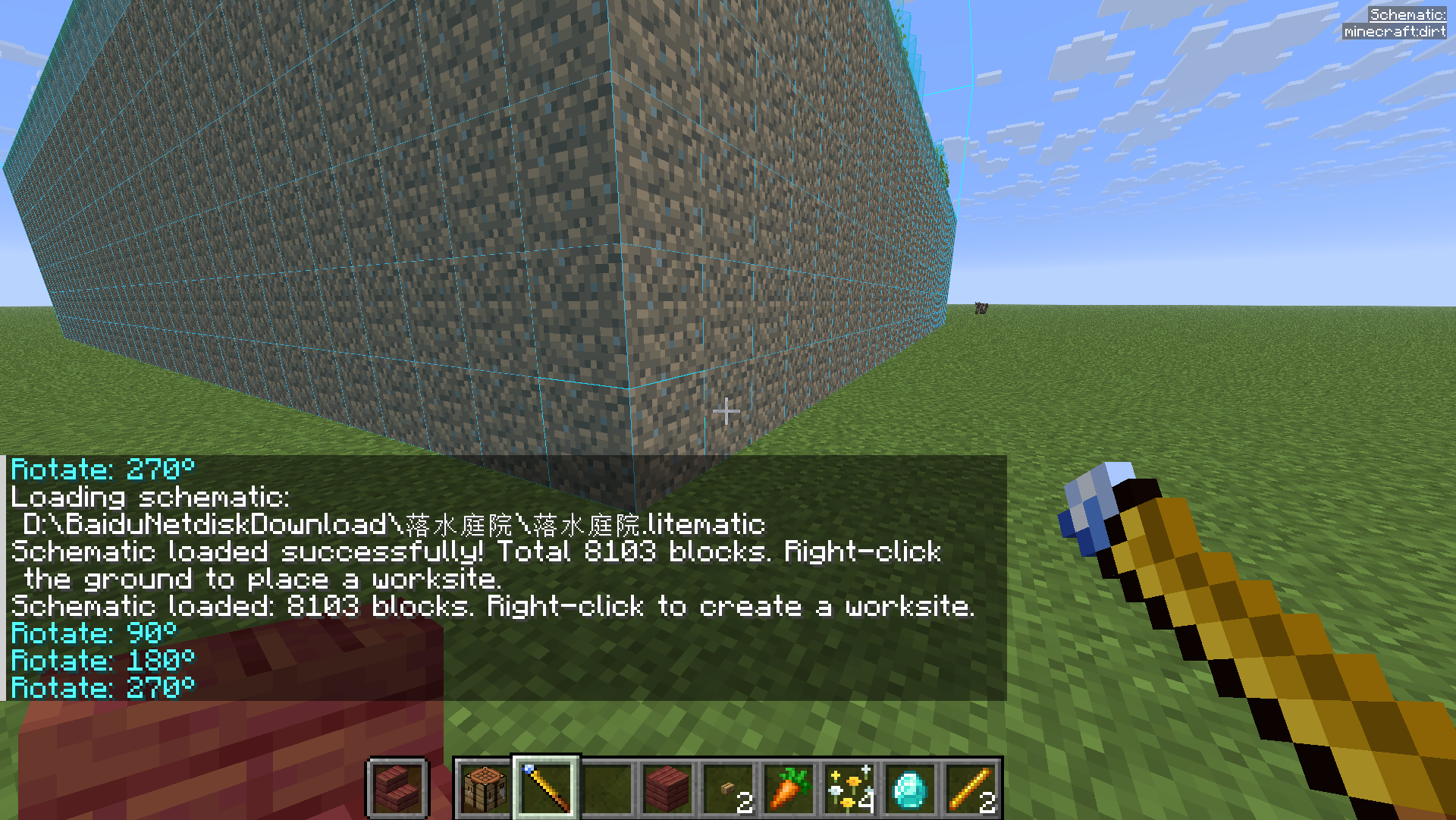
手持手杖输入 `/wand load `,右键地面**生成对应工地**,之后流程同上。
## ⌨️ 按键速查
| 按键 | 作用 |
| --- | --- |
| 右键 | 选角 / 执行 |
| `Shift` + 右键 | 重置选区 |
| `R` / `B` | 旋转 / 镜像 |
| `N` | 切换模式(填充/复制/替换/移动/供料链接) |
| `V` | 方形 / 智能选区 切换 |
| `/wand settings` | 打开设置 |
| `/wand load ` | 加载蓝图 |
---
# 🇬🇧 English Guide
## 📦 Installation
1. Install **Fabric Loader** and **Fabric API**.
2. Install **Litematica** + **MaLiLib** (**required** — blueprints & ghost preview).
3. Drop `omnibuild-wand-x.x.x.jar` into `.minecraft/mods/`.
## 🛠️ Crafting
1× Diamond + 2× Blaze Rod, diagonal (`D`=Diamond, `B`=Blaze Rod):
```
· · D
· B ·
B · ·
```

## 🎮 Core concepts
- **Right-click** = pick a corner / execute (corner 1 → opposite corner → done).
- Press **`N`** to cycle five modes: **Fill → Copy/Paste → Replace → Move → Supply Link**.
- Press **`V`** to toggle **Box ↔ Smart Selection**. **`Shift` + Right-click** resets.
- In Survival it **consumes real materials** (including **shulker boxes**). Short on materials? Use a *worksite*.
## 🟦 Fill Mode
Right-click two corners; the air in the box fills with the block in your hand.

## 📋 Copy / Paste Mode
Right-click two corners around a structure, then right-click elsewhere to paste. **`R`** rotate / **`B`** flip before pasting.

## ♻️ Replace Mode
Hold the **replacement** block → two corners → third right-click **on the block to replace**. All matching blocks swap.


## 🚚 Move Mode
Two corners around a build → right-click target to relocate it (source cleared). `R` / `B` supported.


## 🧠 Smart Selection
Press **`V`**, right-click one block and it auto-detects the whole contiguous structure; right-click again to confirm. Works with Copy / Replace / Move.

## 🏗️ Worksite System (headline feature)
Turn a big build into a *worksite*: a post appears, right-click it to open the dashboard, **Deposit** materials, then **Start Construction** — it builds itself block by block. The dashboard also has **Withdraw Materials** and **Pull from Chests** buttons.



## 🔗 Supply Link (auto-feed from chests) ★ New in 1.1.0
Don't want to haul materials by hand? Link nearby chests and the worksite **pulls materials automatically** while building.
1. Press `N` to switch to **Supply Link** mode.
2. Right-click two corners around your **chests / barrels / shulker boxes** (shulkers *inside* chests count too).
3. **Right-click the worksite post** to link ("Linked N containers").
4. Click **Pull from Chests**, or just **Start Construction** — it pulls every second as it builds.
> 🛡️ Safety: each container always keeps **at least one** of every material — chests are never fully emptied.
## 📐 Litematica Blueprint Import
Hold the wand, run `/wand load `, then right-click the ground to spawn the matching worksite.

## ⌨️ Controls
| Key | Action |
| --- | --- |
| Right-click | Pick corner / execute |
| `Shift` + Right-click | Reset selection |
| `R` / `B` | Rotate / Flip |
| `N` | Switch mode (Fill/Copy/Replace/Move/Supply Link) |
| `V` | Toggle Box / Smart Selection |
| `/wand settings` | Open settings |
| `/wand load ` | Load a Litematica schematic |
---
License: MIT · Source & full README: https://github.com/binyxu/omnibuild-wand