
Описание
This mod adds **tactical nuclear bombs** that can reshape terrain, an **infinite-fire TNT sword**, and a handy **nuclear detonator** for remote destruction! Whether you want to clear out entire chunks for construction projects, experience the thrill of exploding as you walk, or orchestrate chain reactions from a safe distance, this mod has you covered.
**Core Item Descriptions**
**1. Nuke Block**
- **Power**: Devastating! By default, destruction radius is about **40 blocks**, damage radius about **60 blocks**. **You can customize the power** via the configuration GUI (right-click the placed nuke block).
- **Activation**:
- **Redstone control**: Apply a redstone signal to detonate (recommended for Survival mode).
- **Manual ignition**: Hold a flint and steel, then **sneak (Shift) + right-click** to light the fuse.
- **Remote Detonator**: Bind the bomb to a **Nuclear Detonator** to trigger it wirelessly from afar (see Detonator section below).
- **Configuration GUI** (right-click on the nuke block):
- 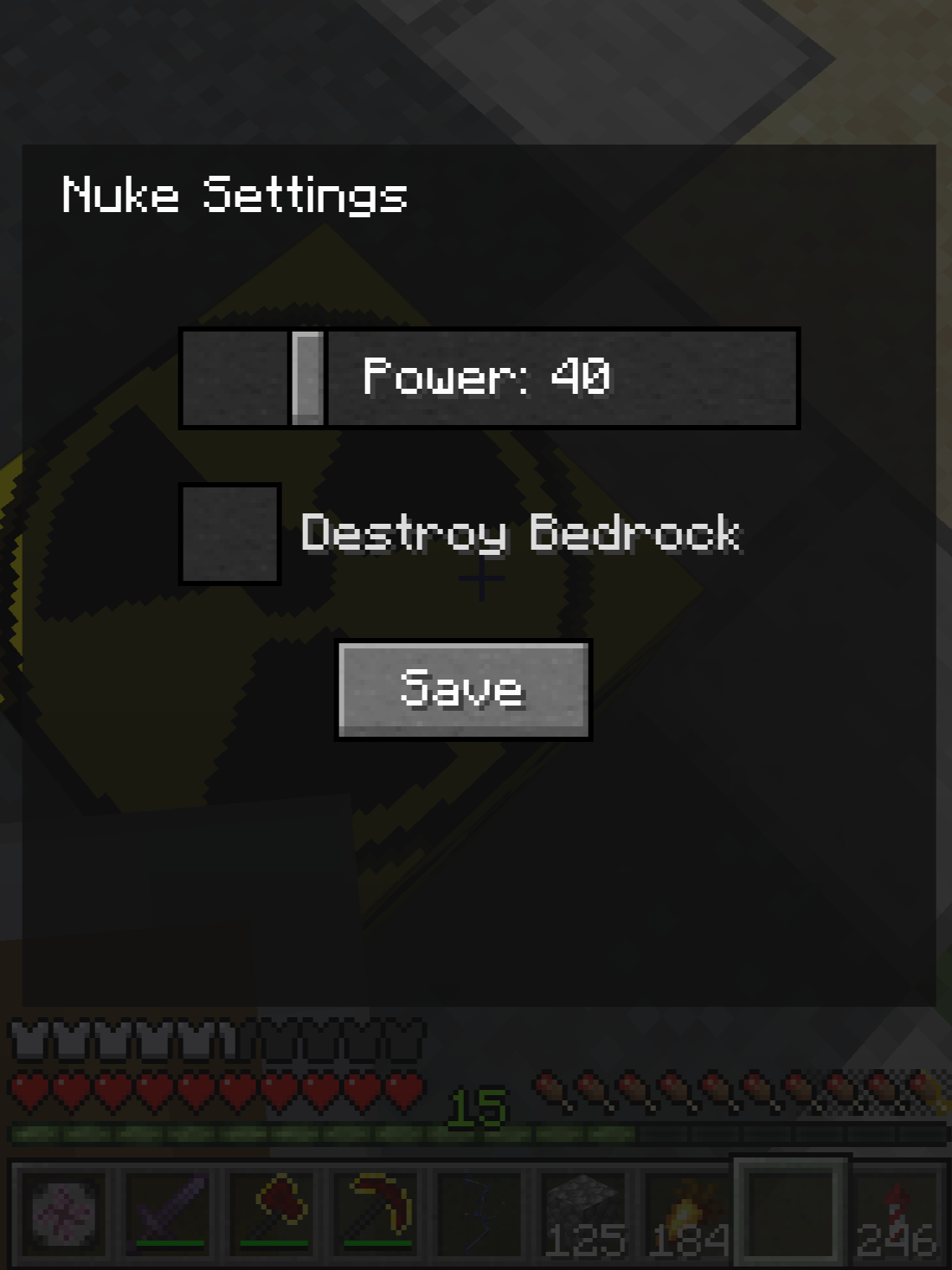
- **Blast Radius**: Adjustable from **1 to 200 blocks** (destruction range). Damage range will scale accordingly.
- **Break Bedrock**: Toggle whether the explosion can destroy **bedrock**. Use with extreme caution!
**2. TNT Sword**
- **Function**: Right-click to launch **primed TNT** toward your crosshair! No ammunition needed, infinite firing – a great tool for clearing mountains or repelling monster hordes (watch your step).
**3. Nuke remote control**
- **Function**: The ultimate remote control for your nuclear arsenal.
- **Bind**: Right-click on a Nuclear Bomb Block to link it to the detonator.
- **Unbind**: Right-click on an already bound bomb to remove the link.
- **Check List**: **Sneak (Shift) + right-click** to display a list of all currently bound bombs in the chat window.
- **One-key detonation**: Within 3 seconds after the list is displayed in the chat box, **sneak (Shift) + right-click** again to **detonate all bound nuclear bombs in the list simultaneously**. Use with extreme caution!
- **Clear All Bindings**: Press **Shift + C** to instantly forget all bound bombs.
**Crafting Recipe Preview**


_(Except for the remote control, the specific arrangement for the other recipes is shapeless – just put the corresponding materials directly into the crafting table.)_
**Notes**
1. **Use with caution in Survival mode**: The nuclear bomb has an enormous blast radius (especially if set to 200!). **Do not use it near your base!** The Detonator's "Detonate All" feature is especially dangerous; double-check your list before pressing the button.
2. **TNT Sword safety**: Right-click launches primed TNT. If you stand too close, you will be blown away.
3. **Bedrock destruction**: If you enable "Break Bedrock", the explosion can delete the bottom of the world – irreversible in Survival. Make backups!
---
这个 Mod 添加了足以改变地形的**战术核弹**、**无限火力 TNT 剑**,以及方便远程操控的**核弹遥控器**!无论是想要一键清空区块搞基建,体验边走边炸的极致快感,还是想在安全距离外导演一场连锁爆炸,这里都能满足你。
**核心物品介绍**
**1. 核弹方块**
- **威力**:毁灭性的打击!默认破坏范围约 **40 格**,伤害波及范围约 **60 格**。**威力可自定义**:右键核弹方块即可打开配置界面。
- **激活方式**:
- **红石控制**:通入红石信号即可引爆(生存建议使用此方式)。
- **手动点火**:手持打火石,**潜行 (Shift) + 右键** 点燃引信。
- **遥控器引爆**:将核弹绑定至**核弹遥控器**,即可实现无线远程引爆(详见下方遥控器说明)。
- **配置界面**(右键核弹方块打开):
- 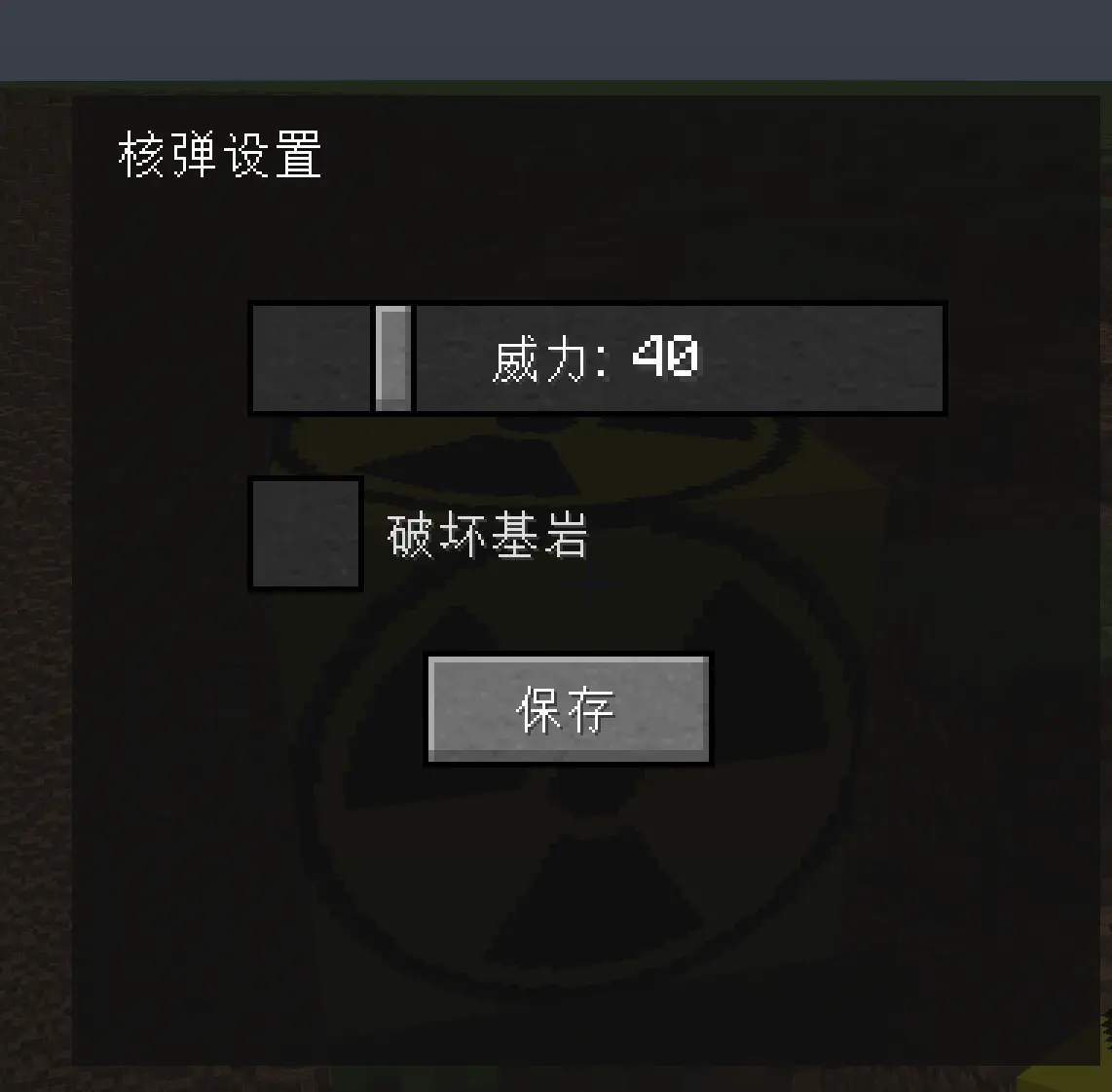
- **爆炸范围**:可设置为 **1 至 200 格**(破坏半径,伤害范围随之等比变化)。
- **是否破坏基岩**:开关选项,决定核爆能否摧毁**基岩**。极度危险,慎用!
**2. TNT 剑**
- **功能**:右键即可向准星方向**发射点燃的 TNT**!无需弹药,无限连发,清理山区或击退怪物群的绝佳玩具(请注意脚下安全)。
**3. 核弹遥控器**
- **功能**:掌控核武库的终极遥控装置。
- **绑定**:右键点击核弹方块,将其与遥控器关联。
- **解绑**:对已绑定的核弹再次右键,即可解除关联。
- **查看列表**:**潜行 (Shift) + 右键** 可在聊天栏中显示当前已绑定的所有核弹列表。
- **一键引爆**:在聊天框显示列表后的3秒内再次 **潜行 (Shift) + 右键**,即可**同时引爆列表中所有已绑定的核弹**。请极度谨慎使用!
- **清空绑定**:按下 **Shift + C** 键,立刻清空所有绑定记录。
**合成配方预览**


_(除了遥控器,其余具体摆放顺序为无序合成,直接在工作台放入对应材料即可)_
**注意事项**
1. **生存模式慎用**:核弹的爆破范围极大(尤其是调到 200 时),**请不要在你家附近使用**!遥控器的“一键全引爆”功能尤为危险,按下确认前请务必核对列表。
2. **TNT剑安全**:右键发射的是点燃的TNT,如果你站得太近会被炸飞。
3. **基岩破坏**:若开启“破坏基岩”选项,核爆可能炸掉世界底层的基岩——生存模式下不可逆,