
Описание
# No Fog Perfected
Removes fog from Minecraft, perfected. Works with both **Fabric** and **NeoForge**.
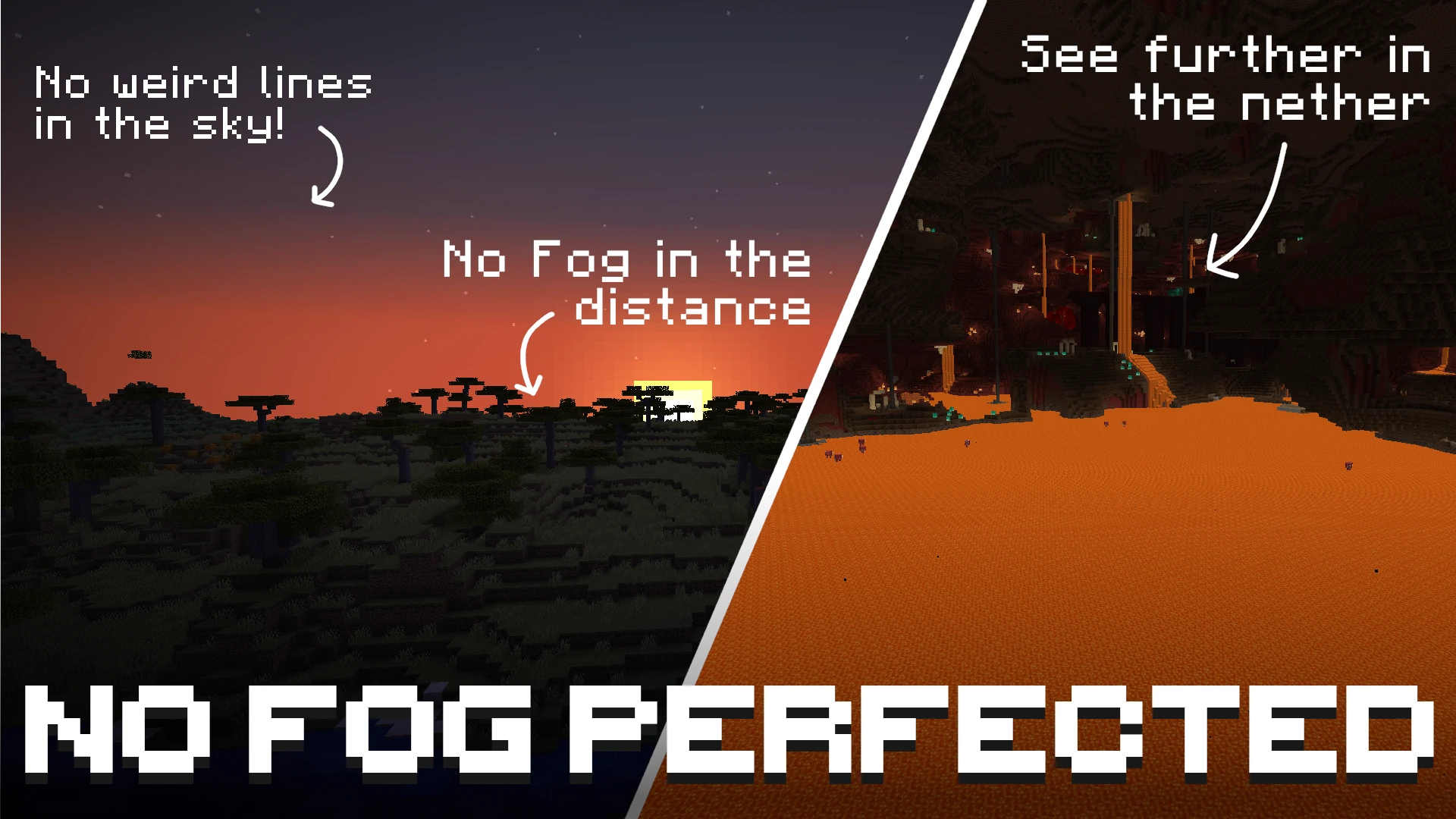
By default, the mod disables fog in the **Overworld**, the **Nether**, and the **End**. No Lava / Water Fog is removed by default, but you have the option to toggle all of them separately! Use with Sodium for a config menu!
Unlike other fog-removal mods, No Fog Perfected achieves a completely clean look with **no hard lines or visible cut-offs in the sky**. The horizon blends naturally, as if the fog was never there.
Beyond simply removing fog, the mod also lets you customize the fog behavior of **fluids and status effects** — underwater, lava, powder snow, blindness, and darkness fog can all be toggled and fine-tuned individually.
### Offsets and multipliers
If you don't want to fully disable fog but instead want to **push it further away** so you can see more of the world, each fog type has an offset or multiplier slider ranging from **0% to 100%**.
> **Important:** the offset and multiplier only have an effect when the fog for that type is **enabled**. If fog is turned off, it will never be rendered — no matter what offset or multiplier value is configured.
## Supported Versions
| Minecraft Version | Fabric | NeoForge |
|-------------------|--------|----------|
| 1.21.11 | ✓ | ✓ |
| 26.1.2 | ✓ | ✓ |
| 26.2 | ✓ | ✓ |
## Configuration
### With Sodium
If [Sodium](https://modrinth.com/mod/sodium) is installed, all settings are available directly inside Sodium's video settings screen under the **No Fog Perfected** category. No commands needed.
### Without Sodium
When Sodium is not installed, the mod is configured exclusively through in-game chat commands. All settings are saved automatically to `config/no-fog.json` in your game directory.
#### Command reference
| Command | Description |
|---|---|
| `/nofog` | Show the current state of all fog settings |
| `/nofog ` | Query the current state of a single fog type |
| `/nofog toggle` | Toggle that fog type on or off |
| `/nofog set ` | Set the intensity/distance value (0 = vanilla, 100 = maximum) |
`` is one of:
| Type | Value control | What it does |
|---|---|---|
| `overworld` | Multiplier | Multiplies how far away overworld fog starts. 0% = vanilla. |
| `nether` | Offset | Pushes nether fog further away from you. 0% = vanilla. |
| `end` | Multiplier | Multiplies how far away end fog starts. 0% = vanilla. |
| `water` | Offset | Increases visibility range when submerged in water. 0% = vanilla. |
| `lava` | Offset | Increases visibility range when submerged in lava. 0% = vanilla. |
| `powder_snow` | Offset | Increases visibility range inside powder snow. 0% = vanilla. |
| `blindness` | — | Toggle only. No distance control. |
| `darkness` | — | Toggle only. No distance control. |
#### Examples
```
/nofog → show full config summary
/nofog overworld → show overworld fog status and current multiplier
/nofog overworld toggle → turn overworld fog on or off
/nofog overworld set 50 → set overworld fog multiplier to 50%
/nofog water set 75 → push water fog boundary to 75%
/nofog blindness toggle → toggle blindness fog
```
### Contact
If you have any questions about this mod you can ask them here:
[](https://discord.gg/GaaFxsWVvS)
## License
This project is available under the MIT license.