Описание
# Nirakolu Font
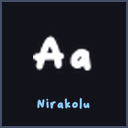
**Nirakolu Font** replaces Minecraft's default font with a bold, bubbly display face with soft rounded weight. Every character - letters, numbers, punctuation and symbols - has been redrawn from the real typeface at high resolution, so chat, menus, signs, books, item names and the debug screen all change style the moment you turn the pack on.
## Features
- Bold bubbly rounded letters
- Soft but heavy - very friendly
- Pops on colourful builds
- High-resolution glyph sheet - crisp on any GUI scale
- Font only: no textures, models or sounds are touched, so it stacks on top of any other resource pack
## How to install
1. Download the `.zip` - do not unzip it.
2. In Minecraft, go to *Options -> Resource Packs -> Open Pack Folder*.
3. Drop the `.zip` into that folder.
4. Back in the game, move the pack to the right-hand side and click *Done*.