Описание






[](https://www.codefactor.io/repository/github/dev7ex/multiworld)




___
Report a Bug
Wiki
Discord Community
___
1. **Custom Generator Support**
- Multiworld supports custom world generators, allowing server administrators to create worlds with unique landscapes, structures, or biome configurations beyond the default Minecraft generation.
2. **Flags**
- **AUTO_LOAD:** Automatically loads the world on server startup.
- **AUTO_UNLOAD:** Automatically unloads the world when no players are present.
- **DIFFICULTY:** Sets the difficulty level for the world (e.g., peaceful, easy, normal, hard).
- **END_PORTAL_ACCESSIBLE:** Controls whether the End portal is accessible in the world.
- **GAME_MODE:** Sets the default game mode for players entering the world (e.g., survival, creative).
- **HUNGER_ENABLED:** Determines whether hunger mechanics are enabled in the world.
- **KEEP_SPAWN_IN_MEMORY:** Keeps the spawn chunks loaded in memory for faster access.
- **NETHER_PORTAL_ACCESSIBLE:** Controls whether Nether portals are accessible in the world.
- **PVP_ENABLED:** Toggles whether Player vs. Player (PvP) combat is enabled.
- **RECEIVE_ACHIEVEMENTS:** Allows or disallows players to receive achievements in the world.
- **REDSTONE_ENABLED:** Controls whether redstone mechanisms function in the world.
- **SPAWN_ANIMALS:** Controls whether passive animals spawn naturally in the world.
- **SPAWN_ENTITIES:** Controls the spawning of all entities, including custom entities.
- **SPAWN_MONSTERS:** Controls whether hostile monsters spawn naturally in the world.
- **WEATHER_ENABLED:** Toggles weather effects, such as rain or snow, in the world.
3. **Link Worlds Together**
- Multiworld allows multiple worlds to be connected, enabling seamless travel between them. This can be configured to create a network of interconnected worlds, enhancing the multiplayer experience.
4. **Per World PVP**
- Multiworld allows PvP (Player vs. Player) combat to be enabled or disabled on a per-world basis, giving more control over the gameplay experience in each world.
5. **Portal Control**
- Provides control over how portals function, including the ability to define where portals lead. This can include linking portals to different worlds or specific locations within a world.
6. **World Whitelist**
- This feature restricts access to specific worlds by maintaining a whitelist of players who are allowed to enter. This is useful for creating private or VIP worlds.
___
» All permissions follow the same schema
/world back
/world backup
/world clone
/world create
/world delete
/world flag
/world gamerule
/world help
/world import
/world info
/world link
/world list
/world load
/world reload
/world teleport
/world unload
/world version
/world whitelist
___
- [Multiworld on SpigotMC](https://www.spigotmc.org/resources/multiworld.92559/)
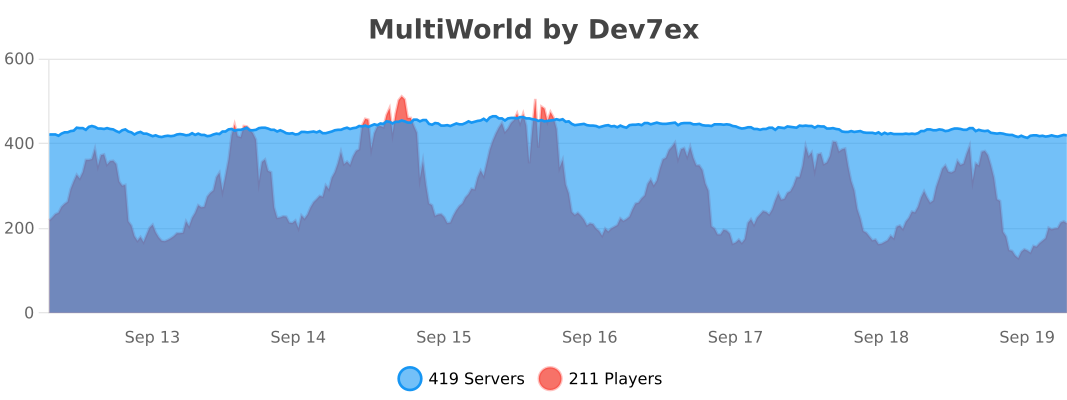
- [Multiworld on bStats](https://bstats.org/plugin/bukkit/MultiWorld/15446)
- [Multiworld on Modrinth](https://modrinth.com/plugin/multiworld-bukkit)
___
1. **Download the Latest Jar File**
Go to the [Modrinth Page](https://modrinth.com/plugin/multiworld-bukkit) to download the needed version of the MultiWorld plugin and any other required plugins.
2. **Put Both Plugins in Your "Plugins" Folder**
Ensure both the MultiWorld and FacilisCommon plugins are placed in your server's `plugins` folder.
3. **Restart the Server**
Restart your Minecraft server to load the plugins and apply the changes.
4. **Enjoy!**
You're all set to use MultiWorld! Enjoy managing multiple worlds on your server.
___
[](https://youtu.be/spuN-nE42Ec)
___