
Описание
# 🎨 MrChair1's Skin Changer
[](https://curseforge.com/minecraft/mc-mods/mrchair1s-skin-changer)
[](https://youtube.com/channel/UC99Q8vIp8zu6vLYlC-RI6Xg)
[](https://modrinth.com/mod/mrchair1s-skin-changer)
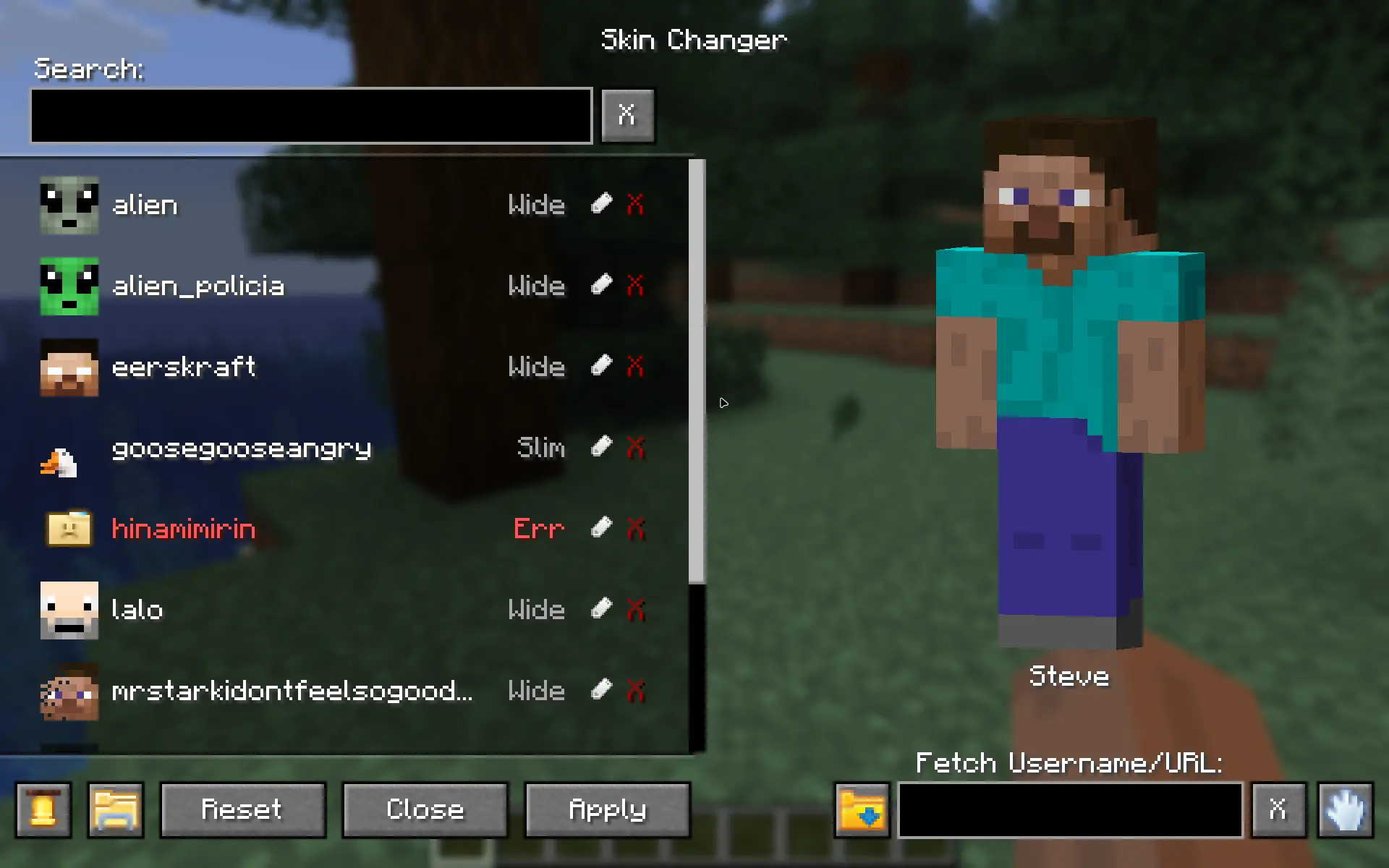

- **Instant Updates:** Change your skin in real-time without restarting the game.
- **Multiplayer Sync:** If your friends have the mod, they will see your custom skin, and you will see theirs.
- **In-Game Skin Downloader:** Fetch and download skins directly inside the menu by typing a Minecraft Username or pasting an skin texture URL.
- **Legacy Skin Auto-Converter:** Automatically upgrades older 64x32 skins to the modern 64x64 format upon detection.
- **Delete Skins:** Safely delete skins right from the menu with a 2-step confirmation (moves files to your OS Trash when supported).
- **Rename Skins**: Rename skins from the menu.
- **Customizable UI Sounds:** Cycle through custom click sound effects, which automatically save to your config.
- **Dual Model Support:** Full support for both Wide (Steve) and Slim (Alex) models. Fully auto-detected.
- **HD Skin Support:** Supports standard 64x64 skins and high-definition 128x128 skins.
- **Error Handling:** Includes checks to prevent loading massive files that could crash the game. With error tooltips displayed right in the menu.

- 🔍 **Search Bar:** Quickly find skins by name.
- 🔍 **Fetch Bar:** Grab new skins from usernames or texture urls.
- 🟢 **Active Indicator:** Clearly see which skin is currently equipped with a green diamond (◆).
- 👕 **Live Preview:** See a preview of the skin before you apply it.
- 💬 **Notifications:** Get notifications when fetching, applying, or deleting skins.
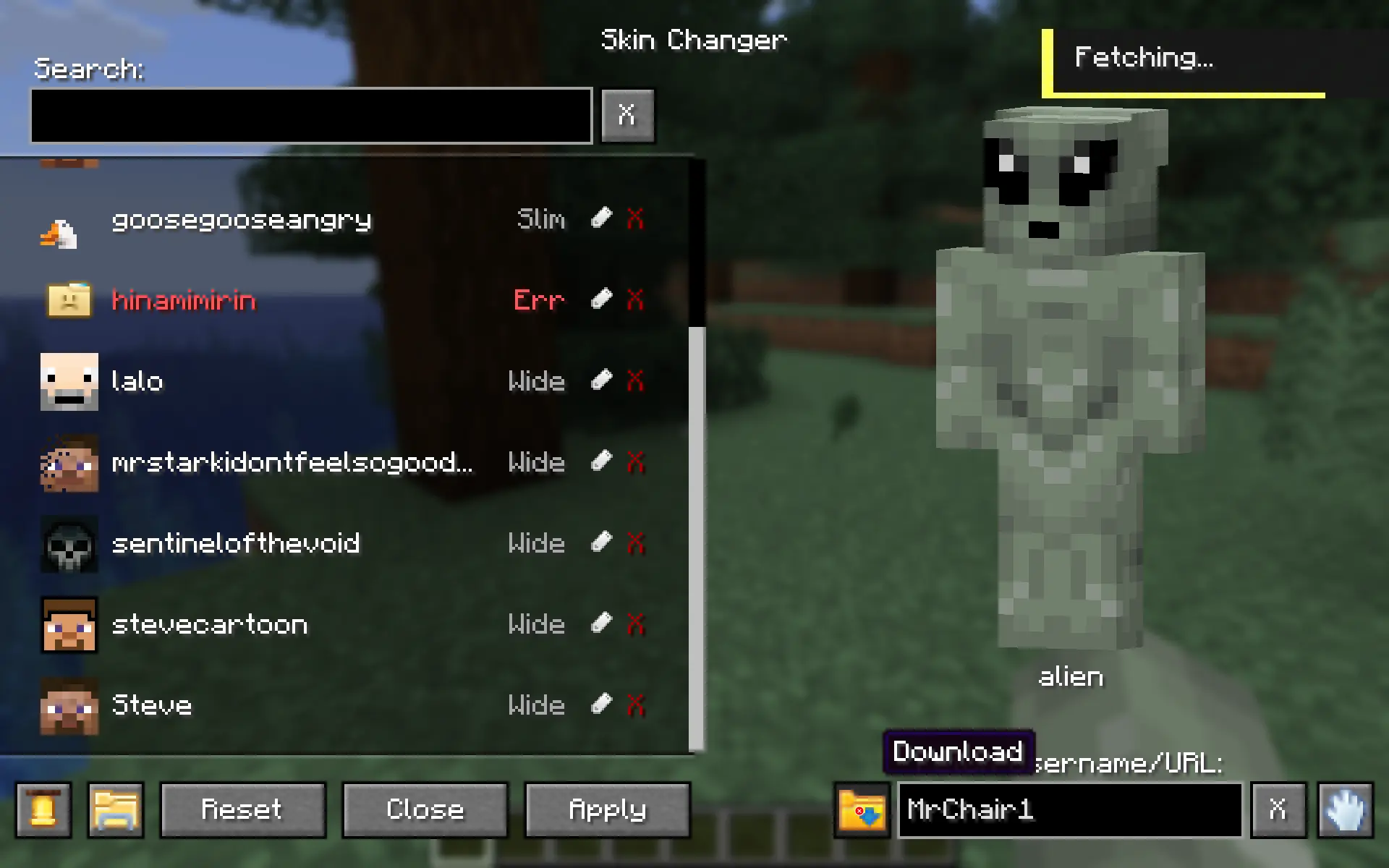

1. **Open the Menu:** Press ```K``` in-game to open the Skin Changer menu.
_(Note: You can change this keybind in your Control settings, or access the menu via the Config button if you use the Mod Menu mod.)_
2. **Add Your Skins:**
• **From your PC:** Click the "Folder" icon button inside the menu. Drop your ```.png``` skin files directly into this folder.
• **From the Web:** Type a player's username or paste a direct skin texture URL into the "Fetch" box and hit download.
3. **Select, Apply & Enjoy:** click your desired skin from the list and apply it!
## Multiplayer support ✔
For other players to see your skin, the server must have the mod installed to relay the data, and other players need the mod installed to receive it.