
Описание
I am not a programmer and have no experience in creating mods, but I decided to share the modpack that I use to play with my friends.
p.s.
I will add the description, screenshots and settings of some mods later, when I have free time.
Setting up some mods
AudioPlayer

[AudioPlayer](https://modrinth.com/mod/audioplayer)
## Commands
Run **/audioplayer** to get general information on how to upload files.
### Uploading audio files via URL
Run **/audioplayer url "https://example.com/myaudio.mp3"** where **https://example.com/myaudio.mp3** is the link to your **.mp3** or **.wav** file.
### Uploading audio files directly to the server
Copy your **.mp3** or **.wav** file to the **audioplayer_uploads** folder in your server. Run **/audioplayer serverfile "yourfile.mp3"** where **yourfile.mp3** is the name of the file you put on the server.
### Uploading audio files via Filebin
Run **/audioplayer filebin** and follow the instructions.
### Putting custom audio on a music disc
Run **/audioplayer musicdisc ** and hold a music disc in your main hand. Additionally, you can add a custom name and range for the music disc **/audioplayer musicdisc "" **.
### Putting custom audio on a goat horn
Run **/audioplayer goathorn ** and hold a goat horn in your main hand. Additionally, you can add a custom name and range for the goat horn **/audioplayer goathorn " "**.
### Getting the audio from an existing item
Run **/audioplayer id** and hold a music disc or a goat horn with custom audio in your main hand.
Signed Paintings
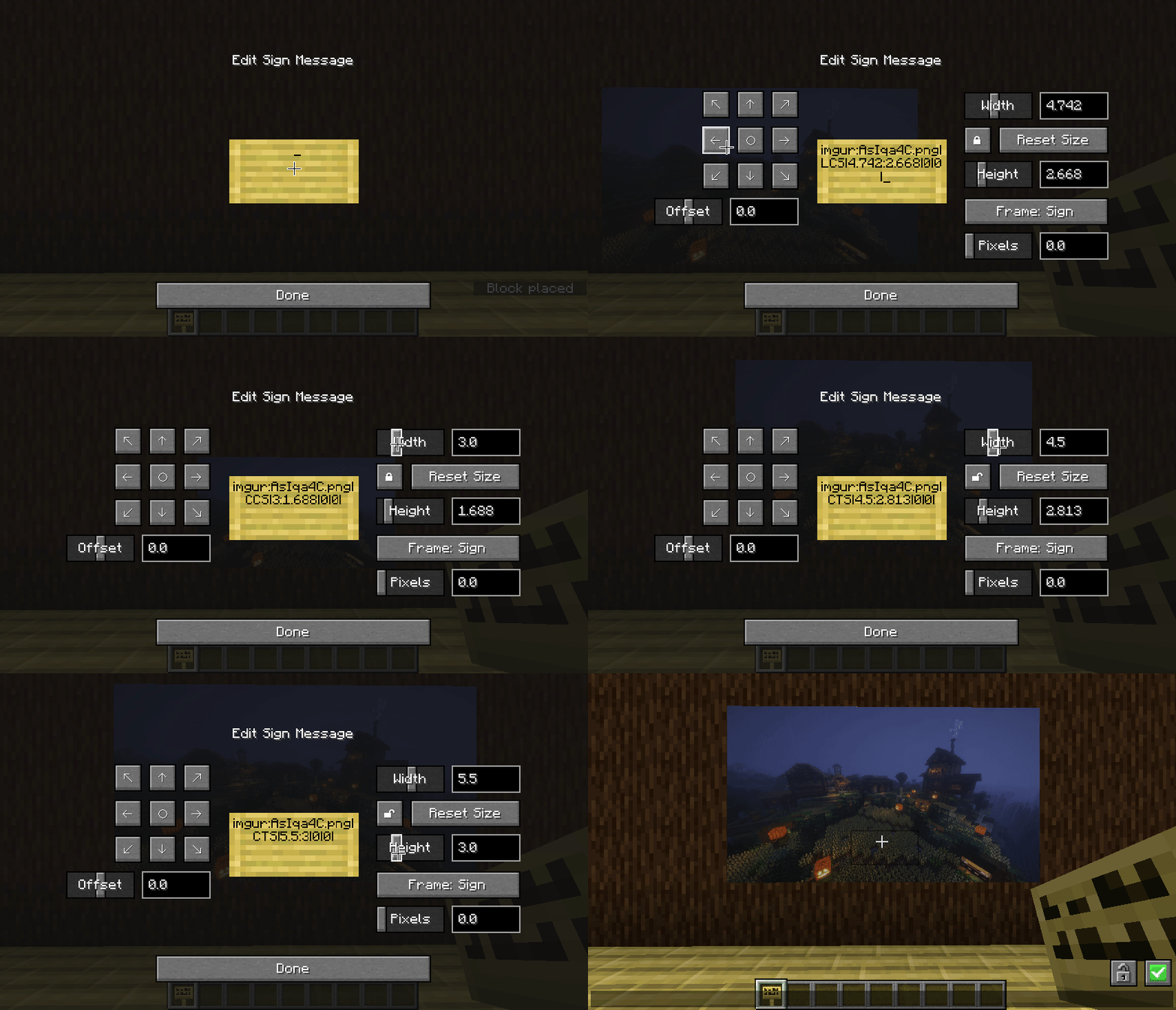
[Signed Paintings](https://modrinth.com/mod/signed-paintings)
## Commands:
**/paintings:toggle all|banners|shields|signs** - toggles rendering for images
**/paintings:toggle culling** - makes signs visible from further away, at the cost of worse fps - use this mod instead if you want a bit more control over the distance
**/paintings:status all|** - gets info about what images are currently loaded
**/paintings:upload ** - upload an image from a url to imgur
if someone is being annoying, you can stop specific links from rendering:
**/paintings:block add ** - blocks a specific image, stopping it rendering
**/paintings:block remove all|** - unblocks a specific image or all blocked images
**/paintings:block list** - lists all blocked links
**/paintings:block auto** - automatically blocks newly loading links
From The Fog
[From The Fog](https://modrinth.com/datapack/from-the-fog)
## Command
```
/function fromthefog:admin/config
```
Litematica
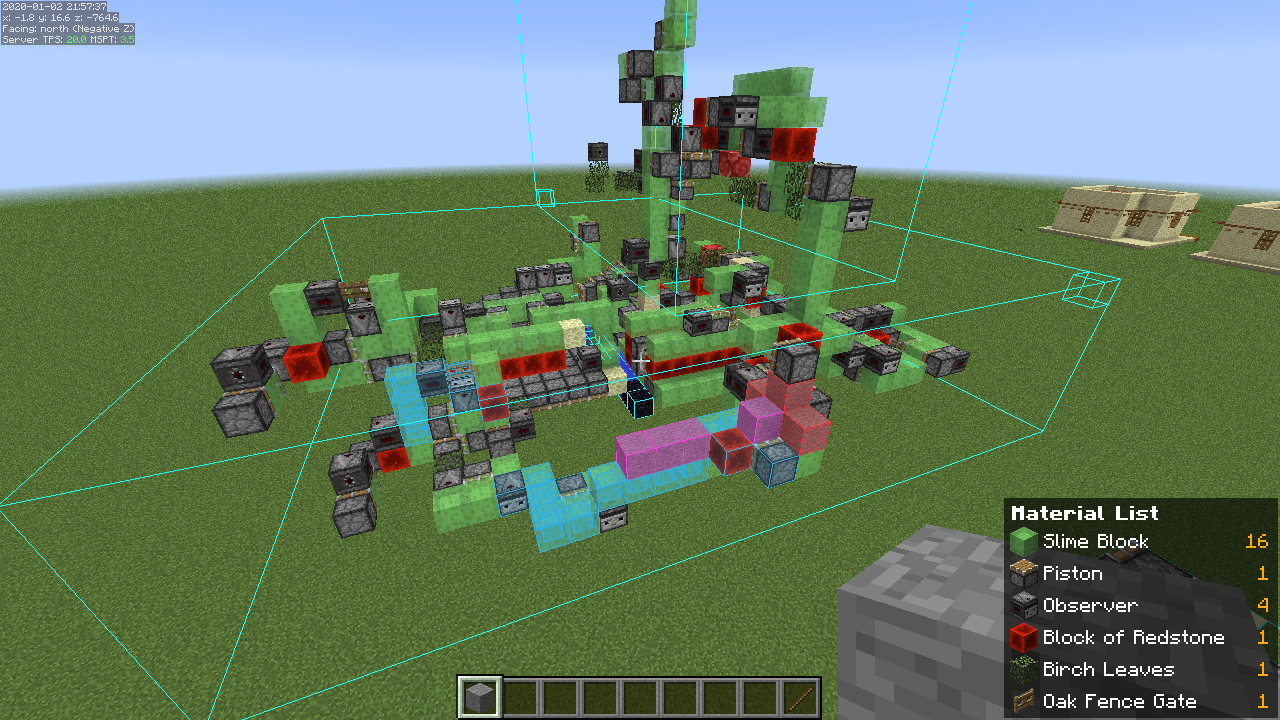
See the settings here → [Litematica](https://modrinth.com/mod/litematica)
Co-op with voice chat
A quick guide to playing with friends using voice chat.
1. Download [Radmin VPN](https://www.radmin-vpn.com/) from the link.
2. In the application, click on "Network", then "Create a network". Come up with a name and password for your network.
3. Your friends should join this network.
4. If you are a server, copy your IP address to Radmin VPN.
5. In your world, click "Open to LAN" (or "Start LAN World").
6. Messages will appear in the chat, but you only need the "Port".
7. Participants must enter your IP address (point 4) and port (point 6).
Here's how it should look (it will be different for you): 26.60.23.154:51105
Is it done!
Bugs? ¯\_(ツ)_/¯
p.s.s.
If there are any problems, I won't be able to help you))
⠛⠛⣿⣿⣿⣿⣿⡷⢶⣦⣶⣶⣤⣤⣤⣀
⠀⠀⠀⣿⣿⣿⣿⣿⣿⣿⣿⣿⣿⣿⣿⣿⣿⣷⡀
⠀⠀⠀⠉⠉⠉⠙⠻⣿⣿⠿⠿⠛⠛⠛⠻⣿⣿⣇
⠀⠀⢤⣀⣀⣀⠀⠀⢸⣷⡄⠀⣀⣤⣴⣿⣿⣿⣆
⠀⠀⠀⠀⠹⠏⠀⠀⠀⣿⣧⠀⠹⣿⣿⣿⣿⣿⡿⣿
⠀⠀⠀⠀⠀⠀⠀⠀⠀⠛⠿⠇⢀⣼⣿⣿⠛⢯⡿⡟
⠀⠀⠀⠀⠀⠀⠀⠀⠀⠛⠿⠇⢀⣼⣿⣿⠛⢯⡿⡟
⠀⠀⠀⠀⠀⠀⠀⠀⠀⠀⠦⠴⢿⢿⣿⡿⠷⠀⣿
⠀⠀⠀⠀⠀⠀⠀⠙⣷⣶⣶⣤⣤⣤⣤⣤⣶⣦⠃
⠀⠀⠀⠀⠀⠀⠀⠈⣿⣿⣿⣿⣿⣿⣿⣿⣿⡇
⠀⠀⠀⠀⠀⠀⠀⠀⠀⠙⠻⢿⣿⣿⣿⣿⠟⠁