
Описание
# What is it?
Armor stands have quite a few types, but for some reason they aren't obtainable in survival. Well now they are!
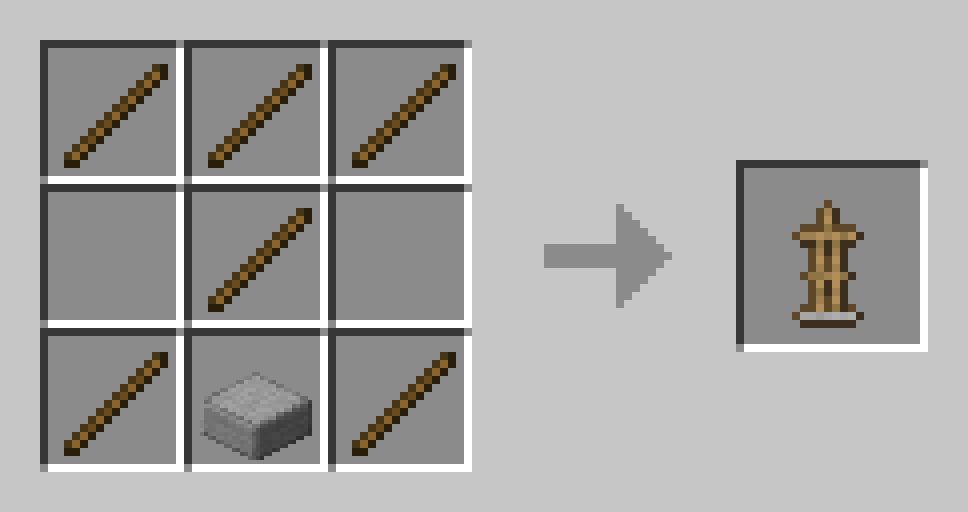
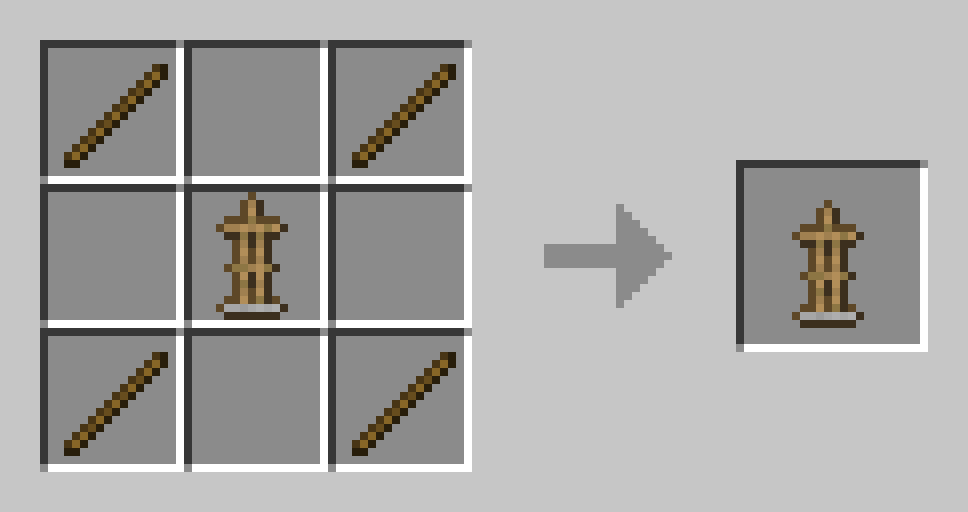
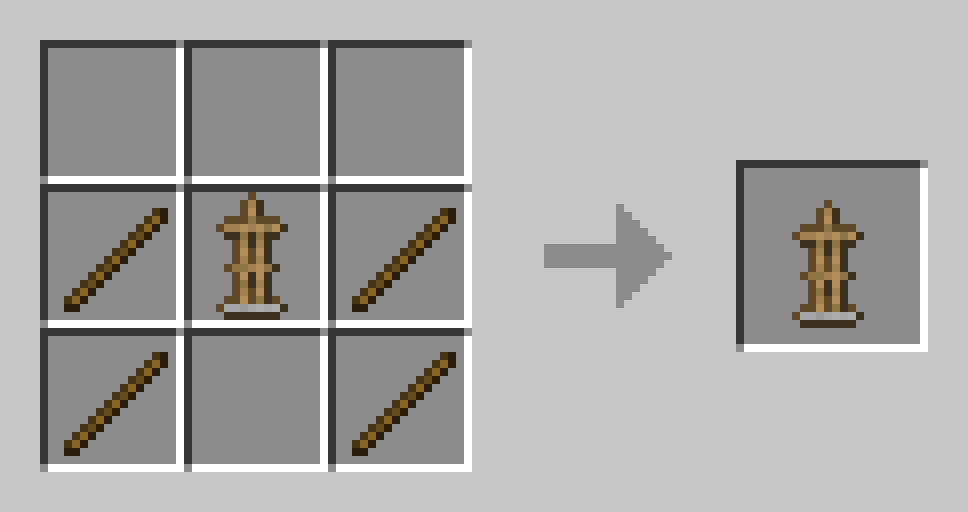
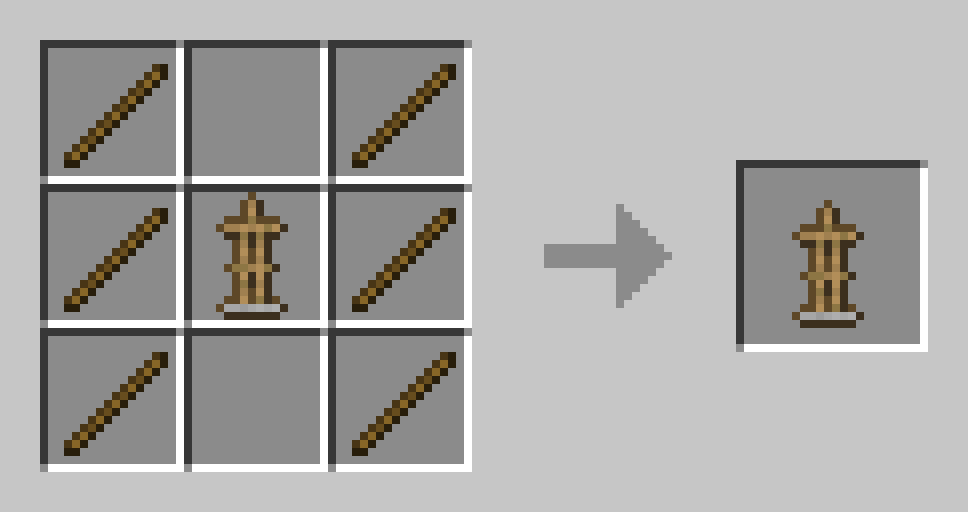
You can craft them in crafting tables like any other item! Here are the recipes:
## Regular Vanilla Armor Stand
## Armed Armor Stand
## Small Armor Stand
## Small Armed Armor Stand
>
# Installation Guide:
## Data Pack version:
- Download the data pack
- Exit the world you want to install the data pack in
- Select that world in the world selection screen, click on "Edit", then "Open world folder".
- Open the folder named "datapacks", and put the downloaded .zip file into it.
- Now enter the world, and have fun :)
## Mod version:
- Make sure your Minecraft version matches the mod version
- Download the mod
- Go to your main ".minecraft" folder
- Enter the "mods" folder (or if you don't have one yet create one)
- Place the downloaded mod into the mods folder
- Now enter the world, and have fun :)
## Using the Modrinth App on desktop:
- Install the mod/data pack
- That's it, have fun :)