
Описание
## Introduction
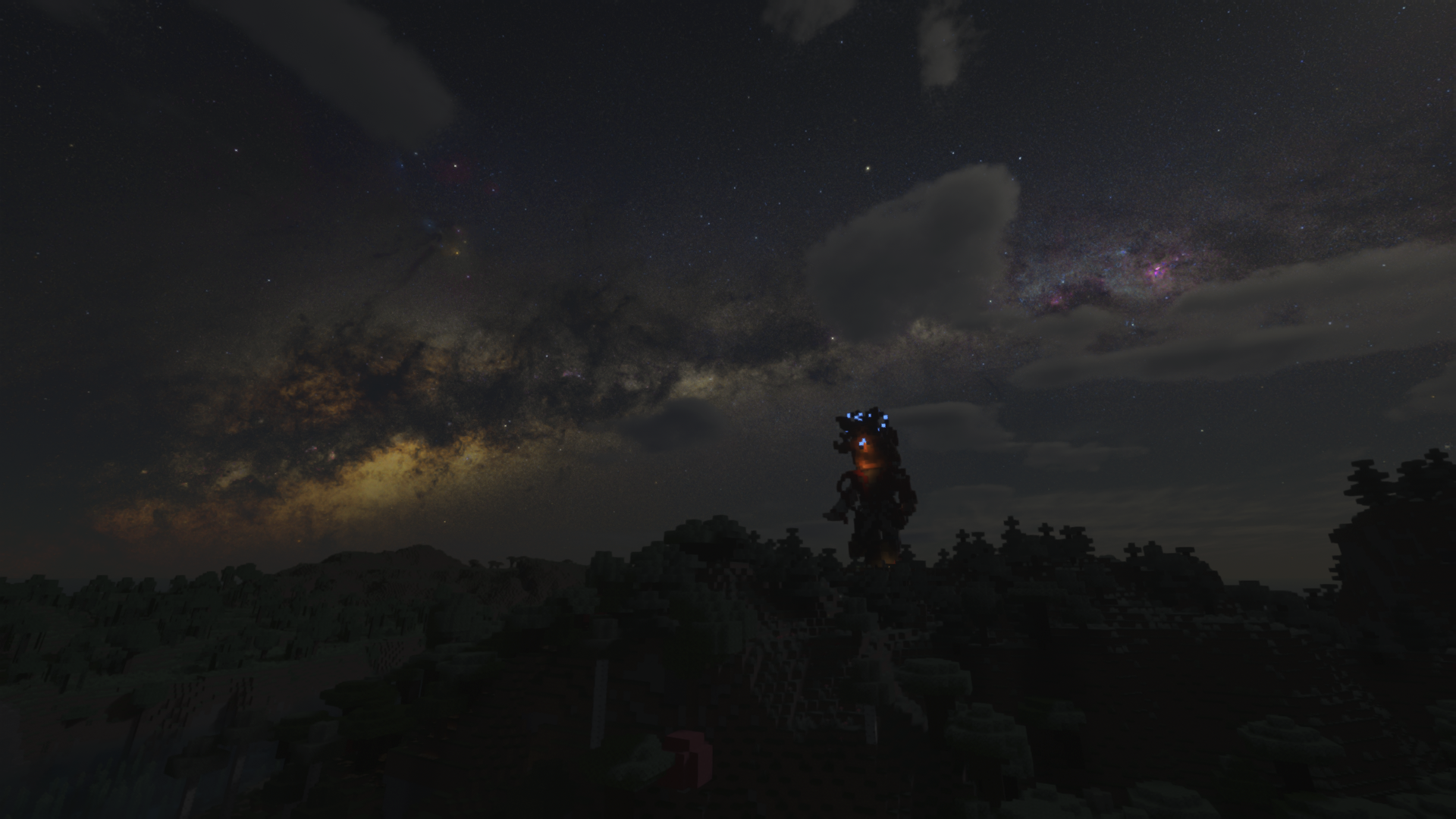
This is a Milky Way space skybox based on the FabricSkyboxes mod. The resource was converted from the Scientific Sky Simulator and currently only provides a night starfield sky effect. Skyboxes for sunrise or rainy weather are not included at this time.
## Dependencies
Need **Nuit** (formerly FabricSkyboxes) : [nuit in modrinth](https://modrinth.com/mod/nuit)
---
## Quick Start
### 1.1 Install Nuit
### 1.2 Download resource
Download the latest resource, place it in the folder ``\resourcepacks\``
## Advanced
### 2.1 Extract
Extract ``\resourcepacks\Baiyu Milky Way Skybox.zip`` to ``\resourcepacks\Baiyu Milky Way Skybox\``.
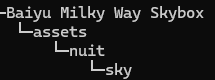
Open the folder ``\resourcepacks\Baiyu Milky Way Skybox\assets\nuit\sky\`` ,edit ``sky6_starfield.json``.
### 2.2 simplest, during the Winter Solstice
In fact, I do not know whether this specifically refers to the Winter Solstice or January 1st.
```json
"mapping": {
"0": [latitude, 0.0, 0.0]
},
"axis": {
"0": [-90 + latitude, 0.0, 0.0]
}
```
latitude: your located latitude. Positive for North, negative for South (e.g., 22.54 for 22.54°N, -33.87 for 33.87°S).
Leave the other two numbers (0.0) unchanged.
#### 2.2.1 Example Shenzhen (approx. 22.54°N)
Latitude = 22.54
mapping: [22.54, 0.0, 0]
axis: -90 + 22.54 = -67.46, so use [-67.46, 0.0, 0]
```json
"mapping": {
"0": [22.54, 0.0, 0]
},
"axis": {
"0": [-67.46, 0.0, 0]
}
```
#### 2.2.1 Example Sydney (approx. 33.87°S)
Latitude = -33.87 (remember the minus sign for South)
mapping: [-33.87, 0.0, 0]
axis: -90 + (-33.87) = -123.87, so use [-123.87, 0.0, 0]
```json
"mapping": {
"0": [-33.87, 0.0, 0]
},
"axis": {
"0": [-123.87, 0.0, 0]
}
```
### 2.3 during the Summer Solstice
This configuration sets the initial sky to the **Summer Solstice** (around June 21). The second number in `mapping` is fixed at `180.0` to represent the half‑year phase shift.
```json
"mapping": {
"0": [180 - latitude, 180.0, 0.0]
},
"axis": {
"0": [-90 + latitude, 0.0, 0.0]
}
```
- `latitude`: your located latitude. Positive for North, negative for South.
- Leave the other two numbers (`0.0`) unchanged.
#### 2.3.1 Example Shenzhen (approx. 22.54°N)
Latitude = 22.54
`mapping`: [180 - 22.54 = 157.46, 180.0, 0]
`axis`: -90 + 22.54 = -67.46, so use [-67.46, 0.0, 0]
```json
"mapping": {
"0": [157.46, 180.0, 0]
},
"axis": {
"0": [-67.46, 0.0, 0]
}
```
#### 2.3.2 Example Sydney (approx. 33.87°S)
Latitude = -33.87 (remember the minus sign for South)
mapping: [180 - (-33.87) = 213.87, 180.0, 0]
axis: -90 + (-33.87) = -123.87, so use [-123.87, 0.0, 0]
```json
"mapping": {
"0": [213.87, 180.0, 0]
},
"axis": {
"0": [-123.87, 0.0, 0]
}
```
### 2.4 On any day of the year
idk.I've been deriving it for several days, but I still don't know how to tackle it. The mapping is really strange; x, y, and z seem to be coupled.But the celestial sphere rotates a bit more each day—that is, it turns just over 360° daily, so you can wait for the in-game time to pass, and the celestial sphere will also change at the same fixed time each day accordingly.