
Описание
# Litematica Printer Addon
An **unofficial** backport of the [Forgematica Printer](https://github.com/ThinkingStudios/ForgematicaPrinter) mod to **Minecraft Forge 1.16.5 & 1.18.2**.
This project is an independent adaptation derived from the open-source work by ThinkingStudios. It is **not affiliated with, endorsed by, or supported by** the original authors of Litematica or Forgematica Printer.
This addon extends **Forgematica** by adding automated “printing” functionality—allowing players to construct large schematics more efficiently by automatically placing correct blocks around the player.
Because this version targets Forge 1.18.2, it required extensive adjustments to **rendering logic, mixins, and Forge APIs** to function correctly in this older environment.
It is **not a direct repost**, but a **custom reimplementation** for compatibility with the 1.18.2 ecosystem.
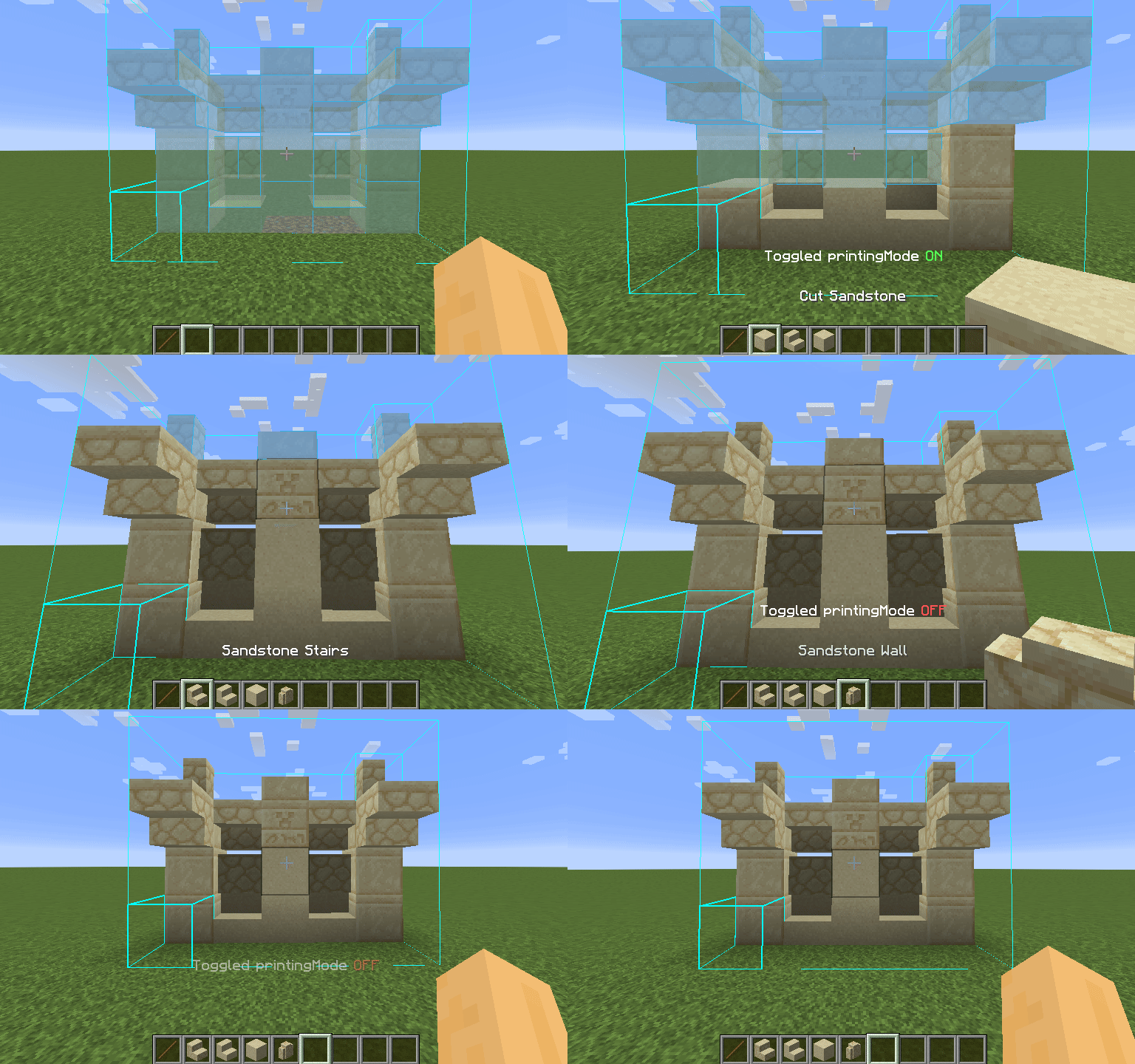
---
## How to Use
* **Toggle Printer:** Press `CAPS_LOCK` (default) to enable or disable the printer.
* **Quick Print:** Hold `V` (default) to print temporarily, regardless of toggle state.
* **Configure Settings:** Open Forgematica’s settings with `M + C`, then navigate to the **Generic** tab.
Printer options—such as **printing speed** and **range**—are located at the bottom.
You can also rebind the toggle key under the **Hotkeys** tab.
---
## Reporting Issues
Please **do not contact** *maruohon* (the creator of Litematica) or the authors of the original Forgematica Printer regarding issues with this fork.
All bug reports, feature requests, and feedback for this version should be submitted via the [GitHub Issues page](https://github.com/mdembree218/forgematica-printer-1.16.5/issues).
Before creating an issue, ensure you are running the **latest version** of this mod. When reporting bugs, please include:
* Minecraft version
* Forgematica version
* Printer version
* Detailed steps to reproduce
* Any relevant logs, screenshots, or **problematic schematics**
---
## Known Issues
Some features are still incomplete or nonfunctional in this version:
* Placing liquids (printing **in** liquids works)
* Printing without support directly in air (`printInAir`)
* Rail placement algorithm occasionally fails to handle complex layouts safely
* “Legit mode” (anticheat-friendly printing) not implemented
Note: Features such as **automatic excavation** or **auto-correction of misplaced blocks** are intentionally **out of scope** for this project.