
Описание
# KillFX
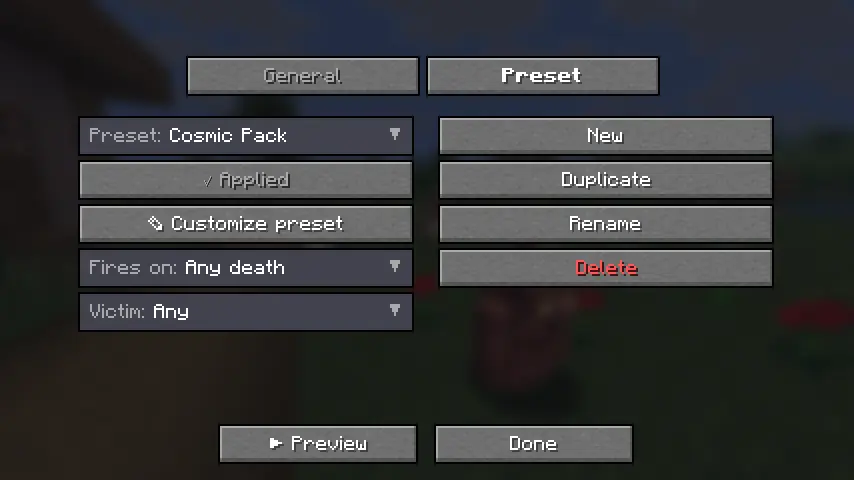
**Fully client-side, ridiculously customizable kill effects for Minecraft.**
Trigger **real lightning**, **3D skin-matched ghosts**, **custom PNG particles**, **fireworks**, **shockwaves**, and more the instant something dies — plus fully customizable **critical hit particles** and **hit sounds**.
**No server install. No packets. Works on any server.**
> Fabric • 1.21.4 • 1.21.10 • 1.21.11 • Java 21
---
## What is KillFX?
KillFX is a fully client-side cosmetic mod that plays visual effects whenever an entity dies.
Everything is rendered locally on your client:
- No server installation required
- No packets sent
- No gameplay changes
- Safe to use on any multiplayer server
Rather than being a single effect, KillFX is a complete customization toolkit with editable presets, entity filters, custom particles, and sound effects.
---
# Kill Effects
Create anything from simple kill flashes to over-the-top cinematic effects.
### Included Effects
- **Real Lightning**
- Spawns a client-side `minecraft:lightning_bolt`
- Uses vanilla lightning visuals and thunder
- No damage or fire
- **3D Ghosts**
- Creates a translucent, skin-matched ghost of the victim
- Floats upward and fades away
- **Custom PNG Particles**
- Import your own PNG images
- Render them as custom billboard particles
- **Additional Effects**
- Fireworks
- Particle bursts
- Shockwaves
- Floating text
- And more
### Advanced Customization
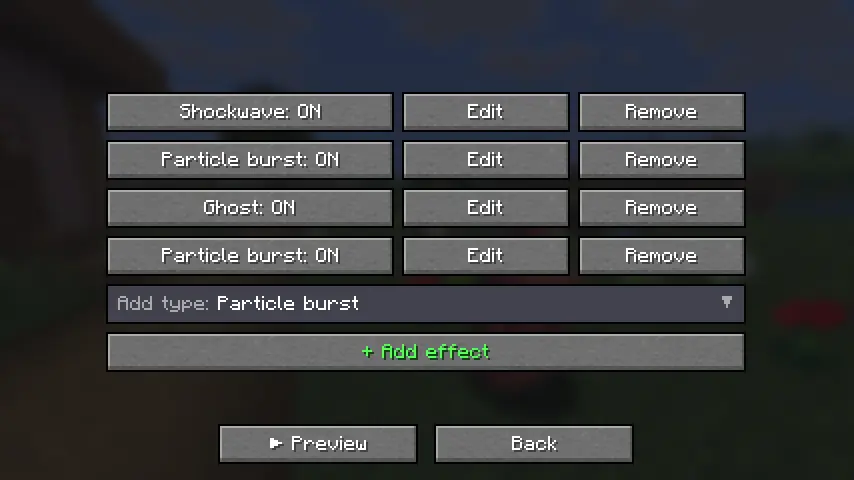
Every effect supports:
- Full RGB color control
- Size scaling
- Particle count
- Lifetime
- Motion settings
- Gravity
- Glow effects
- Trails
- Additive blending
### Presets
Includes built-in presets such as:
- PvP
- Cosmic
- Fire
- Lightning
- Minimal
Or create your own from scratch.
### Filters
Only trigger effects when:
- Players die
- Mobs die
- Specific entities die
- Custom conditions are met
---
# Critical Hits
Replace Minecraft's vanilla crit particle with your own custom design.
### Custom PNG Crit Particles
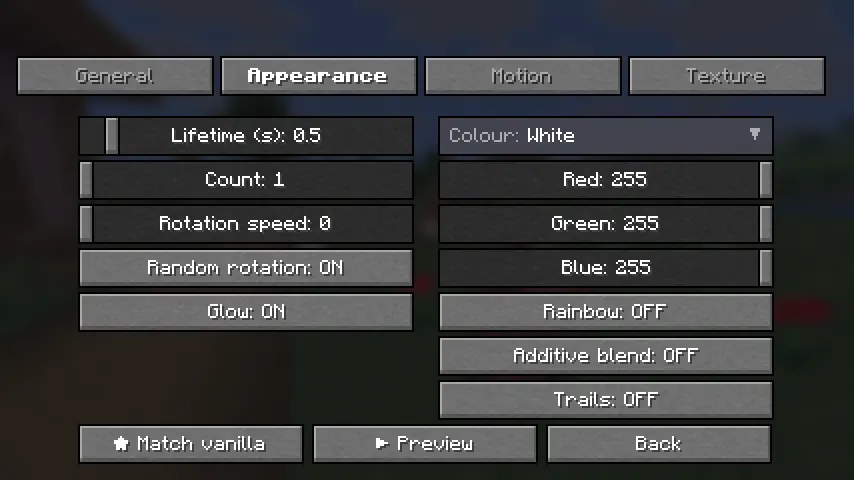
Import any PNG and customize:
- Size
- Opacity
- Particle count
- Rotation
- RGB colors
- Rainbow mode
- Additive blending
- Trails
- Gravity
- Spread
Includes a one-click **"Match Vanilla"** option.
### Configuration Tabs
- Setup
- Appearance
- Motion
- Texture
---
# Hit Sounds
Play a custom sound whenever you land a hit.
### Features
- Choose from built-in sounds
- Import your own `.ogg` files
- Volume control
- Pitch control
- Crit-only playback
- ▶ Sound preview button
### Vanilla Sound Override
Mute Minecraft's default hit and crit sounds so your custom sound completely replaces them.
---
# Share Your Setup
Export and import your entire configuration.
Includes:
- Global settings
- All presets
- Effect configurations
- Crit particle settings
- Sound settings
Configurations can be copied directly to the clipboard or saved to a file for easy sharing.
---
# Quality & Compatibility
### Built for Multiple Versions
Supports:
- Minecraft 1.21.4
- Minecraft 1.21.10
- Minecraft 1.21.11
All versions are built from a single source using proper production mappings.
### Modern Codebase
- Java 21
- Fabric
- Mixins
- Tested before release
### Easy Configuration
Access settings through:
- A dedicated keybind
- Mod Menu integration
---
# Installation
### Requirements
- Fabric Loader 0.16+
- Fabric API
### Steps
1. Install Fabric Loader and Fabric API for your Minecraft version.
2. Download the matching `killfx-+.jar` from the latest release.
3. Place the file inside your `mods/` folder.
4. Launch Minecraft.
### Optional
Install Mod Menu for quick access from the Mods screen, or assign the KillFX keybind in Controls.
---
**Create anything from subtle PvP effects to complete visual chaos — all client-side, all customizable, and compatible with any server.**