
Описание

# MT Inventory Weight
**MT Inventory Weight** adds a configurable weight system to Minecraft. Your inventory is no longer just limited by slots — every item has weight, and carrying too much can slow you down, weaken combat, and apply the **Overload** effect.
The mod is made for survival, RPG, and modpack gameplay where choosing what to carry actually matters.

## Features
- **Automatic item weights**
Most vanilla and modded items receive calculated weights automatically.
- **Datapack custom weights**
Item weights and armor pocket values are now data-driven through datapacks.
- **fzzy_config support**
Configure server and client settings in-game. Server settings can update live.
- **Mod Menu support**
Optional easy access to config screens through Mod Menu.
- **Armor pockets**
Armor can increase max carry weight through pockets.
- **Overload effect**
Carrying too much weight applies penalties. Strength and Haste can reduce overload severity.
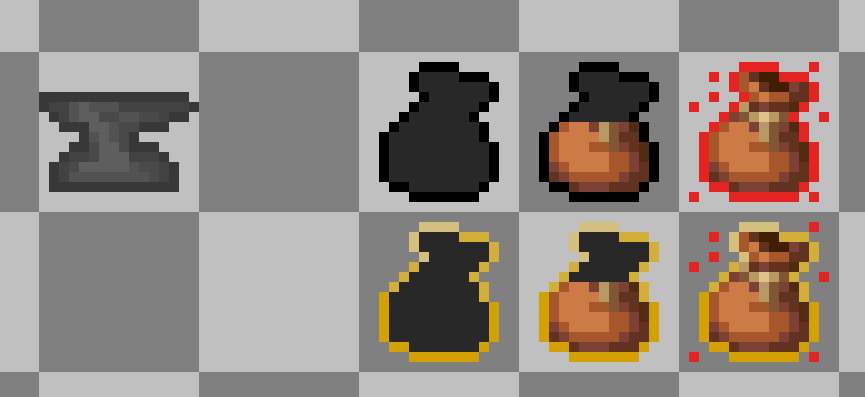
- **HUD display**
Choose between the classic sprite HUD or a simple bar HUD.
- **Item tooltips**
Tooltips show item weight, stack weight, armor pockets, and container contents weight.
- **Backpack and shulker support**
Supported containers count stored items with reduced effective weight.
- **Trinkets compatibility**
Equipped Trinkets items can count toward carried weight when Trinkets is installed.
- **Multiplayer support**
Works in singleplayer, LAN, and dedicated servers with synced server values.
- **Add-on API**
Developers can add compatibility through the public `com.megatrex4.api.v1` API.
HUD preview
## Configuration
MT Inventory Weight uses **fzzy_config**.
You can configure:
- max carry weight
- item category weights
- pocket capacity
- overload penalty strength
- realistic mode
- HUD style and position
- tooltip visibility
Specific item weights are configured with datapacks:
```text
data//inventory_weight/items/*.json
```
Pocket values are configured with datapacks:
```text
data//inventory_weight/pockets/*.json
```
> Cloth Config is no longer required.
## Useful Links
- **[Wiki](https://megatrex4.github.io/inventory-weight/)**
- **[Installation Guide](https://megatrex4.github.io/inventory-weight/guide/installation)**
- **[FAQ](https://megatrex4.github.io/inventory-weight/guide/faq)**
- **[Commands](https://megatrex4.github.io/inventory-weight/guide/features/commands)**
- **[HUD](https://megatrex4.github.io/inventory-weight/guide/features/hud)**
- **[Tooltips](https://megatrex4.github.io/inventory-weight/guide/features/tooltips)**
- **[Pockets](https://megatrex4.github.io/inventory-weight/guide/features/pockets)**
- **[Custom Item Weights](https://megatrex4.github.io/inventory-weight/guide/features/item_custom_values)**
Thank you for your support and interest in **MT Inventory Weight**!