
Описание
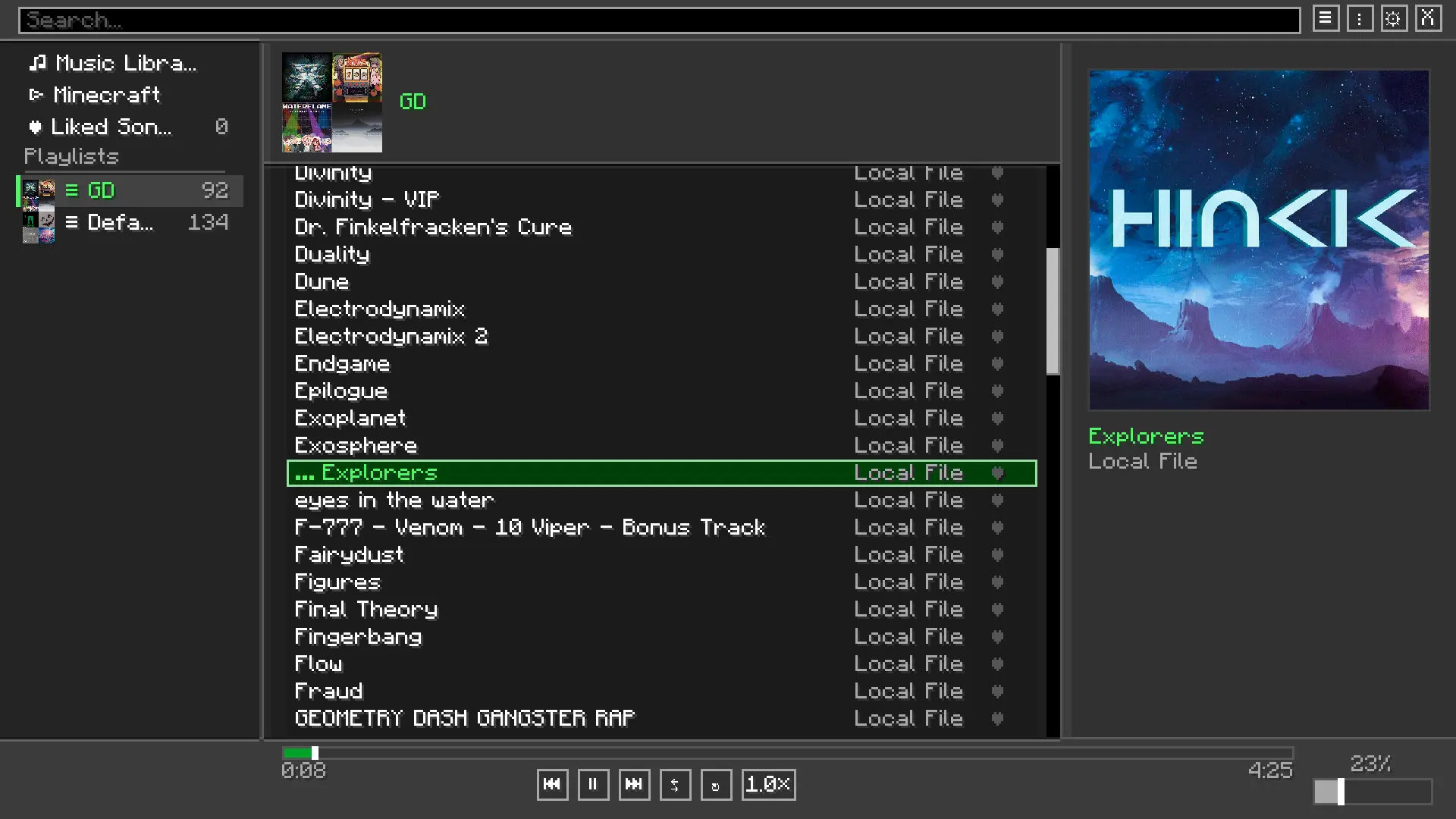
**Melodix** is a client-side Fabric mod that lets you enjoy your own local music files or Minecraft's own soundtrack while playing, with a full-featured in-game player.
## ✨ Features
- **Minecraft-native GUI**: Open the full player with `M` to browse your library, manage a queue, and tweak every setting without leaving the game.
- **Format Support**: Compatible with `.mp3` and `.wav` audio files.
- **Vanilla Soundtrack Control**: Browse and play Minecraft's built-in music tracks from the same interface. Optionally suppress Minecraft's automatic music so you're always in control.
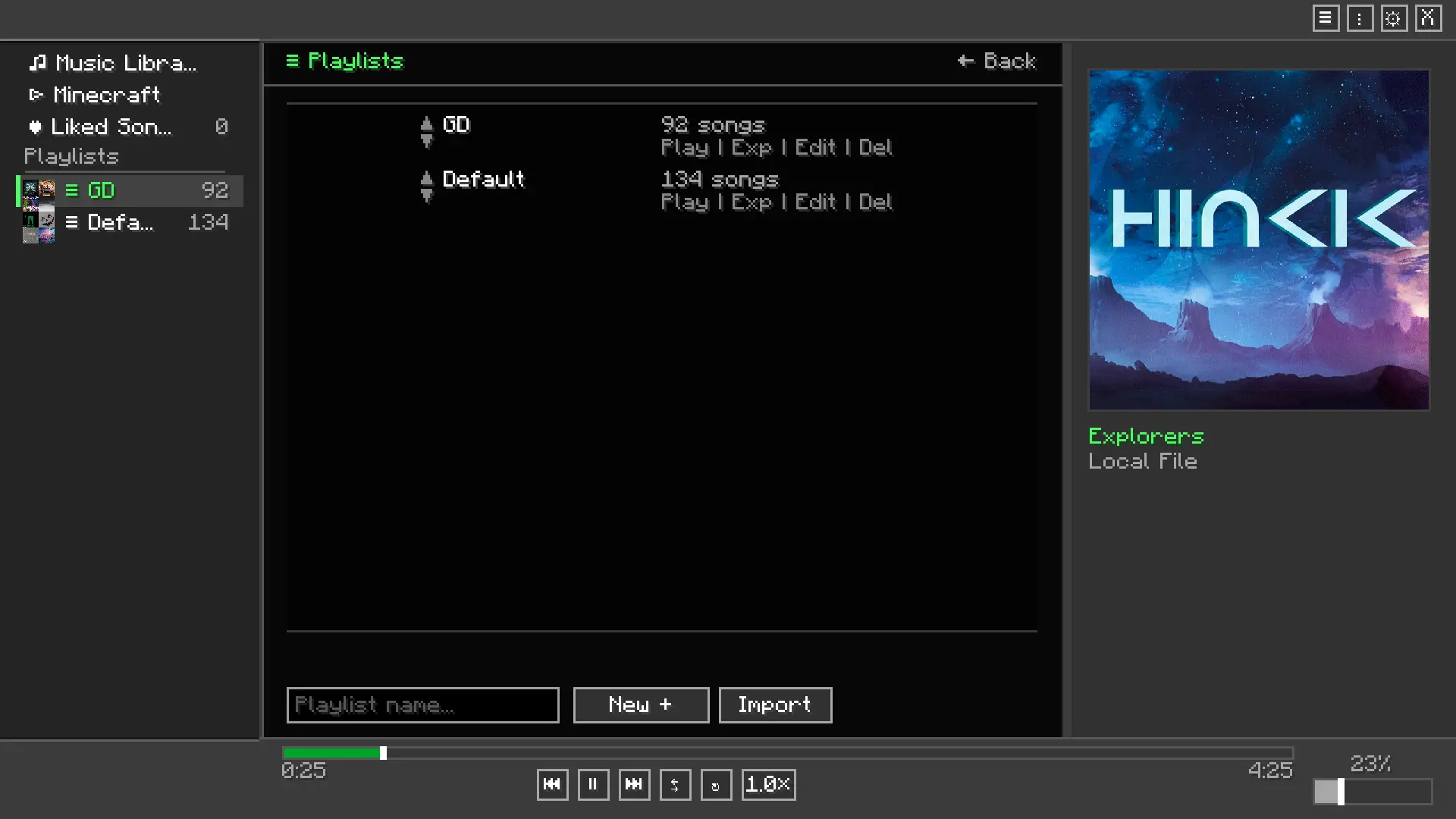
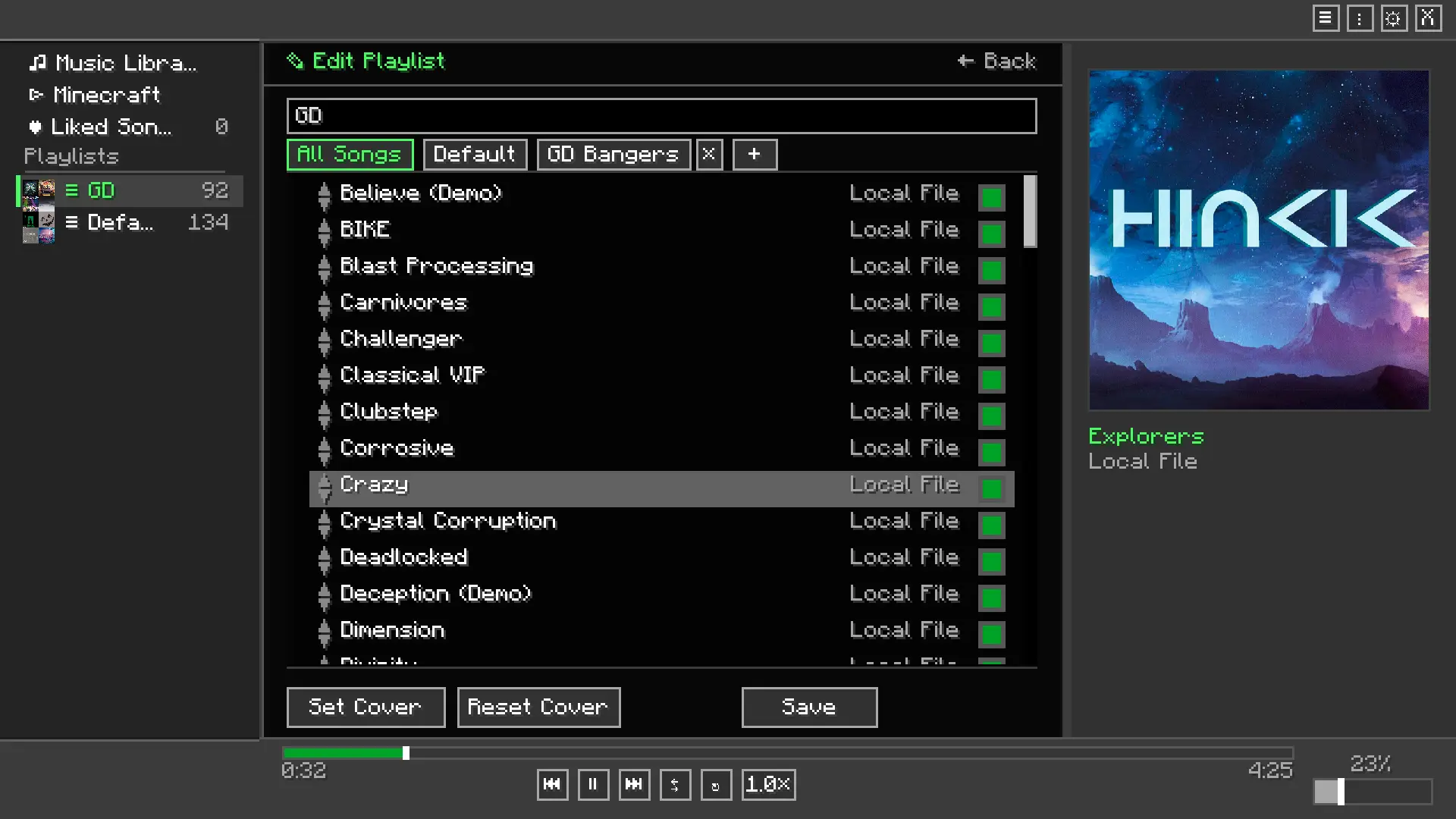
- **Custom Playlists**: Create, edit, and manage multiple playlists to suit any gameplay mood.
- **Mini Player HUD**: A compact, draggable overlay shows the current track on-screen at all times.
- **Now Playing Display**: Shows track info as a widget or above the hotbar, or turn it off entirely.
- **Audio Visualizer**: An optional frequency visualizer renders on-screen during playback.
- **Album Art**: Displays album art for Minecraft's official soundtrack releases, with a fallback image for custom tracks.
- **Audio Effects**: 5-band equalizer with preamp, reverb, crossfade between tracks, playback speed control, and fade-on-pause.
- **Listening Statistics**: See how long you've listened to each track from a dedicated stats screen.
- **Liked Songs**: Mark tracks as favorites for quick access.
- **Playback Modes**: Sequential, shuffle, and repeat.
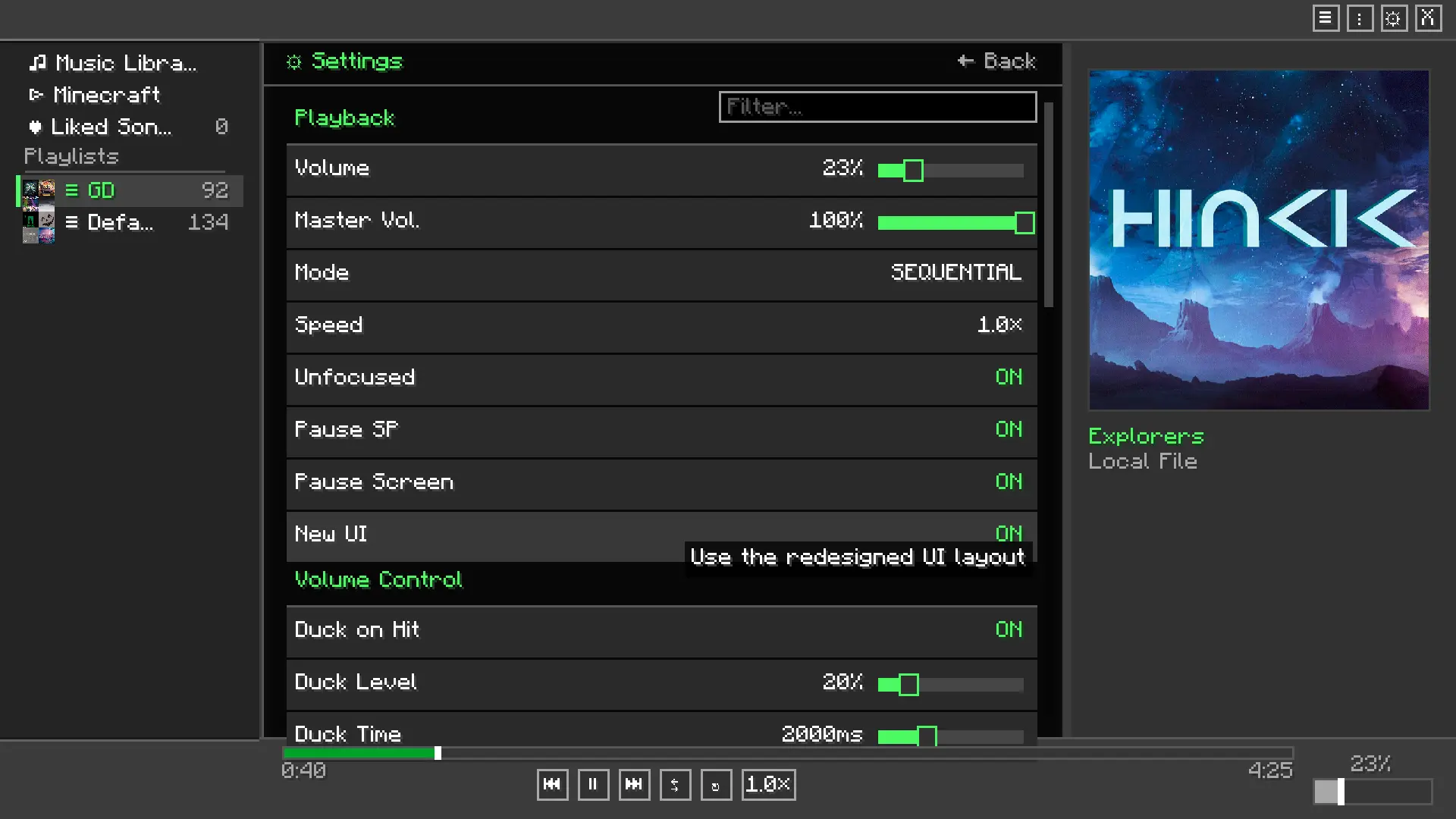
- **Volume Ducking**: Music automatically lowers when you take damage, then restores itself.
- **Window Focus Handling**: Optionally pause music when Minecraft loses focus.
- **Keyboard Shortcuts**: Play/pause (`P`), next (`→`), previous (`←`), volume up/down (`↑`/`↓`), and a custom quick-volume keybind — all rebindable in the vanilla Controls menu.
- **Themes**: Switch between color themes from the settings screen.
## 🖼️ Screenshots
**Player Menu**
**Playlist menu**
**Playlist Editor**
**Settings menu**
## 🛠️ Installation
1. Install [Fabric Loader](https://fabricmc.net/use/) and [Fabric API](https://modrinth.com/mod/fabric-api).
2. Drop `melodix-.jar` into your `.minecraft/mods` folder.
3. Launch the game.
4. Press **`M`** in-game to open the player.
5. In the settings screen, set your music folder path to the folder containing your `.mp3` or `.wav` files.
## 📦 Dependencies
- [Fabric API](https://modrinth.com/mod/fabric-api) — **Required**
- Java 25 or newer — **Required**
## 📜 Third-Party Libraries
**Already bundled in the mod, no need to download separately**
- **JLayer** by JavaZoom — Handles MP3 decoding and playback. Licensed under [LGPL](https://www.gnu.org/licenses/lgpl-3.0.html).