
Описание
HyperGrave is a very high-quality grave data pack / mod.
It is super customizable, has a lot of cool features, supports multiplayer and yet it's simple to use.
## Resource pack
You don't *need* a resource pack to use HyperGrave. However, it's recommended to use the optional resource pack in order to enable additional features or show custom textures.
(You won't need to use the resource pack if you're installing the mod version of HyperGrave.)
## IMPORTANT NOTES
* **For Neoforge users only: (Minecraft 26.1.x and 26.2.x only):**
A NeoForge bug used to prevent HyperGrave from loading entirely. This bug was fixed in newer versions of NeoForge (26.1.2.105 and 26.2.0.77 to be exact), so **make sure to use the newest NeoForge version**.
* **Make sure that the following game rules are set to the following values:**
* **Keep Inventory: true**
* **Immediate Respawn: false**
* HyperGrave *does* automatically set those game rules to those values, so you won't really need to do it yourself. But please check if the game rules are set to the correct values in each dimension.
## Quick Tutorial
If you just want a quick tutorial and a TL;DR of HyperGrave, here it is:
Quick Tutorial
When a player dies, HyperGrave generates a grave for that player. The grave takes the player's items and XP and stores it. This is what a grave looks like:
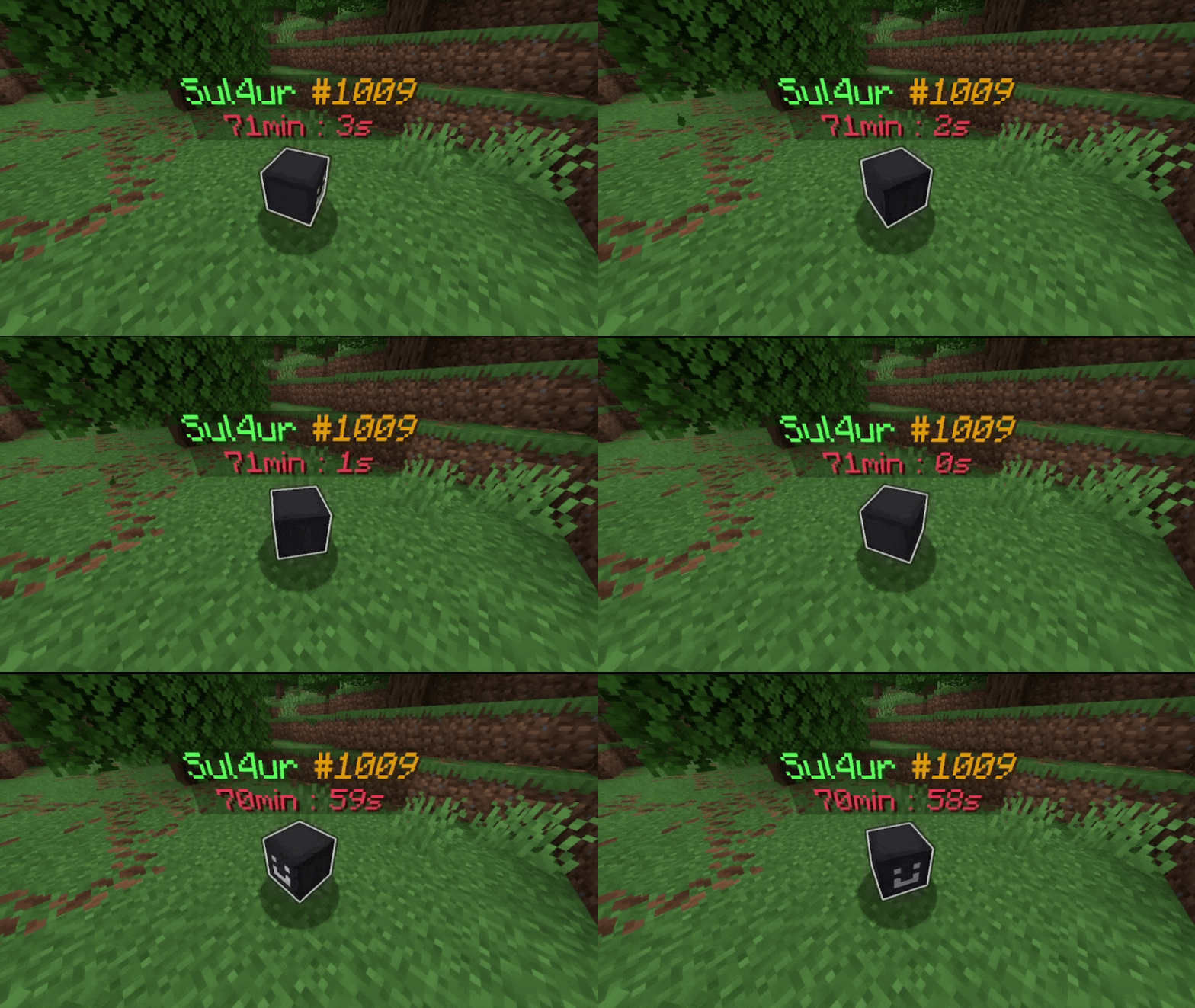
The number after '#' represents the GID (grave ID) of the grave, which is unique amongst all other graves. You need this GID to be able to run commands on this grave.
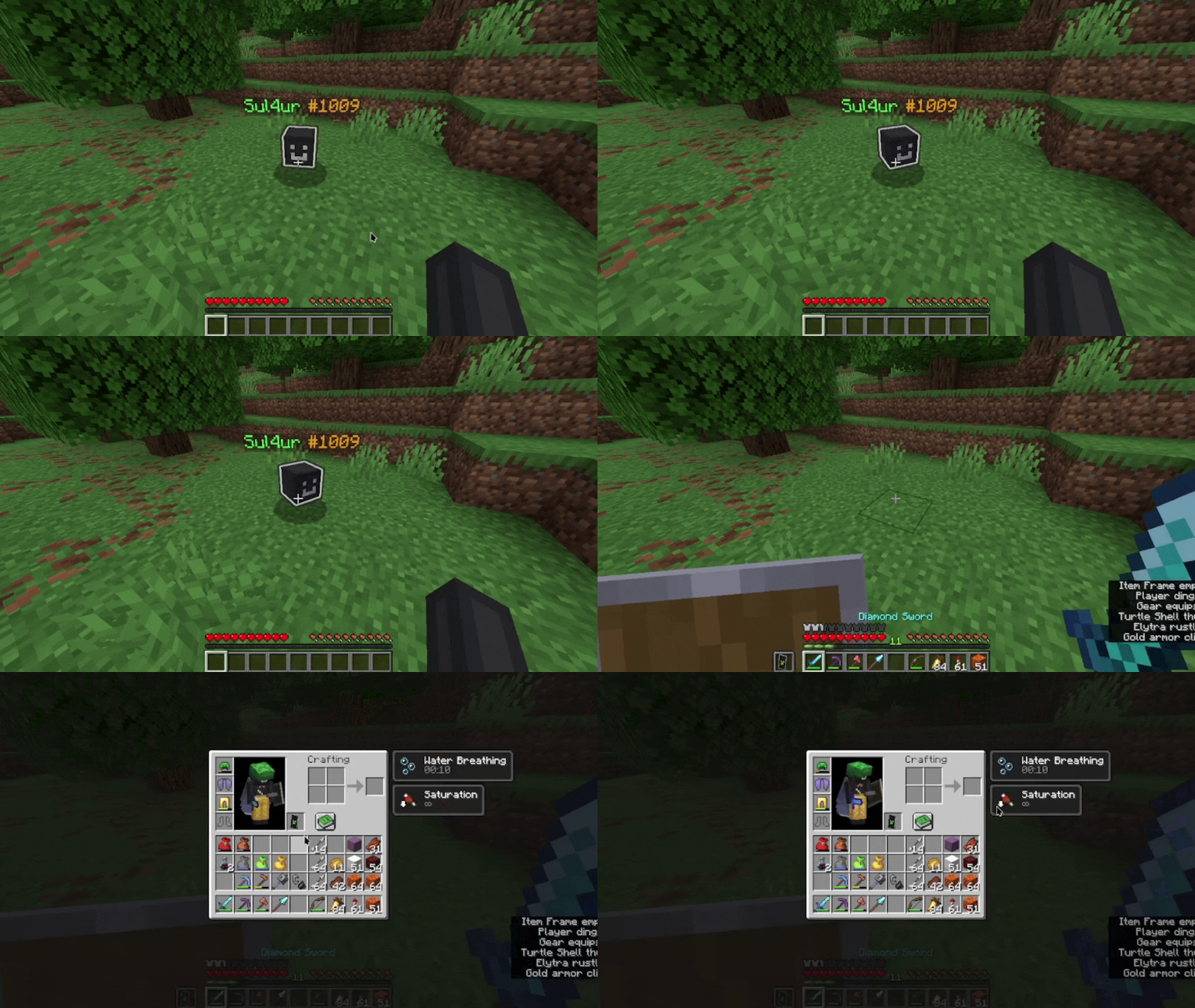
Right-click on the grave to retrieve the items and XP in the appropriate slots:
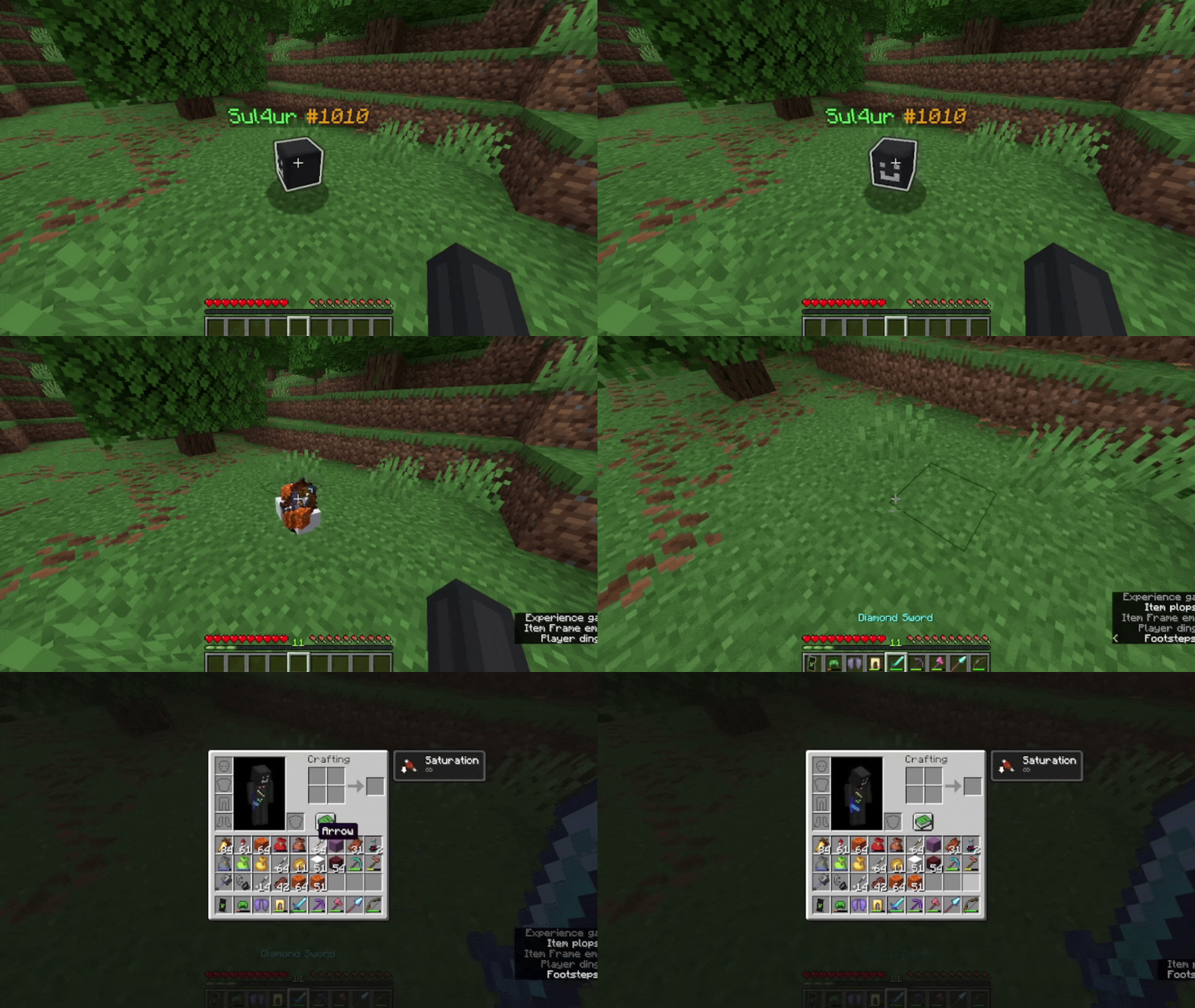
or left-click on the grave to drop all of the items and XP:
By default, graves despawn in 90 minutes.
And here is the crafting recipe for a useful item (keep reading if you want to find out what this item is):

That's all you need to know! To learn about some of HyperGrave's useful commands (you will need to know those too), use this command:
```
/trigger hygrave.help
```
And whatever you do, don't execute commands that begin with `/function hygrave:internal/`!
## Features
### Customizable!
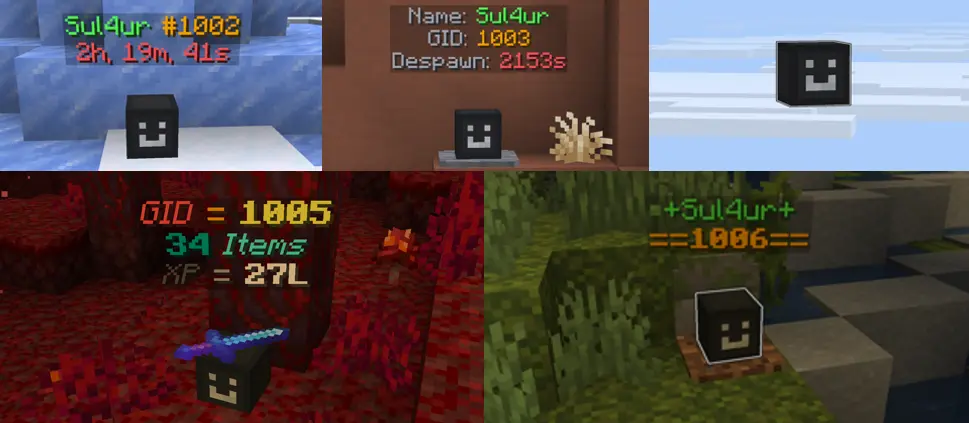
HyperGrave is super customizable! In fact, that image just shows like 15% of HyperGrave's customizabiliy!
You will also see a bunch of other cool features of HyperGrave. If you didn't like any of these features or the way they work, don't worry! You can most likely change that!
### Grave Info Display!
You can view the information of any grave (even the ones that were already broken). You can see the items and amount of XP stored in the grave, when the grave was generated, the owner of the grave, the status of the grave, etc.
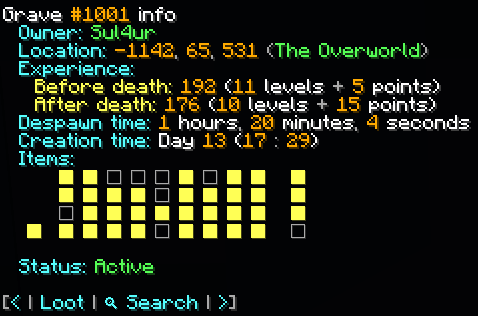
In the Items field, you can hover over any square and get its info:
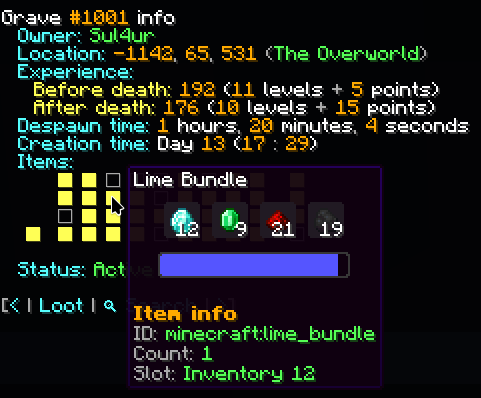
Pretty cool, right? Hold on, you haven't seen anything yet...
### ICD!
ICD (Item Cycle Display) is a really cool feature. Here is how it works:
When you sneak near a grave, the grave's ICD "activates"; in other words, the player head changes to show the items stored in the grave and the text display changes to show the info of the item. It cycles through the items one by one each second, a lot like how items are cycled in a trials chamber vault.
.gif)
While an item is being displayed, you can even take that single item out of the grave.
ICD is really useful to take a quick peek at the items in the grave and to take a single item out of grave.
### Grave locators! (NEW)
The grave locator is an item that when held, points to the selected grave, a lot like how compasses work.
You can select the grave by right clicking anywhere (while holding the grave locator of course), which will bring up a convenient menu that allows you to select which grave to locate.
You can craft a grave locator like this:

### Remotely looting graves!
Tired of walking all the way to the destination of your grave just to get your items back? Don't worry, because HyperGrave also allows* you to loot a grave from anywhere.
About that image of grave info display, look at the bottom part of the image. Do you see a button that says 'loot'? You can use the button to loot and break the grave from anywhere in the world!
**NOTE:** Don't get too excited! This feature is disabled by default and it's up to the admin to enable this feature if they want to.
### Item backups!
A second layer of protection to your items! Along with a grave, an item backup (simply called 'backup' in-game) is also generated when you die. A backup is always guaranteed to generate no matter what (the one and only exception is when you don't have items).
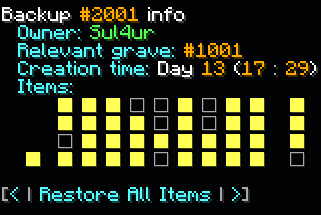
Just like graves, each backup has a unique BID (Backup ID) that can be used to get the information of the backup and retrieve an item or the items of the backup.
Note that only admins can see the information of a backup and retrieve its items.
> **WARNING:**
>
> Even with the built-in item backups, you should still definitely backup your items/world if you don't want to lose them. It's rare, but you could lose your items even with the item backups that HyperGrave provides.
>
> Remember folks; i will not be responsible for any data loss that this mod causes. It's your duty to make backups of your world.
### Multiplayer support!
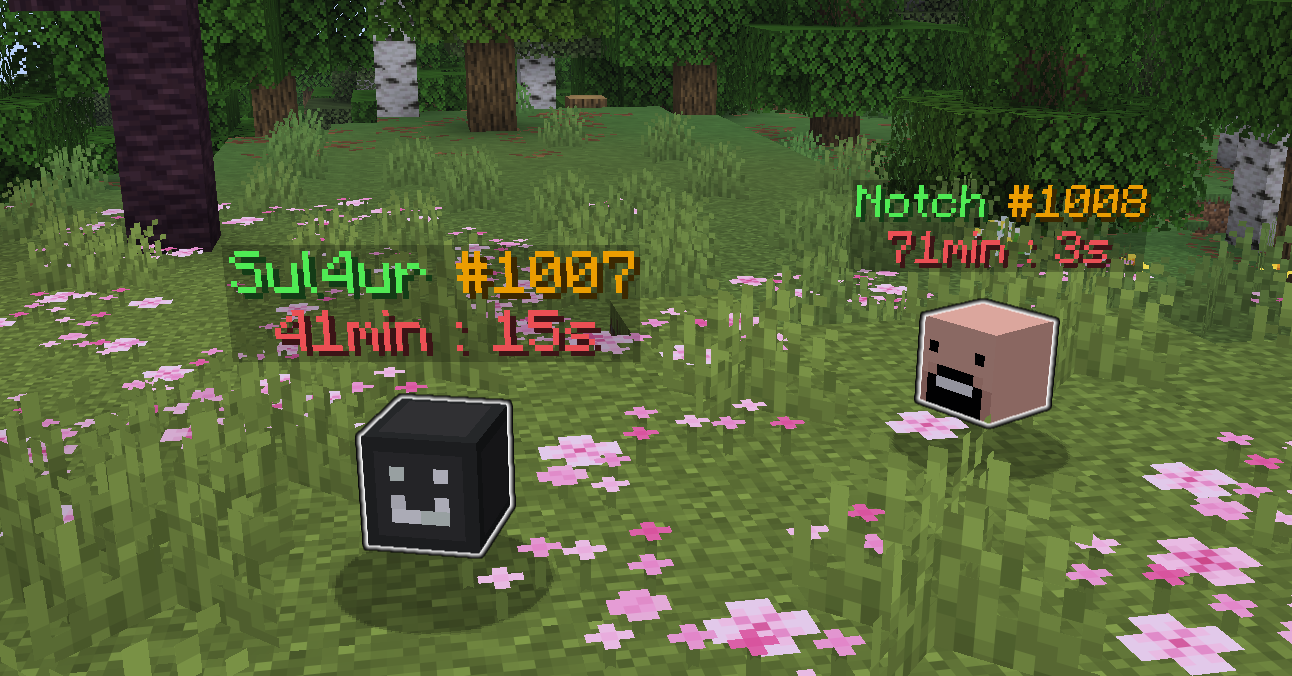
HyperGrave supports and is designed to be compatible with multiplayer. All of its configs and the whole implementation is designed to work well with more than 1 player on the server. And yes, it has been tested on multiplayer.
(Notch is just used as an example here. Don't take anything too seriously!)
### Free and open-source! (Technical)
For those computer nerds out there:
HyperGrave is FOSS (Free and Open-Source Software). The source code is available at [Github](https://github.com/sul4urx/hypergrave). HyperGrave has really awesome documentation that nicely explains everything in detail as comments in the .mcfunction files.
**Absolutely no** AI has been used in HyperGrave's development in any way. It's AI-free!
### Upgradable!
HyperGrave supports upgrading from one version to another.
If you want to upgrade from a version, simply replace the old data pack or mod file with the newer version file. HyperGrave will automatically do all nessecary things and tell you if you need to do anything else manually.
## Commands
### Trigger commands
These commands begin with `/trigger hygrave.`. They can be executed by any player (admins and non-admins). Here is a list of the trigger commands and what they do: (There are some other trigger commands, but you don't need to know those)
#### `/trigger hygrave.info`
Shows the info menu, a lot like the 'about' section you see in other platforms. It shows the name of HyperGrave, the version, the author(s), some links to the projects homepage and doc and etc and some buttons that do in-game action.
#### `/trigger hygrave.help`
Use this if you have any questions about HyperGrave. It will tell you what you need to do and some FAQs.
#### `/trigger hygrave.show_grave_info set 1021`
Shows information about grave #1021 (grave with GID of 1021).
#### `/trigger hygrave.show_grave_info`
Shows information about the last grave generated.
### Function commands
These commands begin with `/function hygrave:run/`. They can be executed by any player (admins and non-admins).
**IMPORTANT:** Do NOT execute commands that begin with `/function hygrave:internal/`. These commands are used by HyperGrave and if ran by a player, it could break HyperGrave.
Here is a list of the function commands and what they do: (There are some other function commands, but you don't need to know those)
#### `/function hygrave:run/config`
Opens the config menu.
#### `/function hygrave:run/grave/generate`
Generates a grave for you, as if you have died there.
**TIP:** You might want to combine this with the `/execute as ... at @s run` command, like this: `/execute as Sul4ur at @s run function hygrave:run/grave/generate` (Generates a grave for Sul4ur)
**NOTE:** There is also this command: `/function hygrave:run/grave/admin/generate`, which forcefully generates a grave, bypassing the requirements set in the configs
#### `/function hygrave:run/grave/admin/show_grave_info {gid: 1034}`
Like `/trigger hygrave.show_grave_info set 1034`, but bypasses all restrictions set in the configs.
#### `/function hygrave:run/grave/admin/show_backup_info {bid: 2041}`
Shows information about backup #2041 (backup with BID of 2041).
Also allows you to retrieve a single item or all items from the backup.
#### `/function hygrave:run/grave/admin/show_last_backup_info`
Shows information about the last backup generated.
Also allows you to retrieve a single item or all items from the backup.
#### `/function hygrave:run/uninstall` and `/function hygrave:run/reinstall`
Uninstalls or reinstalls Hypergrave.
## Known issues
- ~~Creation Time field of Grave Info Display might not work properly.~~ FIXED
- ~~HyperGrave definitely needs some performance improvements~~ FIXED
## License
Copyright © 2026 Sul4ur
This program is free software: you can redistribute it and/or modify
it under the terms of the GNU General Public License as published by
the Free Software Foundation, either version 3 of the License, or
(at your option) any later version.
This program is distributed in the hope that it will be useful,
but WITHOUT ANY WARRANTY; without even the implied warranty of
MERCHANTABILITY or FITNESS FOR A PARTICULAR PURPOSE. See the
GNU General Public License for more details.
You should have received a copy of the GNU General Public License
along with this program. If not, see