
Описание
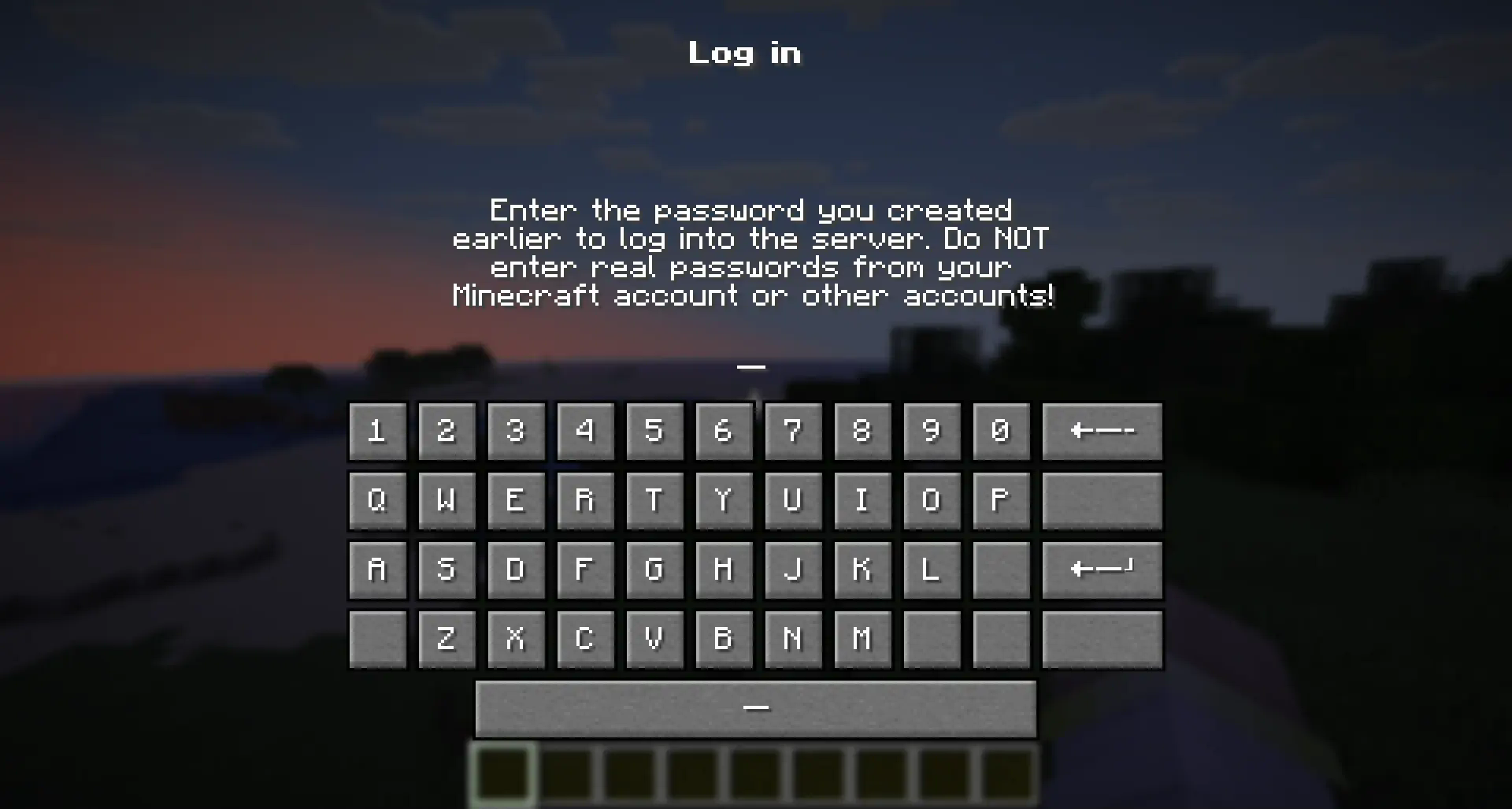
## 💡 How does this work?
> "Hyper Login" uses a forced dialogue system to ensure the safety of each player entering the server.
>
> When you first enter, you will need to come up with a unique alphanumeric combination, which you will use later to enter the server under the same nickname.
>
> If a player enters an incorrect password several times in a row, he can try again after the server restart (or re-enter the world if it is a single-player game)
## 🔐 Is this safe to use?
> All players' passwords are stored offline and no player can find out the other player's password.
>
> At the moment of registration or entering a password, the player is not vulnerable and is not subject to gravity, which will not allow him to be deliberately harmed until he has entered the correct password.
>
> The datapack does not change anything in the world it is installed in. If you decide to stop using the mod/datapack, then after deleting it, the world/server will be available without entering a password.
## ❓ What happens if I forget my password?
> If a player has forgotten their password, server operators can reset it with the command:
> ```
> /tag remove xhl_signed_in
> ```
> If it is necessary to force a player to log in again, server operators can do this with the command:
>
> ```
> /tag remove xhl_logged_in
> ```
## 🖥 Where should I install the mod (OR) datapack?
- The datapack must be installed in the "datapacks" folder of a world or a server you want to password protect.
- The mod must be installed in the "mods" folder on the server you want to password protect.
- Installing a mod on the client only makes sense if you want to protect all your singleplayer worlds from another person using your pc