
Описание
> 🚨 **HuskHomesGUI has been discontinued** 🚨 and is no longer actively maintained. It may cease to function with newer versions of Minecraft/HuskHomes. We no longer provide support for it. Thank you for your understanding.
GitHub — Docs — Issues — Discord
**HuskHomesGUI** is a GUI add-on plugin for [HuskHomes v3.x](https://modrinth.com/plugin/huskhomes) on Spigot servers. It provides a chest-style graphical user interface (GUI) for browsing home and warp lists as well as editing homes.
It replaces the chat menu system that is built into HuskHomes when you type `/homelist`, `/phomelist` or `/warplist` and includes anvil-based rename and description editing functionality to allow for easy editing.
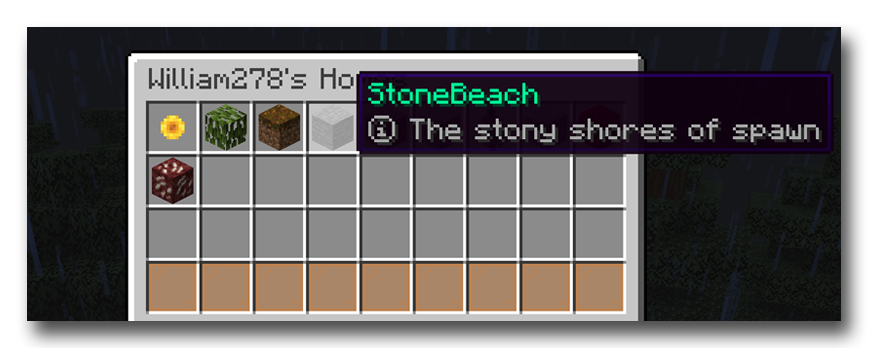
If you prefer to browse using a menu, or would like better support for Bedrock players connecting over Geyser, then this add-on is for you.
## Setup
1. Have HuskHomes v3.x+ installed on your server(s)
2. Download HuskHomesGUI and place it in your server's `~/plugins/` folder
## Usage
Simply use the list commands you are familiar with to bring up a list of homes or warps.
Then you can left-click to teleport to a home/warp, right click to edit it, and shift-left click to change the icon of the home in the list to match the type of item in your main hand. Use the page navigation buttons to switch pages.