Описание
# HudTweaks StationAPI for Minecraft Beta 1.7.3
A StationAPI mod for Minecraft Beta 1.7.3 that adds some HUD tweaks.
# HUD Tweaks
You will need [ModMenu](https://modrinth.com/mod/modmenu-beta) and [GlassConfigAPI](https://modrinth.com/mod/glass-config-api) if you want to tweak different parts of the mod. See installation instructions below.
## List of Changes:
* Increased chat history size.
* Ability to scroll up/down in chat history.
* Ability to change chat message fade time.
* Ability to disable, randomize, or show player coordinates in debug overlay.
* Ability to disable rendering the crosshair.
* Ability to disable rendering the vignette.
* Ability to draw very basic Xbox X and Y buttons.
* Ability to enable hotbar item selection tooltips.
* Ability to change hotbar item selection tooltip fade time.
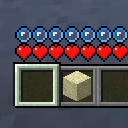
* Ability to move hotbar, status icons, and overlay message anywhere on the screen.
* Disabled - the in-game HUD will be in the vanilla position
* Simple - move in-game HUD all together with a single config category
* Advanced - move hotbar, status icons, and overlay message independently of each other in multiple config categories
* Ability to put status icons and/or overlay message below the hotbar.
## Installation using Prism Launcher
1. Download an instance of Babric for Prism Launcher: https://github.com/Glass-Series/babric-prism-instance
2. Install Java 17 and set the instance to use it: https://adoptium.net/temurin/releases/
3. Add GlassConfigAPI 3.0.2+ to the mod folder for the instance: https://modrinth.com/mod/glass-config-api
4. Add Glass Networking to the mod folder for the instance: https://modrinth.com/mod/glass-networking
5. (Optional) Add StationAPI to the mod folder for the instance: https://modrinth.com/mod/stationapi
6. (Optional) Add Mod Menu to the mod folder for the instance: https://modrinth.com/mod/modmenu-beta
7. Add this mod to the mod folder for the instance: https://github.com/telvarost/BetaTweaks-StationAPI/releases
8. Run and enjoy! 👍
## FAQ
* Q. Why is minecraft so small and part of my screen white?
* A. You probably have screen scaling on or are using a high DPI screen. There are 5 possible ways to fix this:
* The best option is to install Gambac: [https://modrinth.com/mod/gambac](https://modrinth.com/mod/gambac)
* You could also pass the following string in as a java argument in the settings tab
* `-Dsun.java2d.uiScale=1.0`
* You could also install ClientsideEssentials mod or UniTweaks and use their screen scaling fix from GCAPI config options (fix may produce small artifacts with this option)
* You could also change the DPI settings for Prism Launcher to system
* Or, you could change your screen scaling to 100%
## Feedback
Got any suggestions on what should be added next? Feel free to share it by [creating an issue](https://github.com/telvarost/HudTweaks-StationAPI/issues/new). Know how to code and want to do it yourself? Then look below on how to get started.
## Contributing
Thanks for considering contributing! To get started fork this repository, make your changes, and create a PR.
If you are new to StationAPI consider watching the following videos on Babric/StationAPI Minecraft modding: https://www.youtube.com/watch?v=9-sVGjnGJ5s&list=PLa2JWzyvH63wGcj5-i0P12VkJG7PDyo9T