
← Назад к ресурсам

[HMI] Pose Editor

{A menu for changing the poses of all objects and blocks, as well as changing the poses for the left and right hands}

Modrinth game-mechanics management

Описание

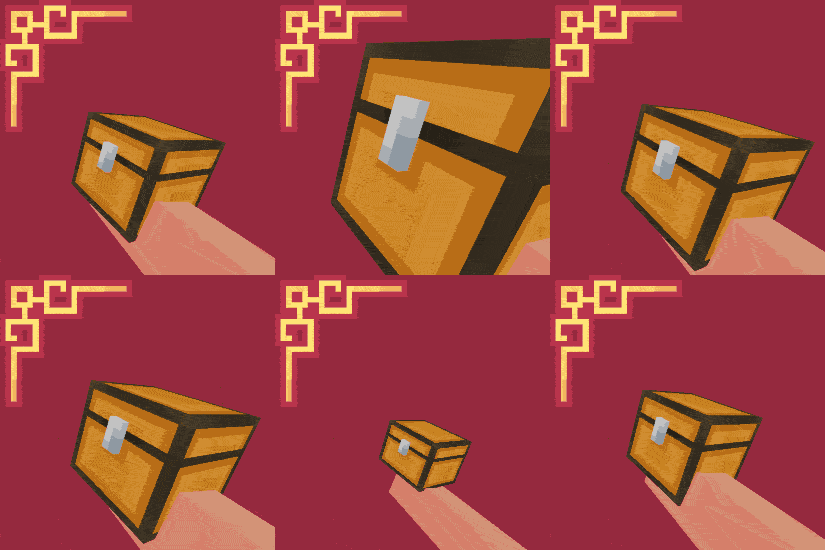
![title](https://cdn.modrinth.com/data/cached_images/c185ed0366546aa20424a1e738761d2ee4f738fe.png) ![# **To open the menu, press "N"** ](https://cdn.modrinth.com/data/cached_images/39c67eff74a9810995d69fcff3b17f0eeac3a7cc.png) **⚙️(The current hotkey is "N", but you can change it in the game settings)** ![PLASHKA](https://cdn.modrinth.com/data/cached_images/473e02259038db147a0581f8b27ac0c3455ff7ba.png) ![ABOUT](https://cdn.modrinth.com/data/cached_images/14c7aad3f30e25256446337c482646cbf0ad2507.png) ### **📁All positions are saved to a file** - `minecraft/config/hmieditor.json` > ### - Sliders for PosX/posY/posZ, rotX/rotY/rotZ and scale. > ### > ### - Edit the item that is in your hand. > ### > ### - Switch between main and second hand. > ### > ### - A separate hand pose editor. > ### > ### - Templates: create, apply, rename and delete. > ### > ### - Auto-save settings in the config ![-----------](https://cdn.modrinth.com/data/cached_images/c6d322122b213e8de6d3ba089c43e05a2275ce85.png) ![MENU](https://cdn.modrinth.com/data/cached_images/a9abbf5911854463cd6eadb7bfc6d777bf1dd4f1.png) ![-----------](https://cdn.modrinth.com/data/cached_images/c6d322122b213e8de6d3ba089c43e05a2275ce85.png) ![Before/After](https://cdn.modrinth.com/data/cached_images/b284941b0b1bfb241469756d46dc8a804b180ea0_0.webp) --------------------------------------------------------- **ㅤㅤㅤㅤㅤㅤㅤㅤㅤㅤㅤㅤㅤㅤ[ [Hold My Items](https://modrinth.com/mod/hold-my-items) ], [ [Fabric API](https://modrinth.com/mod/fabric-api) ], [ [Fabric Loader](https://fabricmc.net/) ]**