
Описание
# ✨ HitTarget Highlighter Features
>**Fully Customizable Colors** – Use the integrated RGB sliders to choose any highlight color that fits your style or HUD setup.
>
> **Adjustable Transparency** – Fine-tune the Alpha (opacity) level to make the highlight as subtle or as vibrant as you prefer.
>
> **Variable Highlight Duration** – Set exactly how long the highlight stays on the screen after a hit, ranging from 0.5 to 5.0 seconds.
>
> **Independent Armor Toggle** – Choose whether you want the entity's armor to be highlighted as well. This can be toggled ON or OFF separately from the main body highlight.
>
> **Real-time Visual Preview** – The configuration screen features a live color preview box, so you can see exactly how your choices will look in-game before saving.
>
> **Native Interface** – A clean, intuitive configuration screen that uses Minecraft's native UI style for a seamless experience.
>
> **Persistent Config** – Your settings are automatically saved to a JSON file and reloaded every time you launch the game.
## 📸 Screenshots
> Config menu Config screen featuring RGB sliders, Alpha transparency, Duration control, and the Armor highlight toggle.
>
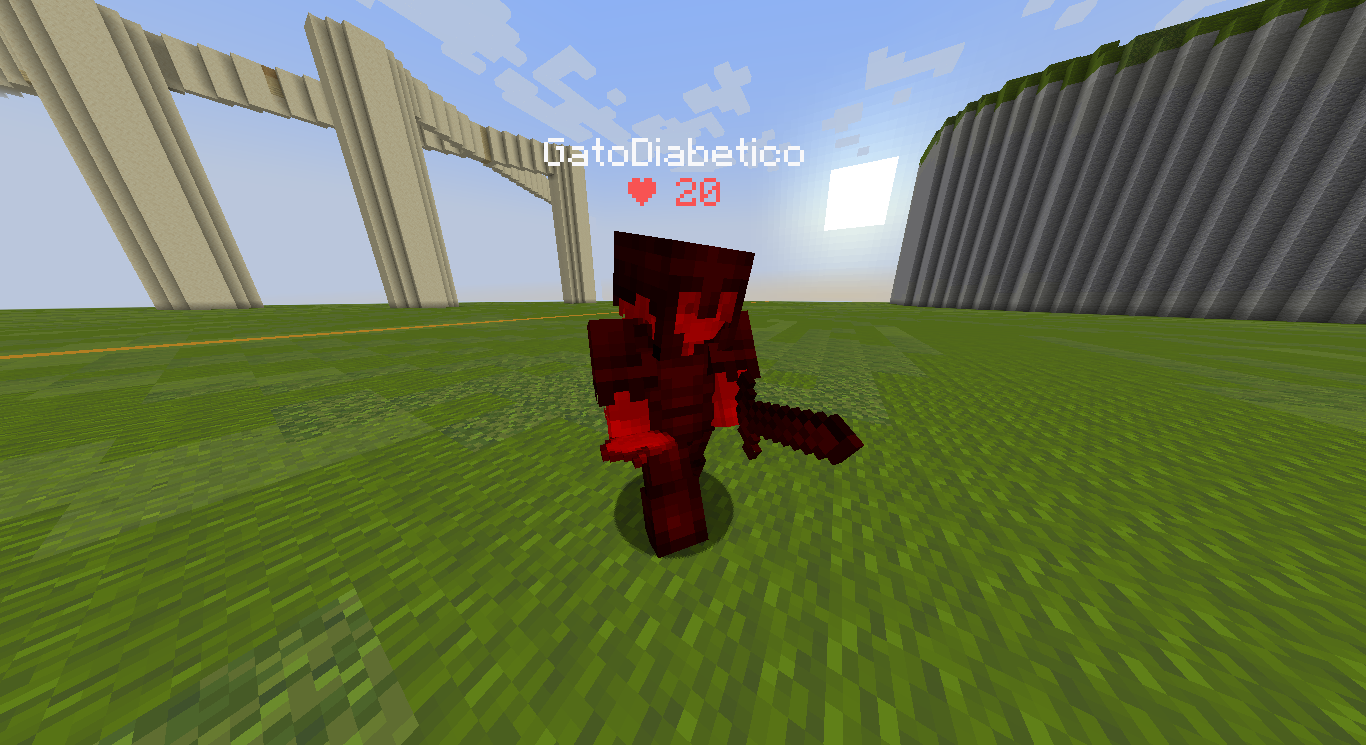
> In-game Action shot showing an entity being highlighted with a custom color upon impact.
## 🔧 Requirements
```
> Fabric Loader ≥ 0.18.4
> Fabric API
> Java 21
```
## 🎮 How to use
> Install the mod and launch Minecraft.
> Open the config screen with H (default key, changeable in your Controls settings).
> Adjust the Red, Green, and Blue sliders to find your perfect color.
> Use the Alpha slider to set the transparency and the Duration slider to set the highlight time.
> Toggle the Armor button to decide if equipment should also be highlighted.
> Click Done to save your settings.
> Hit any entity in-game to see your custom highlight instantly!
>
## 🐛 Bug reports & suggestions
> Send me a DM on Discord:
> ```
> marcellesa
> ```